
การแนะนำ
The talomen K60-1 Wireless Microphone System offers professional-grade audio with a 2.4 GHz frequency for stable, extended range up to 160 feet (50m). It features a dynamic microphone core and DSP noise reduction technology for clear, distortion-free sound. Designed for ease of use, it's a plug-and-play system with automatic pairing and boasts long-lasting rechargeable batteries. This makes it ideal for various indoor and outdoor activities such as karaoke, singing, parties, speeches, and more.
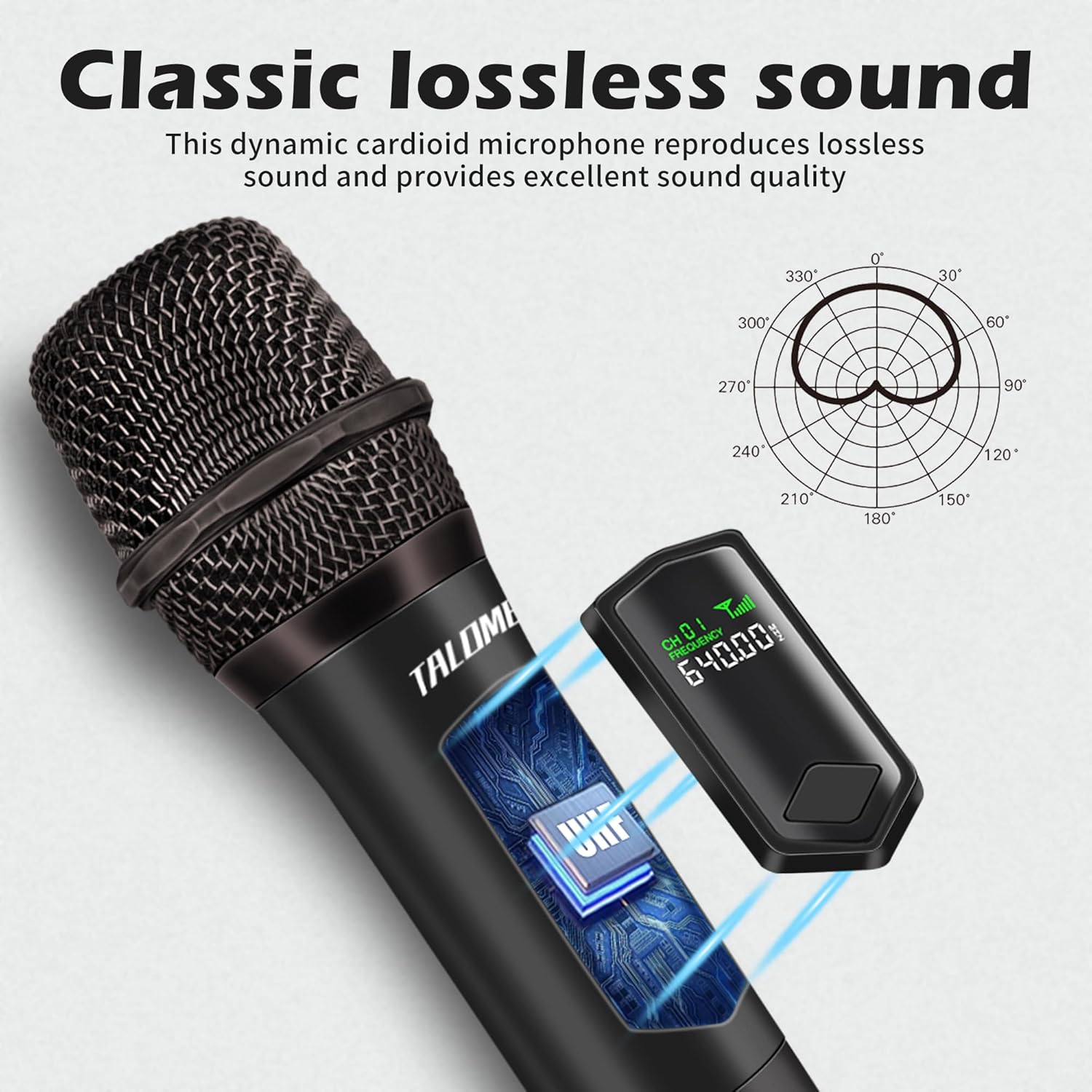
Image: The talomen K60-1 wireless microphone and its receiver, showcasing the compact and portable design.
มีอะไรอยู่ในกล่อง
กรุณาตรวจสอบเนื้อหาในแพ็คเกจเพื่อให้แน่ใจว่ามีสินค้าครบทั้งหมด:
- 1 x Handheld Wireless Microphone
- 1 x Receiver with 6.35mm (1/4 inch) Plug
- 1 x 6.35mm (1/4 inch) to 3.5mm (1/8 inch) Audio Adapter
- 2 x Rechargeable AA Lithium Batteries
- 1 x สายชาร์จ USB (Type-C)
- 1 x แหวนกันลื่น
- 1 x Microphone Cover
- 1 x คู่มือผู้ใช้

Image: All components included in the talomen K60-1 package, including the microphone, receiver, cables, batteries, and adapters.
คุณสมบัติผลิตภัณฑ์
- เสรีภาพไร้สาย: Utilizes 2.4 GHz frequency for a stable connection range of up to 160 feet (50m). Features include no radiation, anti-howling, anti-jamming, constant frequency, and distortion less than 0.2%.
- Clear Sound Pickup: Equipped with a professional dynamic microphone core, 2.4 GHz audio transmission, and DSP noise reduction technology. This ensures high signal-to-noise ratio, delivering clear, noise-free, distortion-free, and crisp vocals.
- Long-lasting Rechargeable Batteries: Both the microphone and receiver are powered by 1200 mAh rechargeable AA lithium batteries. A full charge takes 2-3 hours and provides over 10 hours of continuous use. Both units feature USB-C charging ports.
- ความเข้ากันได้กว้าง: The receiver is compatible with any device featuring a 6.35mm (1/4 inch) or 3.5mm (1/8 inch) MIC input. This includes party speakers, karaoke machines, amplifiers, PA systems, and audio interfaces.
- ปลั๊กแอนด์เพลย์: Designed for easy setup with automatic pairing between the microphone and receiver, requiring no manual configuration.
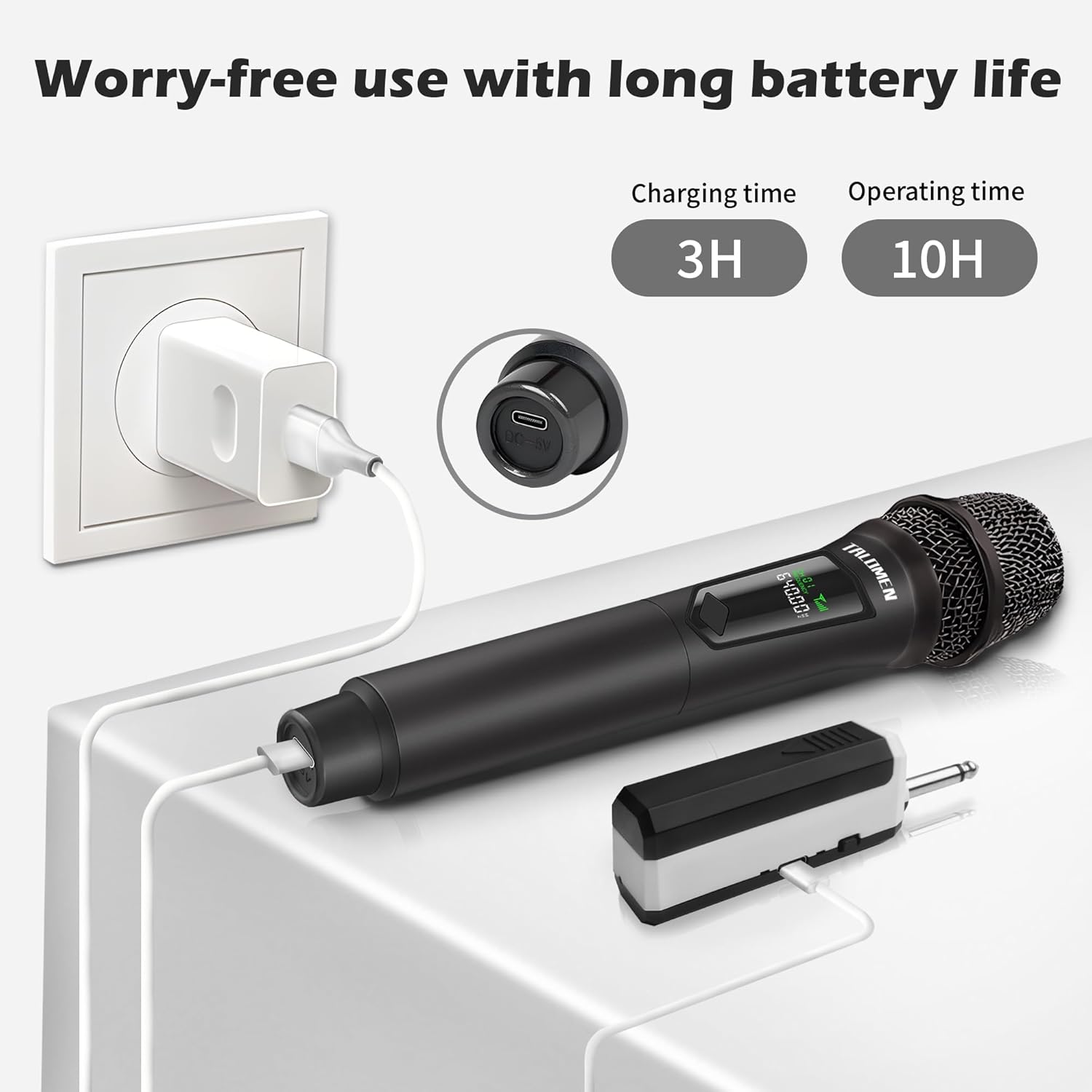
Image: The microphone's classic lossless sound capability, illustrated with a polar pattern diagram for optimal sound capture.

Image: Internal components of the custom microphone, highlighting the built-in soundproof cotton, anti-vibration protective case, and Hi-Fi voice coil for superior audio.

Image: Illustration of the microphone's stable long-distance transmission capability, reaching up to 164 feet (50 meters).

Image: The microphone's wide compatibility with different audio devices, including street stereo speakers, karaoke speakers, PA systems, outdoor speakers, power ampเครื่องขยายสัญญาณ และระบบเสียง
คำแนะนำการตั้งค่า
The talomen K60-1 microphone system is designed for quick and easy setup. Follow these steps to get started:
- ใส่แบตเตอรี่: Ensure the included rechargeable AA lithium batteries are correctly inserted into both the microphone and the receiver.
- เปิดใช้งานไมโครโฟน: Locate the ON/OFF switch on the microphone and slide it to the 'ON' position.
- เปิดเครื่องรับ: Locate the ON/OFF switch on the receiver and slide it to the 'ON' position. The microphone and receiver will automatically pair.
- เชื่อมต่อเครื่องรับ: Plug the receiver into the MIC input port of your audio device (e.g., karaoke machine, PA system). If your device has a 3.5mm (1/8 inch) input, use the provided 6.35mm to 3.5mm audio adapter.
Once connected, you are ready to use your talomen K60-1 wireless microphone.
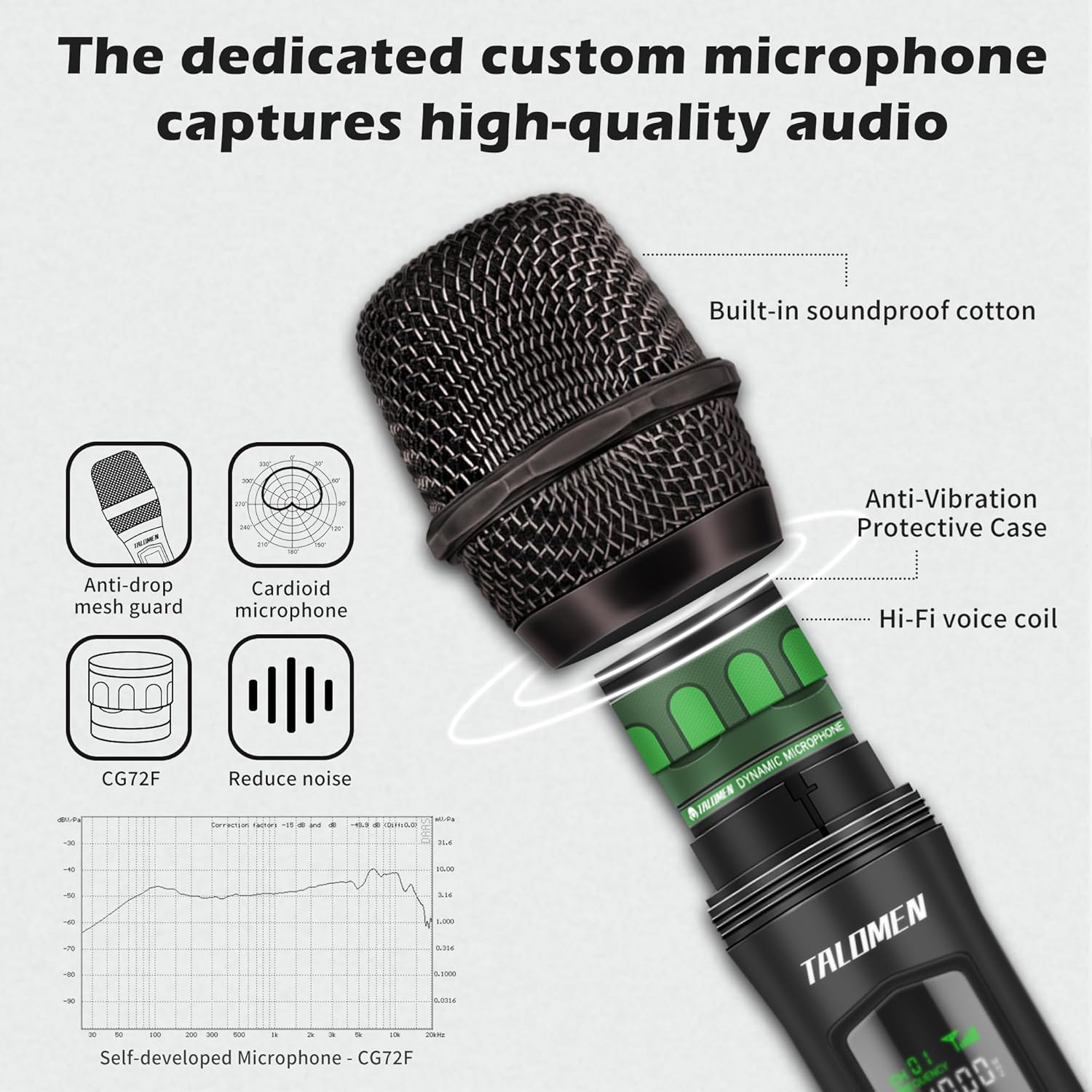
Image: Visual guide for the 3-step plug-and-play setup: Turn on microphone, turn on receiver (automatic pairing), and insert receiver into the microphone input port.
คำแนะนำการใช้งาน
- เปิด/ปิดเครื่อง: ใช้สวิตช์เปิด/ปิดเฉพาะบนทั้งไมโครโฟนและตัวรับสัญญาณเพื่อเปิดหรือปิดอุปกรณ์
- ฟังก์ชั่นปิดเสียง: The microphone is equipped with a mute function. Refer to the microphone's display or specific button for activation/deactivation.
- การควบคุมระดับเสียง: Adjust the output volume directly on your connected audio device (e.g., speaker, amplifier). The microphone itself does not have a volume control.
- การใช้งานที่เหมาะสมที่สุด: For best sound quality, hold the microphone approximately 2-6 inches (5-15 cm) from your mouth.
การซ่อมบำรุง
- การชาร์จแบตเตอรี่: Fully charge the batteries before the first use. When the battery indicator on the microphone or receiver is low, connect them to a USB power source using the provided USB-C cable. A full charge typically takes 2-3 hours.
- การทำความสะอาด: Wipe the microphone and receiver with a soft, dry cloth. Do not use liquid cleaners, solvents, or abrasive materials, as these can damage the device.
- พื้นที่จัดเก็บ: When not in use for extended periods, store the microphone system in a cool, dry place, away from direct sunlight and extreme temperatures. It is recommended to remove batteries if storing for very long durations.
- Anti-slip Ring: Use the included anti-slip ring to prevent the microphone from rolling off surfaces and to provide a more secure grip.

Image: Details on battery life and charging, showing a 3-hour charging time for 10 hours of operating time, with a USB-C charging port.
การแก้ไขปัญหา
- ไม่มีเสียงออก:
- ตรวจสอบให้แน่ใจว่าไมโครโฟนและเครื่องรับเปิดอยู่
- Check the battery levels of both units and recharge if necessary.
- Verify that the receiver is securely plugged into the correct MIC input of your audio device.
- Confirm that the volume on your audio device is turned up.
- The microphone and receiver should pair automatically. If not, try restarting both devices.
- Poor Sound Quality or Interference:
- Ensure the microphone is within the optimal operating range of 160 feet (50m) from the receiver.
- Minimize physical obstacles (walls, large objects) between the microphone and receiver.
- Avoid using the microphone near other 2.4 GHz wireless devices that might cause interference.
- Check the microphone grille for any debris that might obstruct sound.
- Microphone/Receiver Not Charging:
- Ensure the USB-C charging cable is firmly connected to both the device and the power source.
- Verify that the USB power source (e.g., wall adapter, computer USB port) is active and functioning correctly.
ข้อมูลจำเพาะ
| คุณสมบัติ | ข้อมูลจำเพาะ |
|---|---|
| ยี่ห้อ | talomen |
| ชื่อรุ่น | K60-1 |
| เทคโนโลยีการเชื่อมต่อ | 2.4 GHz, 3.5 mm/6.35 mm, USB Type-C |
| ประเภทขั้วต่อ | แจ็ค 3.5 มม., แจ็ค 6.35 มม. |
| คุณสมบัติพิเศษ | Mute function, Noise reduction |
| อุปกรณ์ที่รองรับ | Karaoke machine, PA system |
| สี | สีดำ |
| รูปแบบขั้ว | ทิศทางเดียว |
| อิมพีแดนซ์ | 1 โอห์ม |
| คุณสมบัติไมโครโฟน | แบบถือด้วยมือ |
| แหล่งพลังงาน | ใช้พลังงานจากแบตเตอรี่ |
| จำนวนแบตเตอรี่ | 2 AAA (Rechargeable Lithium, included) |
| อัตราส่วนสัญญาณต่อเสียงรบกวน | 86.4 เดซิเบล |
| แพลตฟอร์มฮาร์ดแวร์ | DVD Player, Karaoke Machine, Television |
| จำนวนช่องสัญญาณ | 10 |
| การตอบสนองความถี่ | ความถี่ 20 กิโลเฮิรตซ์ |
| ช่วงความถี่ | 2402MHz-2480MHz |
| ความถี่สูงสุด | 2480 เมกะเฮิรตซ์ |
| ความถี่ขั้นต่ำ | 2200 เมกะเฮิรตซ์ |
| ระดับเสียง | 86.4 เดซิเบล |
| ขนาดรายการ (ยาว x กว้าง x สูง) | 5.5 x 5.5 x 25 เซนติเมตร |
| วัสดุภายใน | พลาสติก |
| GTIN/UPC | 601236704481 |
การรับประกันและการสนับสนุน
The talomen K60-1 Wireless Microphone System comes with a one-year free replacement guaranteeเพื่อให้คุณอุ่นใจกับการซื้อสินค้าของคุณ
Should you have any questions, encounter issues, or require assistance, please do not hesitate to contact our customer service. Our support team is available 7 วันต่อสัปดาห์ ตลอด 24 ชั่วโมง, to provide online assistance.
For further support, please refer to the contact information provided with your purchase or visit the official talomen webเว็บไซต์.


