
1. บทนำ
The SMAJAYU JY100 Plus Tractor Guidance System is an advanced precision agriculture solution designed to enhance farming accuracy and efficiency. It features a 10-inch waterproof Android 10 tablet integrated with a high-precision GNSS board and a 601A GNSS GPS antenna. The system provides stable A-B line guidance, supporting multiple satellite constellations and frequencies for reliable operation in various agricultural tasks.
คุณสมบัติหลัก:
- ระบบบูรณาการ: Includes a 10-inch waterproof Android 10 tablet with a high-precision GNSS board and a 601A GNSS GPS Antenna.
- Precision AG Software: Permanently valid software for accurate tractor guidance along A-B lines.
- ความแม่นยำสูง: Achieves 4-inch accuracy by PPP and 1-inch accuracy by CORS.
- การใช้งานที่หลากหลาย: Suitable for sowing, cultivating, trenching, ridging, spraying pesticide, transplanting, land consolidation, and harvesting.
- เข้ากันได้สากล: Compatible with any brand and model of tractor (e.g., JOHN-DEERE, CASE, NEW Holland).
- Multi-Constellation Support: Supports GPS L1, L2; GLONASS L1, L2; BeiDou B1, B2, B3.
- รองรับหลายภาษา: Offers map-based navigation and Task Controller functionality.
2. อะไรอยู่ในกล่อง
Upon opening your SMAJAYU JY100 Plus package, you will find the following components:
- 1 x Android 10 Tablet
- 1 x เสาอากาศ GNSS
- 1 x Strong Magnetic Chuck (Antenna Bracket)
- 1 x RAM Bracket
- 1 x ชุดของสกรู
- 1 x Tractor Main Cable
- สายไฟ 1 เส้น
- 1 x GNSS Antenna Cable 5M
- 1 x คู่มือผู้ใช้

Figure 2.1: The packaging includes the Android 10 Tablet, GNSS Antenna, Strong Magnetic Chuck (Antenna Bracket), RAM Bracket, Screws, Tractor Main Cable, Power Supply Cable, GNSS Antenna Cable 5M, and User Manual.
Video 2.1: This video provides a detailed unboxing of the SMAJAYU JY100 Tractor Guidance System, showcasing all included components and their initial presentation.
3. การตั้งค่าและการติดตั้ง
The JY100 Plus system is designed for straightforward installation. Follow these general steps to set up your tractor guidance system:
- Connect GNSS Antenna: Connect the GNSS Antenna to the ANT1 port on the tablet.
- ติดตั้งเสาอากาศ: Install the GNSS antenna on the central axis of the tractor's roof or hood using the provided strong magnetic chuck (antenna bracket). Ensure it is securely fastened.
- Turn Off Autosteering: Before starting, ensure the autosteering function is turned off.
- Select Antenna: On the tablet, select the correct antenna type: T101 single antenna.
- เชื่อมต่อสายเคเบิล: Connect the Tractor Main Cable and Power Supply Cable as per the connection diagram.
- Mount Tablet: Use the RAM bracket to securely mount the Android 10 tablet in a convenient location within the tractor cab.

Figure 3.1: This diagram illustrates how to connect the various components of the JY100 system, including the GNSS antenna, cables, tablet, and power supply, emphasizing antenna installation on the vehicle roof or hood.
Video 3.1: This video demonstrates the installation process for the JY305 Auto Steering System, a related product. While specific components may differ, the general installation principles for mounting and wiring can be helpful.
4. คู่มือการใช้งาน
The JY100 Plus system is integrated with farming tractor navigation software to guide your tractor along straight or curved A-B lines for high-precision agriculture.
4.1. Creating A-B Lines
After successful installation and power-up, the primary step is to create an A-B line to define your guidance path. The system supports various guidance line types:
- AB Straight: For straight-line guidance.
- ABC Straight: For extended straight-line guidance.
- ABC Curve: For curved path guidance.
- Lastpath: To follow previously recorded paths.

Figure 4.1: This diagram illustrates the various guidance line patterns supported by the system: AB straight, ABC straight, ABC curve, and Lastpath, enabling precise navigation for different farming tasks.
Video 4.1: This video illustrates the steps to create an A-B line using the SMA10 system. The principles for setting up guidance lines are generally applicable to the JY100 Plus system.
4.2. PPP Operation Process
The system supports Precise Point Positioning (PPP) for high accuracy without requiring a base station or internet connection (using Galileo HAS correction).
Video 4.2: This video guides users through the PPP operation process of the JY100 system, demonstrating how to set up and utilize the precision positioning features for agricultural tasks.
4.3. Accuracy Modes
The JY100 Plus offers flexible accuracy modes to suit different needs:
- PPP (Precise Point Positioning): Recommended mode, achieving 10cm accuracy using Galileo HAS correction, without needing a base station or internet.
- CORS (Continuously Operating Reference Station): Achieves 2.5cm accuracy when connected to CORS network stations.
- No RTK Base Station: Provides accuracy up to 30cm without an RTK base station.
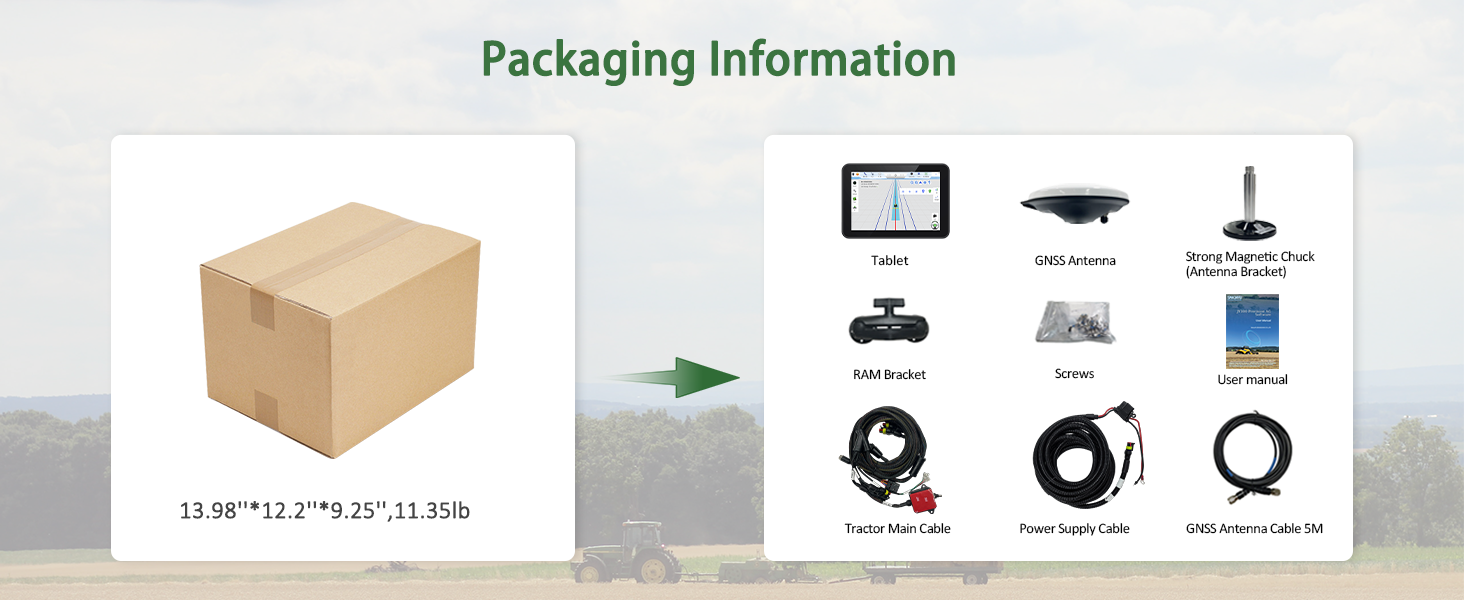
Figure 4.2: The system offers different accuracy modes: PPP (10cm, no base station/internet needed), CORS (2.5cm with network stations), and up to 30cm without RTK base station.
5. สถานการณ์การใช้งาน
The JY100 Plus Tractor GPS navigation system is versatile and can be widely used across various agricultural operations, significantly improving farming accuracy and efficiency.
- Sowing: Precise seed placement for optimal crop growth.
- Cultivating: Accurate tilling and soil preparation.
- Trenching & Ridging: Consistent furrow and ridge formation.
- Pesticide Spraying: Uniform application to minimize waste and maximize coverage.
- การย้ายปลูก: Accurate positioning for young plants.
- Land Consolidation: Efficient land management and leveling.
- การเก็บเกี่ยว: Optimized routes for maximum yield recovery.
The system is compatible with a wide range of tractor brands and models, including but not limited to JOHN-DEERE, CASE, MESSEY, NEW Holland, MT3, CLAAS, JCB, DEUTZ, MTZ, and other agricultural implements.
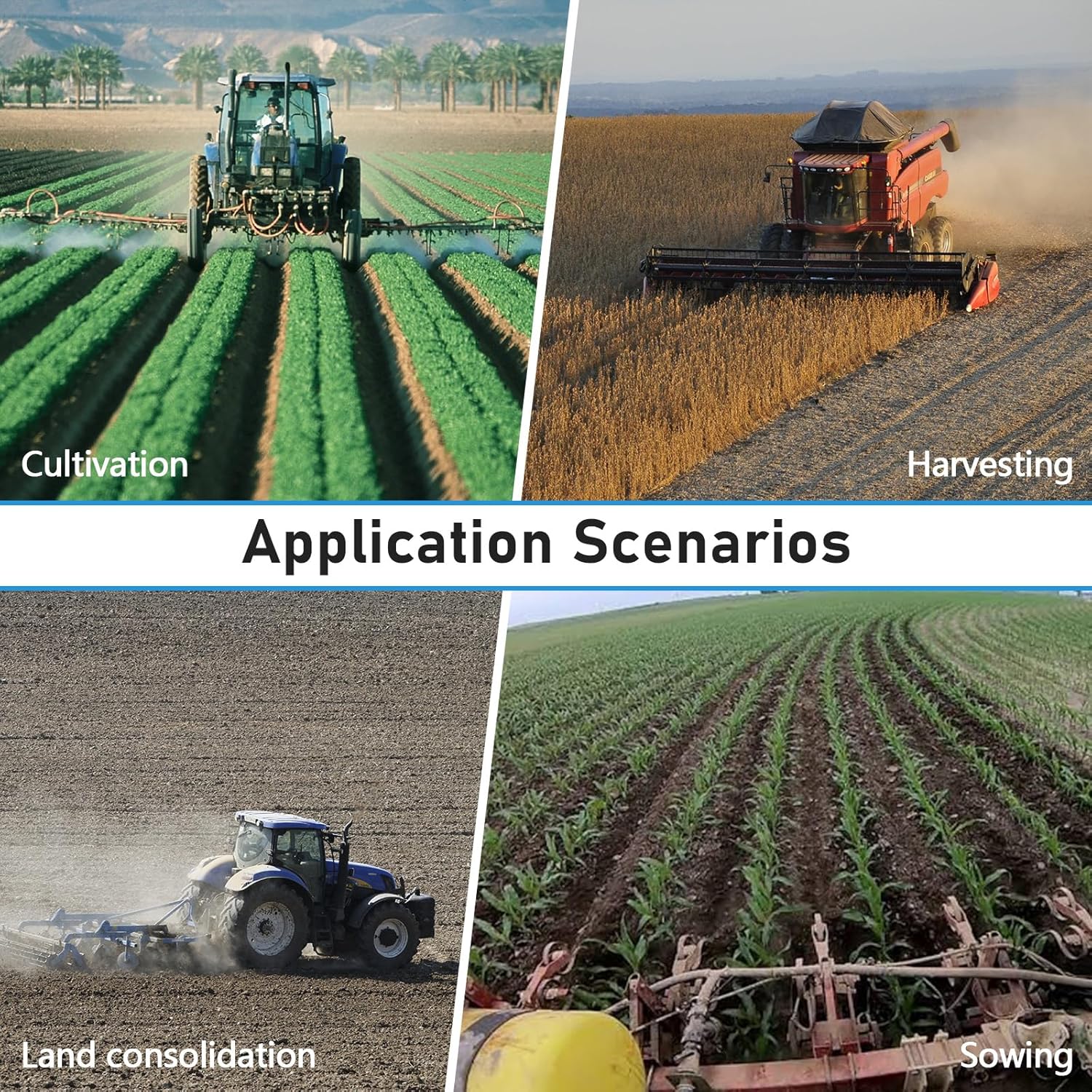
Figure 5.1: The system is suitable for diverse agricultural applications such as sowing, cultivating, trenching, ridging, spraying pesticide, transplanting, land consolidation, and harvesting.

Figure 5.2: The guidance system is versatile for sowing, cultivating, trenching, ridging, transplanting, land consolidation, and harvesting, compatible with numerous tractor brands and models.
6. ข้อมูลจำเพาะ
| คุณสมบัติ | รายละเอียด |
|---|---|
| ยี่ห้อ | สมาจายู |
| ชื่อรุ่น | JY100 Plus |
| หมายเลขรุ่น | เจวาย100 |
| สี | สีดำ |
| อุปกรณ์ที่รองรับ | แท็บเล็ต |
| ประเภทการติดตั้ง | ที่วางบนโต๊ะ |
| คุณสมบัติพิเศษ | หน้าจอสัมผัส |
| ประเภทรถที่เข้ากันได้ | รถแทรกเตอร์ |
| ขนาดรายการ | 13.98 x 12.2 x 9.25 นิ้ว |
| น้ำหนักสินค้า | 4.31 กิโลกรัม |
| สื่อในตัว | 1*Android 10 Tablet; 1*GNSS Antenna; 1*Strong Magnetic Chuck (Antenna Bracket); 1*RAM Bracket; 1*Screws; 1*Tractor Main Cable; 1*Power Supply Cable; 1*GNSS Antenna Cable 5M; 1*User manual |
7 การแก้ไขปัญหา
If you encounter any issues with your JY100 Plus Tractor Guidance System, please refer to the following common troubleshooting steps:
- ไม่มีไฟฟ้า: Ensure all power cables are securely connected and the tractor's power source is active. Check for any blown fuses.
- ไม่มีสัญญาณ GPS: Verify the GNSS antenna is correctly installed on the central axis of the tractor and has a clear view of the sky. Ensure the antenna cable is properly connected to the ANT1 port. Move to an open area without obstructions.
- Inaccurate Guidance: Check that the correct antenna type (T101 single antenna) is selected in the system settings. Perform a heading calibration if available in the software. Ensure the implement width and offset settings are accurate.
- ปัญหาด้านซอฟต์แวร์: Restart the tablet. Ensure the software is up-to-date. If problems persist, contact customer support.
- แท็บเล็ตไม่ตอบสนอง: Perform a hard reset by holding the power button for several seconds.
For more detailed troubleshooting, consult the included User Manual or contact SMAJAYU customer support.
8. การบำรุงรักษา
Proper maintenance ensures the longevity and optimal performance of your SMAJAYU JY100 Plus Tractor Guidance System:
- การทำความสะอาดปกติ: Keep the tablet screen and GNSS antenna clean from dust, dirt, and debris. Use a soft, damp ผ้าสำหรับทำความสะอาด
- การตรวจสอบสายเคเบิล: Periodically inspect all cables for any signs of wear, fraying, or damage. Replace damaged cables immediately to prevent system malfunction.
- การติดตั้งที่ปลอดภัย: Ensure all mounting brackets and screws are tight and secure, especially for the GNSS antenna and tablet, to prevent movement during operation.
- การอัปเดตซอฟต์แวร์: Regularly check for and install any available software updates to ensure you have the latest features and bug fixes.
- พื้นที่จัดเก็บ: When not in use for extended periods, store the tablet and antenna in a dry, cool place, protected from extreme temperatures and direct sunlight.
9. การรับประกันและการสนับสนุน
9.1. ข้อมูลการรับประกัน
The SMAJAYU JY100 Plus Tractor Guidance System comes with a รับประกัน 1 ปี นับจากวันที่ซื้อ การรับประกันนี้ครอบคลุมข้อบกพร่องจากการผลิตและการทำงานผิดปกติภายใต้การใช้งานปกติ โปรดเก็บหลักฐานการซื้อไว้เพื่อขอรับสิทธิ์การรับประกัน
9.2. การสนับสนุนลูกค้า
For any technical assistance, troubleshooting, or warranty inquiries, please contact SMAJAYU customer support. Our team is dedicated to providing quick response and efficient support to help you achieve the best possible results.
- การสนับสนุนทางออนไลน์: Visit the official SMAJAYU website for FAQs, product resources, and contact forms.
- การสนับสนุนทางอีเมล์: กรุณาติดต่อทางอีเมลสำหรับรายละเอียดเพิ่มเติม
- การสนับสนุนทางโทรศัพท์: Contact our support hotline during business hours for immediate assistance.
At SMAJAYU, we are committed to delivering precision GNSS solutions that enhance productivity and efficiency across agriculture. We ensure product quality through a strict inspection process and offer 24-hour support.