
1. สินค้าหมดview
The Adin S8BT Bone Conduction Vibration Speaker is an innovative audio device that transmits sound through vibrations, allowing any flat surface to become a speaker. Its compact and portable design makes it ideal for various indoor and outdoor environments.
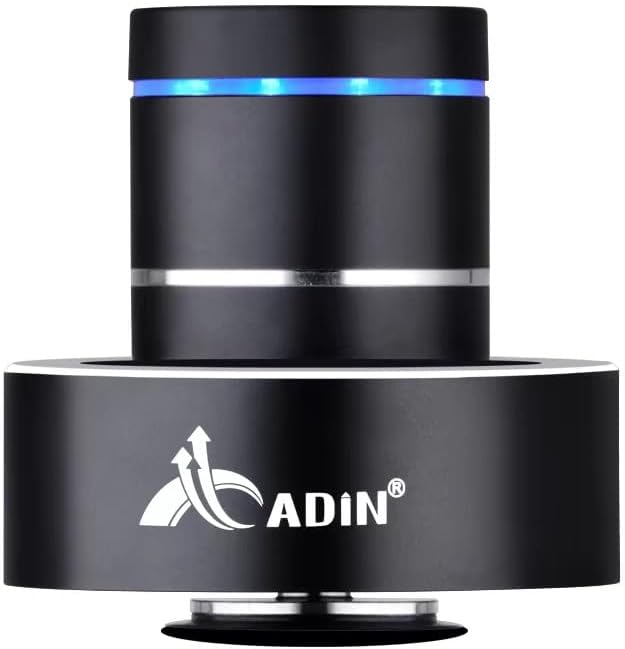
Figure 1: Adin S8BT Bone Conduction Vibration Speaker. This image displays the main unit of the speaker, showcasing its sleek black cylindrical design with a luminous blue accent ring and silver band. The speaker is designed to sit on a surface, utilizing bone conduction technology.

Figure 2: Adin S8BT Speaker and Included Accessories. This image shows the Adin S8BT speaker alongside its retail packaging, a USB charging cable, and an auxiliary audio cable, indicating the complete product package.
2. คุณสมบัติหลัก
- เทคโนโลยีการนำเสียงทางกระดูก: Transforms any flat surface into a speaker, delivering immersive audio.
- การเชื่อมต่อไร้สาย: Seamlessly stream audio via Bluetooth from compatible devices.
- ขนาดกะทัดรัดและพกพาสะดวก: Lightweight and small form factor for easy transport and placement.
- การควบคุมแบบสัญชาตญาณ: Simple touch controls for volume adjustment, track switching, and playback management.
- การออกแบบอเนกประสงค์: Can function as a speaker, ambient lamp, or decorative item.
- อายุการใช้งานแบตเตอรี่ยาวนาน: Built-in high-performance battery with Type-C socket charging.
3. เนื้อหาบรรจุภัณฑ์
โปรดตรวจสอบว่าสินค้าทั้งหมดมีอยู่ในแพ็คเกจของคุณ:
- Adin S8BT Bone Conduction Vibration Speaker
- สายชาร์จ USB (1 เมตร)
- Auxiliary Audio Cable (1m)
- Instruction Manual (PDF version available online)
4. ข้อมูลจำเพาะทางเทคนิค
| คุณสมบัติ | ข้อมูลจำเพาะ |
|---|---|
| ชื่อรุ่น | Adin S8BT Bone Conduction Speaker |
| ประเภทลำโพง | การนำเสียงทางกระดูก |
| เทคโนโลยีการเชื่อมต่อ | บลูทูธ |
| ช่วงบลูทูธ | 10 เมตร |
| วิธีการควบคุม | สัมผัส |
| แหล่งพลังงาน | ใช้พลังงานจากแบตเตอรี่ |
| กำลังขับสูงสุดของลำโพง | 26 วัตต์ |
| การตอบสนองความถี่ | ความถี่ 18 กิโลเฮิรตซ์ |
| โหมดเอาต์พุตเสียง | สเตอริโอ |
| วัสดุ | อลูมิเนียม |
| สี | สีดำ |
| ขนาดสินค้า | ลึก 3.35 นิ้ว x กว้าง 3.35 นิ้ว x สูง 3.35 นิ้ว |
| น้ำหนักสินค้า | 2.2 ปอนด์ |
| การใช้งานภายใน/ภายนอกอาคาร | ในร่ม, กลางแจ้ง |
| กันน้ำได้ | เลขที่ |
5. คู่มือการติดตั้ง
5.1 การชาร์จเริ่มต้น
Before first use, fully charge the speaker. Connect the provided USB charging cable to the speaker's DC 5V port and the other end to a USB power adapter (not included) or a computer's USB port.

Figure 3: Adin S8BT Speaker Ports. This image shows the side of the speaker with the DC 5V charging port, ON/OFF/BT switch, and AUX input, indicating connectivity options.
5.2 การเปิด/ปิดเครื่อง
Locate the ON/OFF switch on the side of the speaker. Slide it to the "ON" position to power on the device. Slide it to the "OFF" position to power off.
5.3 Placement for Optimal Sound
For the best audio experience, place the speaker on a flat, solid surface. Different surfaces will produce varying sound qualities and volumes due to the bone conduction technology. Experiment with surfaces like wood, glass, metal, or cardboard to find your preferred sound.
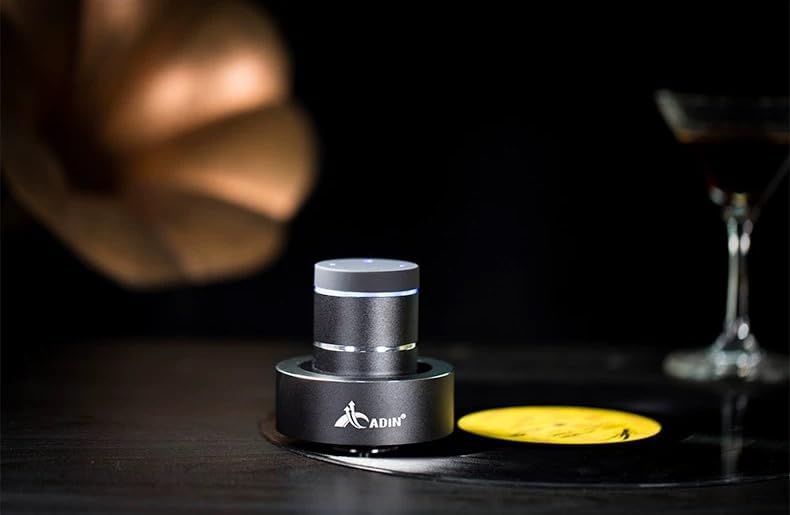
Figure 4: Adin S8BT Speaker in Use. This image depicts the Adin S8BT speaker placed on a flat surface, demonstrating its compact size and how it integrates into an environment for audio playback.
6. คู่มือการใช้งาน
6.1 การจับคู่บลูทูธ
- Ensure the speaker is powered on and in Bluetooth mode. The blue accent ring will likely flash, indicating it's ready for pairing.
- บนสมาร์ทโฟนหรืออุปกรณ์ที่รองรับบลูทูธ ให้ไปที่การตั้งค่าบลูทูธ
- ค้นหา available devices. The speaker should appear as "Adin S8BT" or similar.
- Select the speaker from the list to pair. Once paired, the blue light may become solid or change its flashing pattern.
6.2 การเล่นเสียง
Once connected via Bluetooth, you can play audio from your device. Use the touch controls on the top of the speaker to manage playback:
- แตะ: เล่น/หยุดชั่วคราว
- ปัดไปทางซ้าย/ขวา: Previous/Next Track.
- ถือ: Volume Up/Down (specific gesture may vary, refer to quick start guide for precise touch controls).
อินพุต AUX 6.3 ช่อง
For devices without Bluetooth, use the provided auxiliary cable. Connect one end to the speaker's "Link In" port and the other end to your audio source's headphone jack.
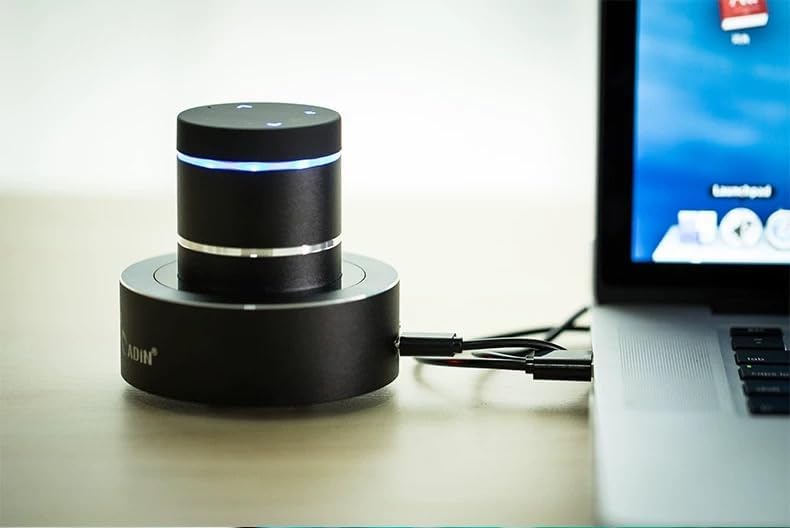
Figure 5: Adin S8BT Speaker with AUX Connection. This image illustrates the Adin S8BT speaker connected to a laptop via an auxiliary cable, demonstrating its wired connectivity option for audio input.
7. การบำรุงรักษาและการดูแล
- การทำความสะอาด: ใช้ผ้าแห้งนุ่มเช็ดทำความสะอาดพื้นผิวลำโพง ห้ามใช้สารทำความสะอาดที่มีฤทธิ์กัดกร่อนหรือตัวทำละลาย
- พื้นที่จัดเก็บ: เก็บลำโพงไว้ในที่แห้งและเย็น หลีกเลี่ยงแสงแดดโดยตรงและอุณหภูมิที่สูงหรือต่ำเกินไป
- การสัมผัสน้ำ: ผู้พูดคือ ไม่กันน้ำหลีกเลี่ยงการสัมผัสกับน้ำหรือความชื้นมากเกินไป
- การดูแลแบตเตอรี่ เพื่อยืดอายุการใช้งานแบตเตอรี่ ควรหลีกเลี่ยงการปล่อยประจุแบตเตอรี่จนหมดบ่อยๆ ควรชาร์จแบตเตอรี่เป็นประจำ แม้จะไม่ได้ใช้งานเป็นเวลานานก็ตาม
8 การแก้ไขปัญหา
| ปัญหา | สาเหตุที่เป็นไปได้ | สารละลาย |
|---|---|---|
| ไม่มีเสียงจากลำโพง | Speaker is off, not paired, or volume is too low. | Ensure speaker is ON. Re-pair Bluetooth. Increase speaker and device volume. Check surface contact. |
| ไม่สามารถจับคู่ผ่านบลูทูธได้ | Speaker not in pairing mode, device Bluetooth off, or too far. | Ensure speaker is in pairing mode (flashing blue light). Turn device Bluetooth off/on. Move device closer to speaker (within 10m). |
| คุณภาพเสียงไม่ดี | Unsuitable surface, low battery, or interference. | Try placing on a different, more solid surface. Charge the speaker. Move away from other electronic devices. |
| ลำโพงไม่ชาร์จ | Cable issue, power source issue, or dirty port. | Check USB cable connection. Try a different USB port or power adapter. Ensure charging port is clean. |
9. การรับประกันและการสนับสนุน
For information regarding warranty coverage, please refer to the warranty card included with your purchase or contact the manufacturer directly. Keep your proof of purchase for any warranty claims.
If you encounter issues not covered in this manual or require further assistance, please contact Adin customer support through their official webไซต์หรือผู้ค้าปลีกที่คุณซื้อผลิตภัณฑ์มา