
1. บทนำ
The TYLT Crest is a versatile 15W fast wireless charger designed for both home and office environments. This device features a convertible design, allowing it to function as a flat charging pad or an upright stand. It is compatible with various wireless charging enabled devices, including smartphones and wireless headphones, providing efficient power delivery.
2. ข้อมูลด้านความปลอดภัย
- ห้ามให้อุปกรณ์สัมผัสกับของเหลว ความชื้น หรืออุณหภูมิที่สูงหรือต่ำเกินไป
- หลีกเลี่ยงการทำตกหรือให้เครื่องได้รับแรงกระแทกรุนแรง
- Do not attempt to disassemble, repair, or modify the charger. This may void the warranty and pose safety risks.
- Use only certified power adapters and cables with the device.
- เก็บให้พ้นจากมือเด็ก
- ตรวจสอบให้แน่ใจว่ามีการระบายอากาศที่เหมาะสมระหว่างการใช้งานเพื่อป้องกันความร้อนสูงเกินไป
3. เนื้อหาบรรจุภัณฑ์
ตรวจสอบว่ามีรายการทั้งหมดอยู่ในแพ็คเกจ:
- TYLT Crest 15W Wireless Charging Convertible Stand
- 1 USB Type-C to USB Type-C cable (power adapter not included)
4. การตั้งค่า
- Connect one end of the provided USB Type-C cable to the USB-C port on the TYLT Crest charger.
- Connect the other end of the USB Type-C cable to a compatible USB power adapter (not included). For optimal 15W charging, use a power adapter that supports Power Delivery (PD) with at least 15W output.
- เสียบอะแดปเตอร์เข้ากับเต้ารับไฟฟ้าที่ผนัง เครื่องชาร์จพร้อมใช้งานแล้ว
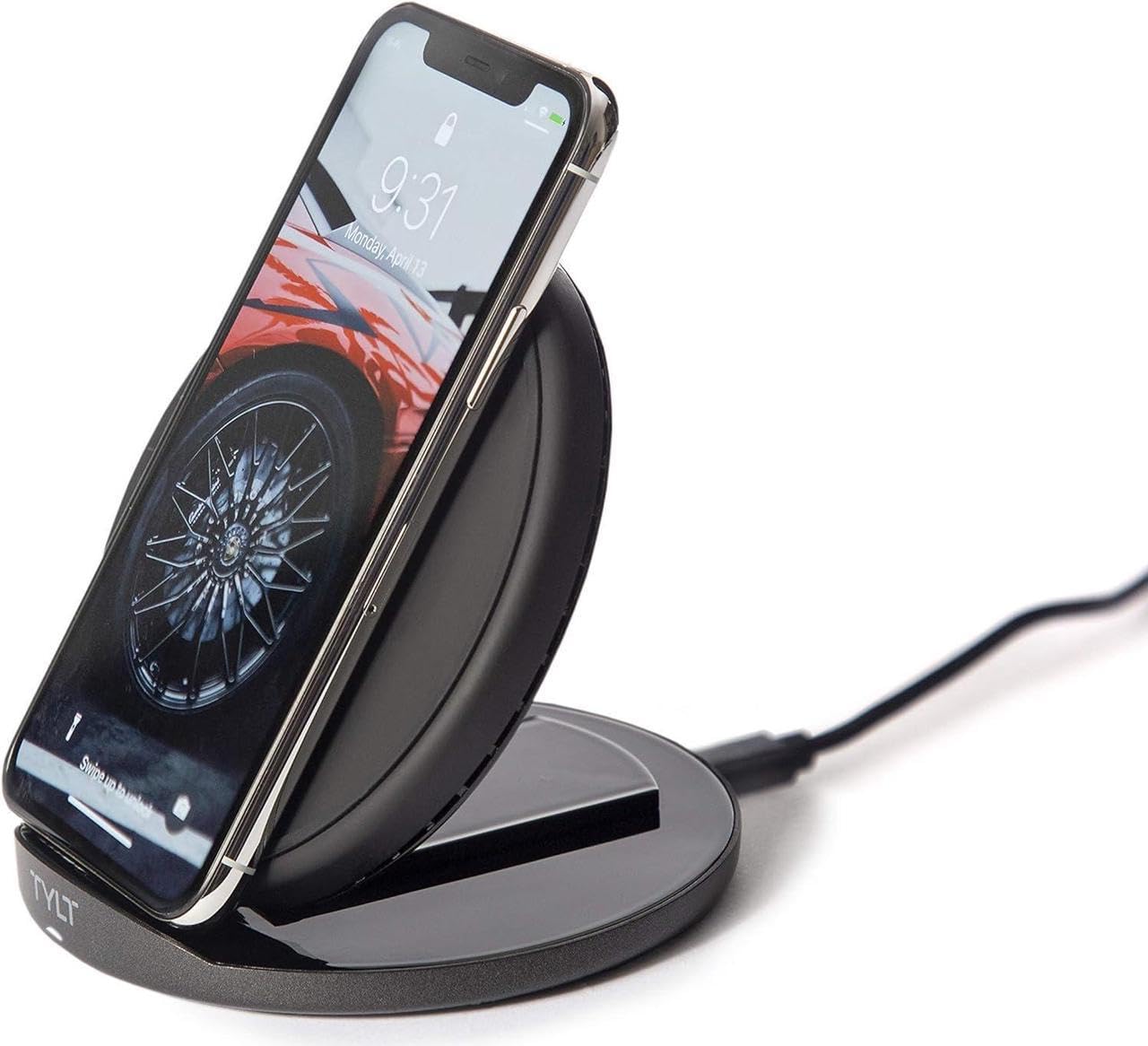
Image: The TYLT Crest charger shown in its upright stand configuration, actively charging a smartphone. This illustrates the device's primary function as a phone stand and charger.
5. คู่มือการใช้งาน
5.1. Charging in Stand Mode
- Ensure the TYLT Crest is in its upright stand configuration.
- Place your wireless charging compatible smartphone onto the stand. Align the center of your phone with the charging coil area on the stand.
- The charging indicator on your phone should activate, confirming that charging has begun.
5.2. Charging in Flat Pad Mode
- Gently convert the TYLT Crest from stand mode to its flat pad configuration.
- Place your wireless charging compatible device, such as wireless headphones or a smaller smartphone, onto the flat charging surface. Ensure the device is centered on the pad.
- The device's charging indicator should activate, confirming that charging has begun.
บันทึก: For optimal 15W fast wireless charging, ensure your device supports 15W wireless charging and is properly aligned with the charging coil.
6. การบำรุงรักษา
- To clean the charger, disconnect it from the power source.
- เช็ดพื้นผิวด้วยผ้านุ่ม แห้ง หรือผ้านุ่มๆ เล็กน้อยamp ผ้า.
- ห้ามใช้สารเคมีรุนแรง น้ำยาทำความสะอาดที่มีฤทธิ์กัดกร่อน หรือตัวทำละลาย
- Ensure the charger is completely dry before reconnecting it to power.
7 การแก้ไขปัญหา
| ปัญหา | สาเหตุที่เป็นไปได้ | สารละลาย |
|---|---|---|
| อุปกรณ์ไม่ชาร์จ | Not connected to power; device not wireless charging compatible; improper alignment; phone case too thick. | Ensure charger is plugged in; verify device compatibility; reposition device on charger; remove thick phone case. |
| ชาร์จช้า | Incompatible power adapter; background apps running; device overheating. | Use a 15W PD compatible power adapter; close unnecessary apps; ensure proper ventilation. |
| Charger indicator not lighting up | No power; faulty cable/adapter. | Check power connection; try a different USB-C cable or power adapter. |
8. ข้อมูลจำเพาะ
- แบบอย่าง: ยอด
- ยี่ห้อ: ไทล์ท
- วัดtage: 15 วัตต์
- กระแสไฟขาออก: 3 Amps
- ปริมาณการส่งออกtage: 5 โวลต์
- ประเภทตัวเชื่อมต่อ: USB ประเภท C
- อุปกรณ์ที่รองรับ: โทรศัพท์มือถือหูฟัง
- รุ่นโทรศัพท์ที่รองรับ: Most modern smartphones with USB-C and wireless charging capabilities
- ส่วนประกอบที่รวมอยู่: 1 adapter (USB Type-C cable)
- สี: สีดำ
- น้ำหนักสินค้า: 12.8 ออนซ์
- ขนาดแพ็คเกจ: 7 x 5 x 1.5 นิ้ว
9. การรับประกันและการสนับสนุน
TYLT products are designed for reliability and performance. For specific warranty details, please refer to the warranty card included with your purchase or visit the official TYLT website. For technical support, product inquiries, or assistance, please contact TYLT customer service through their official webไซต์หรือข้อมูลการติดต่อที่ให้ไว้ในบรรจุภัณฑ์ผลิตภัณฑ์ของคุณ
Official TYLT Webเว็บไซต์: www.tylt.com