
การแนะนำ
This manual provides detailed instructions for the MAXLEGEN N40 Android 14 Tablet. Please read this guide thoroughly before using your device to ensure proper operation and to maximize its features. Keep this manual for future reference.

ภาพ: เหนือview of MAXLEGEN N40 Tablet features, including display, connectivity, battery, and performance.
เนื้อหาแพ็คเกจ
ตรวจสอบว่ารายการทั้งหมดที่ระบุไว้ด้านล่างนี้รวมอยู่ในแพ็คเกจของคุณ:
- 1x MAXLEGEN N40 10.1-inch Android 14 Tablet
- 1x เคสป้องกัน
- 1x คีย์บอร์ดบลูทูธ
- 1x Pair of Earphones
- 1x เมาส์
- 1x ปากกาสไตลัส
- 3x Multilingual Keyboard Stickers (including French)
- เครื่องชาร์จ 1x
- 1x สาย USB-C
- 1x คู่มือผู้ใช้
การตั้งค่า
1. การเปิดเครื่องครั้งแรกและการชาร์จ
- Connect the tablet to the charger using the provided USB-C cable.
- เสียบที่ชาร์จเข้ากับเต้ารับไฟฟ้า
- Press and hold the power button until the MAXLEGEN logo appears.
- Follow the on-screen instructions to complete the initial setup, including language selection and Google account login.
It is recommended to fully charge the tablet before first use. Charging time is approximately 3-4 hours (DC 5V 2A).
2. การเชื่อมต่อกับ Wi-Fi
- ไปที่ การตั้งค่า > เครือข่ายและอินเตอร์เน็ต > ไวไฟ.
- สลับ Wi-Fi On.
- เลือกเครือข่าย Wi-Fi ที่คุณต้องการจากรายการ
- ป้อนรหัสผ่านเครือข่ายหากได้รับแจ้งและแตะ เชื่อมต่อ.

Image: Demonstrating tablet connectivity options including Wi-Fi and Bluetooth.
3. Pairing Bluetooth Accessories (Keyboard, Mouse)
- Ensure the Bluetooth keyboard and mouse are powered on and in pairing mode.
- บนแท็บเล็ตของคุณ ให้ไปที่ การตั้งค่า > อุปกรณ์ที่เชื่อมต่อ > บลูทูธ.
- สลับบลูทูธ On.
- แตะ จับคู่อุปกรณ์ใหม่.
- Select your keyboard or mouse from the list of available devices and follow any on-screen prompts to complete pairing.
4. การใส่การ์ด MicroSD
The tablet supports MicroSD cards up to 2TB for expanded storage.
- ค้นหาช่องเสียบการ์ด MicroSD ที่ด้านข้างของแท็บเล็ต
- ค่อยๆ เสียบการ์ด MicroSD เข้าไปในช่องเสียบจนกระทั่งได้ยินเสียงคลิกเข้าที่
- The tablet will detect the card, and you may be prompted to format it for use.
คำแนะนำการใช้งาน
1. ระบบปฏิบัติการ Android 14
The MAXLEGEN N40 runs on Android 14, offering a user-friendly interface and enhanced performance. It is Google GMS Certified, ensuring access to the Google Play Store and a wide range of applications.
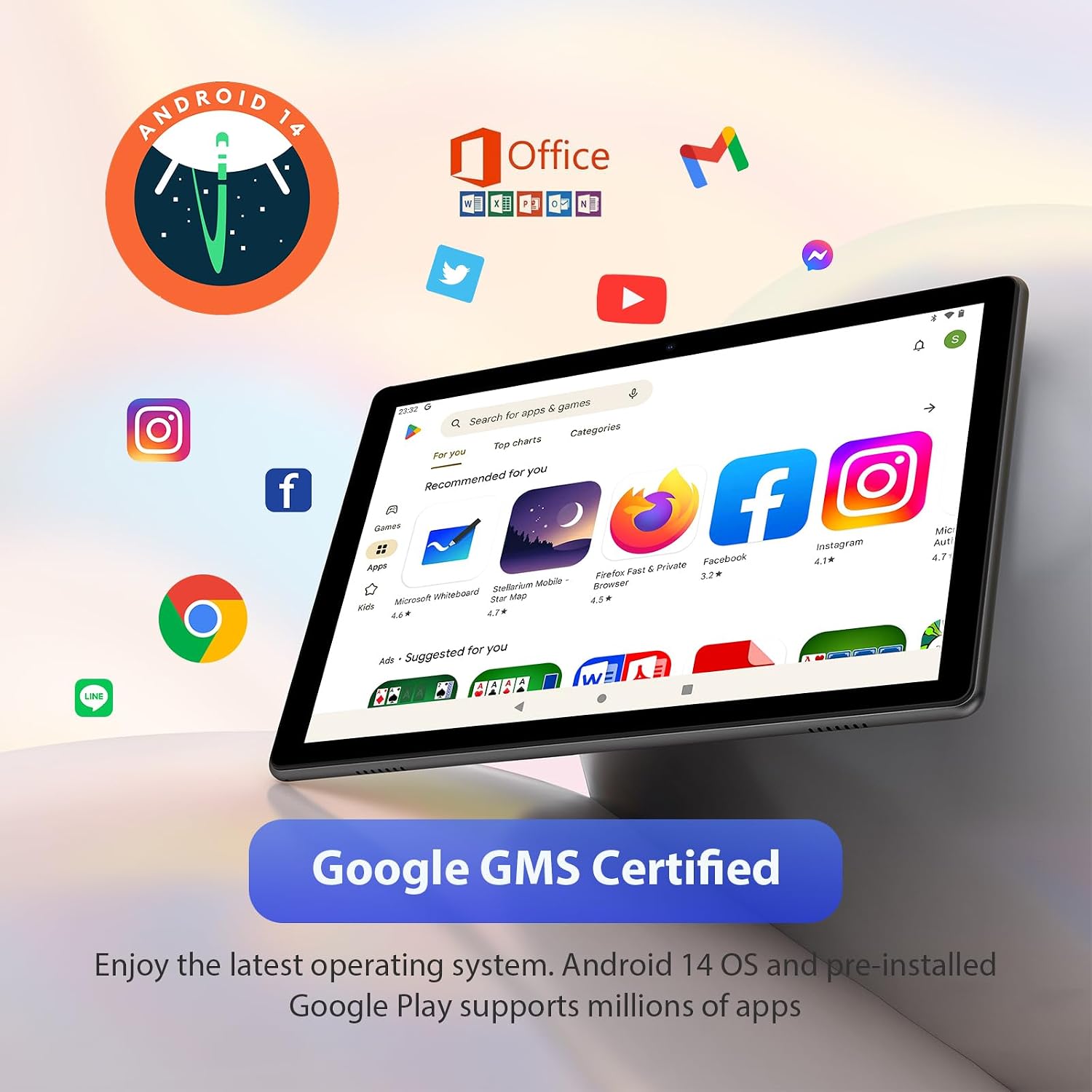
Image: Android 14 interface with Google Play Store apps.
2. การแสดงผลและเสียง
The tablet features a 10.1-inch IPS HD display with a resolution of 1280 x 800 pixels, providing clear visuals. Dual speakers deliver stereo sound for media consumption and video calls. A 3.5mm headphone jack is available for private listening.

Image: Tablet display quality and dual speaker feature.
3. ประสิทธิภาพและการจัดเก็บ
Powered by an Octa-Core 2.0GHz processor, the tablet ensures smooth application performance. It comes with 36GB of RAM (12GB physical + 24GB virtual) and 128GB of internal storage, expandable up to 2TB via MicroSD card.

Image: Tablet's memory and storage capabilities.
4. ฟังก์ชันของกล้อง
The tablet is equipped with an 8MP rear camera and a 5MP front camera, suitable for capturing photos, videos, and participating in video calls.
5. การจัดการแบตเตอรี่
The 8000mAh battery provides up to 8 hours of continuous use. To optimize battery life, adjust screen brightness, close unused applications, and disable Wi-Fi or Bluetooth when not in use.
6.คุณสมบัติพิเศษ
- การฉายภาพหน้าจอ: Cast your tablet's screen to compatible external displays.
- Privacy Permissions: Manage app permissions to control access to your data.
- โหมดสบายตา: Reduces blue light emission to minimize eye strain during prolonged use.
- ฟังก์ชั่น 2-in-1: Transform your tablet into a laptop-like device using the included Bluetooth keyboard and mouse.

Image: Various usage scenarios of the tablet, including with accessories.
การซ่อมบำรุง
1. การทำความสะอาดแท็บเล็ต
Use a soft, lint-free cloth to clean the screen and body of the tablet. Avoid using harsh chemicals or abrasive materials, as they may damage the device.
2. การอัปเดตซอฟต์แวร์
ตรวจสอบการอัปเดตระบบเป็นระยะเพื่อให้แน่ใจว่าแท็บเล็ตของคุณมีฟีเจอร์และแพตช์ความปลอดภัยล่าสุด ไปที่ การตั้งค่า > ระบบ > การอัพเดทระบบ เพื่อตรวจสอบและติดตั้งการอัพเดทที่มีอยู่
3. การจัดการการจัดเก็บข้อมูล
เคลียร์สิ่งที่ไม่จำเป็นออกเป็นประจำ files and applications to maintain optimal performance. You can manage storage in การตั้งค่า > พื้นที่จัดเก็บ.
การแก้ไขปัญหา
แท็บเล็ตไม่เปิด
- Ensure the tablet is sufficiently charged. Connect it to the charger for at least 30 minutes before attempting to power it on again.
- กดปุ่มเปิด/ปิดค้างไว้ 10-15 วินาทีเพื่อบังคับรีสตาร์ท
ประสิทธิภาพการทำงานช้าหรือค้าง
- ปิดแอปพลิเคชันที่ไม่ได้ใช้งานซึ่งทำงานอยู่เบื้องหลัง
- ล้างข้อมูลแคชสำหรับแอปที่ใช้บ่อย
- Ensure sufficient free storage space. Uninstall unnecessary apps or move large fileไปที่การ์ด MicroSD
- รีสตาร์ทแท็บเล็ต
ปัญหาการเชื่อมต่อ Wi-Fi
- ตรวจสอบให้แน่ใจว่าได้เปิดใช้งาน Wi-Fi บนแท็บเล็ตแล้ว
- รีสตาร์ทเราเตอร์ Wi-Fi ของคุณ
- ลืมเครือข่ายและเชื่อมต่อใหม่โดยป้อนรหัสผ่านอีกครั้ง
Accessories Not Connecting
- Ensure Bluetooth is enabled on the tablet and the accessory.
- Make sure the accessory is in pairing mode.
- Try unpairing and re-pairing the accessory.
- Check the battery level of the accessory.
ข้อมูลจำเพาะ
| คุณสมบัติ | รายละเอียด |
|---|---|
| หมายเลขรุ่น | N40 |
| ระบบปฏิบัติการ | แอนดรอยด์ 14 |
| โปรเซสเซอร์ | Octa-Core 2.0 GHz (Rockchip) |
| แสดง | 10.1-inch IPS HD Touch Screen, 1280 x 800 Pixels (16:9 aspect ratio) |
| แรม | 36 GB (12 GB จริง + 24 GB เสมือน) |
| หน่วยความจำภายใน (ROM) | 128GB |
| พื้นที่เก็บข้อมูลแบบขยายได้ | Up to 2 TB (MicroSD card, not included) |
| กล้องหลัง | 8 MP |
| กล้องหน้า | 5 MP |
| เสียง | Dual Speakers, 3.5mm Headphone Jack |
| การเชื่อมต่อ | Wi-Fi (802.11 b/g/n, 2.4 GHz & 5 GHz), Wi-Fi 6, Bluetooth 5.0 |
| แบตเตอรี่ | ลิเธียมโพลิเมอร์ 8000 mAh |
| อายุการใช้งานแบตเตอรี่ | นานถึง 8 ชั่วโมง |
| พอร์ตชาร์จ | ยูเอสบี-ซี |
| ขนาด (กว้าง x ยาว x สูง) | 25 x 16.3 x 0.9 ซม. |
| น้ำหนัก | 1.29 กก. |
| คุณสมบัติพิเศษ | Fast Charging, USB OTG Support, Expandable Storage, GMS Certified |
การรับประกันและการสนับสนุน
The MAXLEGEN N40 Tablet comes with a one-year limited warranty. Lifetime technical support is also provided.
For any questions, technical assistance, or warranty claims, please contact MAXLEGEN customer service. Refer to the contact information provided with your purchase documentation or on the official MAXLEGEN webเว็บไซต์.