
Anmite 10.5-inch Portable Monitor (Model A105W01) User Manual
คู่มือครอบคลุมสำหรับการตั้งค่า การใช้งาน และการบำรุงรักษา
การแนะนำ
Welcome to the user manual for your Anmite 10.5-inch Portable Monitor. This guide provides essential information for setting up, operating, and maintaining your monitor. Please read these instructions carefully before use to ensure optimal performance and safety.
เนื้อหาแพ็คเกจ
Your Anmite Portable Monitor package should include the following items:
- Anmite Portable Monitor x 1
- Mini-HDMI to HDMI cable x 1
- สายเคเบิล Type-C ถึง Type-C x 1
- Type-C to USB-A cable x 1
- คู่มือผู้ใช้ x 1
คุณสมบัติผลิตภัณฑ์
The Anmite 10.5-inch Portable Monitor offers a range of features designed for versatility and performance:
- แสดง: 10.5-inch IPS FHD LED screen with 1920x1280 resolution and 60Hz refresh rate.
- สี: 16.7M display colors, 100% color gamut, 420cd/m² brightness, 1000:1 contrast ratio.
- การเชื่อมต่อ: Equipped with Type-C (full function) and Mini HDMI ports for high-definition video signal transmission.
- เสียง: Built-in dual 1W speakers and a 3.5mm audio output interface.
- ออกแบบ: Ultrathin and lightweight metal enclosure, weighing approximately 0.26kg (0.573 pounds), making it highly portable.
- ความอเนกประสงค์: Suitable for use as an extended screen for laptops, a gaming display for consoles (Xbox, PS4), or an external display for compatible smartphones.

Image: The monitor screen highlighting its key technical specifications.
สินค้าเกินview วีดีโอ
วิดีโอ: เจ้าหน้าที่ผ่านview of the Anmite 10.5-inch portable monitor, demonstrating its features and functionality.
คำแนะนำการตั้งค่า
Follow these steps to set up your Anmite portable monitor:
- การแกะกล่อง: นำส่วนประกอบทั้งหมดออกจากบรรจุภัณฑ์อย่างระมัดระวัง
- การจัดวาง: Place the monitor on a stable, flat surface. The monitor includes a built-in stand for adjustable viewมุมการเอียง
- การเชื่อมต่อไฟฟ้า: Connect the monitor to a power source using the provided Type-C to USB-A cable and a compatible power adapter (not included) to the DC 5V port, or via a full-function Type-C cable from a compatible device.
- การเชื่อมต่ออุปกรณ์: Connect your device (laptop, smartphone, gaming console) to the monitor using either the Type-C to Type-C cable or the Mini-HDMI to HDMI cable, depending on your device's output ports.
- เปิดเครื่อง: กดปุ่มเปิด/ปิดบนจอภาพเพื่อเปิด
การเชื่อมต่อกับอุปกรณ์
The Anmite portable monitor supports various connection methods:
1. Connecting to a Laptop/PC (Full-Function Type-C)
If your laptop has a full-function USB-C port that supports video output (DisplayPort Alternate Mode) and power delivery:
- Connect one end of the provided Type-C to Type-C cable to your laptop's full-function USB-C port.
- Connect the other end of the Type-C to Type-C cable to the monitor's full-function Type-C port.
- The monitor should automatically detect the signal and display your laptop's screen. Power will also be supplied via this connection.

Image: The Anmite portable monitor connected to a laptop, demonstrating screen extension. A single Type-C cable handles both video and power.
2. Connecting to a Laptop/PC (HDMI & USB-A for Power)
If your laptop has an HDMI port but not a full-function USB-C port:
- Connect one end of the provided Mini-HDMI to HDMI cable to the monitor's Mini-HDMI port.
- Connect the other end of the Mini-HDMI to HDMI cable to your laptop's HDMI port.
- Connect the provided Type-C to USB-A cable to the monitor's DC 5V Type-C port and the USB-A end to a USB power adapter (5V/2A or higher recommended) or a USB port on your laptop for power.
- The monitor should display your laptop's screen.

Image: The Anmite portable monitor used as an extended screen for office work, connected to a laptop.
3. Connecting to a Smartphone (Full-Function Type-C)
If your smartphone has a full-function USB-C port that supports video output (DisplayPort Alternate Mode) and power delivery:
- Connect one end of the provided Type-C to Type-C cable to your smartphone's full-function USB-C port.
- Connect the other end of the Type-C to Type-C cable to the monitor's full-function Type-C port.
- The monitor should automatically detect the signal and display your smartphone's screen. Power will also be supplied via this connection.

Image: A smartphone connected to the Anmite portable monitor, enabling a larger display for mobile content.
4. Connecting to Gaming Consoles (HDMI)
For gaming consoles like Xbox or PS4:
- Connect one end of the provided Mini-HDMI to HDMI cable to the monitor's Mini-HDMI port.
- Connect the other end of the Mini-HDMI to HDMI cable to your gaming console's HDMI output port.
- Connect the provided Type-C to USB-A cable to the monitor's DC 5V Type-C port and the USB-A end to a USB power adapter (5V/2A or higher recommended) for power.
- The monitor will display the gaming console's output.
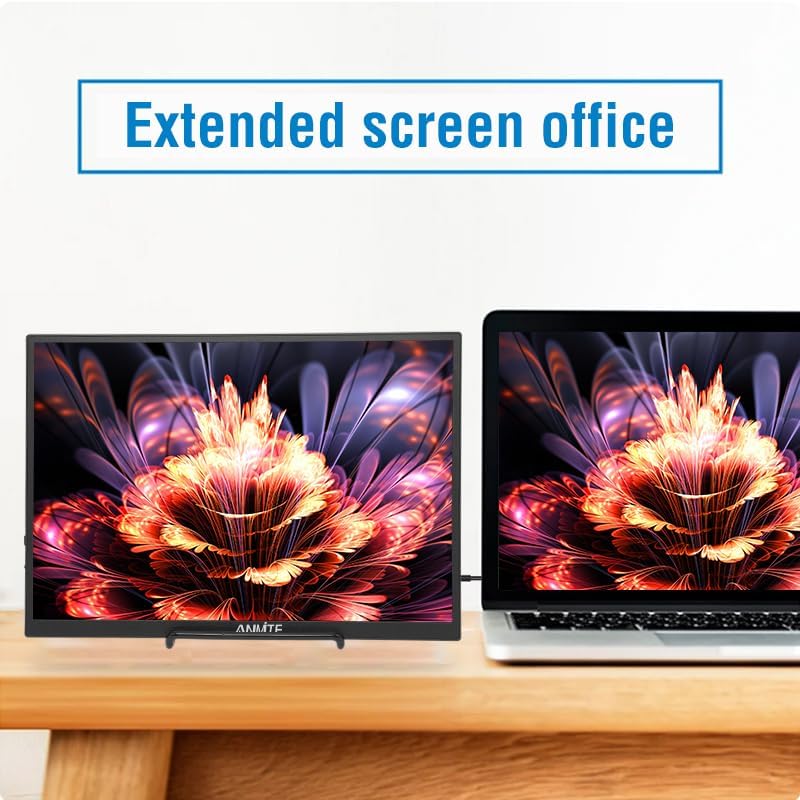
Image: The monitor demonstrating its versatility across different applications, including gaming.
การใช้งานจอภาพ
The monitor features a menu button and a power button for control.

ภาพ: ด้านหลัง view of the monitor highlighting the input ports and control buttons.
การนำทางเมนู
ใช้ เมนู button/scroll wheel to access and navigate the On-Screen Display (OSD) menu:
- กดปุ่ม เมนู ปุ่มสำหรับเปิดเมนู OSD
- Use the scroll wheel to move up or down through menu options.
- กดปุ่ม เมนู กดปุ่มอีกครั้งเพื่อเลือกตัวเลือก
- To exit the menu, navigate to the 'Exit' option or wait for the menu to time out.
เปิด/ปิดเครื่อง
กดปุ่มค้างไว้ พลัง button to turn the monitor on or off. A short press may put the monitor into standby mode.
ข้อมูลจำเพาะ
| คุณสมบัติ | ข้อมูลจำเพาะ |
|---|---|
| หมายเลขรุ่น | A105W01 |
| ขนาดหน้าจอ | 10.5 นิ้ว |
| ประเภทแผง | ไอพีเอส |
| ปณิธาน | ความละเอียด 1920x1280 FHD |
| อัตราส่วนภาพ | 15:10 น. |
| อัตราการรีเฟรช | 60เฮิรตซ์ |
| สีจอแสดงผล | 16.7เมตร |
| ความสว่าง | 420cd/ตรม. |
| อัตราส่วนคอนทราสต์ | 1000:1 น. |
| มุมมองภาพ | H: 178 ° V: 178 ° |
| อินเตอร์เฟซการป้อนข้อมูล | Mini-HDMI, Type-C (Full Function), Type-C (Power Only) |
| อินเทอร์เฟซเอาท์พุต | แจ็ค Audio 3.5mm |
| ลำโพง | Built-in (1W*2) |
| น้ำหนักสุทธิ | 0.26 กก. (0.573 ปอนด์) |
| ขนาด | 232 x 162 x 10 มม. (9.13 x 6.38 x 0.39 นิ้ว) |

Image: Diagram illustrating the physical dimensions of the portable monitor.
การแก้ไขปัญหา
If you encounter issues with your Anmite portable monitor, refer to the following common problems and solutions:
- ไม่มีสัญญาณ:
- Ensure all cables (Type-C or HDMI) are securely connected to both the monitor and your device.
- Verify that your device's Type-C port supports full-function video output (DisplayPort Alternate Mode). If not, use the HDMI connection.
- Check if the monitor is receiving power. Connect the Type-C to USB-A cable to a power adapter if using HDMI.
- ลองรีสตาร์ทอุปกรณ์ที่เชื่อมต่ออยู่
- ไม่มีไฟฟ้า:
- Ensure the power cable is properly connected to the DC 5V port and a working power source.
- If using a full-function Type-C cable, ensure your device provides sufficient power.
- ลองใช้อะแดปเตอร์แปลงไฟหรือพอร์ต USB อื่น
- หน้าจอกระพริบ:
- ตรวจสอบการเชื่อมต่อสายเคเบิลว่าหลวมหรือไม่
- Ensure the resolution and refresh rate settings on your connected device are compatible with the monitor (1920x1280 at 60Hz).
- ลองใช้สายเคเบิลอื่น
- ไม่มีเสียงจากลำโพง:
- ตรวจสอบการตั้งค่าระดับเสียงทั้งบนจอภาพและอุปกรณ์ที่เชื่อมต่ออยู่
- Ensure the audio output is directed to the monitor on your device's sound settings.
- If using the 3.5mm audio jack, ensure external speakers/headphones are properly connected.
การซ่อมบำรุง
To ensure the longevity and optimal performance of your Anmite portable monitor, follow these maintenance guidelines:
- การทำความสะอาดหน้าจอ: ใช้ผ้านุ่มไม่เป็นขุยเช็ดเล็กน้อยampened with water or a screen-cleaning solution. Do not use harsh chemicals or abrasive materials.
- การทำความสะอาด Casing: เช็ดจอภาพคasinก. ด้วยผ้าแห้งนุ่มๆ
- พื้นที่จัดเก็บ: เมื่อไม่ใช้งาน ควรเก็บจอภาพไว้ในที่แห้งและเย็น หลีกเลี่ยงแสงแดดโดยตรงและอุณหภูมิที่สูงหรือต่ำเกินไป
- การจัดการ: Avoid dropping or subjecting the monitor to strong impacts. Do not place heavy objects on the monitor.
- การระบายอากาศ : Ensure the ventilation holes on the monitor are not blocked to prevent overheating.
การรับประกันและการสนับสนุน
Anmite products are designed for reliability and performance. For warranty information, technical support, or service inquiries, please refer to the warranty card included in your package or visit the official Anmite website. Please have your model number (A105W01) and purchase details ready when contacting support.