
1. สินค้าหมดview
The VENTION Wireless HDMI Transmitter and Receiver kit provides a seamless solution for extending HDMI signals wirelessly. It eliminates the need for long HDMI cables, offering a plug-and-play experience for various applications including presentations, home entertainment, and gaming. This system supports high-definition video transmission up to 1080P@60Hz over distances of up to 50 meters (164 feet) in open environments.
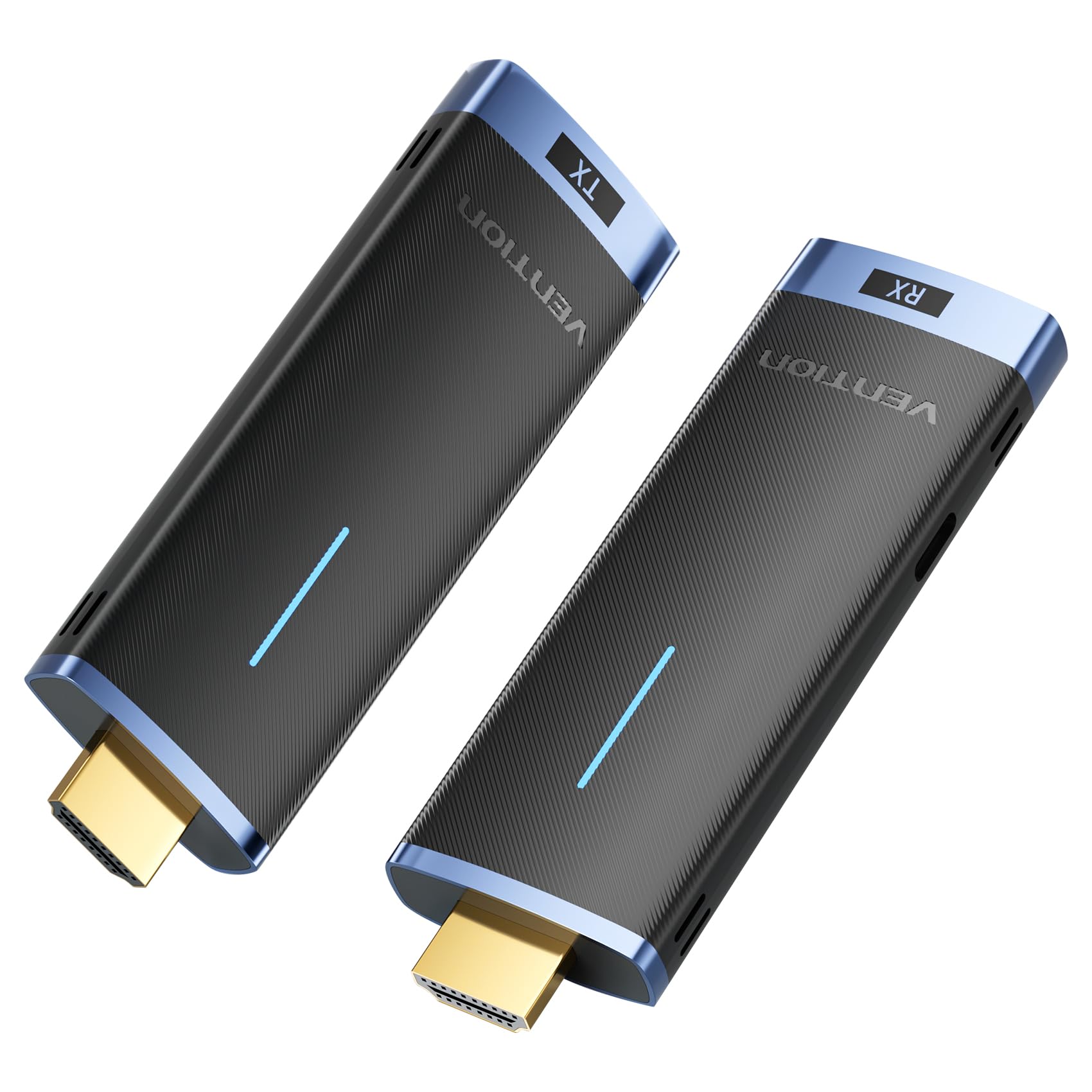
Image: The VENTION Wireless HDMI Transmitter (TX) and Receiver (RX) units.
2. เนื้อหาบรรจุภัณฑ์
กรุณาตรวจสอบแพ็คเกจเพื่อให้แน่ใจว่ามีสินค้าครบทั้งหมด:
- 1 x VENTION Wireless HDMI Transmitter (TX)
- 1 x VENTION Wireless HDMI Receiver (RX)
- USB-C Power Cable(s) (for RX and optional for TX)
- คู่มือการใช้งาน (เอกสารนี้)
3. คำแนะนำในการตั้งค่า
Follow these steps to set up your VENTION Wireless HDMI system:
- เชื่อมต่อตัวรับสัญญาณ (RX): Plug the HDMI Receiver (RX) into an available HDMI input port on your display device (e.g., HDTV, projector, monitor). Connect the provided USB-C power cable to the RX unit and a power source (e.g., USB wall adapter, TV USB port). The RX unit requires external power to function.
- ปรับแหล่งสัญญาณเข้า: On your display device, select the correct HDMI input source that the RX unit is connected to. This will allow the display to receive the signal from the wireless system.
- เชื่อมต่อตัวส่งสัญญาณ (TX): Plug the HDMI Transmitter (TX) into the HDMI output port of your source device (e.g., PC, laptop, gaming console, camera). The TX unit can often draw power directly from the HDMI port. If the TX unit does not power on or the signal is unstable, connect a USB-C power cable to the TX unit and a power source.

Image: Step-by-step connection guide for the VENTION Wireless HDMI system, illustrating how to connect the RX to the display, select the input, and connect the TX to the source device.
The system is designed for plug-and-play operation, requiring no driver installation, Bluetooth pairing, or Wi-Fi configuration.

Image: The VENTION Wireless HDMI system highlighting its plug-and-play functionality, requiring no WiFi, Bluetooth, or app for setup.
4. คู่มือการใช้งาน
4.1 การทำงานพื้นฐาน
Once both the Transmitter (TX) and Receiver (RX) are connected and powered, the system will automatically establish a wireless connection. Your source device's display should appear on the connected monitor/projector.
4.2 โหมดการแสดงผล (สะท้อน/ขยาย)
The system supports both Mirror and Extend display modes, depending on your source device's capabilities and settings:
- โหมดมิเรอร์: Displays the same content on both your source device's screen and the external display.
- โหมดขยาย: Allows you to extend your desktop across both your source device's screen and the external display, providing more workspace. Note: Ensure your computer supports extended mode.

Image: Visual representation of Mirror mode, where both screens show identical content, and Extend mode, where screens display different content.
4.3 Multiple Transmitters to One Receiver
The VENTION Wireless HDMI system allows for multiple transmitters to connect to a single receiver. This feature is particularly useful in conference settings, enabling quick switching between different presenters or source devices. Up to 8 pairs of kits can be used in the same location without interference.

Image: A conference room setup demonstrating one receiver connected to a display, receiving signals from multiple laptops equipped with transmitters, allowing for seamless switching.
4.4 ระยะการส่งสัญญาณไร้สาย
The system utilizes advanced 5GHz transmission technology for stable and efficient signal transfer. It offers a transmission range of up to 50 meters (164 feet) in environments with minimal interference. Please note that obstacles such as walls or floors can reduce the effective range to approximately 10 meters (32 feet).

Image: An illustration depicting the wireless transmission range of up to 50 meters (164 feet) in an open environment, with a note about reduced range through obstacles.
5. การบำรุงรักษา
To ensure the longevity and optimal performance of your VENTION Wireless HDMI system, follow these maintenance guidelines:
- การทำความสะอาด: Use a soft, dry cloth to clean the devices. Avoid using liquid cleaners, aerosols, or solvents, as these may damage the product.
- พื้นที่จัดเก็บ: เก็บอุปกรณ์ไว้ในที่แห้งและเย็น หลีกเลี่ยงแสงแดดโดยตรงและอุณหภูมิที่สูงหรือต่ำเกินไป
- การจัดการ: Handle the transmitter and receiver with care. Avoid dropping them or subjecting them to strong impacts.
- พลัง: Always use the provided USB-C power cables or certified equivalents to power the devices.
6 การแก้ไขปัญหา
If you encounter issues with your VENTION Wireless HDMI system, refer to the following common problems and solutions:
| ปัญหา | สาเหตุที่เป็นไปได้ / วิธีแก้ไข |
|---|---|
| No signal or black screen |
|
| Intermittent signal or flickering screen |
|
| ไม่มีเสียง |
|
| Cannot stream copyrighted content (e.g., Netflix, Prime Video, YouTube) |
|
| Device gets hot quickly |
|
7. ข้อมูลจำเพาะ
| คุณสมบัติ | รายละเอียด |
|---|---|
| หมายเลขรุ่น | ADCL0 |
| ขนาดสินค้า | 1.26 x 4.13 x 0.49 นิ้ว |
| น้ำหนักสินค้า | 6.4 ออนซ์ |
| ความถี่ไร้สาย | 5กิกะเฮิรตซ์ |
| ช่วงการส่งผ่าน | Up to 50m (164ft) in open environments; approx. 10m (32ft) through walls/floors |
| รองรับความละเอียดวิดีโอ | Up to 1920x1080@60Hz (1080P@60Hz) |
| ความเข้ากันได้ | HD TVs, Projectors, Laptops, Cameras, Cable Boxes, PCs, DVDs, Gaming Consoles, Tablets |
| ประเภทขั้วต่อ | HDMI |
| กำลังไฟเข้า | USB-C (RX required, TX optional) |
| Multiple TX to RX | Supports up to 8 transmitters to one receiver |
8. การรับประกันและการสนับสนุน
สำหรับข้อมูลการรับประกันและการสนับสนุนทางเทคนิค โปรดดูที่เว็บไซต์อย่างเป็นทางการของ VENTION webหรือติดต่อฝ่ายบริการลูกค้าโดยตรง เก็บใบเสร็จรับเงินไว้เพื่อใช้ในการเคลมประกัน
ผู้ผลิต: เวนชั่น
ติดต่อ: กรุณาเข้าเยี่ยมชม ร้าน VENTION บน Amazon หรืออย่างเป็นทางการของพวกเขา webเว็บไซต์สำหรับทรัพยากรสนับสนุน