1. บทนำ
This manual provides detailed instructions for the proper installation, operation, and maintenance of the Generic Slide Block MX400 Pro. Please read this manual thoroughly before using the product to ensure safe and efficient operation. Retain this manual for future reference.
2. ข้อมูลด้านความปลอดภัย
คำเตือน: การไม่ปฏิบัติตามคำแนะนำด้านความปลอดภัยเหล่านี้ อาจส่งผลให้เกิดการบาดเจ็บหรือความเสียหายต่อผลิตภัณฑ์ได้
- ผลิตภัณฑ์นี้เหมาะสำหรับผู้ใช้ที่มีอายุ 18 ปีขึ้นไป
- เก็บชิ้นส่วนขนาดเล็กให้ห่างจากเด็กเพื่อป้องกันอันตรายจากการสำลัก
- Always ensure the product is installed correctly and securely before use.
- ห้ามดัดแปลงผลิตภัณฑ์ในลักษณะใดๆ ที่ไม่ระบุไว้ในคู่มือนี้
- ใช้เฉพาะอะไหล่แท้หรืออะไหล่ที่ได้รับการรับรองเท่านั้น
- เก็บผลิตภัณฑ์ไว้ในที่แห้งและเย็น หลีกเลี่ยงแสงแดดโดยตรงและอุณหภูมิที่สูงหรือต่ำเกินไป
3. เนื้อหาบรรจุภัณฑ์
ตรวจสอบว่ามีสินค้าทั้งหมดที่ระบุไว้ด้านล่างอยู่ในแพ็คเกจของคุณ:
- 1x Generic Slide Block MX400 Pro unit
- 1x คู่มือการใช้งาน (เอกสารนี้)
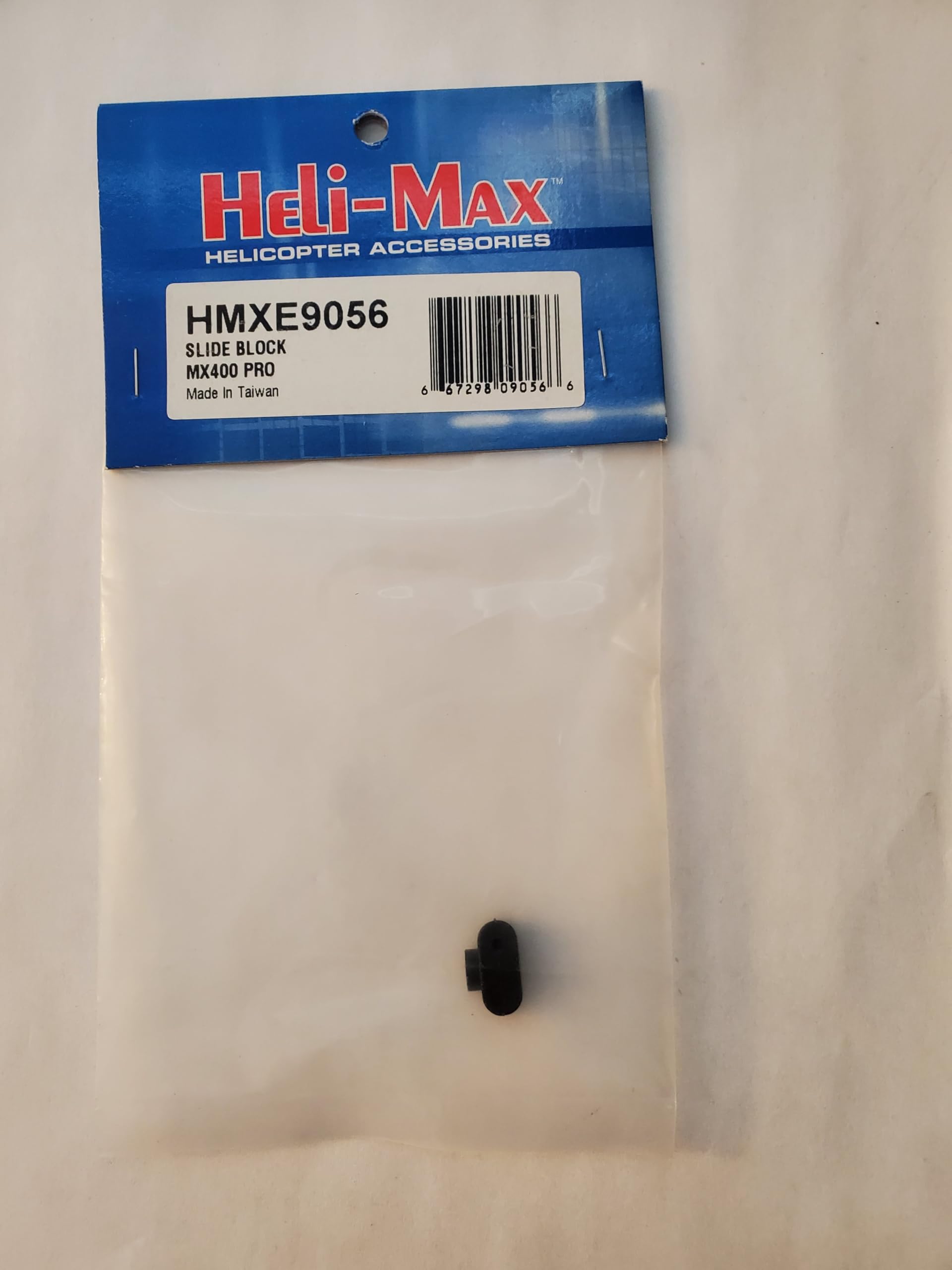
Image: The Generic Slide Block MX400 Pro unit. This image displays the main component included in the package, showing its compact design and connection points.
4. การตั้งค่า
Follow these steps to properly set up your Slide Block MX400 Pro:
- ระบุตำแหน่งการติดตั้ง: Determine the appropriate mounting location on your remote-controlled vehicle or device. Refer to your vehicle's specific manual for compatibility and recommended placement.
- การรักษาความปลอดภัยหน่วย: Using appropriate fasteners (not included, typically supplied with the vehicle or purchased separately), securely attach the Slide Block MX400 Pro to the identified mounting surface. Ensure it is firmly fixed and does not wobble.
- เชื่อมต่อสายไฟ (ถ้ามี): If the MX400 Pro requires electrical connection, carefully connect the wiring according to the color codes or labels provided on the unit and your vehicle's electronic speed controller (ESC) or receiver. Ensure polarity is correct.
- การตรวจสอบเบื้องต้น: After installation, gently test the movement or function of the connected components to ensure smooth operation and no obstructions.
5. คู่มือการใช้งาน
The Slide Block MX400 Pro is a component designed to enhance the performance or functionality of compatible remote-controlled systems. Its operation is typically integrated with the main control system of your vehicle.
- เปิดเครื่อง: Ensure your main RC vehicle system is powered on according to its own instruction manual.
- การตรวจสอบฟังก์ชั่น: Once the vehicle is powered, verify that the Slide Block MX400 Pro is responding as expected. This may involve checking for smooth movement, proper sensor readings, or correct mechanical engagement, depending on its specific application.
- การปรับแต่ง: If the MX400 Pro allows for adjustments (e.g., tension, travel limits), refer to your vehicle's advanced setup guide or controller settings for calibration procedures.
บันทึก: The specific function and operational feedback of the Slide Block MX400 Pro will depend on its integration within your RC system. Consult your primary vehicle manual for detailed operational procedures.
6. การบำรุงรักษา
Regular maintenance ensures the longevity and optimal performance of your Slide Block MX400 Pro.
- การทำความสะอาด: Periodically clean the unit with a soft, dry cloth. Avoid using harsh chemicals or solvents that could damage the material.
- การตรวจสอบ: Regularly inspect the unit for any signs of wear, damage, or loose connections. Pay attention to mounting points and any moving parts.
- การหล่อลื่น (ถ้ามี): If the unit contains moving parts that require lubrication, use only RC-safe lubricants as recommended by your vehicle manufacturer. Avoid over-lubrication.
- พื้นที่จัดเก็บ: When not in use for extended periods, store the unit in a clean, dry environment, protected from dust and extreme temperatures.
7 การแก้ไขปัญหา
If you encounter issues with your Slide Block MX400 Pro, refer to the following common problems and solutions:
| ปัญหา | สาเหตุที่เป็นไปได้ | สารละลาย |
|---|---|---|
| หน่วยไม่ตอบสนอง | Loose or incorrect wiring connection. No power to the main system. | Check all wiring connections for security and correct polarity. Ensure the main RC vehicle system is powered on. |
| การทำงานแบบไม่สม่ำเสมอ | Poor connection. Interference. | Verify all connections are secure. Test in a different environment to rule out interference. |
| Physical obstruction or stiffness | Debris or damage to moving parts. Incorrect mounting. | Inspect for debris and clean if necessary. Check for proper mounting and alignment. Do not force movement. |
If the problem persists after attempting these solutions, please contact customer support or consult a qualified technician.
8. ข้อมูลจำเพาะ
- แบบอย่าง: MX400 โปร
- ยี่ห้อ: ทั่วไป
- ขนาดสินค้า : 0.75 x 0.5 x 0.5 นิ้ว (19.05 x 12.7 x 12.7 มม.)
- ผู้ผลิต: Heli-Max
- อายุที่แนะนำ: 18 ปีขึ้นไป
- ASIN: B0DPTLP6Y6
9. การรับประกันและการสนับสนุน
This product is covered by a standard manufacturer's warranty, typically offering a 30-day return/replacement policy from the date of purchase. For specific warranty terms and conditions, please refer to the retailer's policy or contact the manufacturer directly.
For technical support, troubleshooting assistance beyond this manual, or inquiries regarding replacement parts, please contact your point of purchase or the manufacturer, Heli-Max.
ผู้ผลิต: Heli-Max
บันทึก: Warranty and support details may vary based on region and retailer. Please retain your proof of purchase for warranty claims.


