
1. บทนำ
The OWON HDS241 is a versatile 3-in-1 handheld device that integrates a single-channel oscilloscope, a 24,000-count digital multimeter, and a 100KHz signal generator. Designed for portability and efficiency, it is suitable for various electrical testing and measurement applications. This manual provides detailed instructions for safe and effective use of your device.
ข้อควรระวังเพื่อความปลอดภัย: Always observe general safety rules when operating electrical equipment. Ensure proper connections and use appropriate probes for the measurement task. Do not exceed the maximum input ratings of the device.
2. สินค้าหมดview
The HDS241 combines three essential functions into one compact unit:
- ออสซิลโลสโคป: Features a 40 MHz bandwidth, 250 MSa/s real-time sampling rate, and a waveform refresh rate of up to 10,000 wfms/s. It supports auto-setup, multiple measurement functions, cursor measurement, and a slow sweep mode for long-term signal monitoring.
- มัลติมิเตอร์แบบดิจิตอล: A 4½-digit True RMS multimeter with 24,000 counts. It can measure AC/DC voltage, AC/DC current, resistance, diode, capacitance, and perform continuity tests. Maximum input voltage คือแรงดันไฟฟ้ากระแสสลับ 750V และแรงดันไฟฟ้ากระแสตรง 1000V
- เครื่องกำเนิดสัญญาณ: A single-channel generator with a frequency range of up to 100 kHz. It supports sine, square, ramp, and pulse waveform outputs with a maximum amplitude of 2.5 Vpp.
The device features a 3.5-inch high-definition color LCD screen for clear display of waveforms and measurement data. Its robust design includes a rubber coating for durability and improved grip.

รูปที่ 2.1: The OWON HDS241 device, showcasing its 3-in-1 functionality as an oscilloscope, multimeter, and signal generator. Key specifications for each mode are listed alongside the device.

รูปที่ 2.2: A comprehensive diagram illustrating the various buttons, ports, and display areas of the OWON HDS241, including the viewing area, multi-function keys, channel key, mode change key, system configuration, save button, power button, multimeter input port, horizontal adjustment, measurement range switch, arrow keys, auto range key, hold/run key, signal input connector, probe compensation output, and USB charge/communication interface.
3. การตั้งค่า
3.1 การติดตั้งและการชาร์จแบตเตอรี่
The HDS241 is powered by a high-capacity 2000 mAh lithium battery. The device features a low-power consumption design for extended operation.
- การชาร์จ: Connect the device to a power source using the standard USB Type-C port. You can use a compatible adapter or a power bank.
- อายุการใช้งานแบตเตอรี่: The battery provides long-lasting performance. Actual usage time may vary based on operating conditions.

รูปที่ 3.1: This image shows the internal battery compartment of the OWON HDS241, revealing two 18650 lithium batteries, and highlights the USB Type-C port for charging and PC connection.
3.2 การเชื่อมต่อโพรบ
For oscilloscope measurements, connect the probe to the BNC connector. For multimeter functions, use the provided test leads with the multimeter input ports.
- ขั้วต่อ BNC: The BNC connector features an external rubber coating to enhance safety and prevent external interference. It supports high-voltage probes for accurate and reliable signal capture.
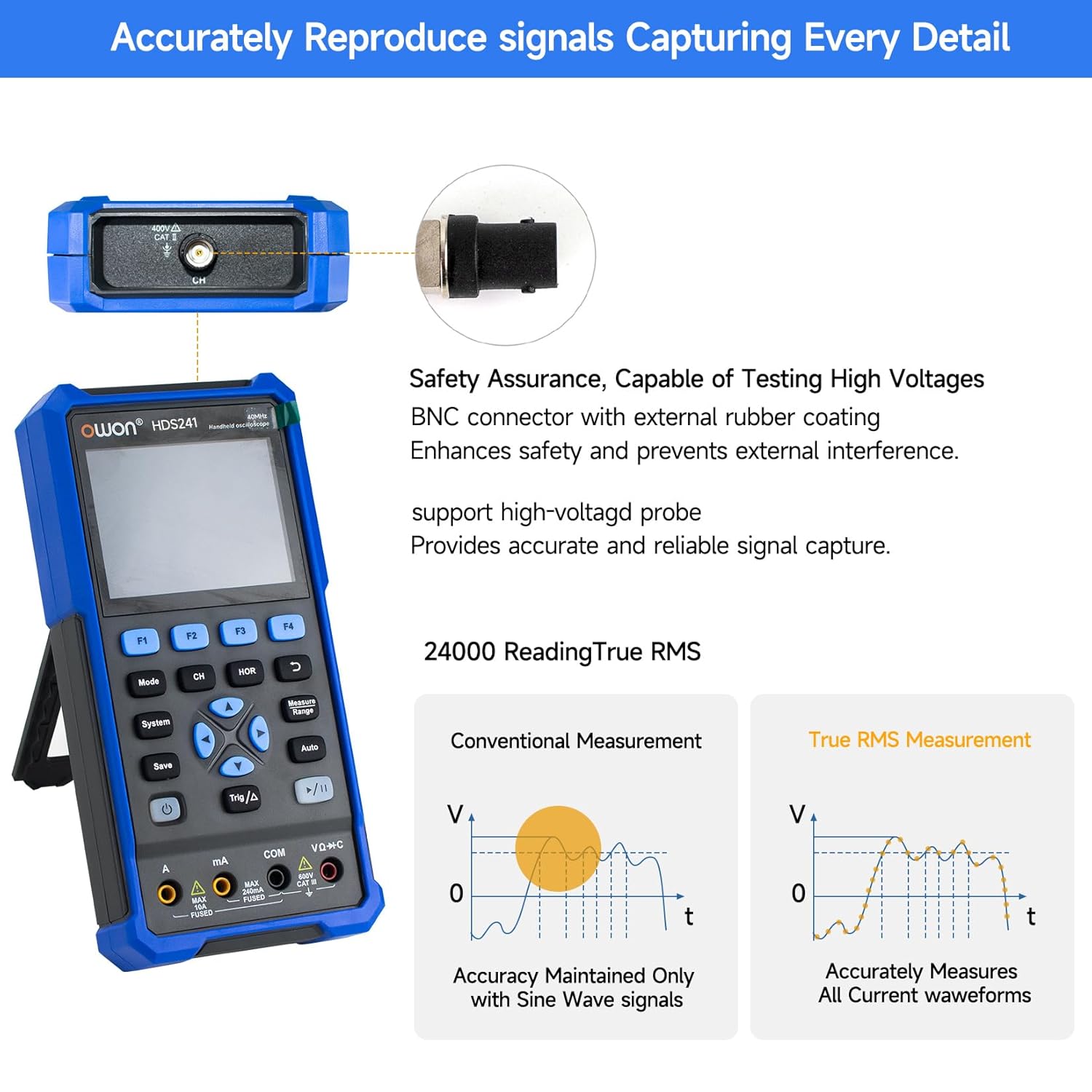
รูปที่ 3.2: This image highlights the BNC connector with external rubber coating for safety and interference prevention. It also illustrates the difference between conventional measurement (accurate only for sine waves) and True RMS measurement (accurately measures all current waveforms).
3.3 การเปิด/ปิดเครื่อง
Press and hold the power button (refer to Figure 2.2 for location) to turn the device on or off.
4. คู่มือการใช้งาน
4.1 โหมดออสซิลโลสโคป
To enter Oscilloscope mode, press the 'Mode' button until the oscilloscope interface is displayed.
- Basic Waveform Display: Connect the probe to the signal source. The waveform will be displayed on the screen.
- การตั้งค่าอัตโนมัติ: Press the 'Auto' button for automatic adjustment of vertical, horizontal, and trigger settings to quickly display a stable waveform.
- ฟังก์ชั่นการวัด: The HDS241 offers various measurement capabilities:
- การวัดอัตโนมัติ: Includes Period, Frequency, Mean, PK-PK, Max, Min, Amplitude, and RMS.
- การวัดเคอร์เซอร์: ใช้ฟังก์ชันเคอร์เซอร์เพื่อวัดปริมาตรtage difference (ΔV) and time difference (ΔT) between two points on the waveform.
- การบันทึกข้อมูล: Connect the device to a computer via the USB Type-C port. The included PC software allows you to save waveform images and data for further analysis.

รูปที่ 4.1: This image details the oscilloscope's advanced features, including Dual Sampling Mode for interference detection, High Refresh Rate (10,000 wfms/s) and Deep Storage (8K record length), 8 Types of AutoMeasurements (Frequency, Period, Amplitude, Max, Min, Mean, PK-PK, RMS), and Cursor Measurement for ΔV and ΔT. It also shows the Save Function for reference waveforms.

รูปที่ 4.2: This image displays four examples of waveforms captured by the OWON HDS241: a Mains Waveform with peak highlighted, a TV Signal Wave, a PLC Pulse Wave, and a Multi-Audio Frequency Response Signal, demonstrating its versatility in signal analysis.
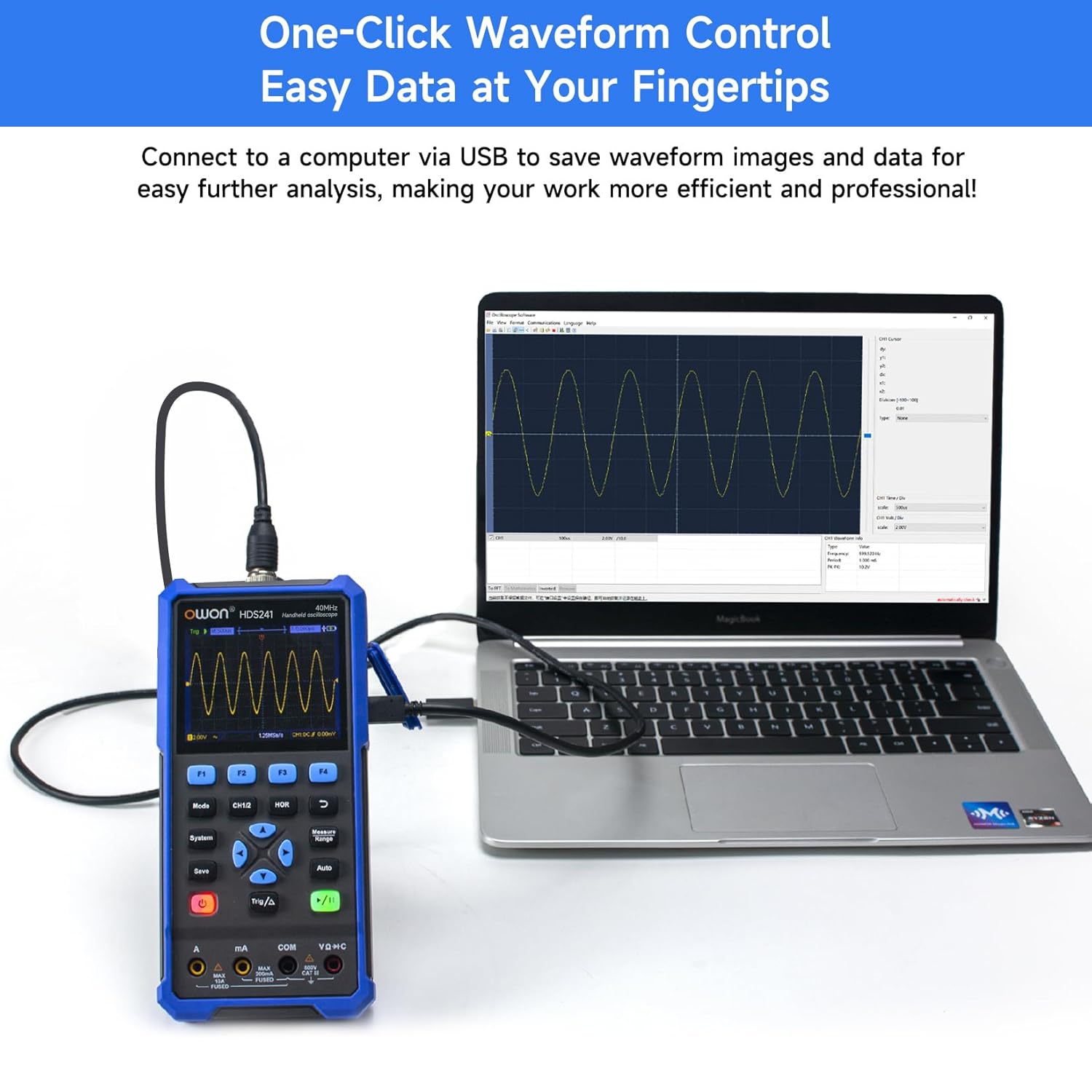
รูปที่ 4.3: The OWON HDS241 is shown connected to a laptop via a USB cable, demonstrating its capability to save waveform images and data for further analysis on a computer.
4.2 โหมดมัลติมิเตอร์
To enter Multimeter mode, press the 'Mode' button until the multimeter interface is displayed.
- การวัดขนาด: The multimeter supports measuring AC/DC voltage, AC/DC current, resistance, diode, capacitance, and continuity. Select the desired measurement function using the appropriate buttons.
- RMS ที่แท้จริง: The HDS241 features True RMS measurement, which is essential for accurately measuring non-sinusoidal AC waveforms.
- ช่วงอัตโนมัติ: The device automatically selects the appropriate measurement range for convenience.

รูปที่ 4.4: The OWON HDS241 is depicted in an outdoor setting, connected to a car battery with multimeter probes, illustrating its practical application for electrical measurements.
4.3 โหมดเครื่องกำเนิดสัญญาณ
To enter Signal Generator mode, press the 'Mode' button until the signal generator interface is displayed.
- การเลือกรูปคลื่น: Choose from sine, square, ramp, or pulse waveforms.
- ความถี่และ Ampความสูง: Adjust the output frequency (up to 100 kHz) and amplitude (up to 2.5 Vpp) as required for your testing needs.
5. การบำรุงรักษา
- การทำความสะอาด: ใช้ผ้านุ่มและแห้งทำความสะอาดอุปกรณ์ ห้ามใช้น้ำยาทำความสะอาดหรือสารละลายที่มีฤทธิ์กัดกร่อน
- การดูแลแบตเตอรี่ เพื่อยืดอายุการใช้งานแบตเตอรี่ ควรหลีกเลี่ยงการปล่อยให้แบตเตอรี่หมดจนเกลี้ยงบ่อยๆ ชาร์จอุปกรณ์เป็นประจำ โดยเฉพาะอย่างยิ่งหากจะเก็บไว้เป็นเวลานาน
- พื้นที่จัดเก็บ: เก็บอุปกรณ์ไว้ในที่แห้งและเย็น หลีกเลี่ยงแสงแดดโดยตรงและอุณหภูมิที่สูงหรือต่ำเกินไป
6 การแก้ไขปัญหา
If you encounter issues with your OWON HDS241, consider the following basic troubleshooting steps:
- อุปกรณ์ไม่เปิดเครื่อง: ตรวจสอบให้แน่ใจว่าแบตเตอรี่ชาร์จเต็มแล้ว เชื่อมต่ออุปกรณ์เข้ากับแหล่งจ่ายไฟโดยใช้สาย USB Type-C แล้วลองอีกครั้ง
- ไม่แสดงรูปคลื่น: Check that the probe is correctly connected to both the device and the signal source. Verify the signal source is active. Try using the 'Auto' button to adjust settings.
- ค่าที่อ่านได้จากมัลติมิเตอร์ไม่ถูกต้อง: Ensure the test leads are properly inserted into the correct input jacks for the measurement type (e.g., voltage, current, resistance). Check the integrity of the test leads.
- การอ่านค่าที่ไม่เสถียร: Ensure connections are secure and there is no external interference.
For further assistance, please contact OWON customer support.
7. ข้อมูลจำเพาะ

รูปที่ 7.1: This image presents a detailed table of technical specifications for the OWON HDS241, covering its oscilloscope, digital multimeter, and waveform generator functions.
7.1 ข้อมูลจำเพาะของออสซิลโลสโคป
| คุณสมบัติ | ข้อมูลจำเพาะ |
|---|---|
| แบนด์วิธ | 40 เมกะเฮิรตซ์ |
| ช่อง | 1 |
| Sampความถี่หลิง | 250 มิลลิวินาที/วินาที |
| รูปแบบการเข้าซื้อกิจการ | Sample, Peak detection |
| ความยาวบันทึก | Max. 8K |
| แสดง | จอ LCD ขนาด 3.5 นิ้ว |
| อัตราการรีเฟรชรูปคลื่น | 10,000 wfms/วินาที |
| อินพุตคัปปลิ้ง | ดีซี, แอกซี, กราวด์ |
| อิมพีแดนซ์อินพุต | 1 MΩ±2%, in parallel with 16 pF±10 pF |
| การลดทอนของโพรบ | ก 1x ล 10x ส 100x ส 1000x |
| แม็กซ์ อินพุตVoltage | 400V (DC+AC, PK-PK) |
| Sensitivity Resolution | 10mV/ดิวิชั่น-10V/ดิวิชั่น |
| ความละเอียดแนวตั้ง | 8 บิต |
| เครื่องชั่งแนวนอน | 5ns/div-1000s/div, Step 1-2-5 |
| ประเภททริกเกอร์ | ขอบ |
| โหมดทริกเกอร์ | อัตโนมัติ, ปกติ, เดี่ยว |
| การวัดอัตโนมัติ | ช่วงเวลา, ความถี่, ค่าเฉลี่ย, PK-PK, ค่าสูงสุด, ค่าต่ำสุด Ampความกว้าง, ค่า RMS |
| การวัดเคอร์เซอร์ | ΔV, ΔT |
7.2 Digital Multimeter Specifications
| คุณสมบัติ | ข้อมูลจำเพาะ |
|---|---|
| การอ่านค่าเต็มสเกล | 4½ digits (max. 24000 counts) |
| โหมดทดสอบ | เล่มที่tage, current, resistance, capacitance, diode, continuity |
| อินพุตสูงสุดVoltage | กระแสสลับ 750 โวลต์, กระแสตรง 1000 โวลต์ |
| กระแสไฟเข้าสูงสุด | กระแสสลับ 10A, กระแสตรง 10A |
| ช่วงอัตโนมัติ | ใช่ |
| ค่า RMS ที่แท้จริง | ใช่ |
7.3 ข้อมูลจำเพาะของเครื่องกำเนิดรูปคลื่น
| ประเภทคลื่น | ความถี่เอาต์พุต |
|---|---|
| ไซน์ | 10เฮิรตซ์-100กิโลเฮิรตซ์ |
| สี่เหลี่ยม | 10เฮิรตซ์-100กิโลเฮิรตซ์ |
| Ramp | 10เฮิรตซ์-100กิโลเฮิรตซ์ |
| ชีพจร | 10เฮิรตซ์-10กิโลเฮิรตซ์ |
| Ampความสูง | 2Vpp-2.5Vpp |
7.4 ข้อกำหนดทั่วไป
- ขนาด : 9.6 x 3.8 x 19.8 ซม.
- น้ำหนัก: 1.2 กก.
- แบตเตอรี่: แบตเตอรี่ลิเธียม 2000 mAh
- อินเทอร์เฟซการชาร์จ: ยูเอสบี ไทป์ ซี
8. การรับประกันและการสนับสนุน
For warranty information, technical support, or service inquiries, please refer to the warranty card included with your product or contact OWON customer service directly. Keep your purchase receipt as proof of purchase.