
การแนะนำ
The SKYRC B6Neo is a compact and versatile smart battery charger designed for a wide range of RC battery types. It offers advanced charging, discharging, and storage functionalities, along with a digital power supply mode. This manual provides essential information for safe and efficient operation of your B6Neo charger.
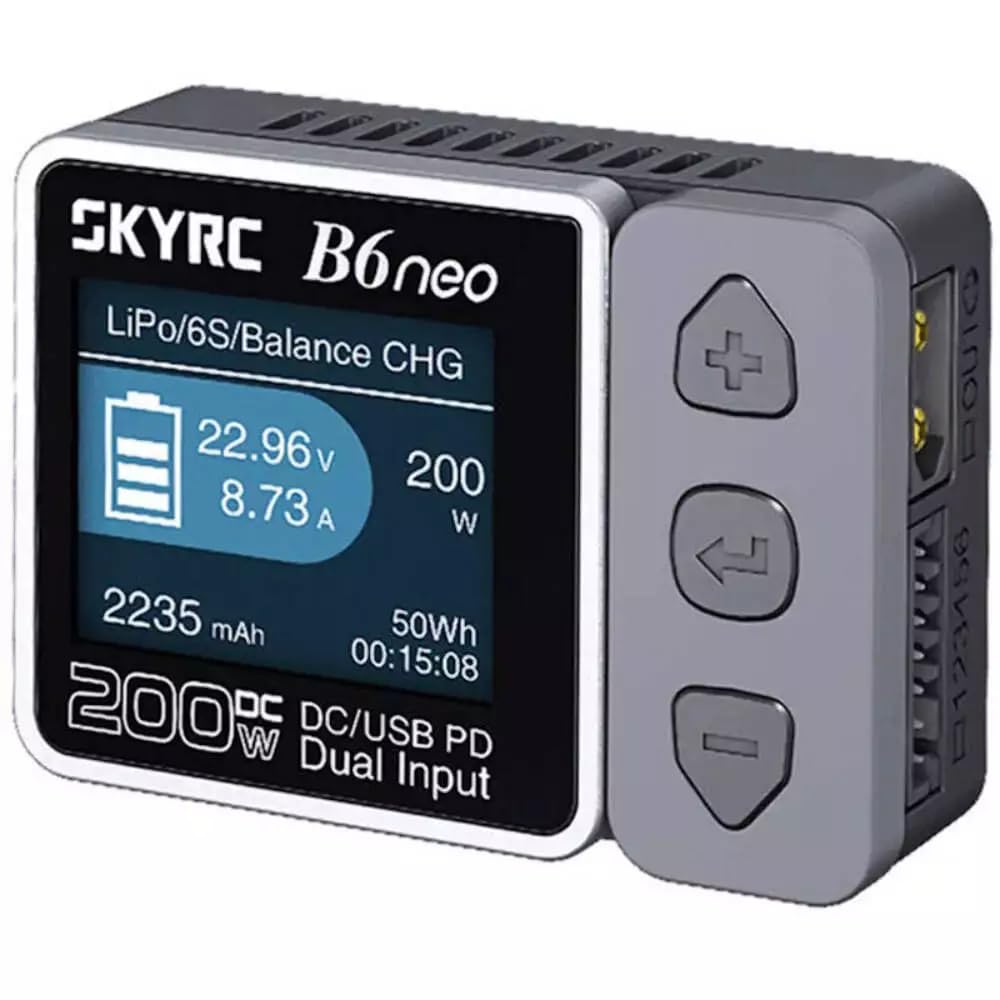
Image: The SKYRC B6Neo charger, showcasinด้วยดีไซน์ที่กะทัดรัดและหน้าจอแสดงผล
คุณสมบัติหลัก:
- การชาร์จที่ปรับให้เหมาะสม: Supports 1S-6S LiPo, LiFe, LiIon, LiHV batteries, and 1-15S NiMH/NiCd, 3S/6S Pb batteries.
- อินพุตไฟฟ้าแบบคู่: Up to 200W DC input (10-28V, 10A) and 80W Type-C PD input (12-20V, 5A).
- Enhanced Discharging: Discharges at up to 24W when the balance port is connected.
- หลายโหมด: Includes Balance Charging, Discharging, Storage, Cycle Charge-Discharge, and Battery Checker modes.
- Digital Power Supply: Provides optimal voltage and current settings with comprehensive protection.
- อินเทอร์เฟซที่เป็นมิตรกับผู้ใช้: Intuitive ColorX interface for easy navigation.
- อัพเกรดเฟิร์มแวร์ได้: Easily update firmware via the Charger Master App.
- คุณสมบัติด้านความปลอดภัย: Active balancer, short-circuit protection, and over-temperature protection.
ข้อมูลด้านความปลอดภัย
Always operate the SKYRC B6Neo charger in a safe environment. Failure to follow these safety guidelines can result in property damage, injury, or fire.
- Never leave the charger unattended while in use.
- ตรวจสอบให้แน่ใจว่ามีการระบายอากาศที่เหมาะสมเพื่อป้องกันภาวะความร้อนมากเกินไป
- ห้ามชาร์จแบตเตอรี่ที่ชำรุดหรือบวม
- Verify battery type and cell count settings match the battery being charged.
- ควรเก็บเครื่องชาร์จให้ห่างจากความชื้น แหล่งความร้อน และวัสดุไวไฟ
- Use only compatible power supplies and charging cables.
- เก็บให้พ้นจากมือเด็ก
การตั้งค่า
เนื้อหาแพ็คเกจ:
ก่อนเริ่ม โปรดตรวจสอบให้แน่ใจว่ามีอุปกรณ์ครบถ้วน:
- SKYRC B6Neo Smart Battery Charger
- คู่มือการใช้งาน (เอกสารนี้)
- (Note: Power supply and charging cables are typically sold separately.)
การเชื่อมต่อพลังงาน:
- DC Input (XT60): Connect a compatible DC power supply (10-28V) to the XT60 input port on the charger. Ensure the power supply can deliver sufficient current for your desired charging wattage.
- อินพุต PD Type-C: Alternatively, connect a USB Type-C Power Delivery (PD) power source (12-20V) to the Type-C port. This input supports up to 80W charging.
- The charger will power on automatically once a valid power source is connected.
การเชื่อมต่อแบตเตอรี่:
- Identify the correct charging cable for your battery. The B6Neo features an XT60 interface. Adapters may be required for other battery connectors.
- For LiPo/LiFe/LiIon/LiHV batteries, connect the main power lead of the battery to the charger's output port (XT60).
- Additionally, connect the battery's balance lead to the corresponding balance port on the charger. This is crucial for safe and balanced charging of lithium-based batteries.
- For NiMH/NiCd/Pb batteries, only the main power lead connection is typically required.
โหมดการทำงาน
The B6Neo offers several operational modes accessible via its intuitive interface.
1. Balance Charge Mode:
This mode is recommended for lithium-based batteries (LiPo, LiFe, LiIon, LiHV) to ensure all cells are charged to the same voltage, maximizing battery life and safety. Both main power and balance leads must be connected.
2. Charge Mode:
Standard charging for all supported battery types. For lithium batteries, balance charging is generally preferred.
3. Discharge Mode:
Allows you to discharge batteries. The B6Neo can discharge at up to 24W when the balance port is connected, providing faster discharge rates for lithium batteries.
4. Storage Mode:
Charges or discharges lithium batteries to a specific voltage level suitable for long-term storage, preserving battery health.
5. Battery Checker Mode:
แสดง voltage of individual cells in a lithium battery pack, and overall pack voltage, allowing you to monitor battery health.
6. Digital Power Supply Mode:
The charger can function as a regulated DC power supply, providing adjustable voltage and current output for various applications.
การซ่อมบำรุง
อัพเดตเฟิร์มแวร์:
Keep your B6Neo charger up-to-date by regularly checking for and installing firmware updates. This can be done effortlessly using the Charger Master App, which provides improved performance and stability.
การทำความสะอาด:
Wipe the charger with a soft, dry cloth. Do not use solvents or abrasive cleaners. Ensure no dust or debris accumulates in the ventilation slots.
พื้นที่จัดเก็บ:
Store the charger in a cool, dry place away from direct sunlight and extreme temperatures. Disconnect all batteries and power sources before storing.
การแก้ไขปัญหา
If you encounter issues with your B6Neo charger, refer to the following common problems and solutions:
- "DC In Too Low!" Error: This indicates that the input voltage from your DC power supply is below the required operating range (10-28V). Check your power supply or try a different one.
- "Cell Error!" or "Connection Break!" Error: This usually means there is an issue with the battery connection or the battery itself.
- Ensure all battery leads (main and balance) are securely connected.
- Check for damaged wires or connectors.
- Inspect the battery for physical damage or swelling.
- Verify the battery type and cell count settings on the charger match the connected battery.
- ที่ชาร์จไม่เปิดใช้งาน: Verify that the power source is properly connected and functioning. Try a different power supply or cable.
- การชาร์จช้า: Ensure your power supply provides sufficient wattage for the desired charge rate. Check the charge current settings on the charger.
For persistent issues, contact SKYRC customer support.
ข้อมูลจำเพาะ
| คุณสมบัติ | รายละเอียด |
|---|---|
| วัสดุ | PC-ABS V0 |
| ขนาด (กว้าง x ยาว x สูง) | 70 x 50 x 32 มม. (2.76 นิ้ว (ลึก) x 1.97 นิ้ว (กว้าง) x 1.26 นิ้ว (สูง)) |
| น้ำหนัก | 82 กรัม |
| แสดง | TN, 1.77 inch, 128x160 Pixels, 262K Colors |
| กระแสตรงอินพุตVoltage | 10-28.0โวลต์ |
| PD3.0/QC Input Voltage | 12V-20V |
| Max. Charger Power (DC) | 200วัตต์ |
| Max. Charger Power (PD) | 80วัตต์ |
| กำลังปล่อยประจุสูงสุด | 24วัตต์ |
| ช่วงกระแสไฟชาร์จ | 0.1-10.0ก |
| ช่วงกระแสปล่อย | 0.1-2.0ก |
| ยอดคงเหลือปัจจุบัน | สูงสุด 500mA |
| รองรับประเภทแบตเตอรี่ | LiPo/LiFe/LiIon/LiHV (1-6S), NiMH/NiCd (1-15S), Pb (3S/6S) |
| การรับรองความปลอดภัย | UL, FCC, CE |
การรับประกัน
The SKYRC B6Neo charger typically comes with a manufacturer's warranty. Please refer to your purchase documentation or the retailer's policy for specific warranty terms and duration. For example, a 1-year warranty may be provided if purchased from an authorized dealer like RCJuice.
Extended protection plans may also be available from third-party providers at the time of purchase, offering additional coverage for 2 or 3 years.
สนับสนุน
For technical assistance, troubleshooting beyond this manual, or warranty claims, please contact SKYRC customer support or your authorized dealer.
You can often find support resources, FAQs, and the latest firmware updates on the official SKYRC webเว็บไซต์.


