
การแนะนำ
This manual provides detailed instructions for the NBCP Wireless Gaming Controller. Designed for versatility, this controller is compatible with Nintendo Switch, Switch Lite, Switch OLED, PC, Android, and iOS devices. It features advanced functionalities such as a 6-axis gyro sensor, customizable macro buttons, adjustable dual vibration, and a TURBO continuous fire function to enhance your gaming experience.
สินค้าเกินview
ทำความคุ้นเคยกับเค้าโครงและคุณสมบัติหลักของตัวควบคุม

รูปที่ 1: Controller Layout. This image displays the front view of the NBCP Wireless Gaming Controller, highlighting key components such as the Home button, Screenshot button, Turbo button, Crystal buttons (A, B, X, Y), Rockers (analog sticks), Cross Key (D-pad), RGB lighting, and LED light effects.
คุณสมบัติหลัก:
- เริ่มการทำงานด้วยการคลิกเพียงครั้งเดียว: Convenient function for immediate gameplay.
- เซ็นเซอร์ไจโร 6 แกน: Detects precise movements for intuitive control in action and racing games.
- Rear Macro Buttons (ML/MR): Customizable buttons for complex operations.
- การเชื่อมต่อบลูทูธไร้สาย: Provides a comfortable, cable-free gaming experience.
- TURBO Continuous Fire Function: Automatically fires continuously by pressing a specific button.
- ระบบสั่นคู่ที่ปรับได้: 4 วินาทีtage HD vibration for immersive feedback.
- แสงไฟ RGB 7 สี: เอฟเฟ็กต์แสงที่ปรับแต่งได้ตามต้องการ เพื่อความสวยงามที่เป็นเอกลักษณ์เฉพาะตัว
- อัตราการสำรวจ 1000Hz: Ensures responsive input.
- Drift Repair: Built-in functionality to address stick drift.
การตั้งค่าและการเชื่อมต่อ
1. การชาร์จครั้งแรก
Before first use, fully charge the controller. Connect the controller to a USB power source using the provided USB-C cable.
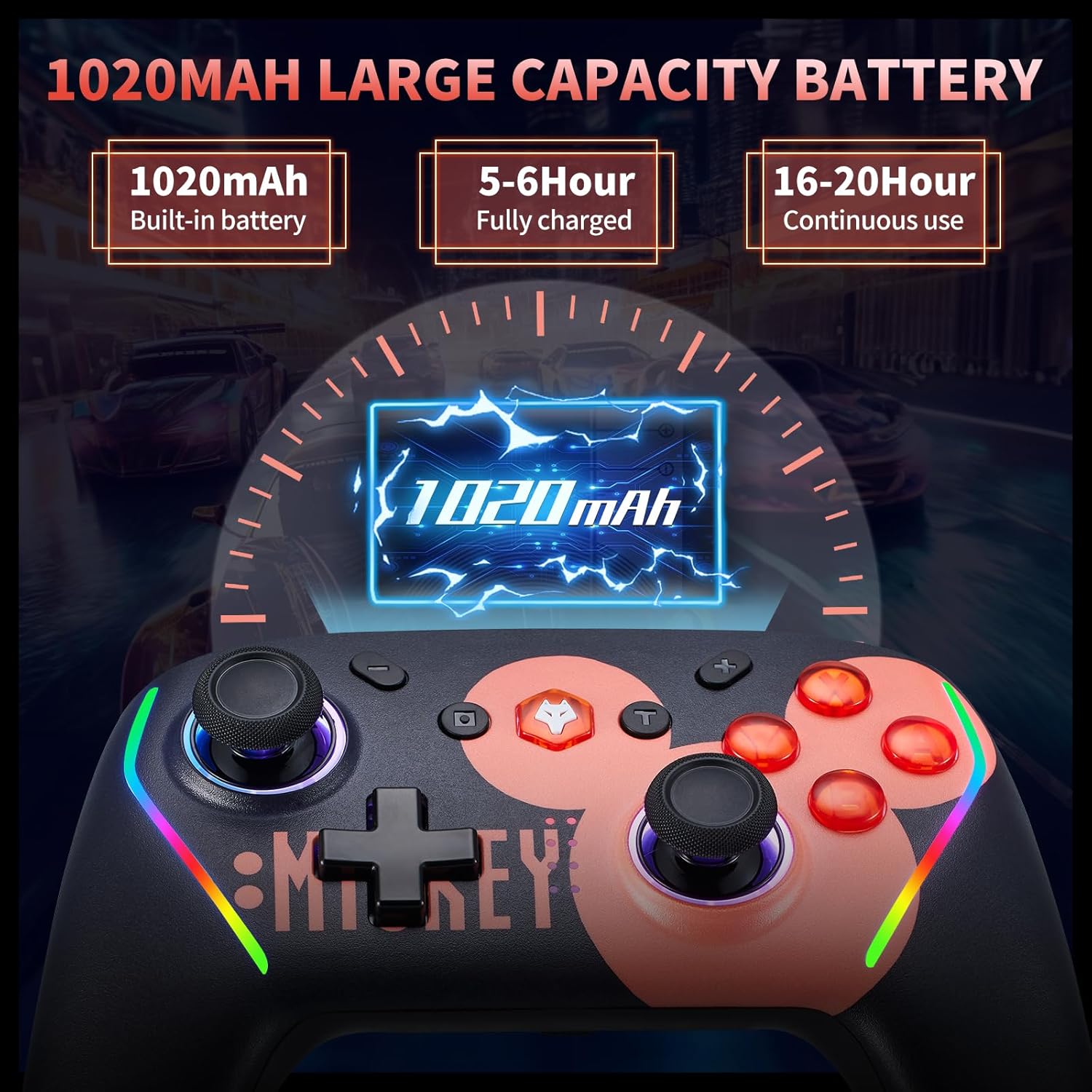
รูปที่ 2: Battery Information. The controller features a 1020mAh built-in battery, requiring 5-6 hours for a full charge and providing 16-20 hours of continuous use.
2. Connecting to Nintendo Switch/Lite/OLED
- บนเครื่อง Nintendo Switch ของคุณ ให้ไปที่เมนู HOME
- เลือก 'คอนโทรลเลอร์' > 'เปลี่ยนด้ามจับ/ลำดับ'
- Press and hold the Home button on the NBCP controller for a few seconds until the LED indicators start flashing.
- Once connected, the LED indicator(s) on the controller will light up solid.
- One-Click Wake Up: After initial pairing, you can wake up your Switch console by pressing the Home button on the controller.

รูปที่ 3: Compatibility and Wake-Up Feature. This image illustrates the controller's compatibility with Nintendo Switch, Switch Lite, and Switch OLED models, along with the convenient one-click wake-up function.
3. Connecting to PC (Wired/Wireless)
- มีสาย: เชื่อมต่อตัวควบคุมเข้ากับพีซีของคุณโดยใช้สาย USB-C พีซีจะตรวจจับและติดตั้งไดรเวอร์ที่จำเป็นโดยอัตโนมัติ
- ไร้สาย (บลูทูธ): Ensure your PC has Bluetooth enabled. Go to Bluetooth settings, search for new devices, and select 'NBCP Controller' to pair.
4. Connecting to Android & iOS Devices
โปรดตรวจสอบให้แน่ใจว่าได้เปิดใช้งานบลูทูธบนอุปกรณ์ Android หรือ iOS ของคุณแล้ว ค้นหา new Bluetooth devices and select 'NBCP Controller' to pair.
คำแนะนำการใช้งาน
1. Macro Programming (ML/MR Buttons)
The ML and MR buttons on the back of the controller can be programmed to perform various combinations of actions. You can assign single buttons (A, B, X, Y, L, R, L2, R2) or directional inputs (up/down/left/right) to these macro buttons.

รูปที่ 4: Macro Programming. This image illustrates the location of the ML and MR macro buttons on the back of the controller and indicates that they can be programmed with various button combinations.

รูปที่ 5: Back Button Functionality. This image provides a detailed explanation of how to program the M1/M2 (ML/MR) buttons, allowing up to 16 instructions in a single program.
2. TURBO Continuous Fire Function
Activate the TURBO function to automatically repeat button presses, useful for shooting and action games. The controller supports three serial transmission speeds.

รูปที่ 6: TURBO Firing Function. This image demonstrates the three-stage TURBO firing function, allowing users to set speeds of 5, 12, or 20 shots per second to reduce hand fatigue.

รูปที่ 7: Automatic Serial Transmission. This image further details the automatic serial transmission function and its three adjustable speeds.
3. Adjustable Dual Vibration
The controller features 4-stage HD vibration, which can be adjusted to enhance immersion in games.

รูปที่ 8: HD Vibration. This image illustrates the 4-stage adjustable HD vibration, ranging from 0% to 100%, providing tactile feedback for an immersive gaming experience.
4. เซ็นเซอร์ไจโร 6 แกน
The integrated 6-axis gyro sensor allows for precise motion control, enabling accurate aiming and directional recognition in compatible games.

รูปที่ 9: 6-Axis Gyroscope. This image visually explains how the 6-axis gyroscope recognizes multi-directional changes, allowing for quick and accurate aiming and enhanced visual interaction within games.
5. แสง RGB
The controller features 7-color RGB lighting. Specific instructions for changing the lighting effects may be available through the companion application or a button combination (refer to the app section below).
6. Companion Application
An application may be available for customizing controller settings, including key mapping, macro settings, and system updates. Please refer to the product packaging or manufacturer's website for details on downloading and using the app.

รูปที่ 10: Application Settings. This image shows a mobile application interface where users can potentially adjust key mappings, macro settings, and update the controller's firmware.
การซ่อมบำรุง
1. การดูแลแบตเตอรี่
The controller includes a 1020mAh rechargeable battery. To maximize battery life:
- หลีกเลี่ยงการปล่อยแบตเตอรี่จนหมดบ่อยครั้ง
- Charge the controller using a standard USB power source.
- If the controller will not be used for an extended period, charge it to about 50% before storing.

รูปที่ 11: Removable Battery. This image highlights the removable battery design, which can extend the service life of the controller by allowing battery replacement.
2. การทำความสะอาด
Use a soft, dry cloth to clean the controller. Do not use harsh chemicals or abrasive materials, as these can damage the surface.
3. การจัดเก็บ
Store the controller in a cool, dry place away from direct sunlight and extreme temperatures. Avoid placing heavy objects on the controller.
การแก้ไขปัญหา
- ตัวควบคุมไม่ได้เชื่อมต่อ: Ensure the controller is charged. Re-attempt the pairing process as described in the 'Setup and Connection' section. For PC, check Bluetooth drivers.
- ปุ่มไม่ตอบสนอง: Check if the controller is properly connected. If issues persist, try resetting the controller (refer to manufacturer's instructions for reset procedure, often a small pinhole button).
- การดริฟท์ไม้: The controller includes drift repair functionality. If experiencing stick drift, consult the companion app or manufacturer's support for recalibration instructions.
- ไม่ชาร์จแบตเตอรี่: Ensure the USB-C cable and power source are working correctly. Try a different cable or charging port.
- ฟังก์ชัน TURBO ไม่ทำงาน: Ensure the TURBO function is activated correctly and the desired button is assigned.
ข้อมูลจำเพาะ
| แบบอย่าง | คอนโทรลเลอร์เกมไร้สาย |
| ความเข้ากันได้ | Nintendo Switch/Lite/OLED, PC, Android, iOS |
| การเชื่อมต่อ | บลูทูธ 5.0 แบบมีสาย (USB-C) |
| ความจุของแบตเตอรี่ | 1020mAh |
| เวลาในการชาร์จ | ประมาณ 5-6 ชั่วโมง |
| เวลาใช้ต่อเนื่อง | ประมาณ 16-20 ชั่วโมง |
| ไจโรเซนเซอร์ | ไจโร 6 แกน |
| การสั่นสะเทือน | Adjustable Dual HD Vibration (4-stage) |
| ไฟ RGB | 7 สี |
| อัตราการสำรวจความคิดเห็น | 1000เฮิรตซ์ |
| ขนาด | 6.73 x 4.69 x 3.19 นิ้ว |
| น้ำหนัก | 11.7 ออนซ์ |
การรับประกันและการสนับสนุน
For warranty information or technical support, please refer to the product packaging or contact the seller/manufacturer directly. Keep your purchase receipt for warranty claims.