
การแนะนำ
This manual provides detailed instructions for the setup, operation, and maintenance of your ORIA Wooden Digital Alarm Clock. Please read this manual thoroughly before using the product to ensure proper function and longevity.

Image: The ORIA Wooden Digital Alarm Clock, showcasing its LED display and wooden finish.
เนื้อหาแพ็คเกจ
กรุณาตรวจสอบแพ็คเกจสำหรับรายการต่อไปนี้:
- 1 x ORIA Wooden Digital Alarm Clock
- 1 x 1.5m Type-C Charging Cable
- 1 x คู่มือผู้ใช้
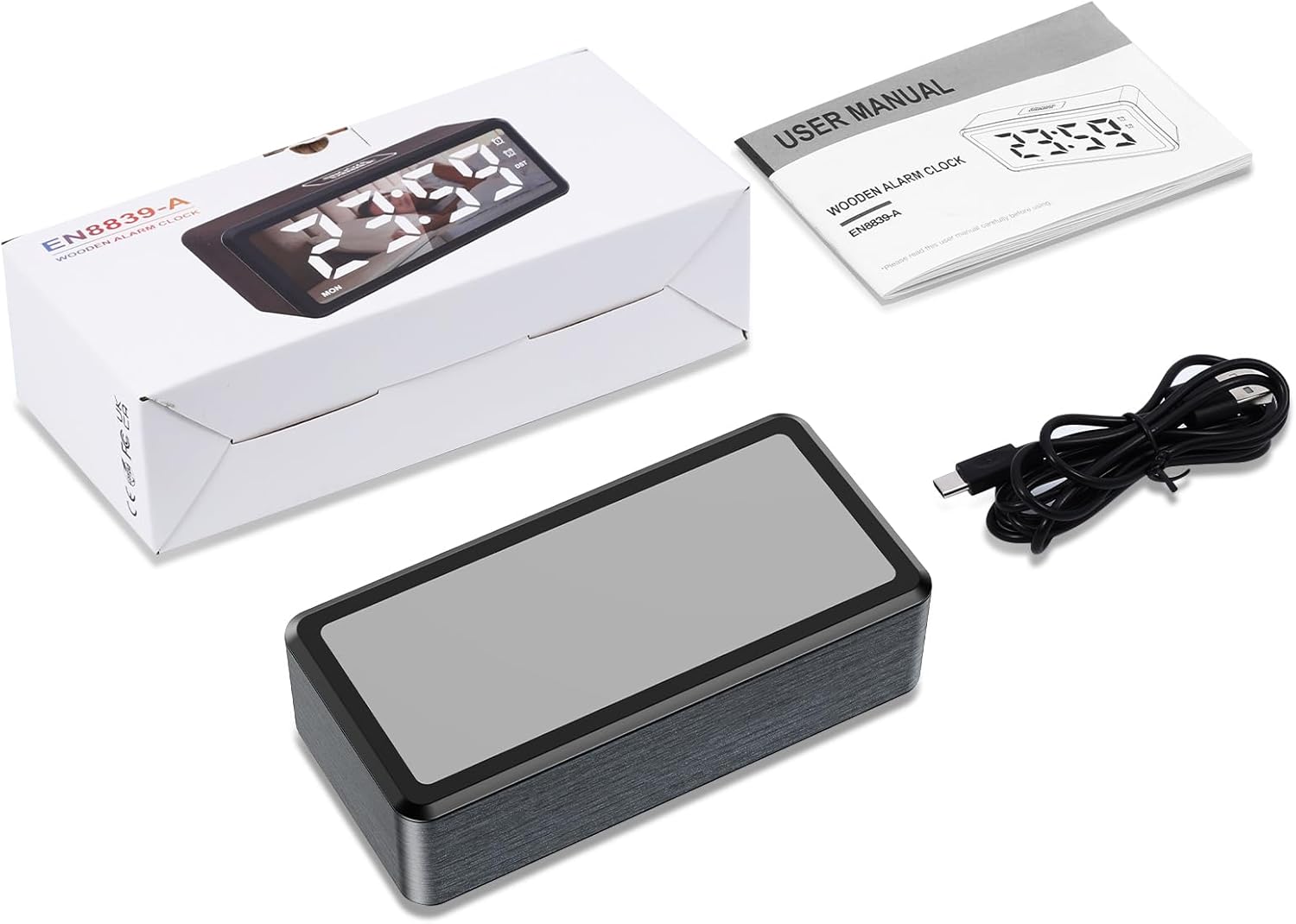
Image: Contents of the product package, including the alarm clock, Type-C cable, and user manual.
สินค้าเกินview
The ORIA Wooden Digital Alarm Clock features a large LED mirror display and intuitive controls. Key features include dual alarms, adjustable brightness and volume, and Daylight Saving Time (DST) functionality.

Image: Visual representation of the clock highlighting features such as 12/24H display, DST, week display, snooze, dual alarm, adjustable volume, adjustable brightness, and USB output port.
การตั้งค่า
การเปิดเครื่อง
The alarm clock must be plugged in for operation. Connect the provided 1.5m Type-C cable to the clock and a suitable USB power adapter (not included). The LED display will light up once powered.
ฟังก์ชั่นสำรองแบตเตอรี่
The clock requires 2 AAA batteries (not included) for its memory function. These batteries retain your time and alarm settings during a power outage but will not power the LED display. The display will remain off when operating solely on battery power.

Image: Illustration showing the Type-C power connection and the AAA battery compartment for memory backup.
คำแนะนำการใช้งาน
การตั้งเวลา
- ในโหมดแสดงเวลา ให้กดปุ่มค้างไว้ ชุด button for 2 seconds to enter time-setting mode. The HOUR digits will flash.
- กดปุ่ม + or - buttons to adjust the hour. Hold the button to advance rapidly.
- กดสั้น ๆ ชุด button to confirm the hour and move to minute setting. The MINUTE digits will flash.
- กดปุ่ม + or - ปุ่มปรับนาที
- กดสั้น ๆ ชุด button to confirm the minute and move to week setting. The WEEK digits will flash.
- กดปุ่ม + or - ปุ่มสำหรับปรับวันในสัปดาห์
- กดปุ่ม ชุด button again to save all settings and exit time-setting mode.
รูปแบบ 12/24 ชั่วโมง
In time display mode, short press the ชุด button to toggle between 12-hour and 24-hour time formats. The AM/PM indicator will light up or turn off accordingly in 12-hour mode.

Image: Comparison of the clock display in 12-hour format (with AM/PM indicator) and 24-hour format.
การตั้งค่าปลุกและเลื่อน
นาฬิกาเรือนนี้มีระบบตั้งปลุกอิสระ 2 ระบบ (AL1 และ AL2)
- วิธีเปิด/ปิดระบบเตือนภัย: In time display mode, short press the AL1 button to switch Alarm 1 ON/OFF. The corresponding alarm icon will light up or turn off. Repeat for AL2 ปุ่มสำหรับนาฬิกาปลุกหมายเลข 2
- วิธีตั้งปลุก: กดปุ่มค้างไว้ AL1 button for 2 seconds to enter Alarm 1 setting mode. The HOUR digits will flash.
- ใช้ + or - to adjust the hour, then short press AL1 เพื่อยืนยันและเปลี่ยนไปใช้การตั้งค่านาที
- ใช้ + or - to adjust the minute, then short press AL1 to confirm and move to alarm mode setting.
- โหมดปลุก: ใช้ + or - to select an alarm mode:
- 1-7: Alarm sounds Monday to Sunday (Default for ALARM 1).
- 1-5: Alarm sounds Monday to Friday (Default for ALARM 2).
- 6-7: เสียงปลุกวันเสาร์และวันอาทิตย์
- การพิมพ์แบบสั้น AL1 to confirm the alarm mode and move to snooze time setting.
- เวลาเลื่อน: The default snooze time is 5 minutes. Use + or - to set the snooze duration from 5 to 60 minutes.
- กด AL1 again to save all settings and exit alarm setting mode.
- ทำซ้ำขั้นตอนสำหรับสัญญาณเตือนที่ 2 โดยใช้ AL2 ปุ่ม.

Image: Display showing the two independent alarms and the three selectable alarm modes (Monday-Friday, Monday-Sunday, Saturday-Sunday).
การปรับความสว่าง
The LED screen brightness can be adjusted to 5 levels: 100%, 80%, 50%, 20%, and 5%. To adjust, press the เลื่อน/หรี่ไฟ button repeatedly in time display mode to cycle through the brightness levels.

Image: Visual representation of the clock display at different brightness levels, from 100% to 5%.
การปรับระดับเสียง
The alarm volume can be adjusted to 5 levels: 95 dB, 85 dB, 75 dB (default), 65 dB, and 55 dB. To adjust, press the เล่มที่ button repeatedly to cycle through the volume levels.
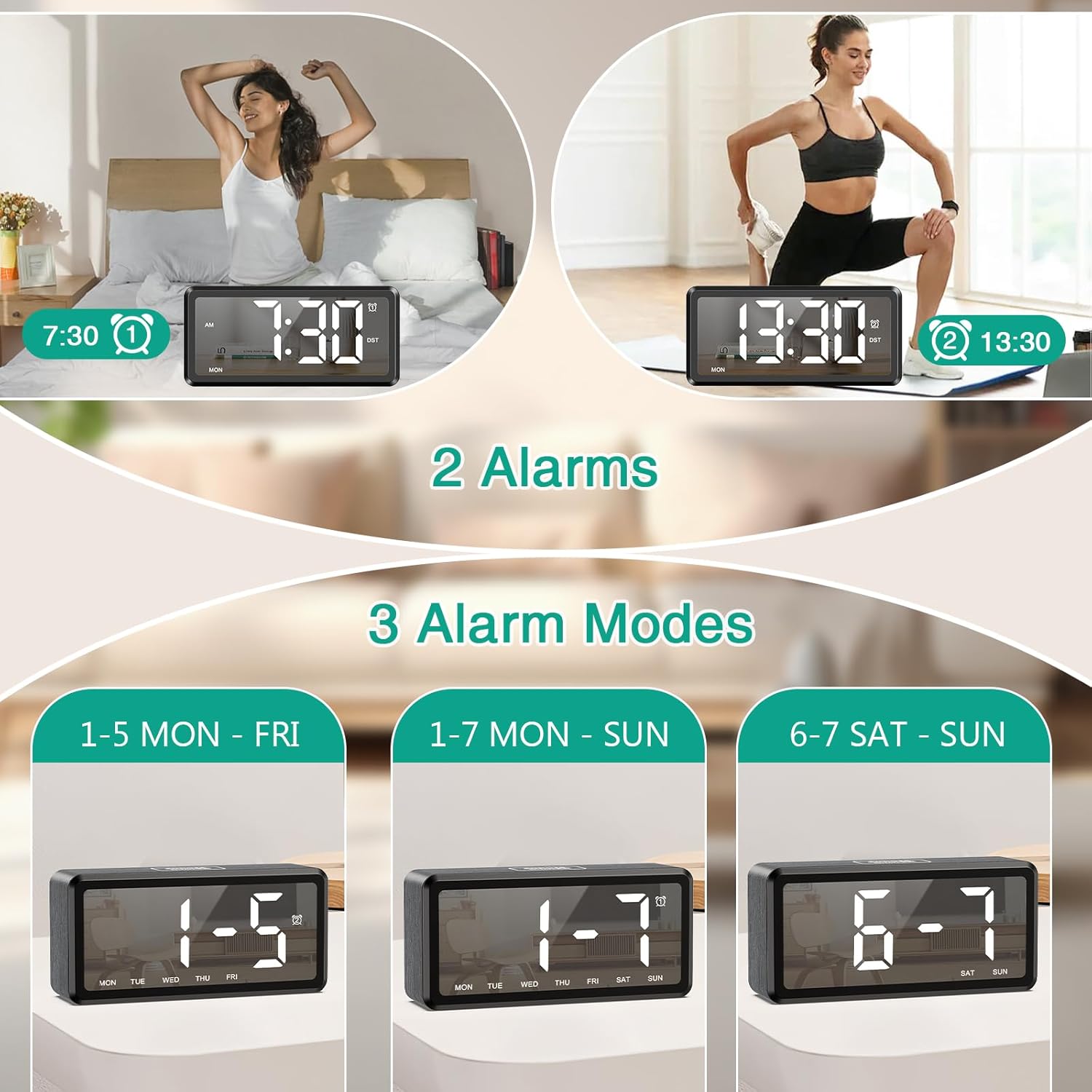
Image: Graphic illustrating the five adjustable alarm volume levels from 55dB to 95dB, along with snooze duration.
เวลาออมแสง (DST)
To activate or deactivate Daylight Saving Time, short press the เวลาออมแสง button. The DST indicator will light up or turn off, and the time will adjust by one hour accordingly.
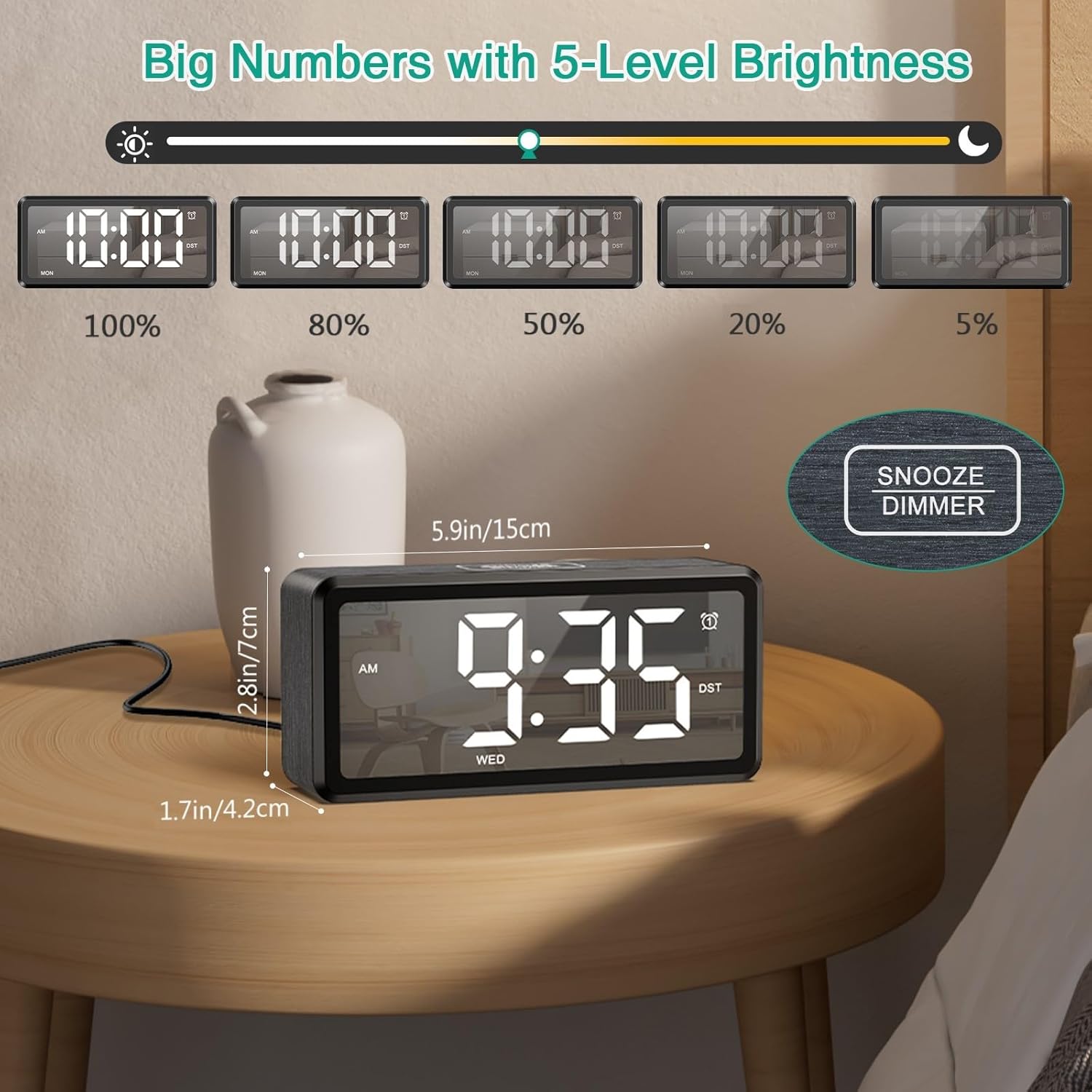
Image: The clock display showing time before and after activating DST with a single button press.
การซ่อมบำรุง
To ensure the longevity and optimal performance of your ORIA Wooden Digital Alarm Clock, follow these simple maintenance guidelines:
- การทำความสะอาด: Wipe the clock's surface with a soft, dry cloth. Avoid using abrasive cleaners, solvents, or chemical sprays, as these can damage the finish and display.
- การจัดวาง: Place the clock on a stable, flat surface away from direct sunlight, excessive heat, moisture, and strong magnetic fields.
- พลัง: Always use the provided Type-C cable and a compatible USB power adapter. Disconnect power during electrical storms or when not in use for extended periods.
- แบตเตอรี่: If using AAA batteries for backup, replace them annually or when the memory function appears unreliable. Ensure correct polarity when inserting batteries.
การแก้ไขปัญหา
| ปัญหา | สาเหตุที่เป็นไปได้ | สารละลาย |
|---|---|---|
| จอแสดงผลว่างเปล่า | ไม่ได้เสียบปลั๊ก; ไม่มีไฟtage; batteries only. | Ensure the Type-C cable is securely connected to a power source. If using only AAA batteries, the display will not light up; they are for memory backup only. |
| สัญญาณเตือนภัยไม่ดัง | Alarm is deactivated; volume is too low; incorrect alarm time/mode. | Check if the alarm icon (AL1/AL2) is lit. Adjust the volume level. Verify the alarm time and selected alarm mode (1-7, 1-5, or 6-7). |
| เวลาไม่ถูกต้องหลังจากไฟดับtage. | No AAA batteries installed; dead AAA batteries. | Install 2 new AAA batteries for memory backup. If batteries are installed, replace them. |
| ปุ่มต่างๆ ไม่ตอบสนอง | ซอฟต์แวร์มีปัญหาชั่วคราว | Unplug the clock from power, remove any backup batteries, wait 30 seconds, then reconnect power and batteries. |
ข้อมูลจำเพาะ
| คุณสมบัติ | รายละเอียด |
|---|---|
| ยี่ห้อ | ออเรีย |
| หมายเลขรุ่น | OUS-HY-WA173 |
| ประเภทจอภาพ | นำ |
| แหล่งพลังงาน | แบบใช้สายไฟ (USB Type-C) |
| แบตเตอรี่สำรอง | 2 x AAA batteries (for memory only, not included) |
| ขนาดสินค้า | กว้าง 2.73 นิ้ว x สูง 5.85 นิ้ว |
| วัสดุกรอบ | ไม้ |
| คุณสมบัติพิเศษ | Dual Alarms, Snooze, Adjustable Brightness (5 levels), Adjustable Volume (5 levels), DST, 12/24H Format |
| การใช้งานภายใน/ภายนอกอาคาร | ในร่ม |
การรับประกันและการสนับสนุน
ORIA is committed to providing high-quality products and customer satisfaction. Your ORIA Wooden Digital Alarm Clock comes with the following:
- รับประกัน 1 ปี: ครอบคลุมถึงข้อบกพร่องจากการผลิตและการทำงานผิดปกติภายใต้การใช้งานปกติ
- 90-Day Free Replacements: For any issues within the first 90 days of purchase.
- การคืนสินค้าฟรีภายใน 30 วัน: คืนสินค้าได้โดยไม่ยุ่งยากภายใน 30 วันนับจากวันที่ซื้อ
- ฝ่ายสนับสนุนลูกค้าตลอด 24 ชม.: Assistance available around the clock for any queries or issues.
- การสนับสนุนทางเทคนิคตลอดอายุการใช้งาน: ให้ความช่วยเหลือทางเทคนิคอย่างต่อเนื่องตลอดอายุการใช้งานของผลิตภัณฑ์ของคุณ
For support, please visit the official ORIA website or contact our customer service team using the contact information provided on your purchase receipt or the ORIA brand store on Amazon.

Image: Graphic summarizing ORIA's customer support offerings, including warranty, replacements, returns, and technical support.