
HETP HX100N9
HETP Portable Charger User Manual
รุ่น: HX100N9
1. บทนำ
Thank you for choosing the HETP Portable Charger. This device is designed to provide convenient and fast charging for a wide range of electronic devices, including smartphones, tablets, and Apple Watches. Featuring built-in cables and multiple output options, it is an ideal companion for travel and daily use. Please read this manual carefully before using the product to ensure safe and optimal performance.
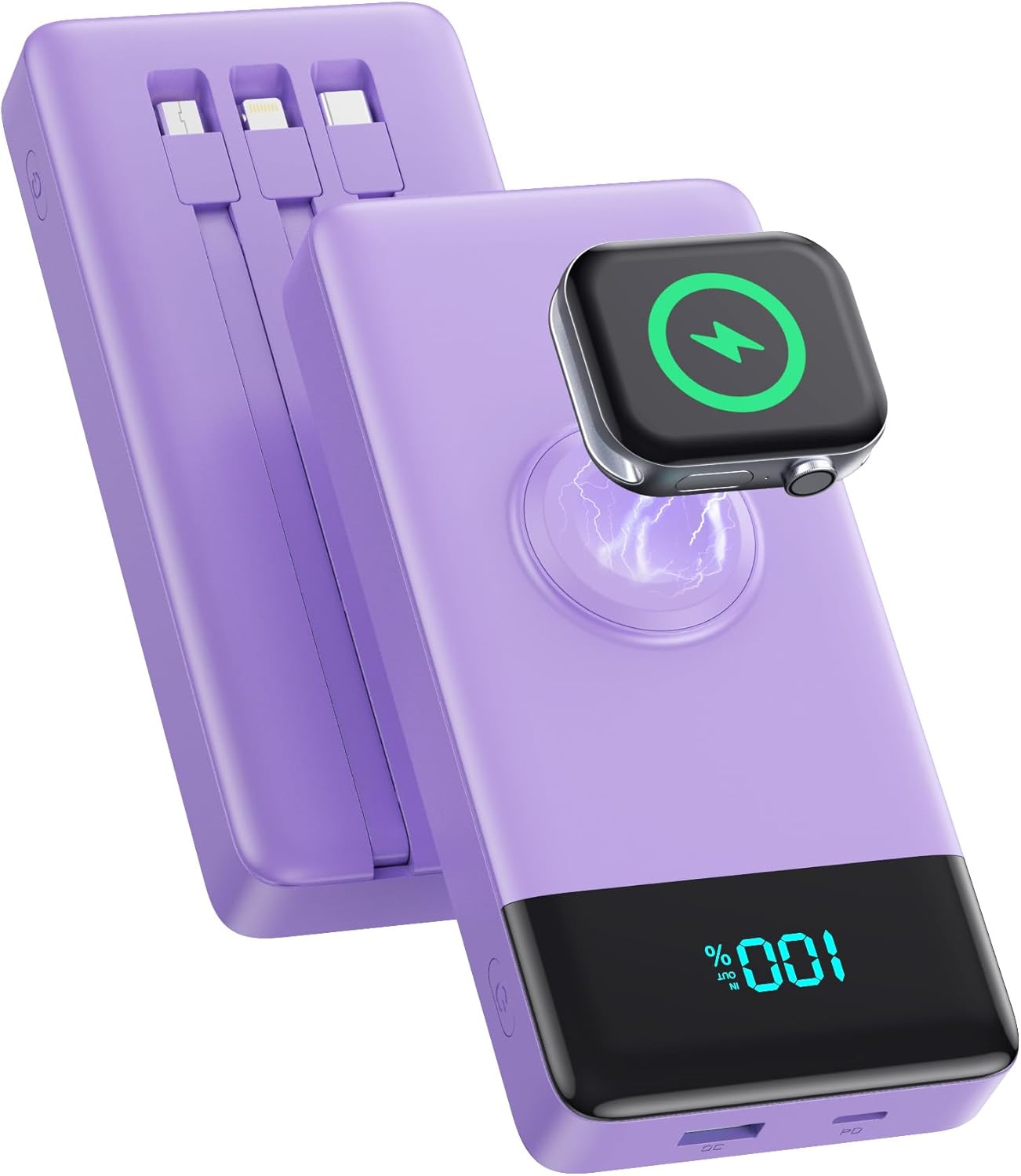
Image: The HETP Portable Charger, showcasing its compact design, built-in cables, and integrated iWatch charging pad. The device is purple with a black display showing "100%".
2. ข้อมูลด้านความปลอดภัย
เพื่อป้องกันการบาดเจ็บหรือความเสียหายต่ออุปกรณ์ของคุณ โปรดปฏิบัติตามข้อควรระวังด้านความปลอดภัยดังต่อไปนี้:
- ห้ามให้พาวเวอร์แบงค์โดนอุณหภูมิที่สูงหรือต่ำเกินไป (เกิน 60°C/140°F) หรือโดนแสงแดดโดยตรง
- ห้ามถอดประกอบ ดัดแปลง หรือพยายามซ่อมแซมอุปกรณ์ด้วยตนเอง
- ควรเก็บพาวเวอร์แบงค์ให้ห่างจากน้ำ ความชื้น และวัสดุที่ติดไฟได้ง่าย
- หลีกเลี่ยงการทำอุปกรณ์หล่นหรือกระแทกอย่างรุนแรง
- ใช้เฉพาะสายชาร์จและอะแดปเตอร์ที่ผ่านการรับรองเท่านั้น
- เก็บให้พ้นจากมือเด็ก
- ทิ้งพาวเวอร์แบงค์ตามระเบียบข้อบังคับของท้องถิ่น ห้ามทิ้งรวมกับขยะในครัวเรือน

Image: Diagram illustrating the multi-protection smart microchip features of the power bank, including temperature, over-current, overvoltage, overcharge, recovery, over-power, short circuit, and over-discharge protection.
3. เนื้อหาบรรจุภัณฑ์
กรุณาตรวจสอบแพ็คเกจสำหรับรายการต่อไปนี้:
- 1 x HETP Portable Charger (10800mAh) with 3 Built-in Cables (USB-C, iOS, Micro USB) and iWatch Charger
- 1 x คู่มือผู้ใช้
4. สินค้าหมดview
The HETP Portable Charger is equipped with multiple features for versatile charging:
- สายเคเบิลในตัว: Includes USB-C, iOS (Lightning), and Micro USB cables for direct connection to various devices.
- iWatch Wireless Charger: Integrated magnetic charging pad for Apple Watch.
- พอร์ต USB-C (PD 25W): Supports both input and output for fast charging.
- USB-A Port (QC Output): Provides Quick Charge output for compatible devices.
- จอแสดงผลดิจิตอล LED: แสดงให้เห็นว่าส่วนที่เหลืออีก percen แบตเตอรี่tage.
- ปุ่มเปิด/ปิด: เปิดใช้งานพาวเวอร์แบงค์และจอแสดงผล

Image: A detailed diagram of the HETP Portable Charger highlighting its various ports and built-in cables, including USB C Cable Input/Output, iOS Cable Output, Micro USB Cable Output, Charge for iWatch, Power On/Off button, PD USB-C Input/Output, and QC USB-A Output. The LED display shows "100% IN OUT".

Image: Two images demonstrating the compact size and lightweight nature of the HETP Portable Charger. One shows it fitting into a pant pocket, and the other shows it fitting into a small handbag, with dimensions 6.02x2.8x0.59 inches and weight 280g indicated.
5. การตั้งค่า
The HETP Portable Charger comes ready for use. Before first use, it is recommended to fully charge the power bank.
5.1 การชาร์จ Power Bank ครั้งแรก
To ensure optimal performance, fully charge your power bank before its first use.
- Connect the power bank to a wall charger (not included) using either the built-in USB-C cable or an external USB-C cable plugged into the USB-C port.
- The LED display will show the charging progress. It is fully charged when the display shows "100%".

Image: A visual guide demonstrating two methods to recharge the HETP Portable Charger: using the dedicated Type-C input port with an external cable and adapter, or using the built-in Type-C input cable with an adapter.
6. คู่มือการใช้งาน
6.1 การชาร์จอุปกรณ์ของคุณ
The HETP Portable Charger offers multiple ways to charge your devices simultaneously.
- การใช้สายเคเบิลในตัว:
- Pull out the appropriate built-in cable (USB-C, iOS, or Micro USB) for your device.
- เสียบสายเคเบิลเข้ากับพอร์ตชาร์จของอุปกรณ์ของคุณ
- พาวเวอร์แบงค์จะเริ่มชาร์จโดยอัตโนมัติ
- การใช้พอร์ต USB:
- Connect your device's charging cable to either the USB-C (PD) or USB-A (QC) output port on the power bank.
- เชื่อมต่อปลายสายอีกด้านเข้ากับอุปกรณ์ของคุณ
- พาวเวอร์แบงค์จะเริ่มชาร์จโดยอัตโนมัติ
- การชาร์จ Apple Watch:
- Place your Apple Watch onto the magnetic wireless charging pad on the power bank.
- Ensure the watch is properly aligned for charging to begin.
The power bank supports charging up to 6 devices simultaneously. The LED display will show the remaining battery percentage ระหว่างการชาร์จ

Image: The HETP Portable Charger actively charging multiple devices at once, including three smartphones via built-in cables, an Apple Watch on its wireless pad, a tablet via the USB-C port, and AirPods via the USB-A port, demonstrating its capability to charge 6 devices simultaneously.

Image: A visual representation of the PD 25W fast charging capability of the HETP Portable Charger, showing an iPhone charging rapidly. A graph indicates that it can charge an iPhone to 50% in 30 minutes, significantly faster than standard charging.
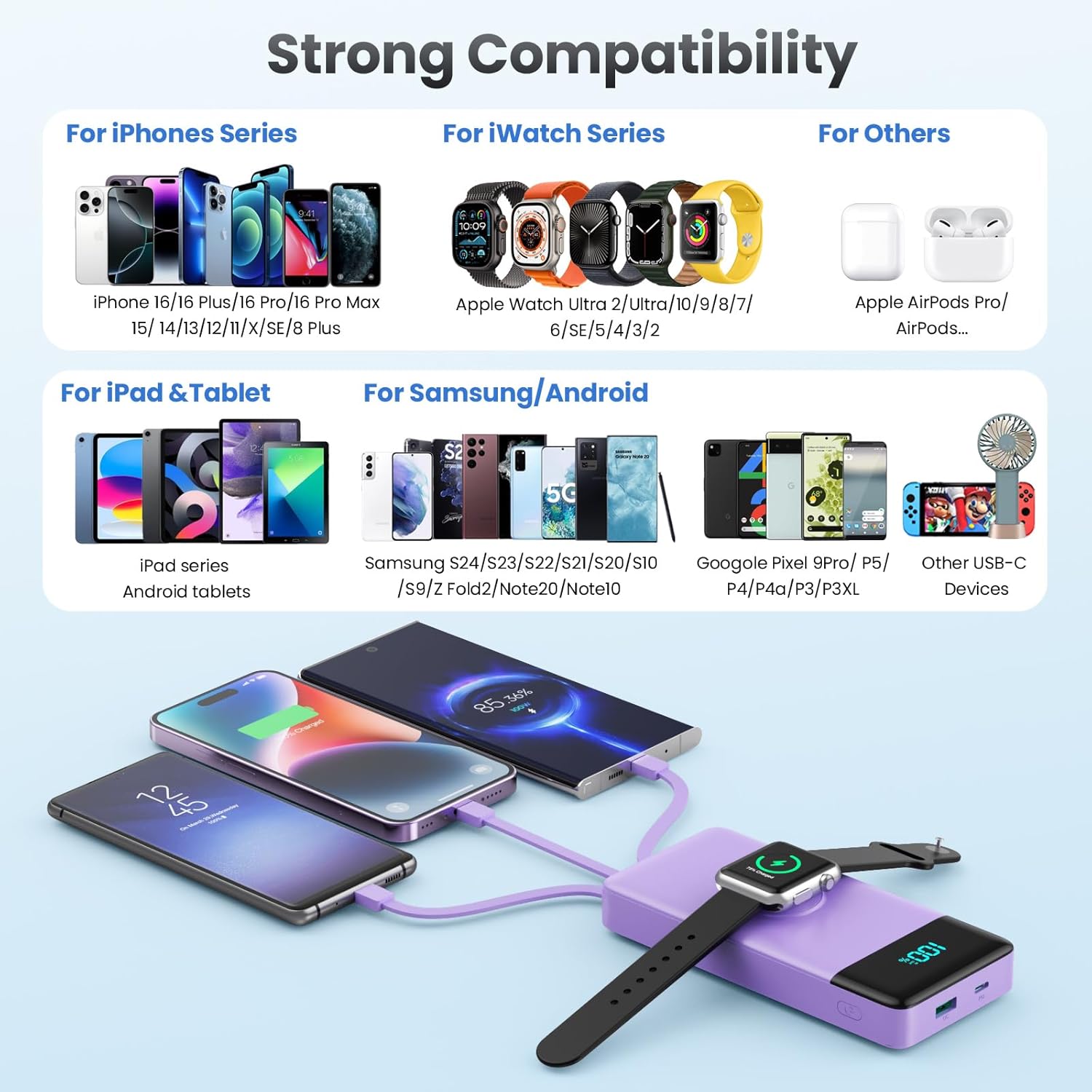
Image: A comprehensive compatibility chart for the HETP Portable Charger, categorizing compatible devices for iPhone Series, iWatch Series, iPad & Tablet, Samsung/Android, and other USB-C devices, illustrating its wide range of support.
7. การบำรุงรักษา
Proper care will extend the life of your HETP Portable Charger:
- ทำความสะอาดอุปกรณ์ด้วยผ้านุ่มและแห้ง ห้ามใช้น้ำยาทำความสะอาดหรือสารละลายที่มีฤทธิ์กัดกร่อน
- เก็บพาวเวอร์แบงค์ไว้ในที่แห้งและเย็นเมื่อไม่ใช้งาน
- If the device will not be used for an extended period, charge it to about 50% every three months to maintain battery health.
8 การแก้ไขปัญหา
| ปัญหา | สาเหตุที่เป็นไปได้ | สารละลาย |
|---|---|---|
| พาวเวอร์แบงค์ไม่ชาร์จ | Charging cable or adapter faulty; power bank battery depleted; connection issue. | Try a different cable or adapter. Ensure connections are secure. Allow power bank to charge for a few minutes. |
| อุปกรณ์ไม่ชาร์จจากพาวเวอร์แบงค์ | Power bank battery depleted; cable faulty; device not compatible; power bank in standby. | Check power bank battery level. Try a different cable. Ensure your device is compatible. Press the power button to activate the power bank. |
| ชาร์จช้า | Cable or adapter not supporting fast charging; multiple devices charging simultaneously; device's charging input limit. | Use a fast-charging compatible cable and adapter. Disconnect other devices to test speed. Check your device's charging specifications. |
| iWatch not charging wirelessly. | Watch not aligned correctly; watch case interfering; power bank battery depleted. | Adjust watch position on the charging pad. Remove any thick cases. Ensure power bank has sufficient charge. |
9. ข้อมูลจำเพาะ
| คุณสมบัติ | รายละเอียด |
|---|---|
| หมายเลขรุ่น | HX100N9 |
| ความจุของแบตเตอรี่ | 10800mAh |
| อินพุต (พอร์ต USB-C) | PD 25W สูงสุด |
| เอาต์พุต (พอร์ต USB-C) | PD 25W สูงสุด |
| เอาต์พุต (พอร์ต USB-A) | QC Compatible |
| สายเคเบิลในตัว | USB-C, iOS (Lightning), Micro USB |
| เครื่องชาร์จ iWatch | การชาร์จแบบไร้สายแม่เหล็ก |
| ขนาด | 6.02 x 2.8 x 0.59 นิ้ว |
| น้ำหนัก | 11.7 ออนซ์ (280 กรัม) |
| สี | สีม่วง |
10. การรับประกันและการสนับสนุน
Your HETP Portable Charger comes with a รับประกัน 24 เดือน นับจากวันที่ซื้อสินค้า การรับประกันนี้ครอบคลุมถึงข้อบกพร่องจากการผลิตและฝีมือการผลิต ไม่ครอบคลุมถึงความเสียหายที่เกิดจากการใช้งานผิดวิธี อุบัติเหตุ การดัดแปลงโดยไม่ได้รับอนุญาต หรือการสึกหรอตามปกติ
สำหรับการขอรับการสนับสนุนทางเทคนิค การเรียกร้องการรับประกัน หรือข้อสงสัยใดๆ เกี่ยวกับผลิตภัณฑ์ของคุณ โปรดติดต่อฝ่ายบริการลูกค้าของ HETP โดยดูจากข้อมูลการติดต่อที่ระบุไว้บนบรรจุภัณฑ์ของผลิตภัณฑ์หรือเว็บไซต์อย่างเป็นทางการของ HETP webเว็บไซต์.
การสนับสนุนทางเทคนิคตลอดอายุการใช้งาน มีให้บริการสำหรับผลิตภัณฑ์นี้
Ask a question about this manual
Ask about setup, troubleshooting, compatibility, parts, safety, or missing instructions. Manuals+ will review the question and use this page’s manual context to help answer it.