
1. บทนำ
This manual provides essential instructions for the setup, operation, and maintenance of your CAPOXO Capoxo-SQ-21-Charger-NV 4K Full HD Wired Security Camera. This device is designed for indoor surveillance, offering continuous recording, motion detection, and night vision capabilities. Please read this manual thoroughly before using the product to ensure proper functionality and safety.

Image 1.1: The CAPOXO Capoxo-SQ-21-Charger-NV wired security camera, designed to resemble a standard USB wall charger.
2. สินค้าหมดview
2.1 เนื้อหาบรรจุภัณฑ์
ตรวจสอบว่ามีรายการทั้งหมดอยู่ในแพ็คเกจของคุณ:
- CAPOXO Security Camera
- สาย USB
- เครื่องอ่านการ์ด
- คู่มือการใช้งาน
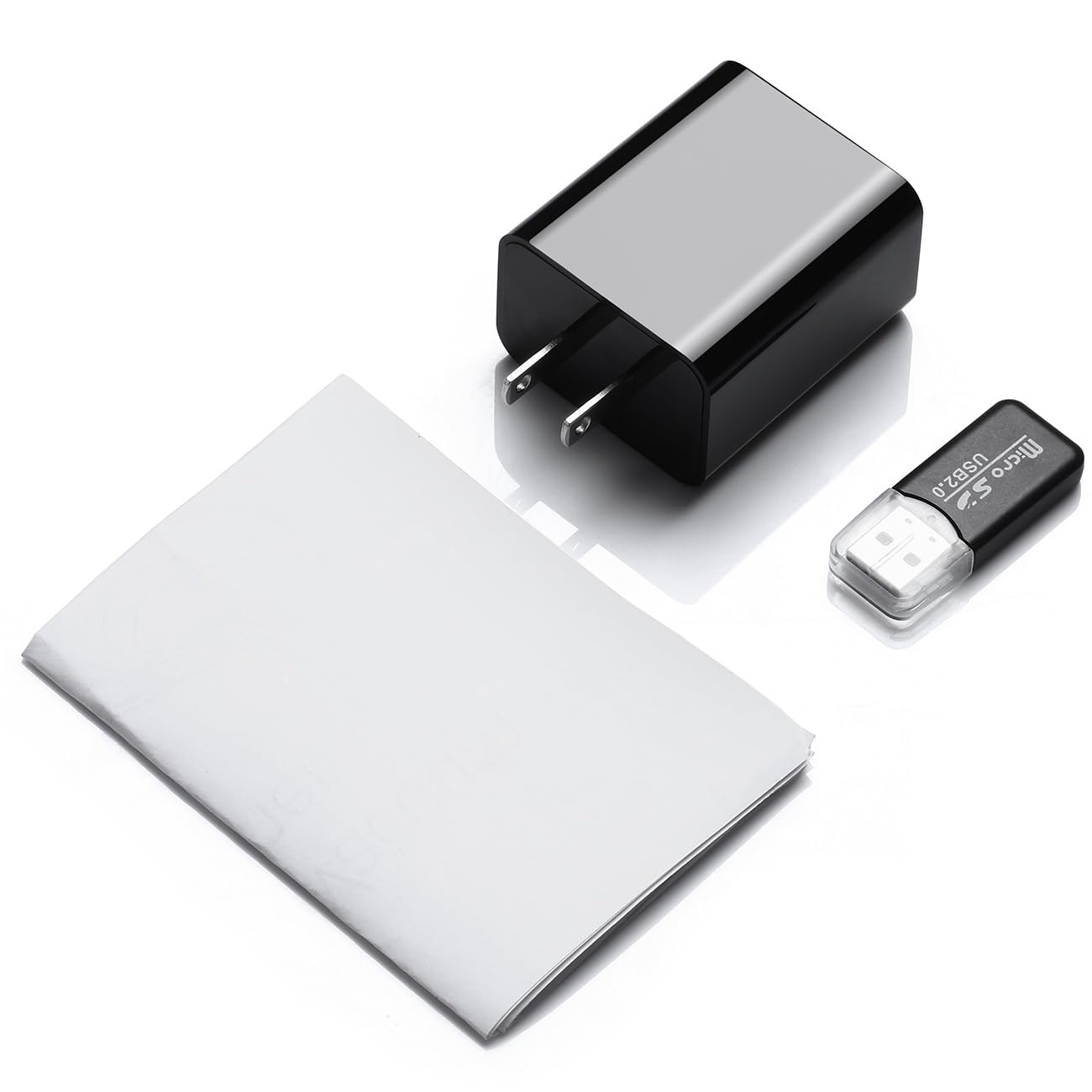
Image 2.1: Contents of the CAPOXO security camera package, including the camera, USB cable, card reader, and user manual.
2.2 ส่วนประกอบของกล้อง
ศึกษาทำความเข้าใจส่วนประกอบหลักของกล้องให้ดี:

Image 2.2: Detailed diagram showing the camera's components, including the HD Lens, Card Slot, USB port, Mode Switch, IR LEDs, and Front Cover.
- เลนส์ HD: จับภาพวิดีโอ footage.
- ช่องใส่การ์ด: For inserting a Micro SD card (up to 128GB, not included).
- พอร์ต USB: Functions as a standard USB charging port and for power supply to the camera.
- สวิตช์โหมด: Toggles between recording modes (M: Motion-activated, C: Loop recording).
- ไฟ LED IR: Infrared emitters for night vision.
- ปกหน้า: A removable cover to access the card slot and mode switch.
2.3 คุณสมบัติหลัก
- ความละเอียด Full HD 1080p: Records video at 1920x1080 for clear footage.
- การบันทึกแบบวนซ้ำอย่างต่อเนื่อง: เขียนทับไฟล์ foo เก่าโดยอัตโนมัติtage to ensure uninterrupted surveillance.
- ความสามารถในการมองเห็นตอนกลางคืน: Equipped with infrared LEDs for clear recording in low-light conditions up to 5 meters.
- เทคโนโลยีการตรวจจับความเคลื่อนไหว: Automatically initiates recording when movement is detected.
- พื้นที่เก็บข้อมูลที่ขยายได้: Supports Micro SD cards up to 128GB (not included).
3. การตั้งค่า
3.1 การใส่การ์ด Micro SD
- Gently remove the front cover of the camera to expose the card slot.
- Insert a formatted Micro SD card (Class 10 or higher, up to 128GB) into the card slot with the gold contacts facing down until it clicks into place.
- เปลี่ยนฝาครอบด้านหน้า
บันทึก: The Micro SD card is not included and must be purchased separately. Ensure the card is formatted before first use for optimal performance.
3.2 การจ่ายไฟให้กล้อง
- Plug the camera directly into a standard 220V AC wall outlet.
- The camera will automatically power on and begin operation according to the selected mode.

Image 3.1: The CAPOXO security camera plugged into a wall outlet, ready for operation.
4. คู่มือการใช้งาน
4.1 การเลือกโหมดการบันทึก
The camera features a mode switch located under the front cover:
- 'C' Position (Loop Recording): The camera will continuously record video. When the SD card is full, the oldest files จะถูกเขียนทับด้วยการบันทึกใหม่โดยอัตโนมัติ
- 'M' Position (Motion Detection): The camera will only record when it detects movement within its field of view. This conserves storage space and highlights important events.
4.2 การมองเห็นตอนกลางคืน
The camera automatically activates its infrared (IR) LEDs in low-light conditions to provide clear night vision footage up to 5 meters. These LEDs are designed to be discreet.
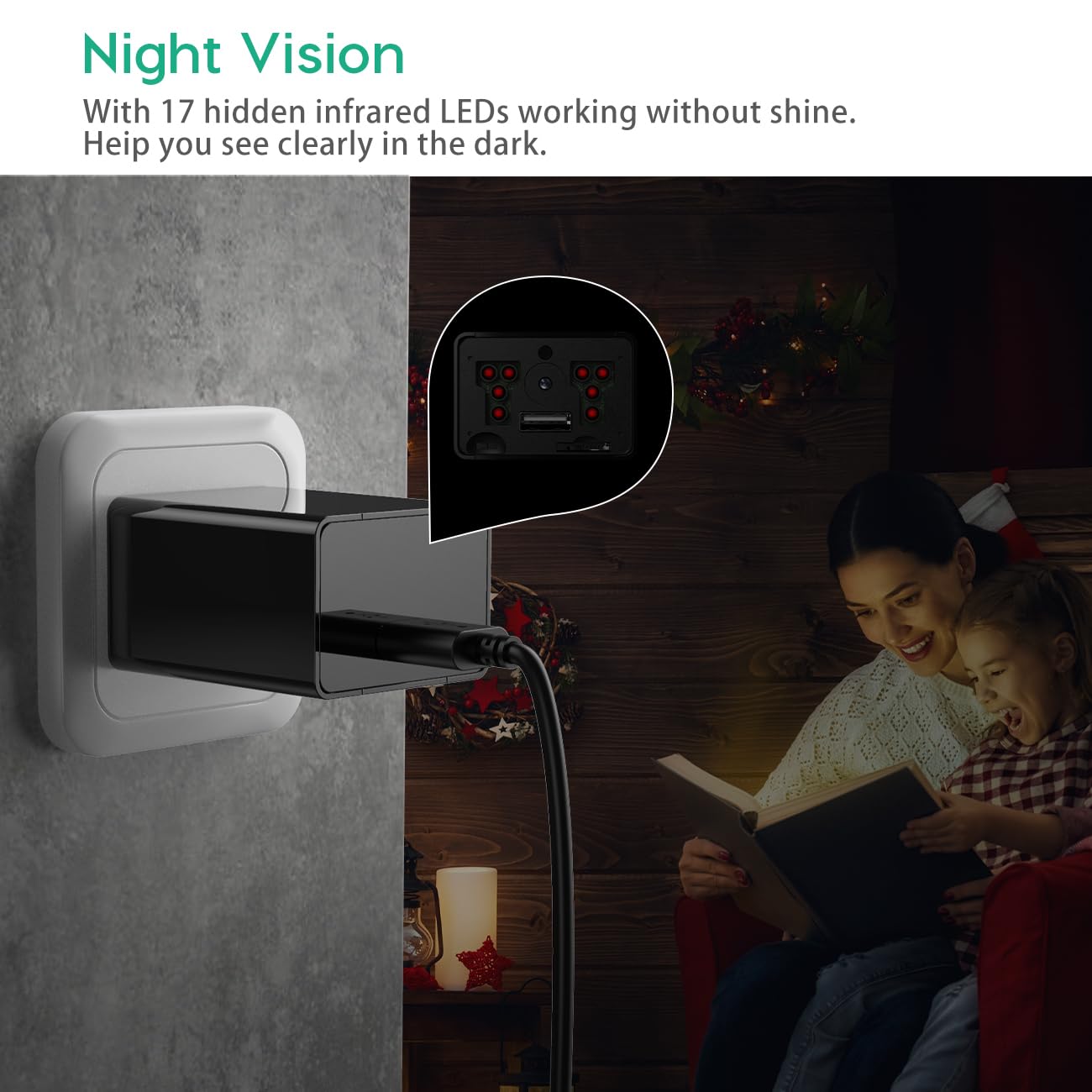
Image 4.1: Demonstration of the camera's night vision capability, showing clear visibility in a dark room.
4.3 Accessing Recordings
- Unplug the camera from the power outlet.
- Remove the front cover and carefully eject the Micro SD card.
- Insert the Micro SD card into the provided card reader.
- Connect the card reader to a computer's USB port.
- Access the recorded video files บนคอมพิวเตอร์ของคุณ
5. การบำรุงรักษา
- การทำความสะอาด: ใช้ผ้าแห้งเนื้อนุ่มเช็ดทำความสะอาดเลนส์และตัวกล้อง หลีกเลี่ยงการใช้น้ำยาทำความสะอาดหรือวัสดุที่มีฤทธิ์กัดกร่อน
- การจัดการการ์ด SD: Regularly back up important recordings. Periodically format the Micro SD card to maintain optimal performance and prevent data corruption.
- การจัดวาง: Ensure the camera is placed in a stable indoor environment, away from direct sunlight, extreme temperatures, and high humidity.
6 การแก้ไขปัญหา
- Camera is not recording:
- Ensure the camera is properly plugged into a live power outlet.
- Check if the Micro SD card is inserted correctly and is not full.
- Try formatting the Micro SD card.
- Verify the mode switch is set to 'C' for continuous recording or 'M' for motion detection.
- คุณภาพวิดีโอไม่ดี:
- ทำความสะอาดเลนส์กล้องด้วยผ้านุ่ม
- Ensure adequate lighting in the recording area, especially for optimal daytime footage.
- Check if the camera is within its effective night vision range during low-light conditions.
- ระบบตรวจจับการเคลื่อนไหวไม่ทำงาน:
- Ensure the mode switch is set to 'M' (Motion Detection).
- Verify that the camera's field of view is clear and not obstructed.
- Test the motion detection by moving in front of the camera.
- ไม่สามารถเข้าถึงได้ fileบนคอมพิวเตอร์:
- Ensure the Micro SD card is properly inserted into the card reader.
- Try connecting the card reader to a different USB port or computer.
- Check if the Micro SD card is damaged or corrupted.
7. ข้อมูลจำเพาะ
| ชื่อรุ่น | Capoxo-SQ-21-Charger-NV |
| ปณิธาน | Full HD 1080p (1920x1080) |
| การสนับสนุนการจัดเก็บข้อมูล | Up to 128GB Micro SD Card (not included) |
| โหมดการบันทึก | Loop Recording, Motion Detection |
| ช่วงการมองเห็นตอนกลางคืน | Up to 5 meters (via IR LEDs) |
| แหล่งพลังงาน | ไฟฟ้ากระแสสลับ (220V) |
| การเชื่อมต่อ | ยูเอสบี 2.0 |
| การใช้งานภายใน/ภายนอกอาคาร | ในร่ม |
| ขนาดสินค้า | 5.3 x 4.6 x 3.2 ซม. |
| น้ำหนักสินค้า | 250 กรัม |
| ส่วนประกอบที่รวมอยู่ | Camera, USB Cable, Card Reader |
8. การรับประกันและการสนับสนุน
For any product-related inquiries, technical support, or warranty claims, please contact CAPOXO customer service through your purchase platform or the official CAPOXO website. Please have your model number (Capoxo-SQ-21-Charger-NV) and proof of purchase ready when contacting support.
Please refer to the terms and conditions of your purchase for specific warranty details.