
1. บทนำ
Thank you for choosing the Generic LED Wrist Light. This compact and portable device is designed to provide convenient illumination for various activities, including running, hiking, cycling, camping, and night reading. Its adjustable angles, three-color options, and comfortable bracelet design make it a versatile lighting solution.

Image 1.1: The Generic LED Wrist Light and its accompanying USB charging cable.
This manual provides essential information on setting up, operating, and maintaining your LED Wrist Light to ensure optimal performance and longevity.
2. เนื้อหาบรรจุภัณฑ์
กรุณาตรวจสอบแพ็คเกจสำหรับรายการต่อไปนี้:
- 1 x LED Wrist Light
- สายชาร์จ USB 1 เส้น

Image 2.1: The LED Wrist Light and its USB charging cable, as included in the package.
3. ข้อมูลจำเพาะ
| ยี่ห้อ | ทั่วไป |
| หมายเลขรุ่น | XVA57I6PZN6F3OG7 |
| ขนาดสินค้า | Approx. 7 cm (L) x 4 cm (W) x 6 cm (H) / 2.76 in (L) x 1.57 in (W) x 2.36 in (H) |
| น้ำหนักผลิตภัณฑ์ | ประมาณ 50 ก. (0.11 ปอนด์) |
| วัสดุ | ABS + ส่วนประกอบอิเล็กทรอนิกส์ |
| ความจุของแบตเตอรี่ | 400 มิลลิแอมป์ |
| พลัง | 2 วัตต์ |
| การชาร์จไฟ | การชาร์จ USB |

Image 3.1: Detailed dimensions of the LED Wrist Light.
4. การตั้งค่า
4.1 การชาร์จอุปกรณ์
Before first use, fully charge the LED Wrist Light. Connect the provided USB charging cable to the charging port on the device and plug the other end into a standard USB power source (e.g., computer USB port, USB wall adapter).
- A charging indicator (if present) will typically show the charging status.
- ระยะเวลาในการชาร์จอาจแตกต่างกันไป แต่โดยทั่วไปจะใช้เวลาประมาณสองสามชั่วโมงในการชาร์จจนเต็ม
4.2 Wearing the Wrist Light
The LED Wrist Light features a comfortable bracelet design for easy wearing.
- Unfasten the wristband.
- Place the light unit on your wrist, ensuring the light beam is directed as desired.
- Securely fasten the wristband for a comfortable fit. The removable film and frame-compatible construction allow for flexible angles.

Image 4.1: Demonstrating how to wear the LED Wrist Light on the wrist.
5. คู่มือการใช้งาน
5.1 เปิด/ปิดเครื่อง
Locate the power button on the device. Press and hold the power button for a few seconds to turn the light ON or OFF.
5.2 Adjusting Brightness and Color
The LED Wrist Light offers three color options and continuous dimming for brightness control.
- การเลือกสี: Short press the power button to cycle through the three available light colors.
- การปรับความสว่าง: While the light is on, press and hold the power button to continuously dim or brighten the light. Release the button when the desired brightness level is reached.
5.3 การปรับมุม
The light unit can be adjusted to various angles to direct the beam precisely where needed. This includes 360-degree rotation and up/down tilting.

Image 5.1: Illustration of the multi-angle adjustment capabilities, including 360-degree rotation and up/down tilting.
This feature allows for versatile use, whether you need a wide beam for general illumination or a focused light for reading or specific tasks.

Image 5.2: The wrist light providing illumination for reading.
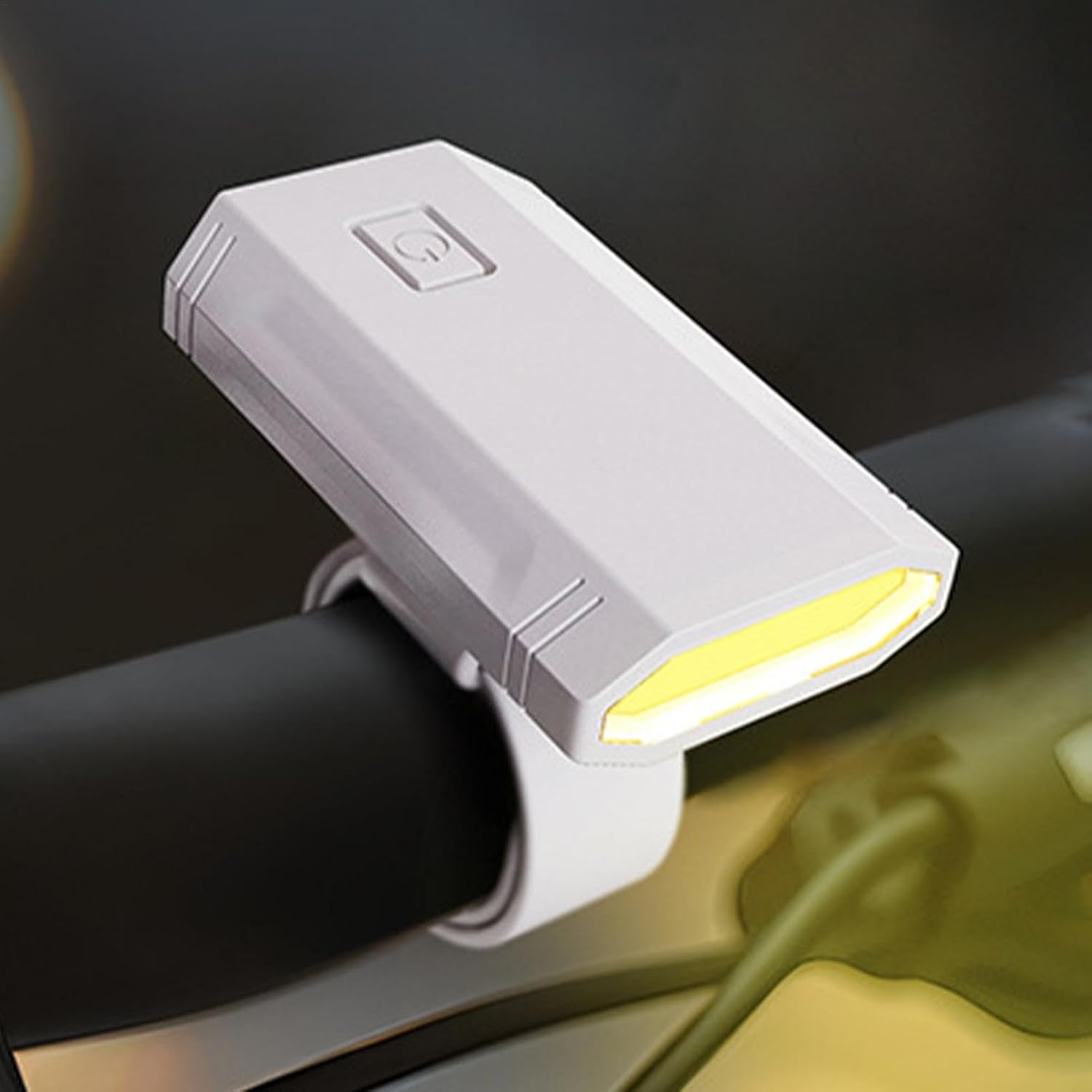
Image 5.3: The wrist light mounted on a bicycle handlebar for cycling illumination.
6. การบำรุงรักษา
6.1 การทำความสะอาด
To clean the LED Wrist Light, gently wipe the surface with a soft, damp cloth. Do not use abrasive cleaners or solvents, as these may damage the device.
6.2 พื้นที่จัดเก็บ
When not in use, store the device in a cool, dry place, away from direct sunlight and extreme temperatures. Ensure the battery is partially charged before long-term storage to preserve battery health.
7 การแก้ไขปัญหา
If you encounter any issues with your LED Wrist Light, please refer to the following common problems and solutions:
| ปัญหา | สาเหตุที่เป็นไปได้ | สารละลาย |
|---|---|---|
| อุปกรณ์ไม่เปิด | แบตเตอรี่หมด | ชาร์จอุปกรณ์ให้เต็มโดยใช้สาย USB ที่ให้มา |
| แสงสลัวหรือกระพริบ | แบตเตอรี่เหลือน้อยหรือตั้งค่าความสว่างไม่ถูกต้อง | Recharge the battery. Adjust brightness by pressing and holding the power button. |
| อุปกรณ์ไม่ชาร์จ | สายเคเบิล แหล่งจ่ายไฟ หรือพอร์ตชาร์จชำรุด | Try a different USB cable or power source. Ensure the charging port is clean and free of debris. |
หากปัญหายังคงมีอยู่หลังจากลองวิธีแก้ไขเหล่านี้แล้ว โปรดติดต่อฝ่ายสนับสนุนลูกค้า
8. การรับประกันและการสนับสนุน
8.1 ข้อมูลการรับประกัน
This product is sold by a third-party seller. Please refer to the seller's return policy and any specific warranty information provided at the time of purchase. General return policy for this product is 30 days from the date of purchase.
8.2 การสนับสนุนลูกค้า
For technical assistance or inquiries regarding your LED Wrist Light, please contact the seller directly through the platform where the purchase was made. Keep your purchase receipt or order number handy for faster service.