
1. ข้อมูลด้านความปลอดภัยที่สำคัญ
Please read this manual thoroughly before assembly and operation. Keep it for future reference.
- ช่วงอายุ: เหมาะสำหรับเด็กอายุ 3-8 ปี
- ความจุน้ำหนัก: Maximum load capacity is 150 lbs. Do not exceed this limit.
- การดูแลผู้ใหญ่: Always supervise children when operating the ride-on car.
- เข็มขัดนิรภัย: Ensure children are securely fastened with the 3-point seat belts at all times.
- สภาพแวดล้อมการทำงาน: Use on flat, dry surfaces. Avoid slopes, uneven terrain, or public roads.
- การชาร์จ: ใช้เฉพาะที่ชาร์จที่ให้มาเท่านั้น ห้ามชาร์จแบตเตอรี่เกินกำลัง
- การซ่อมบำรุง: ตรวจสอบรถอย่างสม่ำเสมอเพื่อหาความเสียหาย ชิ้นส่วนหลวม หรือชิ้นส่วนสึกหรอ
2. เนื้อหาบรรจุภัณฑ์
Verify all components are present before beginning assembly. The package includes:
- Main vehicle body
- ล้อ (4)
- พวงมาลัย
- Seats with seatbelts
- Side panels/doors
- Rear roll bar with lights
- กระจกหน้ารถ
- หลังview กระจก
- เครื่องชาร์จ
- รีโมทคอนโทรล
- Assembly hardware (screws, washers, pins)
- คู่มือการใช้งาน
3. คำแนะนำในการประกอบ
Follow these steps carefully for proper assembly. Refer to the installation video for visual guidance.
วีดีโอ: Outfunny 24V Ride on Car Toy Installation Video. This video provides a step-by-step guide for assembling your ride-on car.
- Unboxing และการตั้งค่าเริ่มต้น: Carefully remove all components from the packaging. Place the main body upside down on a soft surface to prevent scratches.
- ติดแผงด้านข้าง: Secure the left and right side panels to the main body using the provided screws. Ensure they are firmly attached.
- Install Suspension Springs: Place the suspension springs into their designated slots on the underside of the vehicle.
- Mount Motors and Axles: Attach the motor assemblies to the rear axle. Insert the axle through the vehicle body and secure the motors.
- ติดตั้งล้อ: Slide the wheels onto the axles. Secure each wheel with a washer and a locking nut. Cover the nuts with the decorative caps.
- เชื่อมต่อแบตเตอรี่: Locate the battery compartment (usually under the hood or seat). Connect the battery terminals (red to red, black to black).
- Install Windshield and Mirrors: Attach the windshield to the front of the vehicle. Insert the rearview mirrors into their slots on the side.
- ติดพวงมาลัย: Connect the steering wheel to the steering column. Ensure it clicks into place. Install batteries into the steering wheel for horn/music functions if applicable.
- Install Rear Roll Bar with Lights: Attach the rear roll bar to the back of the vehicle. Connect any wiring for the lights and secure with screws. Install batteries for the lights if required.
- Secure Seats: Place the seats into the vehicle and secure them with the provided screws. Ensure the seatbelts are accessible and functional.
4. คู่มือการใช้งาน
Familiarize yourself with the controls for a safe and enjoyable ride.
4.1 การเปิด/ปิดเครื่อง
- To turn on the car, press and hold the 'Start/Stop' button on the dashboard.
- To turn off the car, press and hold the 'Start/Stop' button again.
4.2 Driving the Car
- เหยียบเท้า: เหยียบแป้นเหยียบเพื่อเร่งความเร็ว ปล่อยเพื่อเบรก
- ไปข้างหน้า/ย้อนกลับ: Use the gear selector switch on the dashboard to choose between forward and reverse.
- การตั้งค่าความเร็ว: The car features multiple speed settings (e.g., low, medium, high). Adjust using the speed button on the dashboard or remote control.
- 4WD/2WD Switch: Easily switch between 2-wheel drive and 4-wheel drive modes for different terrains.
4.3 การทำงานของรีโมทคอนโทรล
The parental remote control allows you to guide the vehicle and intervene when necessary.
- การจับคู่: Follow the instructions in the remote control manual to pair it with the car.
- การควบคุม: The remote typically includes controls for forward/reverse, left/right steering, speed adjustment, and emergency stop.
4.4 คุณสมบัติความบันเทิง
- เพลงในตัว: The car includes a built-in music player. Use the buttons on the dashboard to select tracks or adjust volume.
- การเชื่อมต่อบลูทู ธ : Connect your mobile device via Bluetooth to play your own music through the car's speakers.
- Headlights & Searchlights: Activate the working headlights and rear searchlights for a realistic driving experience.

ภาพ: The Outfunny 24V 4WD Electric Ride-On Car, showcasinด้วยการออกแบบที่แข็งแรงทนทานและคุณสมบัติที่โดดเด่น

ภาพ: A parent operating the ride-on car using the remote control, demonstrating the parental control feature.
วีดีโอ: Outfunny 24V 2 Seater Ride on Car. This video highlights the car's features, including its 4x200W motors and 150 lb capacity.
5. การชาร์จแบตเตอรี่
To ensure optimal performance and battery life, follow these charging guidelines:
- การใช้ครั้งแรก: ควรชาร์จแบตเตอรี่เป็นเวลา 8-12 ชั่วโมงก่อนใช้งานครั้งแรก
- การชาร์จปกติ: A full charge typically takes 8-10 hours. Do not charge for more than 12 hours.
- พอร์ตชาร์จ: The charging port is located on the dashboard, labeled 'Input'.
- ตัวบ่งชี้ : โดยทั่วไปแล้ว ที่ชาร์จจะมีไฟแสดงสถานะ (เช่น สีแดงแสดงว่ากำลังชาร์จ สีเขียวแสดงว่าชาร์จเต็มแล้ว)
- พื้นที่จัดเก็บ: If storing the car for an extended period, charge the battery fully every 3 months to maintain its health.
6. การบำรุงรักษา
Regular maintenance helps prolong the life of your ride-on car.
- การทำความสะอาด: Wipe the car with a soft, damp ผ้า ห้ามใช้สารทำความสะอาดที่มีฤทธิ์กัดกร่อนหรือตัวทำละลาย
- พื้นที่จัดเก็บ: Store the car in a dry, covered area away from direct sunlight and moisture.
- การดูแลแบตเตอรี่ Disconnect the battery if the car will not be used for a long time.
- การตรวจสอบ: Periodically check all screws, nuts, and electrical connections to ensure they are secure.
7 การแก้ไขปัญหา
If you encounter issues, refer to this section before contacting support.
| ปัญหา | สาเหตุที่เป็นไปได้ | สารละลาย |
|---|---|---|
| รถไม่เคลื่อนที่ | Battery low or disconnected; Loose wiring; Overload protection activated. | Charge battery; Check all connections; Reduce load; Reset circuit breaker. |
| รถเคลื่อนตัวช้าๆ | Low battery; Overloaded; Operating on rough terrain. | Charge battery; Reduce load; Move to smoother surface. |
| รีโมตคอนโทรลไม่ทำงาน | Remote batteries low/dead; Not paired correctly. | Replace remote batteries; Re-pair remote control. |
| ไม่มีเสียงจากเครื่องเล่นเพลง | Volume too low; Bluetooth not connected. | Increase volume; Ensure Bluetooth is paired. |
8. ข้อมูลจำเพาะ
- หมายเลขรุ่น: เจซี308
- ขนาดสินค้า : 47.2 x 31.5 x 32.3 นิ้ว
- น้ำหนักสินค้า: 60.4 ปอนด์
- มอเตอร์: 4x200วัตต์
- แบตเตอรี่: 24โวลต์
- ความเร็วสูงสุด: 3.1 - 4.5 ไมล์ต่อชั่วโมง
- ความจุในการรับน้ำหนัก: 150 ปอนด์
- อายุที่แนะนำ: 3 - 8 ปี
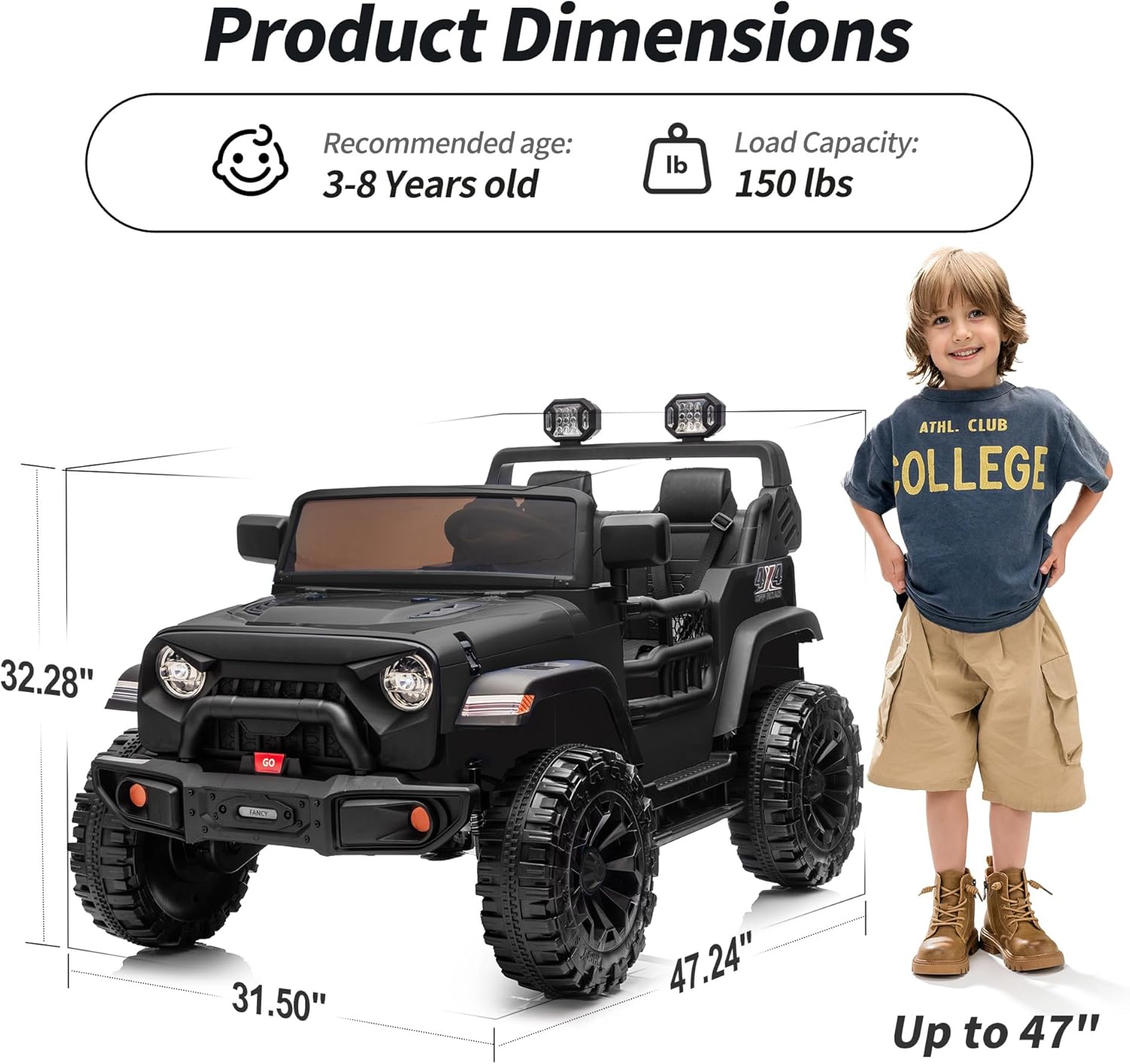
ภาพ: Visual representation of the product dimensions, recommended age, and load capacity.
9. การรับประกันและการสนับสนุน
For warranty information or technical support, please refer to the contact details provided with your purchase or visit the official Outfunny webไซต์นี้ โปรดเก็บหลักฐานการซื้อไว้เพื่อใช้ยืนยันการรับประกัน