
1. สินค้าหมดview
The MOFII Wireless Keyboard and Mouse Combo offers a full-size keyboard with a retro typewriter design and a matching wireless mouse. This 2.4GHz wireless set is designed for comfortable and efficient use across various operating systems and devices.
- การออกแบบย้อนยุค: Features round keycaps inspired by classic typewriters, providing a unique aesthetic.
- ความสะดวกสบายตามหลักสรีรศาสตร์: Includes an ergonomic foldable stand and anti-slip pads for comfortable typing during extended use.
- การเชื่อมต่อไร้สาย 2.4GHz: Utilizes a single 2-in-1 nano USB receiver for both the keyboard and mouse, offering a working range of up to 35 feet (10 meters).
- เพิ่มผลผลิต: The keyboard includes a spacious numeric keypad, 3 indicator lights, and 12 multimedia shortcut keys for efficient control of media and common functions.
- ประสิทธิภาพการใช้พลังงาน: Both the keyboard and mouse operate on 1 AA battery each and feature an automatic sleep mode after 5 minutes of inactivity to conserve battery life.
- ความเข้ากันได้ในวงกว้าง: Compatible with Windows 7/8/10/11/XP/Vista/Server, Chrome OS, and Linux. Suitable for desktops, Chromebooks, PCs, laptops, and other computers.
2. คู่มือการติดตั้ง
ทำตามขั้นตอนเหล่านี้เพื่อตั้งค่าชุดคีย์บอร์ดและเมาส์ไร้สาย MOFII ของคุณ:
2.1. การติดตั้งแบตเตอรี่
- สำหรับเมาส์:
Locate the battery compartment on the underside of the mouse. Open the cover and insert one AA battery, ensuring correct polarity (+/-). Close the battery cover.

Image: The underside of the wireless mouse, illustrating the battery compartment and the slot for the USB receiver.
- สำหรับคีย์บอร์ด:
Locate the battery compartment on the underside of the keyboard. Open the cover and insert one AA battery, ensuring correct polarity (+/-). Close the battery cover.

Image: The underside of the wireless keyboard, showing the battery compartment and the adjustable foldable stand.
2.2. การเชื่อมต่อตัวรับสัญญาณ USB
- The 2-in-1 nano USB receiver is typically stored in the battery compartment of the mouse. Carefully remove it.
- Plug the USB receiver into an available USB port on your computer (PC, laptop, desktop, Chromebook, etc.).
- Your computer should automatically detect and install the necessary drivers. No additional software installation is required.
- เมื่อเชื่อมต่อตัวรับสัญญาณแล้ว แป้นพิมพ์และเมาส์ก็พร้อมใช้งานได้ทันที
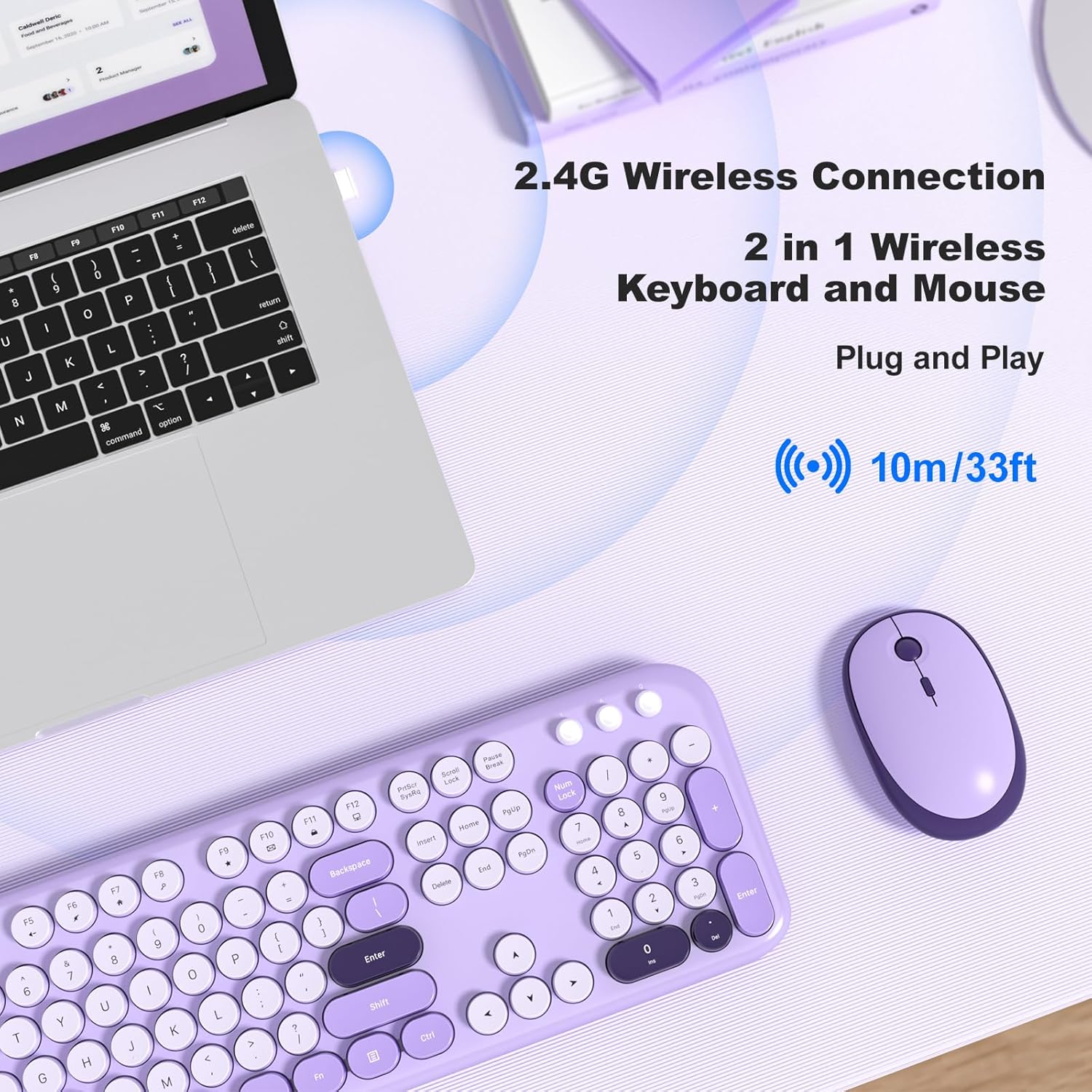
Image: A MOFII wireless keyboard and mouse in violet, shown connected to a laptop via a single 2.4G wireless USB receiver.
3. คู่มือการใช้งาน
3.1. ฟังก์ชันพื้นฐานของแป้นพิมพ์
The keyboard features a standard QWERTY layout with a full numeric keypad. Simply type as you would with any standard keyboard.

ภาพ: ภาพระยะใกล้ view of the MOFII wireless keyboard, highlighting its round, retro-style keycaps and full-size layout.
3.2. ปุ่มลัดมัลติมีเดีย
The keyboard includes 12 multimedia shortcut keys (F1-F12) that can be accessed by pressing the Fn key simultaneously with the desired function key. These keys allow for quick control of various computer functions:
- Fn+F1: เครื่องเล่นสื่อ
- Fn+F2: ลดระดับเสียง
- Fn+F3: เพิ่มระดับเสียง
- Fn+F4: ปิดเสียง
- Fn+F5: เพลงก่อนหน้า
- Fn+F6: เพลงถัดไป
- Fn+F7: เล่น/หยุดชั่วคราว
- Fn+F8: หยุด
- Fn+F9: หน้าแรก
- Fn+F10: อีเมล
- Fn+F11: คอมพิวเตอร์ของฉัน
- Fn+F12: เครื่องคิดเลข

Image: A visual representation of the keyboard's multimedia hotkeys (F1-F12) and their functions.
3.3. การปรับ DPI ของเมาส์
The wireless mouse features adjustable DPI settings to control cursor sensitivity. You can cycle through different DPI levels (800, 1200, 1600) by pressing the DPI button located on the top of the mouse, usually behind the scroll wheel.
Image: The wireless mouse, highlighting its adjustable DPI settings (800/1200/1600) and silent click feature.
3.4. โหมดพักเครื่องอัตโนมัติ
To conserve battery life, both the keyboard and mouse will automatically enter sleep mode after approximately 5 minutes of inactivity. To wake them up:
- แป้นพิมพ์: กดปุ่มใดก็ได้
- หนู: Click any button or move the mouse.

Image: A visual guide demonstrating how the keyboard and mouse enter auto-sleep mode and how to wake them up.
4. การบำรุงรักษา
การบำรุงรักษาอย่างถูกต้องจะช่วยให้ชุดคีย์บอร์ดและเมาส์ไร้สาย MOFII ของคุณมีอายุการใช้งานยาวนานและทำงานได้อย่างมีประสิทธิภาพสูงสุด:
- การทำความสะอาด: ใช้ผ้าแห้งนุ่มเช็ดทำความสะอาดพื้นผิวของแป้นพิมพ์และเมาส์ สำหรับคราบสกปรกที่ติดแน่น ให้ใช้ผ้าชุบน้ำหมาดๆ เช็ดเบาๆamp สามารถใช้ผ้าชุบสบู่เหลวอ่อนๆ เช็ดได้ โดยระวังอย่าให้ของเหลวเข้าไปในตัวเครื่อง
- การทำความสะอาดคีย์แคป: The keycaps are removable for easier cleaning. Gently pull them off to clean underneath, then carefully press them back into place.
- การเปลี่ยนแบตเตอรี่: Replace AA batteries in both the keyboard and mouse when performance degrades or the indicator lights suggest low power. Always use fresh, high-quality batteries.
- พื้นที่จัดเก็บ: เมื่อไม่ได้ใช้งานเป็นเวลานาน ควรถอดแบตเตอรี่ออกเพื่อป้องกันการรั่วไหล และเก็บอุปกรณ์ไว้ในที่แห้งและเย็น

Image: The MOFII wireless keyboard with several keycaps removed, demonstrating the removable keycap feature for maintenance.
5 การแก้ไขปัญหา
If you encounter issues with your keyboard and mouse combo, refer to the following common solutions:
| ปัญหา | สาเหตุที่เป็นไปได้ | สารละลาย |
|---|---|---|
| คีย์บอร์ด/เมาส์ไม่ตอบสนอง | Low battery, USB receiver disconnected, incorrect pairing. | Replace batteries. Ensure USB receiver is securely plugged into a working USB port. Re-plug the receiver. |
| การเชื่อมต่อล่าช้าหรือขาดๆ หายๆ | สัญญาณรบกวน, ระยะห่างจากเครื่องรับสัญญาณ, แบตเตอรี่เหลือน้อย | Move closer to the receiver (within 35 feet). Ensure no large metal objects are between the devices and receiver. Replace batteries. |
| เคอร์เซอร์เมาส์ไม่มั่นคงหรือเคลื่อนไหวไม่ราบรื่น | Dirty sensor, unsuitable surface, incorrect DPI setting. | Clean the mouse sensor with a soft cloth. Use the mouse on a clean, non-reflective surface or a mouse pad. Adjust DPI settings using the DPI button. |
| ปุ่มมัลติมีเดียไม่ทำงาน | การกดปุ่มไม่ถูกต้อง โปรแกรมเกิดความขัดแย้ง | ตรวจสอบให้แน่ใจว่าคุณกำลังกดปุ่ม Fn key simultaneously with the desired function key. Check your operating system's settings for media key conflicts. |
6. ข้อมูลจำเพาะ
| คุณสมบัติ | รายละเอียด |
|---|---|
| ยี่ห้อ | โมฟี่ |
| แบบอย่าง (ASIN) | B0DN63S2D9 |
| สี | ไวโอเล็ต |
| เทคโนโลยีการเชื่อมต่อ | ไร้สาย 2.4GHz (ตัวรับสัญญาณ USB) |
| คุณสมบัติพิเศษ | Round Keycaps, Ergonomic Design |
| อุปกรณ์ที่รองรับ | แล็ปท็อป คอมพิวเตอร์ส่วนบุคคล แท็บเล็ต |
| ระบบปฏิบัติการ | Chrome OS, Linux, Windows 7/8/10/11/XP/Vista/Server |
| แบตเตอรี่ที่จำเป็น | Yes (1x AA for keyboard, 1x AA for mouse) |
| จำนวนปุ่ม (คีย์บอร์ด) | 104 |
| เค้าโครงแป้นพิมพ์ | คีย์บอร์ด QWERTY |
| คำอธิบายแป้นพิมพ์ | เมมเบรน |
| การตั้งค่า DPI ของเมาส์ | 800 / 1200 / 1600 |

Image: A diagram illustrating the precise dimensions of both the MOFII wireless keyboard and mouse.
7. การรับประกันและการสนับสนุน
The MOFII Wireless Keyboard and Mouse Combo comes with a 12-month (1 year) warranty from the date of purchase. This warranty covers manufacturing defects and ensures product quality.
For any questions, technical assistance, or warranty claims, please contact MOFII customer support through the retailer where the product was purchased or refer to the official MOFII webเว็บไซต์สำหรับข้อมูลการติดต่อ
โปรดเก็บหลักฐานการซื้อไว้เพื่อใช้ยืนยันการรับประกัน