
1. บทนำ
The DEWENWILS Motion Sensor Light Switch (Model HMSW01B) is designed to provide automatic lighting control in various indoor spaces. This switch detects motion and heat sources, such as people entering a room, to automatically turn lights on or off. It offers both automatic and manual operation modes, along with adjustable settings for detection range, time delay, and ambient light sensitivity. This manual provides essential information for safe installation, operation, and maintenance of your motion sensor light switch.
2. ข้อมูลด้านความปลอดภัย
- คำเตือน: ความเสี่ยงจากไฟฟ้าช็อต Installation should be performed by a qualified electrician or a person with a thorough understanding of electrical wiring and safety.
- ปิดเบรกเกอร์หรือกล่องฟิวส์ก่อนการติดตั้งหรือซ่อมบำรุง
- This device requires a neutral wire for proper operation. Ensure your electrical box has a neutral wire (typically white) available.
- For indoor use only. Do not install in wet locations or outdoors.
- Do not exceed the maximum electrical load ratings: 1000W for Tungsten/CFL, 600W for LED, 1/4 HP for motors.
- ตรวจสอบให้แน่ใจว่าการเชื่อมต่อสายไฟทั้งหมดมีความปลอดภัยและมีฉนวนหุ้มอย่างเหมาะสม
- UL-certified for safety and performance.
3. เนื้อหาบรรจุภัณฑ์
ตรวจสอบว่าส่วนประกอบทั้งหมดมีอยู่ก่อนเริ่มการติดตั้ง:
- DEWENWILS Motion Sensor Light Switch
- แผ่นติดผนัง
- สกรูยึดแผ่น
- ขั้วต่อสายไฟ
4. ข้อมูลจำเพาะ
| คุณสมบัติ | ข้อมูลจำเพาะ |
|---|---|
| แบบอย่าง | HMSW01B (BAG-001) |
| โหมดการทำงาน | ON-OFF (Automatic/Manual) |
| คะแนนปัจจุบัน | 5 ก |
| ปฏิบัติการฉบับที่tage | 120 โวลต์ |
| ประเภทสวิตซ์ | Push Button, Motion Sensor |
| การเดินสายไฟ | Single Pole, Neutral Wire Required |
| ระยะการตรวจจับ | 180° up to 26 ft (8 meters) |
| ปรับหน่วงเวลาได้ | 5 วินาทีถึง 10 นาที |
| ความไวที่ปรับได้ | 30% ถึง 100% |
| Adjustable Ambient Light (LUX) | ใช่ |
| Max Load (Tungsten/CFL) | 1000วัตต์ |
| โหลดสูงสุด (LED) | 600วัตต์ |
| Max Load (Motor) | 1 / 4 เอชพี |
| อุณหภูมิในการทำงาน | 32°F ถึง 104°F (0°C ถึง 40°C) |
| การรับรอง | ได้รับการรับรองจาก UL |
| ขนาด (กว้าง x ยาว x สูง) | 2.62 x 1.89 x 4.24 นิ้ว |

Image: Product components and detailed specifications.
5. การตั้งค่าและการติดตั้ง
สำคัญ: Before starting, ensure the power to the circuit is turned OFF at the circuit breaker or fuse box to prevent electrical shock.
- ปิดเครื่อง: Locate the circuit breaker controlling the light switch you are replacing and turn it off. Verify power is off using a voltagอีผู้ทดสอบ
- ถอดสวิตช์เก่าออก: ถอดแผ่นปิดผนังเดิมออกอย่างระมัดระวัง และคลายสกรูสวิตช์เก่าออกจากกล่องติดผนัง จากนั้นถอดสายไฟออกจากสวิตช์เก่า
- ระบุสายไฟ: Identify the following wires in your wall box:
- ไลฟ์ ไวร์ (สีดำ): รับกระแสไฟฟ้าจากเบรกเกอร์วงจร
- สายไฟ (สีแดง/ดำ): เชื่อมต่อเข้ากับโคมไฟ
- สายกลาง (สีขาว): Required for the motion sensor switch. If not present, consult an electrician.
- สายดิน (สีเขียว/ทองแดงเปลือย): เพื่อความปลอดภัย
- ต่อสายสวิตช์ใหม่: Connect the wires from the wall box to the DEWENWILS motion sensor switch using the provided wire connectors. Match the colors as follows:
- เชื่อมต่อ สายไฟ จากกล่องติดผนังไปยัง สายสีดำ ของสวิตช์
- เชื่อมต่อ โหลดลวด จากกล่องติดผนังไปยัง สายสีแดง ของสวิตช์
- เชื่อมต่อ สายนิวทรัล จากกล่องติดผนังไปยัง สายสีขาว ของสวิตช์
- เชื่อมต่อ สายดิน จากกล่องติดผนังไปยัง สายสีเขียว ของสวิตช์

Image: Wiring diagram for single-pole installation with neutral wire.
- เมานต์สวิตช์: Carefully push the wired switch into the wall box. Secure it with the mounting screws.
- ติดตั้งแผ่นผนัง: ติดแผ่นปิดผนังตกแต่งไว้เหนือสวิตช์
- คืนค่าพลัง: เปิดไฟอีกครั้งที่เบรกเกอร์
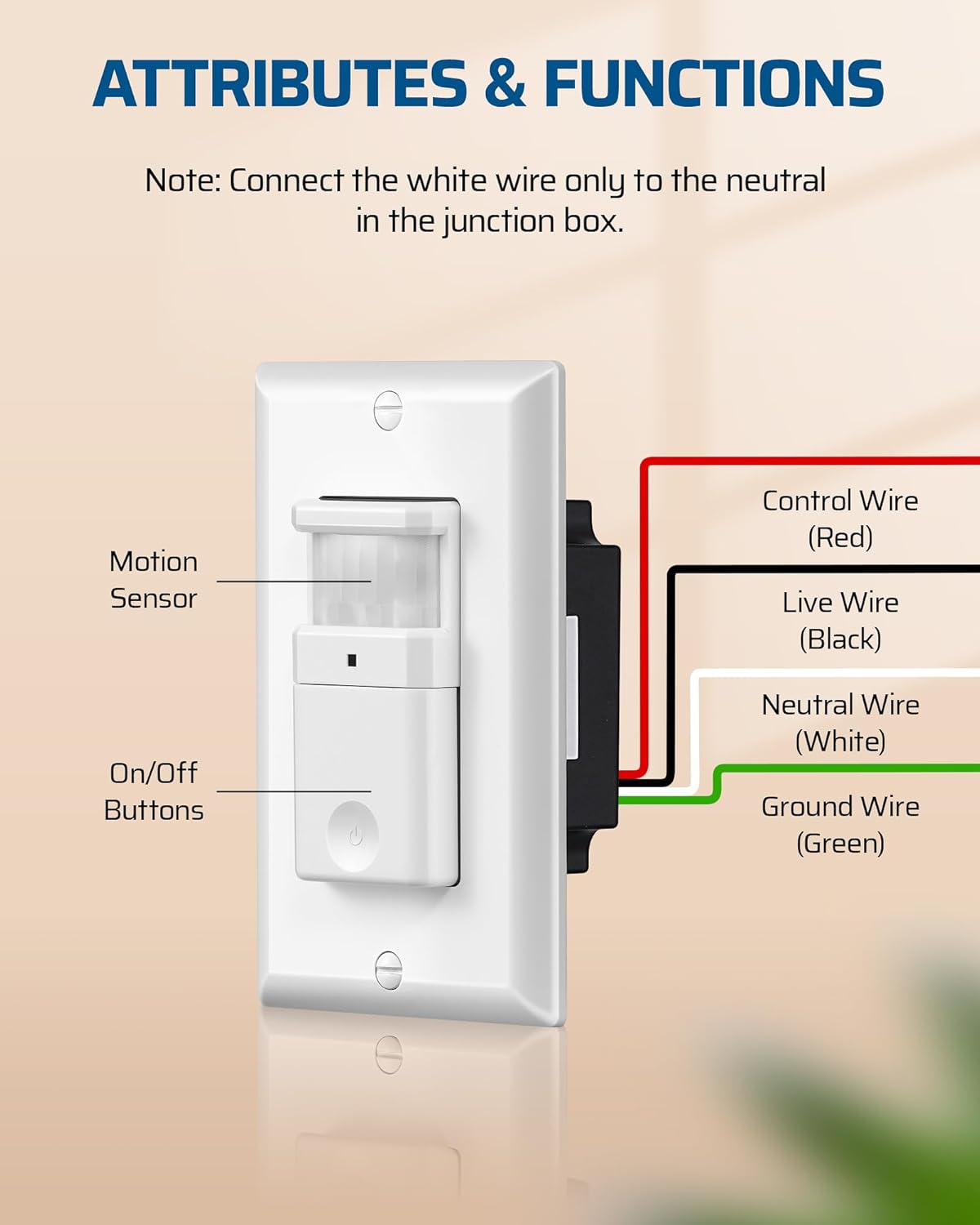
Image: Close-up of the motion sensor switch with control, live, neutral, and ground wires labeled.
6. คู่มือการใช้งาน
The DEWENWILS Motion Sensor Light Switch offers two primary operating modes: Automatic (OCC) and Manual. It also features adjustable settings for optimal performance.
6.1 โหมดการทำงาน
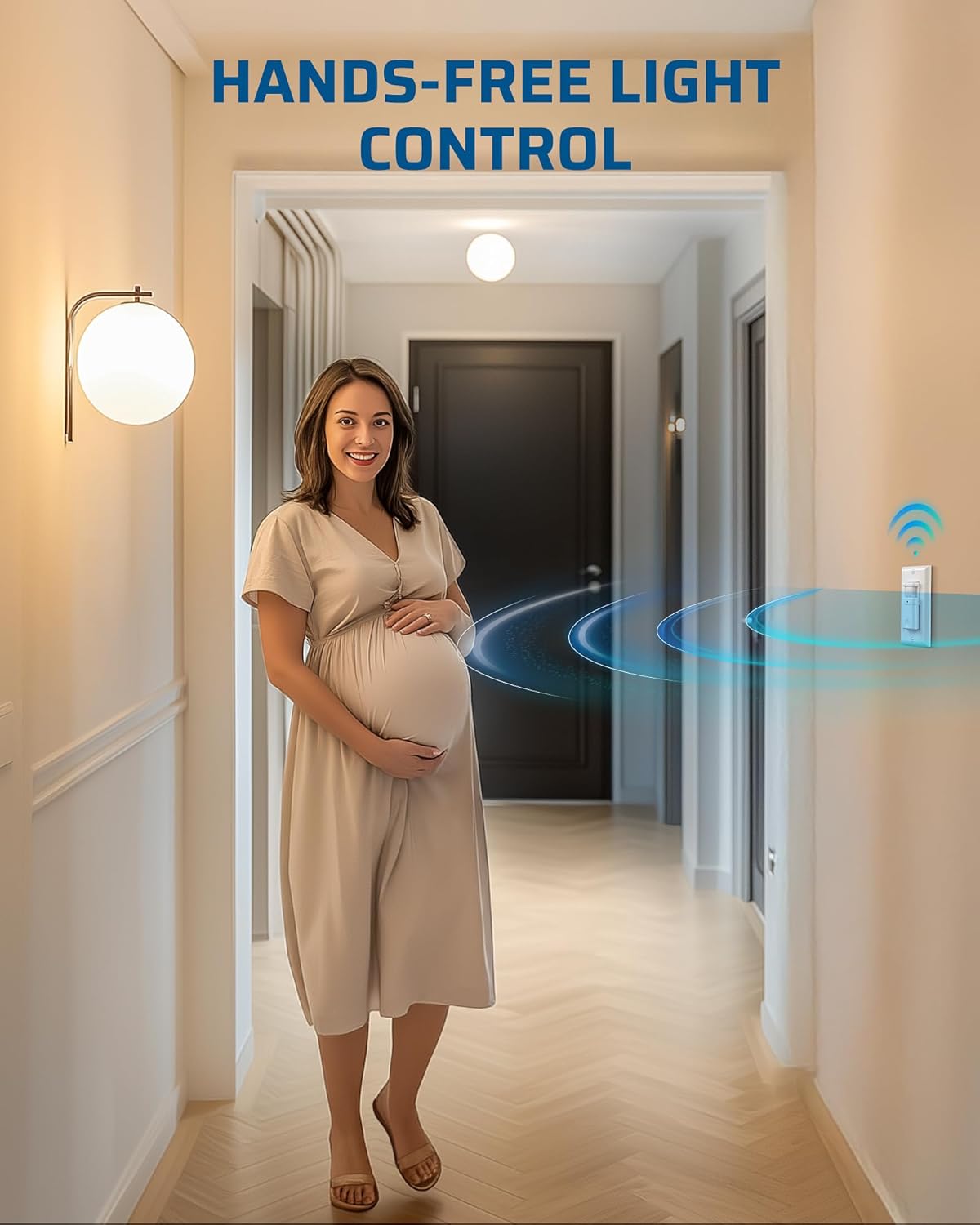
Image: Comparison of Auto Mode and Manual Mode operation.
- Automatic (OCC) Mode: In this mode, the lights automatically turn ON when motion is detected and turn OFF after a preset time delay when no motion is detected. This is ideal for high-traffic areas like hallways, bathrooms, and storage rooms.
- โหมดแมนนวล: In this mode, the lights can only be controlled manually using the ON/OFF button on the switch. This provides flexibility for situations where automatic control is not desired, such as during cleaning or when continuous light is needed regardless of motion.
การตั้งค่าปรับได้ 6.2 แบบ
The switch features three adjustable knobs located behind the main button cover. Gently pry off the button cover to access these controls.
- Time Delay Knob (TIME): Adjusts how long the lights remain ON after the last detected motion. Settings range from 5 seconds (fully counter-clockwise) to 10 minutes (fully clockwise).

Image: Location and function of the Time Delay Knob.
- Sensor Sensitivity Range Knob (SENSE): Adjusts the motion detection range. The default position is typically 65%. Turn clockwise for a larger coverage area (up to 100%) and counter-clockwise for a smaller area (down to 30%).

Image: Location and function of the Sensor Sensitivity Range Knob.
- Ambient Light Level Knob (LUX): Determines the ambient light level at which the sensor will activate. Turn the knob counter-clockwise to enable ambient light detection (lights will only turn on if the room is dark enough). To override ambient light detection and have the sensor always activate regardless of light level, leave it at the maximum setting (+).

Image: Location and function of the Ambient Light Level Knob.
6.3 ไฟแสดงสถานะ LED
The switch includes an LED indicator. When the load is OFF, the LED is OFF. When the load is ON, the LED is ON. If the switch is manually turned OFF while in auto mode, the LED will blink for 30 seconds, then disable auto-on functionality.

Image: Explanation of the LED indicator behavior.

Image: Diagram illustrating the 180-degree motion detection range up to 26 feet.
7. การบำรุงรักษา
The DEWENWILS Motion Sensor Light Switch requires minimal maintenance.
- การทำความสะอาด: ในการทำความสะอาดสวิตช์ ให้เช็ดด้วยผ้าเนื้อนุ่มและแห้งamp ผ้า ห้ามใช้น้ำยาทำความสะอาดที่มีฤทธิ์กัดกร่อนหรือตัวทำละลาย เพราะอาจทำให้พื้นผิวหรือส่วนประกอบภายในเสียหายได้
- การตรวจสอบ: Periodically check the switch and wall plate for any signs of damage or loose connections. If any issues are found, turn off power at the circuit breaker and address them promptly.
8 การแก้ไขปัญหา
If you experience issues with your motion sensor light switch, refer to the following common problems and solutions:
| ปัญหา | สาเหตุที่เป็นไปได้ | สารละลาย |
|---|---|---|
| Lights do not turn ON with motion. |
|
|
| Lights stay ON too long or turn OFF too quickly. |
|
|
| Lights turn ON/OFF unexpectedly. |
|
|
| Detection range is too small or inconsistent. |
|
|
9. การรับประกันและการสนับสนุน
DEWENWILS products are designed for reliability and performance. While specific warranty details are not provided in this manual, please retain your proof of purchase for any warranty claims.
For technical support, troubleshooting assistance, or product inquiries, please contact DEWENWILS customer service through the retailer where the product was purchased or visit the official DEWENWILS webเว็บไซต์สำหรับข้อมูลการติดต่อ