
1. สินค้าหมดview
The Cloudray 30W Fiber Laser Engraver & Cutter is a portable, all-in-one laser marking machine designed for metal fabrication. It offers high precision and speed for engraving and etching various metal materials. This device is suitable for both small businesses and individual users.

Image 1.1: The Cloudray 30W Fiber Laser Engraver and Cutter.
Key features include a maximum marking speed of 10,000 mm/s, an engraving depth of up to 0.5 mm, and an accuracy of 0.01 mm. It is compatible with EZCAD2 and Lightburn software, supporting various image formats like BMP, GIF, JPG, JPEG, DXF, DST, and AI.
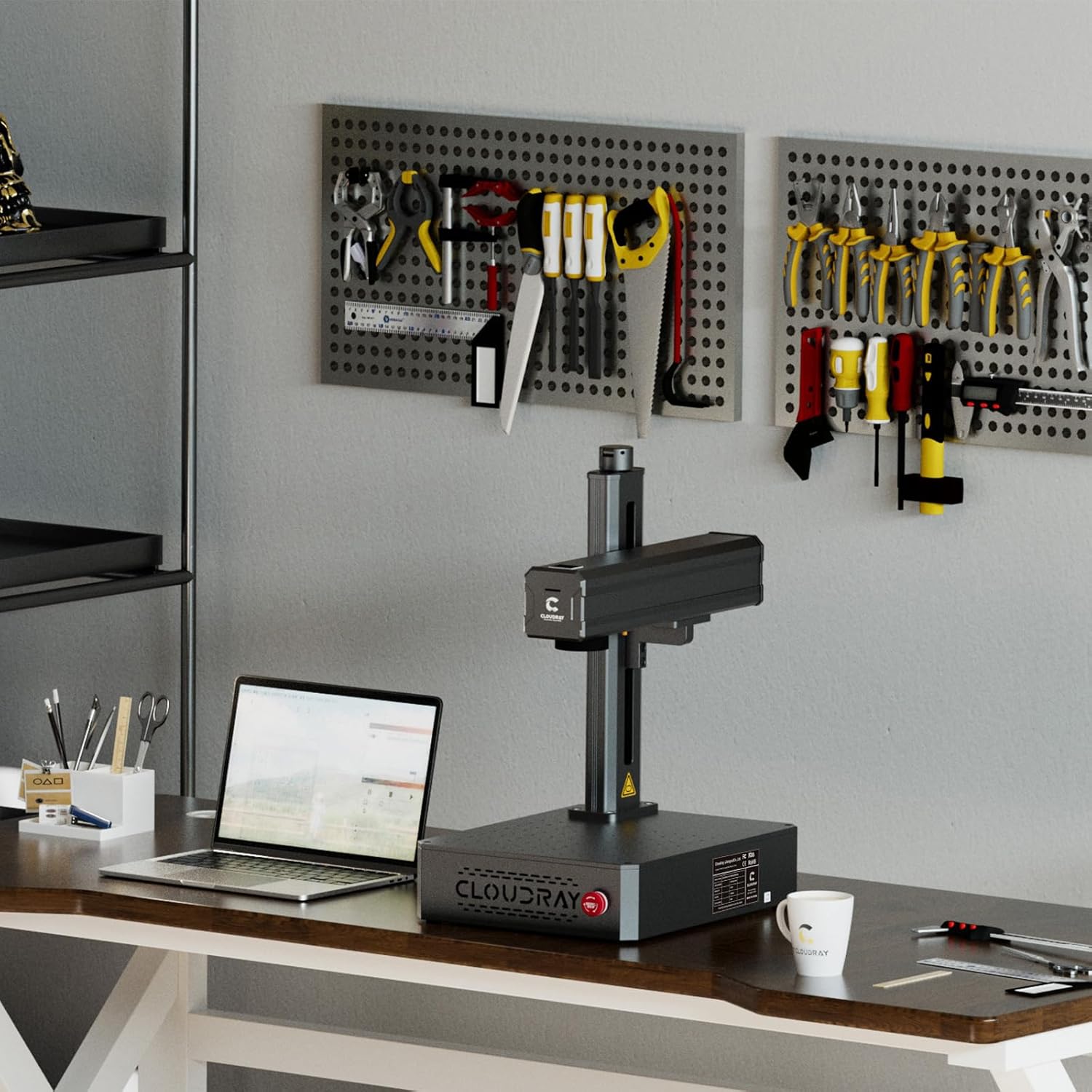
Image 1.2: Key specifications and software compatibility.
2. ข้อมูลด้านความปลอดภัย
This laser engraver is classified as a Class 1 Laser device when used with the appropriate laser protective cover. Always ensure the protective cover is in place during operation to maintain Class 1 safety standards. Failure to do so may expose users to Class 4 laser radiation, which can cause severe eye and skin damage.
- Always wear certified laser safety goggles when operating the machine, especially if the protective cover is not used or is compromised.
- Ensure the work area is well-ventilated to dissipate any fumes or particles generated during engraving.
- Do not look directly into the laser beam or at reflections from shiny surfaces.
- เก็บวัสดุไวไฟให้ห่างจากเส้นทางของเลเซอร์
- Familiarize yourself with the emergency stop button location and function before operation.
3. เนื้อหาบรรจุภัณฑ์
3.1 อุปกรณ์มาตรฐาน

Image 3.1: Standard accessories included with the engraver.
- Safety Goggles (1x)
- U Disk (1x, containing manuals and software)
- Foot Switch (1x)
- Craft Kit (1x set, with screws)
- Power Supply (1x)
- สาย USB (1x)
3.2 Optional Accessories (Purchased Separately)
- Protective Cover: Enhances safety by enclosing the laser working area.
- Rotation Axis: Allows for engraving on cylindrical objects.

Image 3.2: Optional Protective Cover.

Image 3.3: Optional Rotation Axis.
4. คำแนะนำในการตั้งค่า
- การแกะกล่อง: นำส่วนประกอบทั้งหมดออกจากบรรจุภัณฑ์อย่างระมัดระวัง ตรวจสอบความเสียหายระหว่างการขนส่ง
- การจัดวาง: Place the laser engraver on a stable, level surface in a well-ventilated area. Ensure sufficient space around the machine for operation and heat dissipation.
- การเชื่อมต่อไฟฟ้า: Connect the power supply to the machine and then to a suitable power outlet.
- การเชื่อมต่อ USB: Connect the laser engraver to your computer using the provided USB cable.
- การติดตั้งซอฟต์แวร์: Insert the U disk into your computer and install the EZCAD2 software. Alternatively, install Lightburn software if preferred. Follow the on-screen instructions for installation.
- การทดสอบเบื้องต้น: Perform a small test engraving on a scrap piece of material to ensure proper functionality and calibration.

Image 4.1: Engraver set up in a workspace.
5. คู่มือการใช้งาน
5.1 การใช้งานซอฟต์แวร์
- Launch EZCAD2 or Lightburn software on your computer.
- Import your desired design. The software supports various image formats including BMP, GIF, JPG, JPEG, DXF, DST, and AI.
- Adjust laser parameters such as power, speed, and frequency according to the material being engraved. Refer to the software's documentation for detailed parameter settings.
- Position the material on the workbed. The default working area is 4.3"x4.3" (110x110mm). Larger working areas (5.9"x5.9" or 7.9"x7.9") are available with customizable field lenses.
- ใช้ไฟแดงก่อนview function to verify the engraving area and position before starting the laser.
- Initiate the engraving process. Monitor the process closely.
5.2 Compatible Materials and Applications
The Cloudray 30W Fiber Laser Engraver is designed for marking and engraving a wide range of metals, including:
- ทอง
- อลูมิเนียม
- เงิน
- Steel (including Stainless Steel)
- ทองเหลือง
- ไทเทเนียม
- ทองแดง
Common applications include creating custom metal business cards, personalized pens, nameplates, pet tags, and various items for print shops or decorative purposes.
Video 5.1: Demonstration of the Cloudray 30W Fiber Laser Engraver with Rotary Axis in action, showcasing its capabilities on various materials.
6. การบำรุงรักษา
Regular maintenance ensures optimal performance and longevity of your laser engraver.
- การทำความสะอาด: Periodically clean the lens and mirrors with a soft, lint-free cloth and appropriate lens cleaning solution. Ensure the workbed is free of debris.
- การเชื่อมต่อ: Check all electrical and USB connections regularly to ensure they are secure.
- การอัปเดตซอฟต์แวร์: หมั่นอัปเดตซอฟต์แวร์แกะสลักของคุณให้เป็นเวอร์ชันล่าสุดอยู่เสมอ เพื่อให้ได้ฟีเจอร์และความเสถียรที่ดียิ่งขึ้น
- สภาพแวดล้อม : Operate the machine within the recommended temperature and humidity ranges to prevent damage.
7 การแก้ไขปัญหา
If you encounter issues with your Cloudray 30W Fiber Laser Engraver, refer to the following common troubleshooting steps:
- ไม่มีแสงเลเซอร์ส่งออกมา: Check power connections, emergency stop button, and software settings. Ensure the laser is enabled in the software.
- คุณภาพการแกะสลักไม่ดี: Verify laser parameters (power, speed, frequency) are appropriate for the material. Clean the lens and check focus.
- ซอฟต์แวร์เชื่อมต่อไม่ได้: Ensure the USB cable is securely connected and the correct drivers are installed. Restart both the machine and the computer.
- เครื่องไม่ตอบสนอง: Press the emergency stop button, then release it. Restart the machine. If the issue persists, contact customer support.
8. ข้อมูลจำเพาะ

Image 8.1: Product specifications table.
| คุณสมบัติ | ข้อมูลจำเพาะ |
|---|---|
| รุ่นสินค้า | 30วัตต์ |
| Max Marking Speed | 10,000 มม./วินาที |
| ความแม่นยำในการทำเครื่องหมาย | 0.01 มม. |
| การทำเครื่องหมายความลึก | ≤ 0.5 มม |
| Working Area (Default) | 110x110 mm (4.3"x4.3") |
| Working Area (Customized) | 150x150 mm (5.9"x5.9"), 175x175 mm (6.9"x6.9") |
| ประเภทเลเซอร์ | ไฟเบอร์ |
| กำลังไฟที่กำหนด | 30วัตต์ |
| ความยาวคลื่น | 1064 นาโนเมตร |
| ความถี่การปรับ | 27 60-เฮิร์ทซ์ |
| ความกว้างของพัลส์ | 90±10 ns |
| การจำแนกความปลอดภัยของเลเซอร์ | Class 4 Laser system, possibility to switch to Class 1 with laser protective cover |
| ซอฟต์แวร์ปฏิบัติการ | EZCAD2 (Included) / Lightburn |
| ระบบคอมพิวเตอร์ที่ใช้งานได้ | วินโดวส์ 7, 8, 10, 11 |
| รูปแบบภาพที่ใช้งานได้ | BMP, GIF, JPG, JPEG, DXF, DST, AI, etc. |
| อินพุต Voltage | AC 110V 50/60 Hz, AC 220V 50/60 Hz |
| การทำให้เย็น | อากาศ |
| อุณหภูมิในการทำงาน | 0-40 องศาเซลเซียส (32-104 องศาฟาเรนไฮต์) |
| ความชื้นในการทำงาน | 10% - 95% |
| ขนาดสินค้า | 22 x 15.7 x 11.2 นิ้ว |
| น้ำหนักสินค้า | 35 ปอนด์ |
9. การรับประกันและการสนับสนุน
Cloudray provides comprehensive support for its products:
- การรับประกัน: The Cloudray 30W Fiber Laser Engraver & Cutter comes with 2 years of comprehensive coverage.
- การสนับสนุนด้านเทคนิค: มีบริการสนับสนุนทางเทคนิคตลอดอายุการใช้งาน เพื่อช่วยเหลือในทุกข้อสงสัยด้านการใช้งานหรือทางเทคนิค
For further assistance, please refer to the contact information provided on the U disk or visit the official Cloudray webเว็บไซต์.