
1. บทนำ
The Insoma Wifi Automatic Sprinkler Timer (Model: BSPT-Hub-EU) is designed to provide smart and efficient irrigation for your garden, lawn, and other watering needs. This system allows for remote control and scheduling via a smartphone application, offering convenience and water conservation. It integrates with a Wi-Fi Hub for extended range and stable connectivity, and is compatible with voice assistants like Amazon Alexa and Google Assistant.
This manual provides detailed instructions for the installation, operation, and maintenance of your Insoma Wifi Automatic Sprinkler Timer. Please read it thoroughly before use to ensure proper functionality and longevity of the device.
2. ข้อมูลด้านความปลอดภัย
- Do not use the timer in temperatures below 40.1°F (4.5°C) to prevent freezing and potential damage to the unit.
- During winter months or when temperatures are expected to drop below freezing, disconnect the timer from the hose bib and store it indoors in a dry, protected area.
- Ensure all connections to the hose bib and hose are secure to prevent leaks. Use rubber washers and thread seal tape if necessary.
- Use only 1.5V AAA alkaline batteries (sold separately) for the timer. Do not mix old and new batteries, or different types of batteries.
- Keep the Wi-Fi Hub in a dry, indoor location. It is not waterproof.
- This device is designed for outdoor watering applications. Do not use it for purposes other than its intended use.
3. เนื้อหาบรรจุภัณฑ์
โปรดตรวจสอบว่าสินค้าทั้งหมดมีอยู่ในแพ็คเกจของคุณ:
- Insoma Wifi Automatic Sprinkler Timer
- Timer Accessories (e.g., connectors, washers)
- ฮับ Wi-Fi
- คู่มือการใช้งาน (เอกสารนี้)
4. การตั้งค่า
4.1. การติดตั้งแบตเตอรี่
- Ensure the timer is dry before opening the battery compartment.
- Locate and open the battery compartment on the timer unit.
- Insert two (2) 1.5V AAA alkaline batteries (not included), observing the correct polarity (+/-).
- Securely close the battery compartment to maintain the IPX5 waterproof rating.
4.2. การติดตั้งทางกายภาพ
- เชื่อมต่อกับ Faucet: Screw the Insoma Sprinkler Timer onto your outdoor hose bib. Hand-tighten firmly. If leaks occur, add a rubber washer or thread seal tape.
- เชื่อมต่อท่อ: Attach your garden hose or irrigation system to the outlet of the timer. Hand-tighten firmly.
- Ensure the faucet is always turned ON for the timer to function correctly.

Image: The Insoma Wifi Automatic Sprinkler Timer installed on a faucet, ready for operation. The image also shows the Wi-Fi hub and a smartphone displaying the control app.
4.3. Wi-Fi Hub Setup
- Plug the Wi-Fi Hub into a standard indoor power outlet.
- Ensure the Wi-Fi Hub is within 3-10 meters (approximately 10-33 feet) of your router and the sprinkler timer for optimal connection. The hub supports 2.4GHz Wi-Fi networks only.

Image: The Wi-Fi Hub connected to a power outlet, facilitating remote control of the sprinkler timer via the smartphone application.
4.4. การติดตั้งและการจับคู่แอป
- ดาวน์โหลด ชีวิตที่ชาญฉลาด ดาวน์โหลดแอปจากแอปสโตร์ของสมาร์ทโฟนของคุณ (มีให้ใช้งานสำหรับ iOS และ Android)
- ลงทะเบียนหรือเข้าสู่ระบบบัญชี Smart Life ของคุณ
- In the app, add the Wi-Fi Hub as a new device. Follow the on-screen instructions to connect the hub to your 2.4GHz Wi-Fi network.
- Once the Wi-Fi Hub is connected, add the Insoma Sprinkler Timer through the hub. The app will guide you through the pairing process. The timer connects to the gateway via RFID technology, providing a stable signal up to 196 feet from the hub.
- Note: The Smart Life app is not compatible with tablets.
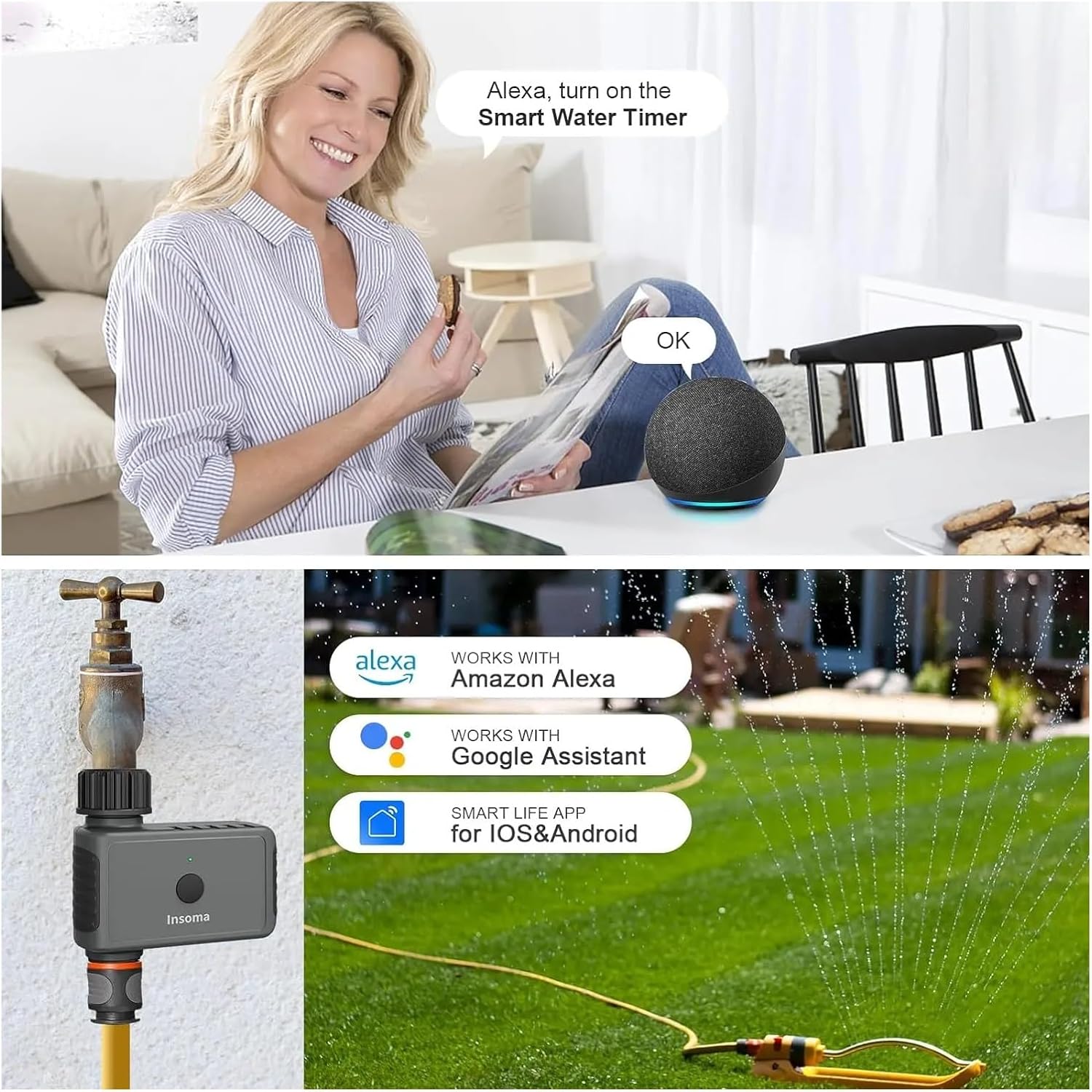
Image: The Insoma Sprinkler Timer is compatible with Amazon Alexa and Google Assistant, controllable via the Smart Life app.
5. คู่มือการใช้งาน
The Insoma Sprinkler Timer offers two primary watering modes and a manual override function, all controllable via the Smart Life app.
5.1. โหมดการรดน้ำ
You can set up to 20 different watering schedules using the following modes:
- Timed Irrigation Mode: Set specific start times, watering duration (minutes/hours), and days of the week for irrigation.
- Cyclical Irrigation Mode: Set a cycle for watering, for example, water for 20 minutes every 3 hours. This mode is useful for specific plant needs or drip irrigation systems.

Image: The Smart Life app displays options for setting up Timed and Cyclical Irrigation schedules.
5.2 การรดน้ำด้วยมือ
To perform manual watering without interrupting your set schedules, you can activate the manual mode through the app. This allows you to use the hose bib for other tasks for a duration ranging from 1 minute to 23 hours and 59 minutes.
5.3. ฟังก์ชั่นหน่วงเวลาฝน
The rain delay feature allows you to temporarily pause your watering schedules for 1 to 7 days. This function helps conserve water and electricity by preventing unnecessary watering during rainy periods. The schedule will automatically resume after the set delay period.

Image: The Rain Delay function can be set via the app to pause watering for up to 7 days, saving water during wet weather.
5.4. Monitoring and Notifications
The Smart Life app provides real-time watering records, allowing for visualized watering management. You will receive activity notifications directly on your smartphone, offering detailed information about your garden plants and lawn's watering status.
6. การบำรุงรักษา
6.1. การทำความสะอาดตัวกรอง
The internal filter can trap dirt particles from the water supply. Regularly inspect and clean the filter to ensure optimal water flow and prevent blockages. If the filter appears worn or damaged, replace it.
6.2. การเปลี่ยนแบตเตอรี่
When the low battery indicator appears on the timer's display or in the app, replace the batteries promptly. Ensure the timer unit is dry before opening the battery compartment and replacing the two (2) 1.5V AAA alkaline batteries.
6.3. การจัดเก็บในฤดูหนาว
To prevent damage from freezing temperatures, disconnect the Insoma Sprinkler Timer from the hose bib before the first frost. Store the unit indoors in a dry, protected environment until temperatures consistently rise above 40.1°F (4.5°C).
7 การแก้ไขปัญหา
- ไม่มีการไหลของน้ำ:
- ตรวจสอบให้แน่ใจว่าก๊อกน้ำเปิดเต็มที่
- Check if the timer's batteries are dead or low. Replace if necessary.
- ตรวจสอบตัวกรองว่ามีสิ่งอุดตันหรือไม่ แล้วทำความสะอาด
- Verify that a watering schedule is active or manual watering is initiated.
- ข้อมูลรั่วไหลจากการเชื่อมต่อ:
- ตรวจสอบให้แน่ใจว่าได้ขันข้อต่อทั้งหมดให้แน่นด้วยมือแล้ว
- Check for damaged or missing rubber washers. Replace if needed.
- Apply thread seal tape to the hose bib threads if leaks persist.
- ปัญหาการเชื่อมต่อแอพ:
- Confirm your Wi-Fi network is 2.4GHz. The system does not support 5GHz Wi-Fi.
- Ensure the Wi-Fi Hub is plugged in and within range of your router and the sprinkler timer (3-10 meters).
- Restart your Wi-Fi router, the Wi-Fi Hub, and the Smart Life app.
- Check if the timer's batteries are low, as this can affect communication.
- ตัวจับเวลาไม่ตอบสนอง:
- เปลี่ยนแบตเตอรี่
- Ensure the timer is not exposed to temperatures below 40.1°F (4.5°C).
8. ข้อมูลจำเพาะ
| คุณสมบัติ | รายละเอียด |
|---|---|
| หมายเลขรุ่น | BSPT-Hub-EU (SGW02W) |
| Power Source (Timer) | แบตเตอรี่อัลคาไลน์ AAA 2 x 1.5V (ไม่รวม) |
| Bluetooth Range (Timer to Hub) | ในพื้นที่โล่งกว้าง สูงสุด 49.2 ฟุต (15 เมตร) |
| Wi-Fi Hub Connectivity | Wi-Fi 2.4GHz เท่านั้น |
| Wi-Fi Hub to Timer Range | Up to 196 feet (60 meters) via RFID technology |
| แรงดันน้ำในการใช้งาน | 7.25 - 116 psi |
| อุณหภูมิในการทำงาน | 40.1°F - 113°F (4.5°C - 45°C) |
| ระดับการกันน้ำ | IPX5 |
| วัสดุ | พลาสติก |
| ความเข้ากันได้ของแอป | Smart Life (iOS & Android, not for tablets) |
| ความเข้ากันได้ของผู้ช่วยเสียง | Amazon Alexa, Google Assistant |

Image: The Insoma Sprinkler Timer is versatile for various watering applications.
9. การรับประกันและการสนับสนุน
For warranty information and technical support, please refer to the contact details provided at the point of purchase or visit the official Insoma webไซต์ โปรดเก็บใบเสร็จรับเงินของคุณไว้เป็นหลักฐานการซื้อสำหรับการเรียกร้องการรับประกันใดๆ