
1. บทนำ
This manual provides essential information for the proper use and maintenance of your BoxWave DirectSync USB-B to USB-C Cable. This high-quality cable is designed for reliable high-speed data transfer and charging between devices equipped with a USB-B port and those with a USB Type-C port. It is compatible with various devices, including the PATPET BC01 Dog Training Collar.
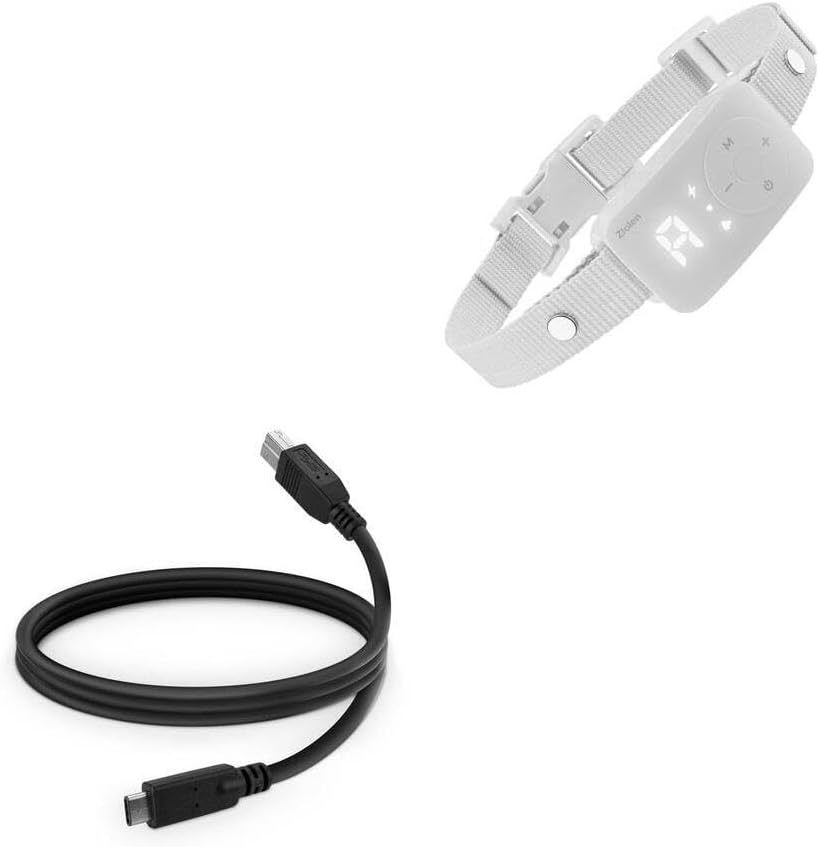
Image: The BoxWave DirectSync USB-B to USB-C Cable shown alongside a PATPET BC01 Dog Training Collar, illustrating its intended use for connectivity.
2. การตั้งค่าและการเชื่อมต่อ
The DirectSync cable is designed for straightforward plug-and-play operation. Follow these steps to connect your devices:
- ระบุพอร์ต: Locate the USB-B port on your device (e.g., PATPET BC01 Dog Training Collar) and the USB Type-C port on your host device (e.g., computer, laptop, or charger).
- Connect USB-B: Gently insert the USB-B connector of the DirectSync cable into the corresponding USB-B port on your device. Ensure it is fully seated.
- Connect USB Type-C: Insert the USB Type-C connector of the DirectSync cable into the USB Type-C port on your computer, laptop, or charging adapter.
- ตรวจสอบการเชื่อมต่อ: Once both ends are connected, your devices should recognize each other for data transfer or begin charging, depending on the function.

ภาพ: รายละเอียด view of the BoxWave DirectSync cable, highlighting the distinct USB 3.0 B and USB 3.0 C connectors for easy identification during setup.
3. คู่มือการใช้งาน
The DirectSync cable facilitates two primary functions: data synchronization and power delivery (charging).
3.1 การซิงโครไนซ์ข้อมูล
To transfer data between your USB-B device and a USB Type-C computer:
- เชื่อมต่อสายเคเบิลตามที่อธิบายไว้ในหัวข้อ "การตั้งค่าและการเชื่อมต่อ"
- Ensure your computer's operating system recognizes the connected device. This may involve installing specific drivers for your USB-B device if prompted.
- Access your device's storage or data interface through your computer's file explorer or dedicated software.
- Initiate data transfer (e.g., copying files, syncing settings) as per your device's instructions.
3.2 การชาร์จ
To charge your USB-B device using a USB Type-C power source:
- Connect the USB-B end to your device and the USB Type-C end to a compatible USB Type-C wall adapter or power bank.
- Ensure the power source provides adequate power for your device.
- Monitor your device's charging indicator to confirm power delivery.
4. การบำรุงรักษาและการดูแล
Proper care will extend the lifespan of your DirectSync cable:
- พื้นที่จัดเก็บ: When not in use, coil the cable loosely. Avoid tight coiling or sharp bends, which can damage internal wires.
- การทำความสะอาด: ใช้ผ้านุ่มและแห้งเช็ดสายเคเบิลและขั้วต่อ ห้ามใช้สารเคมีรุนแรงหรือวัสดุที่มีฤทธิ์กัดกร่อน
- การจัดการ: Always grasp the connector housing when plugging or unplugging the cable. Avoid pulling directly on the cable itself, as this can strain the connections.
- สิ่งแวดล้อม: เก็บสายเคเบิลให้ห่างจากอุณหภูมิที่สูงหรือต่ำมาก แสงแดดโดยตรง และความชื้น

Image: The BoxWave DirectSync USB-B to USB-C Cable neatly coiled, demonstrating proper storage to prevent damage and extend its lifespan.
5 การแก้ไขปัญหา
If you encounter issues with your DirectSync cable, consider the following:
- No Connection/Recognition:
- ตรวจสอบให้แน่ใจว่าปลายสายทั้งสองด้านเสียบเข้ากับพอร์ตที่เกี่ยวข้องอย่างแน่นหนาแล้ว
- Try connecting to a different USB Type-C port on your computer or a different USB-B device to isolate the issue.
- Restart your computer and the connected device.
- Check your device's manual for specific connection requirements or driver installations.
- การถ่ายโอนข้อมูลช้า:
- Ensure both connected devices support USB 3.0 or higher for optimal speeds.
- ปิดโปรแกรมที่ไม่จำเป็นใดๆ ที่กำลังทำงานอยู่บนคอมพิวเตอร์ของคุณ ซึ่งอาจกำลังใช้ทรัพยากรระบบอยู่
- ตรวจสอบว่าสายเคเบิลไม่ได้รับความเสียหาย
- ไม่ชาร์จ:
- Confirm the USB Type-C power adapter or port is functional and provides sufficient power.
- Check your device's charging port for any debris that might obstruct the connection.
- ลองใช้แหล่งชาร์จอื่น
6. ข้อมูลจำเพาะ
| คุณสมบัติ | รายละเอียด |
|---|---|
| ชื่อสินค้า | BoxWave DirectSync USB-B to USB 3.1 Type C Cable |
| ตัวเชื่อมต่อ | USB-B (Male) to USB 3.1 Type-C (Male) |
| ความยาว | 3 ฟุต (ประมาณ 0.91 เมตร) |
| ฟังก์ชันการทำงาน | Data Sync & Charging |
| ความเข้ากันได้ | Devices with USB-B port (e.g., PATPET BC01 Dog Training Collar) to devices with USB Type-C port |
| การป้องกัน | Shielded cable for protection and longevity |
| น้ำหนัก | 3 ออนซ์ (ประมาณ 85 กรัม) |
| ผู้ผลิต | บ็อกซ์เวฟ |
7. การรับประกันและการสนับสนุน
This BoxWave DirectSync Cable includes limited third-party technical support for the PATPET BC01 Dog Training Collar (up to 3 inquiries via electronic messaging). Please note that BoxWave is not affiliated with or endorsed by PATPET.
For general inquiries regarding your BoxWave cable, please refer to the BoxWave webไซต์หรือติดต่อฝ่ายสนับสนุนลูกค้าโดยตรง