
การแนะนำ
This manual provides detailed instructions for the proper use and maintenance of your ACEFAST H2 Wireless Headset. Designed with advanced Active Noise Cancelling (ANC) technology and Bluetooth 5.3 connectivity, these headphones offer a high-quality audio experience. Please read this manual thoroughly before using the product to ensure optimal performance and longevity.
เนื้อหาแพ็คเกจ
- ACEFAST H2 Wireless Headset
- สายชาร์จ USB-C
- สาย Aux 3.5 มม.
- คู่มือการใช้งาน (เอกสารนี้)
สินค้าเกินview
Familiarize yourself with the components and controls of your ACEFAST H2 headset.
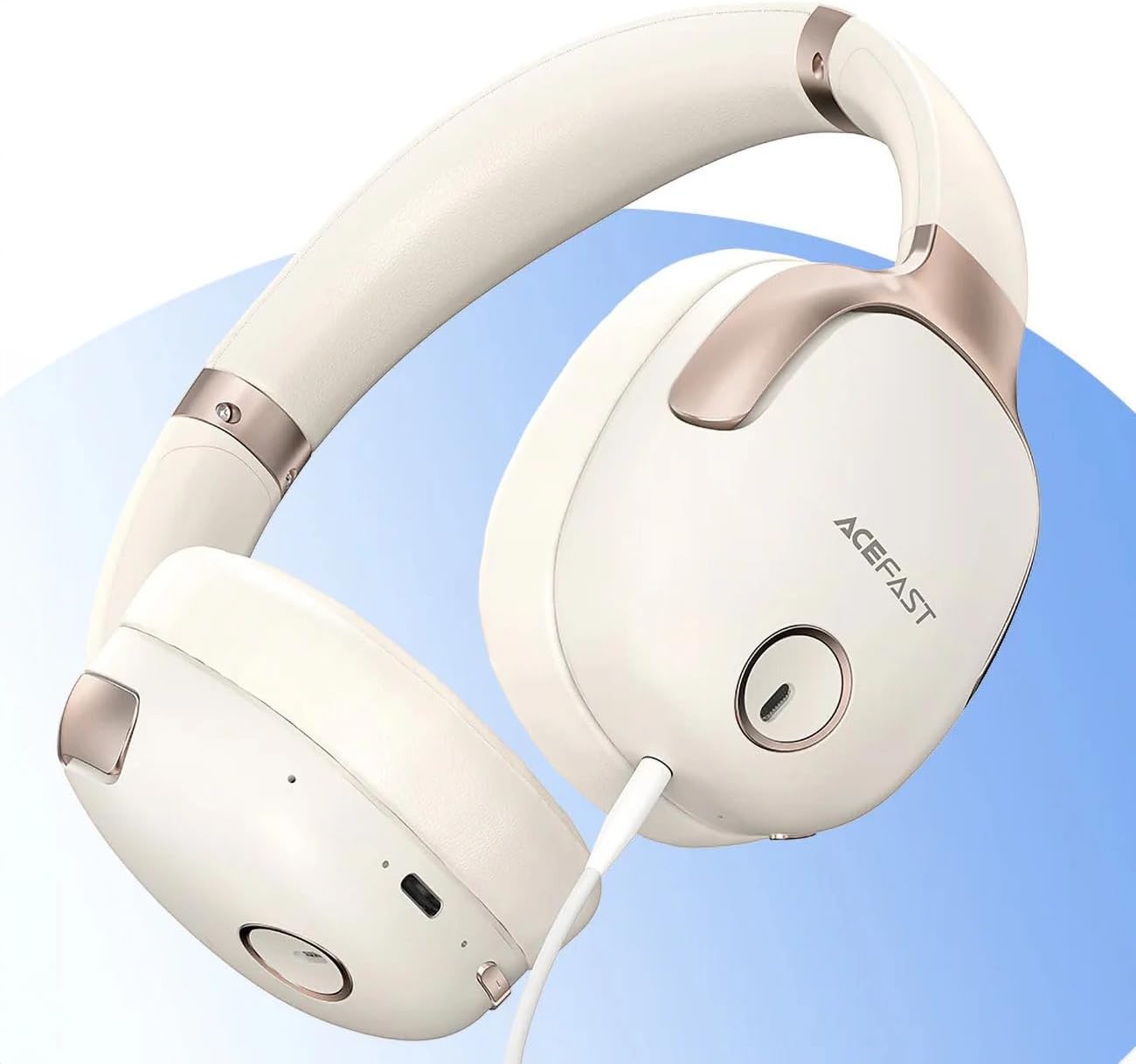
รูปที่ 1: ACEFAST H2 Headset showing USB-C charging port, 3.5mm audio jack, and control buttons.
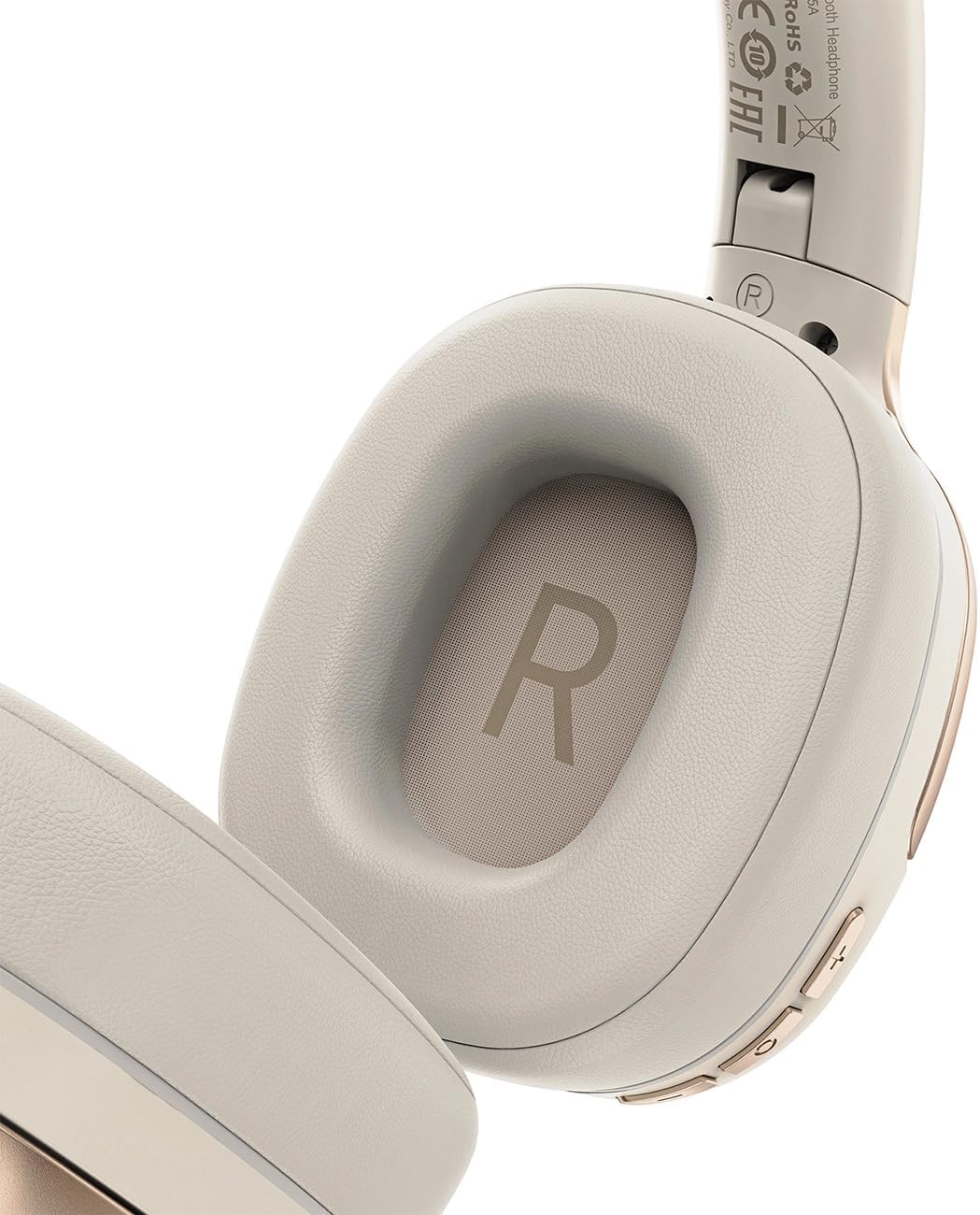
รูปที่ 2: Interior of the right earcup, indicating proper orientation for wearing.

รูปที่ 3: Headband adjustment mechanism and ear cup swivel for comfortable fit.

รูปที่ 4: The foldable design of the headset for easy storage and transport.
ส่วนประกอบหลัก:
- ปุ่มเปิด/ปิด/มัลติฟังก์ชั่น: ใช้สำหรับเปิด/ปิดเครื่อง เล่น/หยุดชั่วคราว รับ/วางสาย
- ปุ่มเพิ่มเสียง/ปุ่มเปลี่ยนเพลงถัดไป: กดเพื่อเพิ่มระดับเสียง กดค้างเพื่อเพลงถัดไป
- ปุ่มลดเสียง/ปุ่มเล่นเพลงก่อนหน้า: กดเพื่อลดระดับเสียง กดค้างไว้เพื่อเล่นเพลงก่อนหน้า
- ปุ่ม ANC: เปิดหรือปิดระบบตัดเสียงรบกวน
- พอร์ตชาร์จ USB-C: สำหรับการชาร์จชุดหูฟัง
- แจ็คเสียงขนาด 3.5 มม.: For wired connection using the Aux cable.
- ไมโครโฟน: Built-in for calls.
- ไฟแสดงสถานะ LED: แสดงสถานะพลังงาน การชาร์จ และการจับคู่
การตั้งค่า
1. การชาร์จชุดหูฟัง
- Connect the provided USB-C charging cable to the headset's USB-C port.
- เชื่อมต่อปลายสายอีกด้านหนึ่งเข้ากับอะแดปเตอร์ไฟ USB (ไม่รวมอยู่ด้วย) หรือพอร์ต USB ของคอมพิวเตอร์
- ไฟ LED จะแสดงสถานะการชาร์จ (เช่น สีแดงขณะกำลังชาร์จ สีน้ำเงินเมื่อชาร์จเต็มแล้ว)
- A full charge takes approximately 2 hours and provides up to 80 hours of music playback.
2. การเปิด/ปิดเครื่อง
- การเปิดเครื่อง: กดปุ่มเปิด/ปิดค้างไว้ประมาณ 3 วินาที จนกว่าไฟ LED จะกะพริบ
- วิธีปิดเครื่อง: กดปุ่มเปิด/ปิดค้างไว้ประมาณ 5 วินาที จนกว่าไฟแสดงสถานะ LED จะดับลง
3. การจับคู่บลูทู ธ
- ตรวจสอบว่าชุดหูฟังปิดอยู่
- Press and hold the Power/Multi-function button for about 5-7 seconds until the LED indicator flashes red and blue alternately, indicating pairing mode.
- บนอุปกรณ์ของคุณ (สมาร์ทโฟน แท็บเล็ต คอมพิวเตอร์) เปิดใช้งาน Bluetooth และค้นหาอุปกรณ์ที่มีอยู่
- เลือก "ACEFAST H2" จากรายการอุปกรณ์ที่พบ
- เมื่อจับคู่เสร็จแล้ว ไฟ LED จะกะพริบเป็นสีน้ำเงินช้าๆ
- The headset will automatically connect to the last paired device when powered on, if within range.
4. การเชื่อมต่อแบบมีสาย (โหมด Aux)
- Connect one end of the 3.5mm Aux cable to the headset's 3.5mm audio jack.
- ต่อปลายอีกด้านหนึ่งเข้ากับช่องต่อสัญญาณเสียง 3.5 มม. ของแหล่งกำเนิดเสียงของคุณ
- In wired mode, the headset functions passively, and Bluetooth features are disabled. ANC may still be active if powered on.
คำแนะนำการใช้งาน
การเล่นเพลง
- เล่น/หยุดชั่วคราว: กดปุ่มเปิด/ปิดเครื่อง/ปุ่มมัลติฟังก์ชันสั้นๆ
- ปรับระดับเสียงขึ้น: กดปุ่มเพิ่มระดับเสียงสั้นๆ
- ลดเสียงลง: กดปุ่มลดระดับเสียงสั้นๆ
- เพลงถัดไป: กดปุ่มเพิ่มระดับเสียงค้างไว้
- แทร็กก่อนหน้า: กดปุ่มลดระดับเสียงค้างไว้
การโทรศัพท์
- รับ/วางสาย: กดปุ่มเปิด/ปิดเครื่อง/ปุ่มมัลติฟังก์ชันสั้นๆ
- ปฏิเสธสาย: กดปุ่มเปิด/ปิดค้างไว้
- ผู้ช่วยเสียง: กดปุ่มเปิด/ปิด/ปุ่มมัลติฟังก์ชั่นสองครั้ง (หากอุปกรณ์ของคุณรองรับ)
การตัดเสียงรบกวนแบบแอคทีฟ (ANC)
- เปิดใช้งาน/ปิดใช้งาน ANC: Press the dedicated ANC button. The LED indicator will change to confirm status.
- ANC reduces ambient noise up to -40dB, providing a quieter listening environment.
การซ่อมบำรุง
- การทำความสะอาด: ใช้ผ้านุ่มและแห้งเช็ดทำความสะอาดชุดหูฟัง ห้ามใช้น้ำยาทำความสะอาดหรือสารละลายที่มีฤทธิ์กัดกร่อน
- พื้นที่จัดเก็บ: Store the headset in a cool, dry place away from direct sunlight and extreme temperatures. When not in use, it is recommended to fold the headset for compact storage.
- ความต้านทานน้ำ: The headset is IPX4 water-resistant, meaning it is protected against splashing water from any direction. It is not designed for submersion or exposure to heavy rain. Avoid exposing the charging port and audio jack to moisture.
- การดูแลแบตเตอรี่ To preserve battery life, charge the headset fully before long periods of storage and recharge it at least once every three months.
การแก้ไขปัญหา
| ปัญหา | สาเหตุที่เป็นไปได้ | สารละลาย |
|---|---|---|
| หูฟังไม่สามารถเปิดเครื่องได้ | แบตเตอรี่อ่อน | ชาร์จหูฟังให้เต็ม |
| ไม่สามารถจับคู่กับอุปกรณ์ได้ | ชุดหูฟังไม่ได้อยู่ในโหมดจับคู่; บลูทูธของอุปกรณ์ปิดอยู่; อยู่ห่างจากอุปกรณ์มากเกินไป | Ensure headset is in pairing mode (flashing red/blue). Turn on device Bluetooth. Move headset closer to device (within 10 meters). |
| ไม่มีเสียงหรือคุณภาพเสียงไม่ดี | Volume too low; headset not connected; interference; incorrect audio output selected. | Adjust volume on headset and device. Re-pair headset. Move away from sources of interference. Check device's audio output settings. |
| ANC ไม่ทำงานอย่างมีประสิทธิภาพ | ANC ไม่ได้เปิดใช้งาน; พอดีไม่ถูกต้อง | Press the ANC button to activate. Adjust headset for a snug fit over your ears. |
ข้อมูลจำเพาะ
| ชื่อรุ่น | H2 |
| เทคโนโลยีการเชื่อมต่อ | Wireless (Bluetooth 5.3) / Wired (3.5mm Aux) |
| ช่วงบลูทูธ | สูงสุด 10 เมตร |
| การควบคุมเสียงรบกวน | Active Noise Cancellation (ANC) up to -40dB, Environmental Noise Cancelling (ENC) for microphone |
| อายุการใช้งานแบตเตอรี่ | สูงสุด 80 ชั่วโมง (เล่นเพลง) |
| เวลาในการชาร์จ | ประมาณ 2 ชั่วโมง (ผ่าน USB-C) |
| ความต้านทานต่อน้ำ | IPX4 (ทนน้ำกระเซ็น) |
| การวางตำแหน่งหู | บนหู |
| วัสดุ | อะคริโลไนไตรล์ บิวทาไดอีน สไตรีน (ABS) |
| สี | สีเบจ |

รูปที่ 5: Illustration of the dynamic HiFi audio driver components.
ข้อมูลการรับประกัน
The ACEFAST H2 Wireless Headset comes with a การรับประกันจากผู้ผลิต 6 เดือน นับจากวันที่ซื้อสินค้า การรับประกันนี้ครอบคลุมถึงข้อบกพร่องจากการผลิตและฝีมือการผลิตภายใต้การใช้งานปกติ ไม่ครอบคลุมถึงความเสียหายที่เกิดจากการใช้งานผิดวิธี อุบัติเหตุ การดัดแปลงโดยไม่ได้รับอนุญาต หรือการสึกหรอตามปกติ โปรดเก็บหลักฐานการซื้อไว้เพื่อใช้ในการเรียกร้องการรับประกัน
สนับสนุน
For further assistance, technical support, or warranty inquiries, please refer to the contact information provided by your retailer or visit the official ACEFAST website. Ensure you have your product model number (H2) and proof of purchase ready when contacting support.