
1. บทนำ
Thank you for choosing the DOVOX Bluetooth Marine Stereo Receiver. This waterproof gauge radio system is designed for robust performance in marine and off-road environments, including boats, ATVs, UTVs, and other recreational vehicles. It features Bluetooth connectivity, AM/FM radio, USB and AUX inputs, and a 2.8-inch LCD display. This manual provides detailed instructions for installation, operation, and maintenance to ensure optimal performance and longevity of your device.

2. ข้อมูลด้านความปลอดภัย
Please read all safety instructions carefully before installing and operating the device. Failure to follow these guidelines may result in injury or damage to the unit.
- Ensure proper wiring and connections to prevent electrical shorts or fire hazards.
- Disconnect the vehicle's battery before beginning installation to avoid electrical shock.
- อย่าให้เครื่องถูกอุณหภูมิสูงหรือแสงแดดโดยตรงเป็นเวลานาน
- While the unit is IPX5 water-resistant, avoid submerging it or exposing it to high-pressure water jets.
- ปรึกษาผู้เชี่ยวชาญเกี่ยวกับการติดตั้งหากคุณไม่แน่ใจเกี่ยวกับขั้นตอนใดๆ
3. เนื้อหาบรรจุภัณฑ์
ตรวจสอบว่ามีรายการทั้งหมดอยู่ในแพ็คเกจ:
- Boat Audio System (DOVOX Bluetooth Marine Stereo Receiver)
- Wires Harness
- ชุดติดตั้ง
- คู่มือการใช้งาน
4. สินค้าหมดview
The DOVOX Marine Stereo Receiver is designed for durability and ease of use in challenging environments. Its compact gauge-style design allows for flexible installation.

คุณสมบัติหลัก:
- Marine-grade Construction: IPX5 water-resistant rating protects against water, humidity, and salt.
- การเชื่อมต่อบลูทูธ: Seamlessly stream music from your smartphone, tablet, or MP3 player.
- Multimedia Inputs: USB 2.0 port and 3.5mm AUX input for various audio sources, supporting ID3 tag การอ่าน.
- วิทยุ AM/FM: Features 18 FM and 12 AM station memory for real-time broadcasts.
- จอแสดงผล LCD ความละเอียดสูง: 2.8-inch digital LCD display for clear visibility, even in direct sunlight.
- ปุ่มเรืองแสง: Rubber-coated buttons with illumination for enhanced visibility and easy interaction.
- เอาท์พุตเสียงอันทรงพลัง: Delivers 200W peak power with rich RCA output jacks for speakers, ampเครื่องขยายเสียง และซับวูฟเฟอร์
- การปรับแต่งเสียง: Bass, treble, balance, fader controls, and custom preset EQ options.
5. การติดตั้ง
Proper installation is crucial for the performance and longevity of your marine stereo. Refer to the wiring diagram and follow these general steps.

ขั้นตอนการติดตั้ง:
- การตระเตรียม: Disconnect the negative terminal of your vehicle's battery. Choose a suitable mounting location that is secure and allows for proper wiring.
- การติดตั้ง: Cut a circular opening in the dashboard or mounting panel according to the unit's dimensions (approximately 3.5 inches diameter). Secure the unit using the provided mounting kits.
- การเดินสายไฟ: Connect the wiring harness to the corresponding power, ground, and speaker wires of your vehicle. Refer to the wiring diagram for specific connections:
- สายสีเหลือง: Constant 12V power (for memory retention).
- สายสีแดง: Switched 12V accessory power (ignition).
- สายสีดำ: พื้น.
- สายลำโพง: Connect to your speakers (Front Left, Front Right, Rear Left, Rear Right).
- อาร์ซีเอเอาท์พุท: เชื่อมต่อกับภายนอก ampต่อเครื่องขยายเสียงหรือซับวูฟเฟอร์ตามความจำเป็น
- ช่องต่อ USB: เชื่อมต่ออุปกรณ์ USB
- อินพุต AUX: เชื่อมต่อแหล่งสัญญาณเสียงภายนอกผ่านแจ็ค 3.5 มม.
- เสาอากาศ: เชื่อมต่อเสาอากาศวิทยุ AM/FM ของคุณ
- การทดสอบ: Reconnect the battery and power on the unit to test all functions.
- การรักษาความปลอดภัยขั้นสุดท้าย: Ensure all connections are secure and insulated to prevent shorts and water ingress.
6. คู่มือการใช้งาน
Familiarize yourself with the control buttons and their functions for optimal use.
การควบคุมพื้นฐาน:
- ปุ่มเปิด/ปิด (ⓘ): กดเพื่อเปิด/ปิดเครื่อง
- ปุ่มลดเสียง / เพิ่มเสียง: ปรับระดับเสียง.
- ปุ่ม BAND: In radio mode, cycles through AM/FM bands. In other modes, may function as a menu or mode selection.
- ◀◀ / ▶▶ Buttons: Skip tracks (USB/Bluetooth) or tune radio stations (AM/FM).
- ▶▶ / ▌▌ Button: Play/Pause (USB/Bluetooth).
7. การเชื่อมต่อบลูทูธ
Connect your Bluetooth-enabled device to stream audio wirelessly.
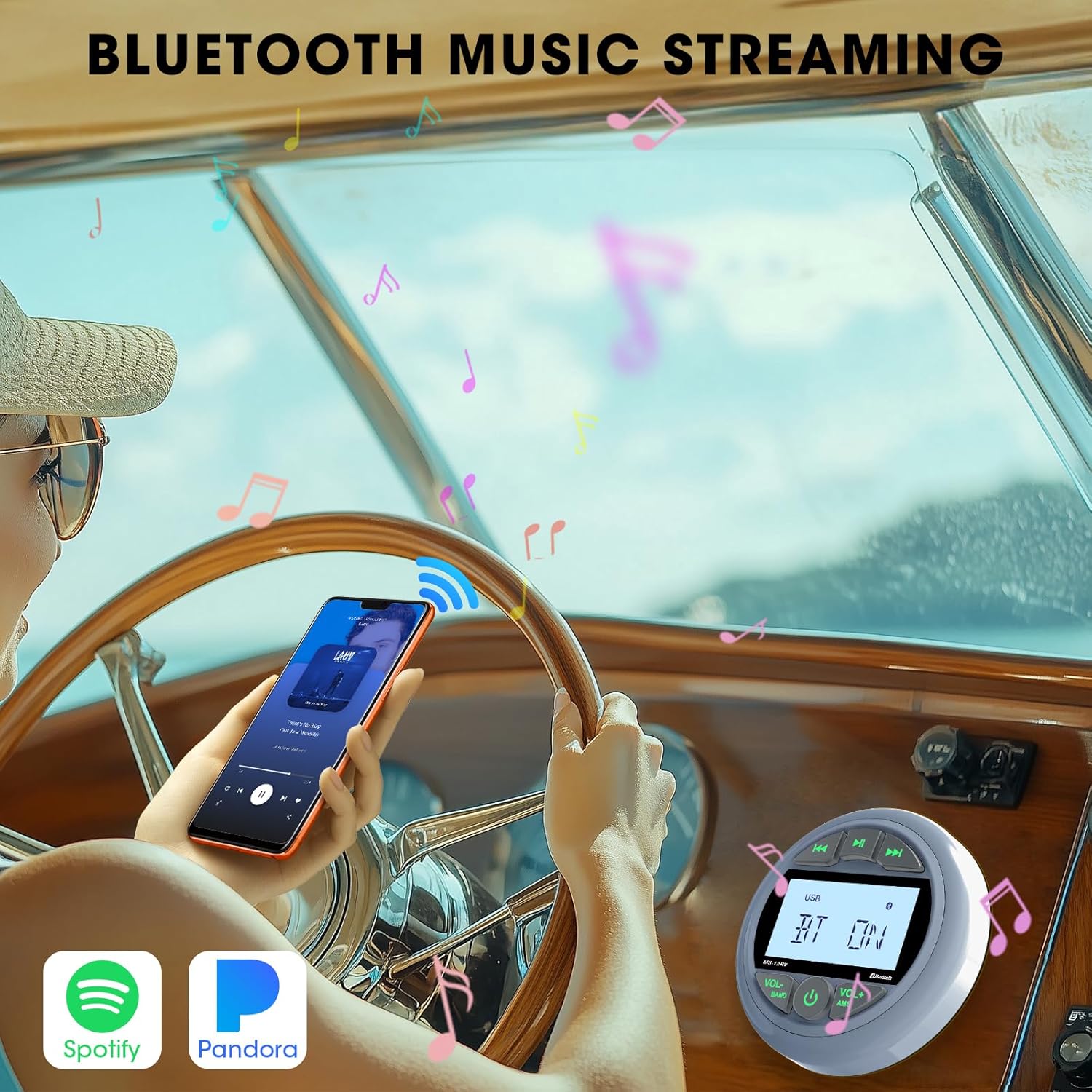
ขั้นตอนการจับคู่:
- Power on the stereo receiver.
- Select Bluetooth mode using the appropriate button (refer to your unit's specific button layout if different from general controls). The display will show "BT ON" or a similar indicator.
- บนอุปกรณ์มือถือของคุณ เปิดใช้งาน Bluetooth และค้นหาอุปกรณ์ที่มีอยู่
- Select "DOVOX" or a similar device name from the list.
- Once paired, the display will indicate a successful connection, and you can begin streaming audio.
8. การเล่นผ่าน USB และ AUX
The unit supports playback from USB flash drives and external devices via the AUX input.

การเล่น USB:
- ใส่แฟลชไดรฟ์ USB ที่มีเสียง MP3 หรือ WMA fileลงในพอร์ต USB
- The unit will automatically switch to USB mode and begin playback. If not, select USB mode manually.
- Use the ◀◀ / ▶▶ buttons to navigate tracks and the ▶▶ / ▌▌ button to play/pause.
อินพุต AUX:
- Connect your external audio device (e.g., MP3 player, smartphone) to the 3.5mm AUX input jack using an audio cable.
- Select AUX mode on the stereo receiver.
- ควบคุมการเล่นได้โดยตรงจากอุปกรณ์ที่เชื่อมต่อของคุณ
9. การใช้งานวิทยุ (AM/FM)
Access and store your favorite AM and FM radio stations.

การปรับแต่งและการตั้งค่าล่วงหน้า:
- เลือกแบนด์: Press the BAND button to cycle through FM1, FM2, FM3, AM1, and AM2 bands.
- การปรับด้วยตนเอง: Briefly press the ◀◀ / ▶▶ buttons to tune to the next/previous frequency step.
- การค้นหาอัตโนมัติ: Press and hold the ◀◀ / ▶▶ buttons to automatically seek the next strong station.
- ค่าที่ตั้งไว้ล่วงหน้าของร้านค้า: To store a station, tune to the desired frequency, then press and hold one of the preset buttons (usually 1-6, or a combination with VOL+/VOL- depending on the model) until you hear a beep.
- เรียกคืนการตั้งค่าล่วงหน้า: Briefly press the preset button to recall a stored station.
10. การตั้งค่าเสียง
Customize your listening experience with the available audio adjustments.

Adjusting Audio:
- ที่ตั้งไว้ล่วงหน้า EQ: Press the EQ button (or a combination with VOL+/VOL-) to cycle through preset equalizer modes (e.g., Pop, Rock, Classic, Flat).
- เบส/เสียงแหลม: Access bass and treble controls through the menu system (refer to specific button functions for your model). Adjust levels to your preference.
- ยอดคงเหลือ/เฟดเดอร์: Adjust audio balance between left/right speakers and fader between front/rear speakers.
- เอาต์พุตซับวูฟเฟอร์: If connected, control subwoofer level through the menu.
11 การแก้ไขปัญหา
โปรดดูหัวข้อนี้เพื่อดูปัญหาทั่วไปและวิธีแก้ไข
| ปัญหา | สาเหตุที่เป็นไปได้ | สารละลาย |
|---|---|---|
| เครื่องไม่เปิด | ไม่มีการเชื่อมต่อไฟ; ฟิวส์ขาด; การเดินสายไฟไม่ถูกต้อง | Check power and ground connections. Verify fuse is intact. Ensure correct wiring as per diagram. |
| ไม่มีเสียงออกจากลำโพง | Volume too low; Mute activated; Incorrect speaker wiring; Faulty speakers. | Increase volume. Check if mute is active. Verify speaker connections. Test with known good speakers. |
| บลูทูธไม่เชื่อมต่อ | Bluetooth not enabled on device/stereo; Device too far; Interference; Already connected to another device. | Ensure Bluetooth is active on both devices. Move device closer. Disconnect from other devices. Try re-pairing. |
| ไม่พบอุปกรณ์ USB | ไม่ได้รับการสนับสนุน file format; USB drive not formatted correctly; Faulty USB drive. | ทำให้มั่นใจ files are MP3/WMA. Format USB drive to FAT32. Try a different USB drive. |
| Condensation inside LCD screen. | High humidity or rapid temperature changes in marine environment. | This can occur in high humidity. Allow time for the moisture to dissipate naturally. Ensure unit is not directly exposed to extreme temperature shifts or direct water spray. If persistent, contact support. |
| การรับสัญญาณวิทยุไม่ดี | ไม่ได้เชื่อมต่อเสาอากาศ เสาอากาศเสียหาย พื้นที่สัญญาณอ่อน | Check antenna connection. Inspect antenna for damage. Try moving to an area with stronger signal. |
12. ข้อมูลจำเพาะ
Detailed technical specifications for the DOVOX Bluetooth Marine Stereo Receiver.
| คุณสมบัติ | รายละเอียด |
|---|---|
| ขนาดสินค้า | ลึก 3.5 นิ้ว x กว้าง 4.3 นิ้ว x สูง 4.3 นิ้ว (ลึก 8.89 ซม. x กว้าง 10.92 ซม. x สูง 10.92 ซม.) |
| น้ำหนักสินค้า | 1.52 ปอนด์ (0.69 กก.) |
| หมายเลขรุ่น | 5d0f5745-0d28-48b1-8af5-04e72b8ea3e3 |
| ยี่ห้อ | โดว็อกซ์ |
| เทคโนโลยีการเชื่อมต่อ | อุปกรณ์เสริม, บลูทูธ, USB |
| ประเภทตัวควบคุม | ปุ่มกด |
| คุณสมบัติพิเศษ | 2.8 Inch Digital Display Screen, Multi Color Illuminated Buttons, Bluetooth Audio Streaming, FM AM Receiver, IPX5 Water Resistant, Preamp Out Subwoofer, 200W Max Power, USB AUX-in, Equalizer |
| อุปกรณ์ที่รองรับ | Amplifier, Smartphone, Speaker, Subwoofer |
| ประเภทขั้วต่อ | อาร์ซีเอ |
| โหมดเอาต์พุตเสียง | สเตอริโอ |
| การกำหนดค่าช่องเสียงรอบทิศทาง | 4 |
13. การบำรุงรักษา
Regular maintenance helps ensure the longevity and optimal performance of your marine stereo.
- การทำความสะอาด: ใช้แบบนุ่มๆamp cloth to clean the unit's surface. Avoid abrasive cleaners or solvents that may damage the finish or display.
- การสัมผัสน้ำ: While IPX5 rated, it is recommended to wipe down the unit after exposure to saltwater to prevent salt buildup and corrosion.
- การเชื่อมต่อ: Periodically check all wiring connections for corrosion or looseness, especially in harsh marine environments.
- พื้นที่จัดเก็บ: If storing the vehicle for an extended period, ensure the unit is clean and dry. Consider covering it to protect from dust and environmental elements.
14. การรับประกันและการสนับสนุน
DOVOX products are manufactured to high-quality standards. This product comes with a standard manufacturer's warranty against defects in materials and workmanship. For specific warranty details, please refer to the warranty card included with your purchase or contact DOVOX customer support.
For technical assistance, troubleshooting not covered in this manual, or warranty claims, please contact DOVOX customer support through the retailer where the product was purchased or visit the official DOVOX webเว็บไซต์สำหรับข้อมูลการติดต่อ