
1. บทนำ
This manual provides essential information for setting up, operating, and maintaining your TCL 43-Inch Q6 QLED 4K UHD Smart TV (Model 43Q651F). Please read this manual thoroughly before using the television to ensure proper and safe operation. Keep this manual for future reference.
The TCL Q6 Series TV features QLED Quantum Dot technology, 4K UHD resolution, HDR PRO+ with Dolby Vision, Dolby Atmos, and integrated Fire TV for a comprehensive entertainment experience.
2. ข้อมูลด้านความปลอดภัย
ปฏิบัติตามข้อควรระวังด้านความปลอดภัยขั้นพื้นฐานเสมอเมื่อใช้โทรทัศน์เครื่องนี้เพื่อลดความเสี่ยงต่อการเกิดไฟไหม้ ไฟฟ้าช็อต และการบาดเจ็บ
- อย่าให้ทีวีโดนฝนหรือความชื้น
- ห้ามเปิดตู้ทีวี ควรส่งซ่อมโดยช่างผู้ชำนาญการเท่านั้น
- ตรวจสอบให้แน่ใจว่ามีการระบายอากาศรอบทีวีอย่างเหมาะสม อย่าปิดกั้นช่องระบายอากาศ
- ปกป้องสายไฟจากการถูกเหยียบหรือถูกหนีบ
- ถอดปลั๊กทีวีในระหว่างที่มีพายุฝนฟ้าคะนองหรือเมื่อไม่ได้ใช้งานเป็นเวลานาน
- ควรวางโทรทัศน์ให้ห่างจากแหล่งความร้อน เช่น เครื่องทำความร้อน ช่องระบายความร้อน เตา หรืออุปกรณ์อื่นๆ ที่ก่อให้เกิดความร้อน
3. อะไรอยู่ในกล่อง
ตรวจสอบให้แน่ใจว่าอุปกรณ์ทุกชิ้นครบถ้วนก่อนแกะกล่อง
- TCL 43-Inch Q6 QLED 4K UHD Smart TV
- สายไฟ
- รีโมทคอนโทรล
- ชั้นวางทีวี (2)
- คู่มือเริ่มต้นอย่างรวดเร็ว
- แบตเตอรี่สำหรับรีโมทคอนโทรล

Image: Contents of the box and TV dimensions for the TCL Q6 Series.
4. การตั้งค่า
4.1 การติดตั้งขาตั้ง
To install the TV stands:
- วางทีวีคว่ำหน้าลงบนพื้นผิวที่นุ่มและเรียบเพื่อป้องกันหน้าจอเสียหาย
- จัดขาตั้งแต่ละอันให้ตรงกับรูสกรูที่ตรงกันที่ด้านล่างของทีวี
- ยึดขาตั้งแต่ละอันด้วยสกรูที่ให้มา ตรวจสอบให้แน่ใจว่าขันแน่นสนิท
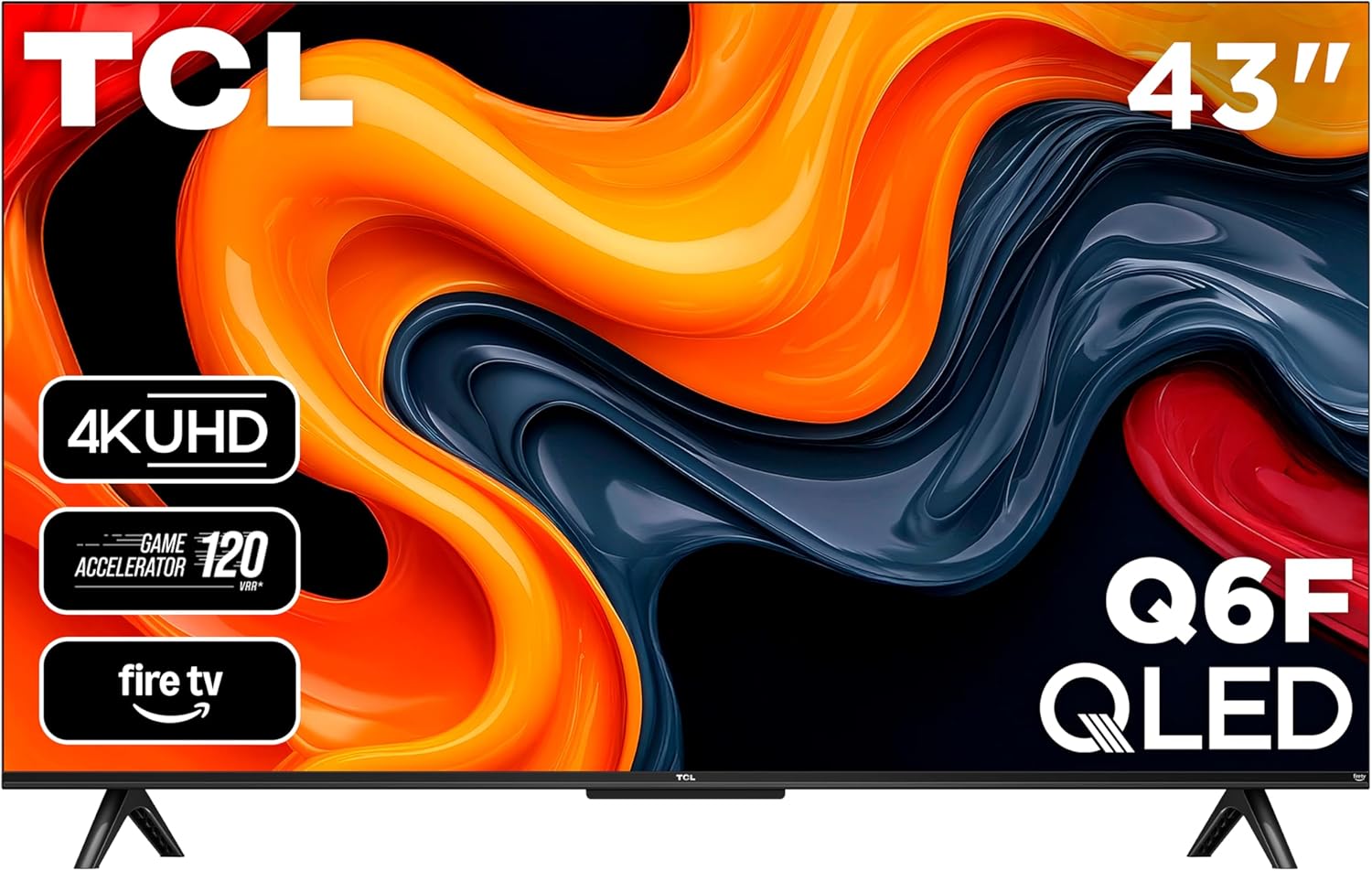
ภาพ: ด้านหน้า view of the TCL 43-Inch Q6 QLED Smart TV with its stand installed.
4.2 การติดตั้งบนผนัง
If you choose to wall mount your TV, ensure you use a VESA-compliant wall mount kit. The VESA mounting standard for this model is 100 x 200 mm. Follow the instructions provided with your wall mount kit. Remove the TV stands before wall mounting.
4.3 การเชื่อมต่ออุปกรณ์ต่อพ่วง
เชื่อมต่ออุปกรณ์ภายนอกของคุณกับทีวีโดยใช้พอร์ตที่เหมาะสม
- ช่องต่อ HDMI: Connect Blu-ray players, game consoles, or cable boxes to HDMI 1, HDMI 2, or HDMI 3 (eARC). HDMI 3 supports Audio Return Channel (eARC) for enhanced audio connectivity with soundbars or AV receivers.
- ยูเอสบี 2.0: Insert a USB flash drive for media playback or to pause/rewind live TV (with compatible antenna input).
- สายเคเบิล/ANT: Connect an antenna or cable for over-the-air or cable TV viewการไอเอ็นจี
- อินพุต AV: Use an AV adapter (not included) to connect older game consoles or VCRs.
- หูฟัง: Connect headphones or an older stereo system.
- ออปติคอลเสียงออก: Connect to soundbars or receivers for digital audio.
- อีเธอร์เน็ต: เชื่อมต่อสายเคเบิลอีเทอร์เน็ตสำหรับการเชื่อมต่ออินเทอร์เน็ตแบบใช้สาย

ภาพ: รายละเอียด view of the connectivity ports on the side of the TCL Q6 TV.
4.4 การเปิดเครื่องครั้งแรกและการตั้งค่าครั้งแรก
หลังจากเชื่อมต่อสายเคเบิลที่จำเป็นทั้งหมดแล้ว:
- เสียบสายไฟเข้ากับเต้ารับไฟฟ้า
- กดปุ่มเปิดปิดบนรีโมทคอนโทรลหรือบนทีวีโดยตรง
- Follow the on-screen instructions to complete the initial setup, including language selection, network connection (Wi-Fi or Ethernet), and Fire TV account login.
5. คู่มือการใช้งาน
5.1 การควบคุมระยะไกลจบลงview
The included remote control allows you to navigate the TV's features. It includes dedicated buttons for power, volume, channel, input selection, and direct access to streaming services and Alexa voice control.

Image: The remote control for the TCL Q6 Fire TV, featuring an Alexa voice button.
5.2 ฟังก์ชั่นพื้นฐาน
- พลัง: กดปุ่มเปิด/ปิดเพื่อเปิดหรือปิดทีวี
- ปริมาณ: ใช้ปุ่มเพิ่ม/ลดระดับเสียงเพื่อปรับระดับเสียง
- ช่องทางการรับชม: ใช้ปุ่ม Channel Up/Down เพื่อเปลี่ยนช่อง (สำหรับการรับสัญญาณจากเสาอากาศ/เคเบิล)
- ป้อนข้อมูล: Press the Input button to select different video sources (HDMI, AV, etc.).
5.3 คุณสมบัติของสมาร์ททีวี (Fire TV)
Your TCL Q6 TV runs on Fire OS, providing access to a wide range of streaming applications, live TV, and smart features.
- การนำทางแอป: Use the remote's directional pad to browse and launch apps from the Fire TV home screen.
- การควบคุมด้วยเสียง (Alexa): Press and hold the Alexa button on your remote to issue voice commands for searching content, controlling playback, checking weather, and more.
- แอปเปิล AirPlay 2: Stream content directly from your Apple devices (iPhone, iPad, Mac) to your TV. Ensure both devices are on the same Wi-Fi network.

Image: The Fire TV home screen interface on the TCL Q6 TV, showing various streaming applications.
5.4 การตั้งค่าภาพ
เข้าสู่เมนูการตั้งค่ารูปภาพเพื่อปรับแต่งภาพของคุณ viewประสบการณ์ที่น่าประทับใจ คุณสมบัติหลักได้แก่:
- เทคโนโลยีควอนตัมดอท QLED: Delivers rich, vibrant colors and enhanced contrast.
- HDR PRO+ พร้อม Dolby Vision, HDR10+, HDR10 และ HLG: Provides superior contrast and color accuracy for compatible content.
- ไฟแบ็คไลท์ LED ความสว่างสูง: Ensures bright images for an enhanced viewการสร้างประสบการณ์
- Motion Rate 240 with MEMC: Reduces motion blur for clear, fast-action scenes in movies, sports, and games.

Image: Visual comparison illustrating the rich, vibrant colors provided by QLED technology versus a conventional TV.

Image: Visual comparison demonstrating the enhanced brightness of High Brightness+ LED Backlight compared to a conventional TV.

Image: Visual comparison showing the clarity of fast-moving images with Motion Rate 240 and MEMC enabled versus without.
5.5 การตั้งค่าเสียง
Adjust audio settings for optimal sound. The TV supports:
- ระบบเสียง Dolby Atmos: มอบประสบการณ์เสียงที่สมจริงและมีมิติ
- DTS เสมือน:X: สร้างประสบการณ์เสียงรอบทิศทางเสมือนจริง

Image: A cinematic ocean scene with the Dolby Atmos logo, illustrating immersive audio.
5.6 คุณสมบัติการเล่นเกม
For gamers, the TV includes:
- Game Accelerator 120: เพิ่มความคมชัดของการเคลื่อนไหวสำหรับการเล่นเกม
- โหมดเกมอัตโนมัติ: Automatically optimizes settings for low latency and responsive gameplay.
6. การบำรุงรักษา
6.1 การทำความสะอาดทีวีของคุณ
ควรดึงปลั๊กทีวีออกก่อนทำความสะอาดทุกครั้ง ใช้ผ้าแห้งนุ่มเช็ดหน้าจอและตัวเครื่อง ห้ามใช้น้ำยาทำความสะอาดหรือสเปรย์ฉีดพ่นลงบนทีวีโดยตรง
6.2 การอัปเดตซอฟต์แวร์
ทีวีของคุณอาจได้รับการอัปเดตซอฟต์แวร์อัตโนมัติผ่านการเชื่อมต่ออินเทอร์เน็ต โปรดตรวจสอบให้แน่ใจว่าทีวีของคุณเชื่อมต่ออินเทอร์เน็ตเพื่อรับฟีเจอร์ล่าสุดและการปรับปรุงประสิทธิภาพ คุณยังสามารถตรวจสอบการอัปเดตด้วยตนเองได้ในเมนูการตั้งค่าของทีวี
7 การแก้ไขปัญหา
หากคุณประสบปัญหาเกี่ยวกับทีวี โปรดดูวิธีแก้ไขทั่วไปต่อไปนี้:
| ปัญหา | วิธีแก้ปัญหาที่เป็นไปได้ |
|---|---|
| ไม่มีไฟฟ้า | ตรวจสอบให้แน่ใจว่าสายไฟเสียบเข้ากับทีวีและเต้ารับไฟฟ้าที่ใช้งานได้สนิทแล้ว ลองเสียบกับเต้ารับอื่นดู |
| ไม่มีภาพแต่มีเสียง | ตรวจสอบแหล่งสัญญาณเข้า ตรวจสอบให้แน่ใจว่าอุปกรณ์ภายนอกเปิดอยู่และเชื่อมต่ออย่างถูกต้อง ลองรีสตาร์ททีวี |
| ไม่มีเสียงแต่มีภาพ | Check the volume level and mute status. Verify audio cables for external sound systems. Check TV audio output settings. |
| รีโมตคอนโทรลไม่ทำงาน | เปลี่ยนแบตเตอรี่ ตรวจสอบให้แน่ใจว่าไม่มีสิ่งกีดขวางระหว่างรีโมทและทีวี |
| ไม่สามารถเชื่อมต่อ Wi-Fi ได้ | ตรวจสอบให้แน่ใจว่าเราเตอร์ Wi-Fi ของคุณเปิดอยู่และใช้งานได้ ป้อนรหัสผ่าน Wi-Fi อีกครั้ง ลองรีสตาร์ททั้งทีวีและเราเตอร์ |
| Choppy picture during fast movements | Adjust picture settings related to motion (e.g., Motion Rate 240 settings). Ensure the input source is providing a stable signal. |
8. ข้อมูลจำเพาะ
| คุณสมบัติ | รายละเอียด |
|---|---|
| หมายเลขรุ่น | 43Q651F |
| ขนาดหน้าจอ | 42.5 นิ้ว (คลาส 43 นิ้ว) |
| ปณิธาน | 4K Ultra HD (3840 x 2160) |
| เทคโนโลยีการแสดงผล | QLED, High Brightness+, Direct LED |
| อัตราการรีเฟรช | 60 เฮิรตซ์ (อัตราการเคลื่อนไหว 240) |
| รองรับรูปแบบ HDR | ดอลบีวิชั่น, HDR10, HDR10+, HLG |
| ระบบปฏิบัติการ | ไฟร์โอเอส |
| เอาท์พุตเสียง | 20 Watts, 5.1 Channels |
| Integrated Surround Sound | ระบบเสียง Dolby Atmos, DTS Virtual:X |
| การเชื่อมต่อ | Wi-Fi, Ethernet, Bluetooth 5.0, 3x HDMI, 1x USB 2.0, 1x Composite Video, Optical Audio Out, 3.5mm Audio Input |
| คุณสมบัติพิเศษ | Bezel-Less Design, Game Mode, Parental Controls, Alexa Built-in, Apple AirPlay 2 |
| มาตรฐาน VESA Mount | 100 x 200 มม. |
| ขนาดสินค้า (รวมขาตั้ง) | 95.6 กว้าง x 18.5 ลึก x 60 สูง ซม. |
| น้ำหนัก | 9.07 กก. |
9. การรับประกันและการสนับสนุน
9.1 การรับประกันของผู้ผลิต
This TCL TV comes with a 1-year manufacturer's warranty. Please refer to the warranty card included with your product for specific terms and conditions, or visit the official TCL webเว็บไซต์สำหรับข้อมูลการรับประกันโดยละเอียด
9.2 การสนับสนุนลูกค้า
For technical assistance, troubleshooting not covered in this manual, or warranty claims, please contact TCL customer support. Contact information can typically be found on the TCL official webไซต์หรือในเอกสารที่มาพร้อมทีวีของคุณ