
Loocam LC8P8B-6W42S-186D
Loocam 5MP PoE Security Camera System User Manual
Model: LC8P8B-6W42S-186D
แบรนด์: ลูแคม
1. บทนำ
This manual provides detailed instructions for the installation, operation, and maintenance of your Loocam 5MP PoE Security Camera System. This system is designed for reliable 24/7 surveillance with advanced features such as full-color night vision, AI human and vehicle detection, and two-way audio communication.
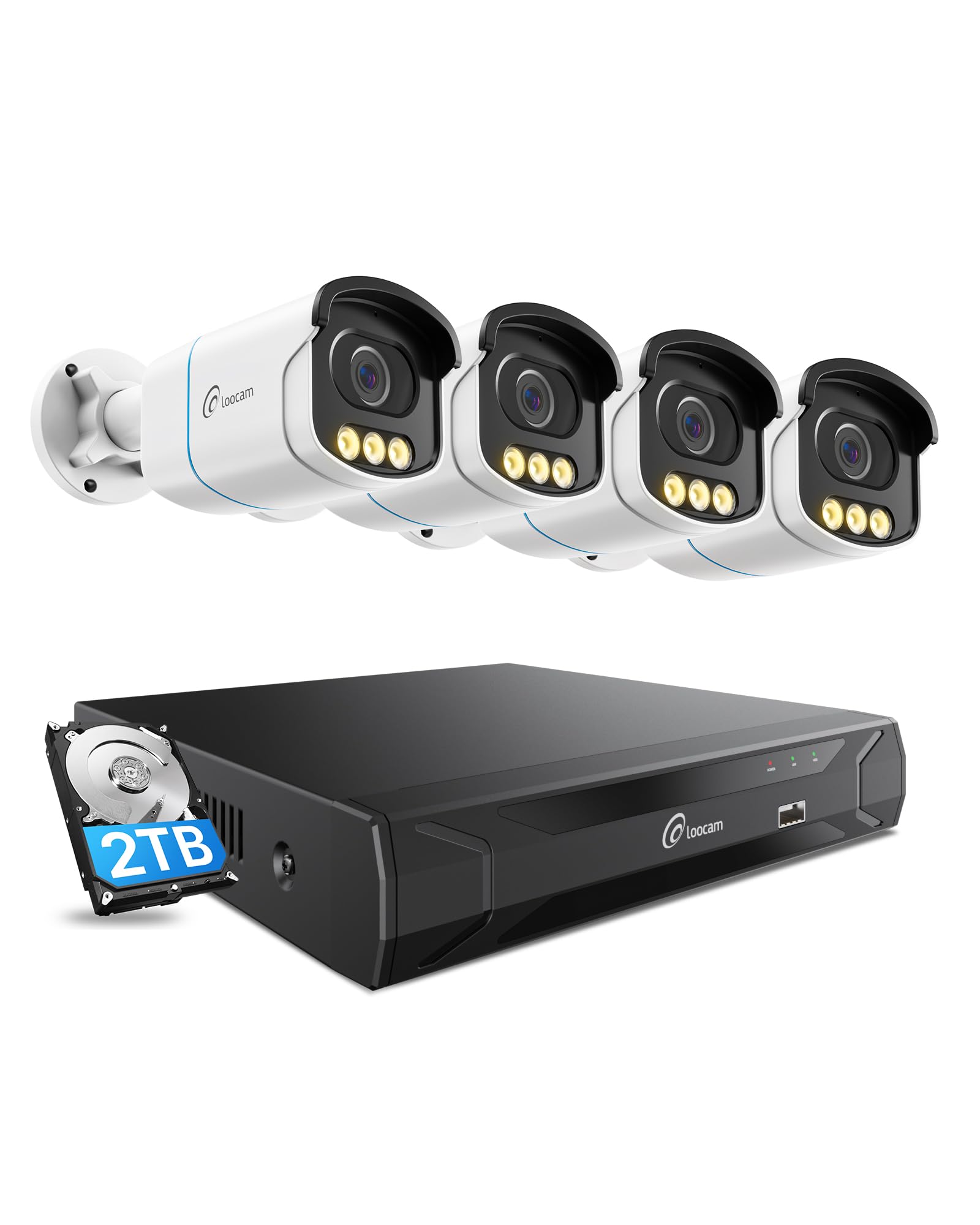
Figure 1: Loocam 5MP PoE Security Camera System components.
2. เนื้อหาบรรจุภัณฑ์
ตรวจสอบว่ารายการทั้งหมดที่ระบุไว้ด้านล่างนี้รวมอยู่ในแพ็คเกจของคุณ:
- 1x 8-Channel 8MP NVR with 2TB Hard Drive Pre-installed
- 4x 5MP PoE IP Cameras
- 4x 60ft Ethernet Cables
- 1x 1m Ethernet Cable
- 1x NVR Power Supply
- เมาส์ USB 1x
- สาย HDMI 1x
- สกรูยึด 4x
- แม่แบบสำหรับติดตั้ง 4 ชิ้น
- 1x คู่มือเริ่มต้นใช้งานอย่างย่อ
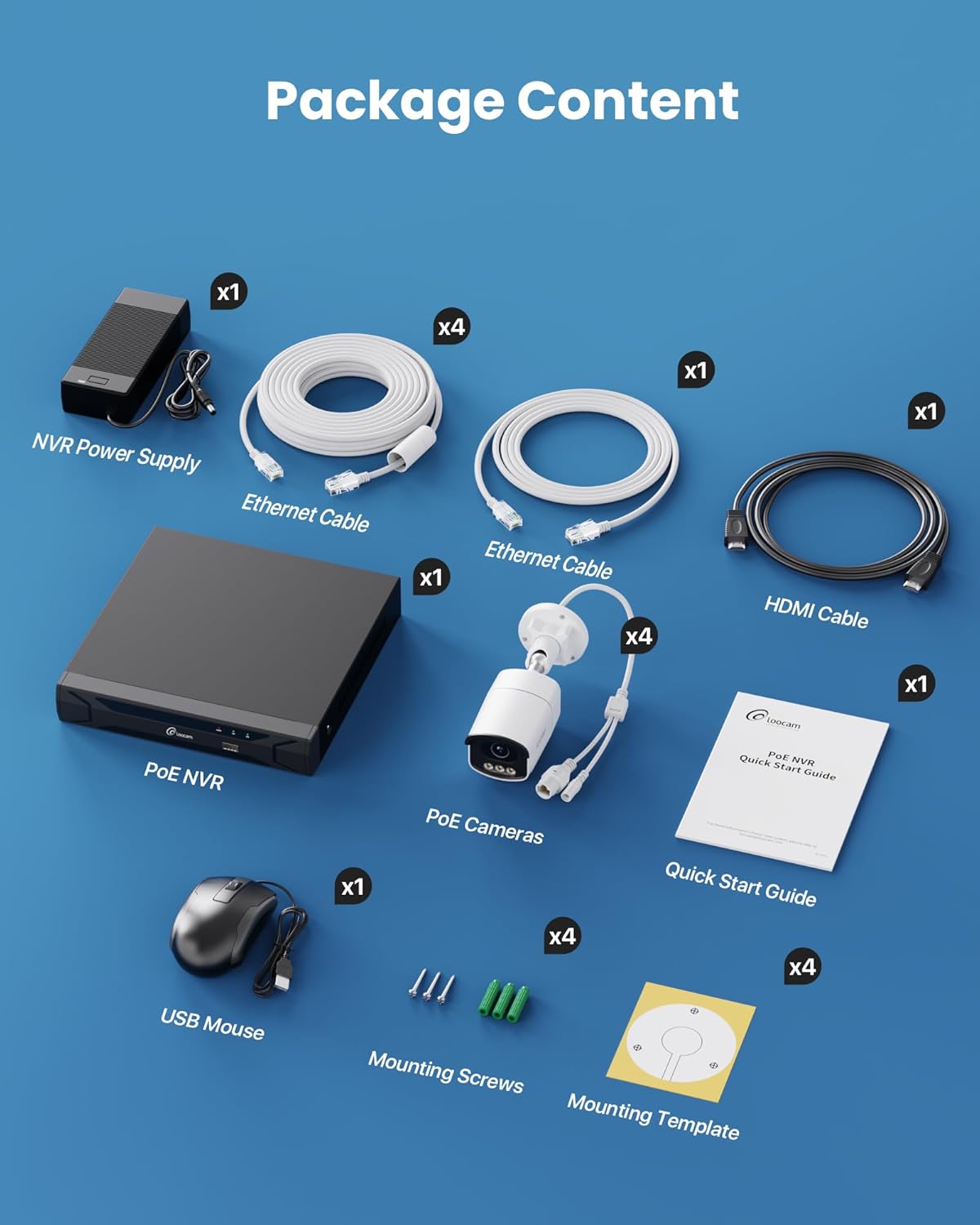
Figure 2: Contents included in the Loocam 5MP PoE Security Camera System package.
3. การตั้งค่าระบบ
Follow these steps to set up your Loocam PoE Security Camera System:
- เตรียมอุปกรณ์: Ensure you have a monitor, a router with network connection, and a power strip available.
- เชื่อมต่อ NVR: Connect the NVR to your monitor using the HDMI cable. Connect the USB mouse to the NVR. Connect the NVR to your router using an Ethernet cable. Finally, connect the NVR power supply and turn on the NVR.
- เชื่อมต่อกล้อง: Connect each 5MP PoE IP camera to an available PoE port on the NVR using the provided Ethernet cables. The NVR will power the cameras and transmit video data.
- การบูตครั้งแรก: Wait for the NVR to boot up and display video feeds from the connected cameras on your monitor.
Video 1: Unboxing and Installation Guide for Loocam PoE Security Camera System. This video demonstrates the physical setup process.
4. คู่มือการใช้งาน
4.1 คุณภาพวิดีโอและการมองเห็นในเวลากลางคืน
The system provides sharp 5MP HD video (2880x1620 resolution) for clear monitoring. It features advanced full-color night vision, ensuring vivid and detailed images even in low-light conditions, providing 24/7 surveillance.

Figure 3: Visual comparison illustrating the enhanced detail of 5MP HD resolution over 1080p.

Figure 4: Demonstration of true full-color night vision providing clearer, more vibrant images at night compared to standard night vision.
Video 2: Loocam 5MP PoE Camera System showcasing True Full Color Night Vision capabilities.
4.2 การตรวจจับและการแจ้งเตือนอัจฉริยะด้วย AI
The system utilizes AI to accurately identify people and vehicles, reducing false alarms. When an event is detected, you will receive instant app notifications.
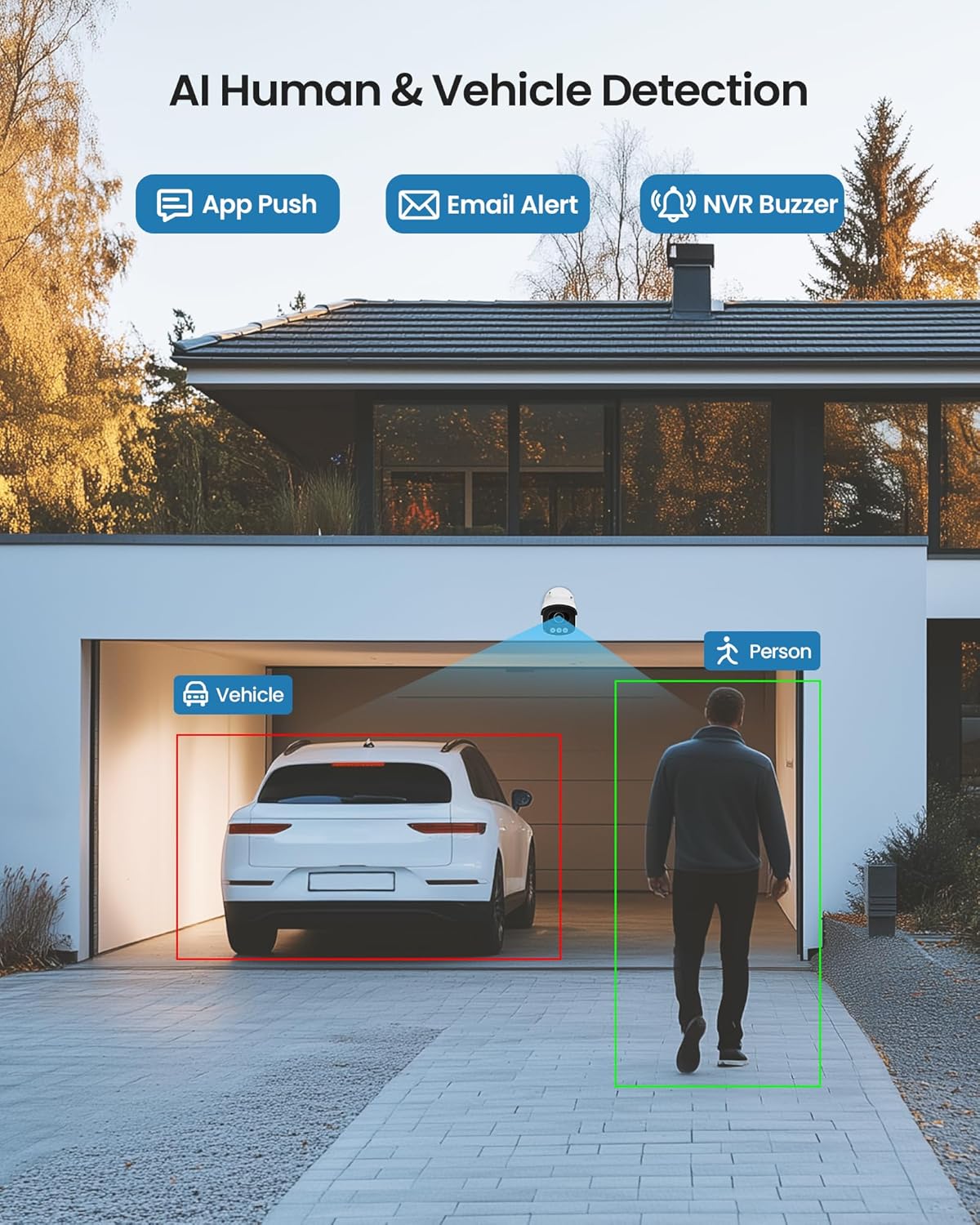
Figure 5: Illustrates the AI system detecting and outlining a person and a vehicle.
4.3 Spotlight and Siren Alarm
The cameras are equipped with a spotlight and siren alarm feature. These can be activated automatically upon detection or manually to deter intruders.
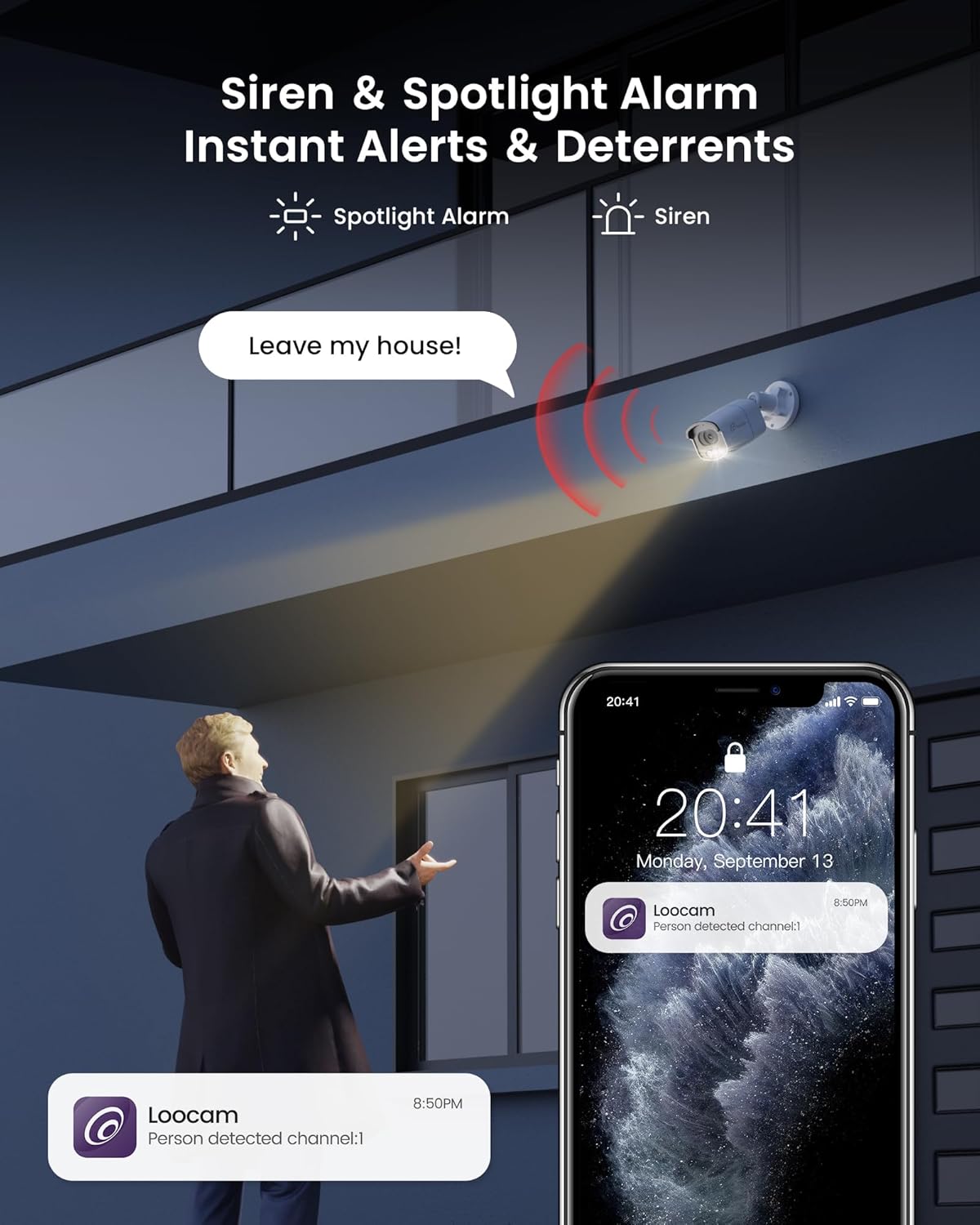
Figure 6: A security camera activating its spotlight and siren, with a corresponding notification on a smartphone.
4.4 เสียงสองทาง
Communicate directly through the camera using the built-in two-way audio feature. This allows you to speak to visitors or warn off unwanted individuals from your smartphone.

Figure 7: A user interacting via two-way audio through the Loocam app on a smartphone.
4.5 รีโมท Viewไอเอ็นจีและการเล่น
Access live feeds and recorded video anytime, anywhere, using the Loocam app on your smartphone, tablet, or computer. The system supports 24/7 recording to the pre-installed 2TB HDD, which is expandable up to 8TB.

Figure 8: The Loocam app interface displaying continuous recording and smart playback options.
วิดีโอ 3: คำแนะนำเกี่ยวกับวิธีการ view your Loocam PoE Security Camera System via the mobile application.
4.6 Commercial Features: Zone Monitoring & Traffic Analysis
For business applications, the system offers advanced features such as setting up virtual boundaries for zone alerts and utilizing people counting functionality to analyze foot traffic patterns.

รูปที่ 9: อดีตample of AI-driven passenger flow statistics, including a graph of statistical data.
5. การบำรุงรักษา
- การทำความสะอาดปกติ: ควรทำความสะอาดเลนส์กล้องเป็นระยะด้วยผ้าเนื้อนุ่มและแห้งamp ผ้าเช็ดทำความสะอาดเพื่อให้ได้ภาพที่คมชัด หลีกเลี่ยงน้ำยาทำความสะอาดที่มีฤทธิ์กัดกร่อน
- อัพเดตเฟิร์มแวร์: Check the Loocam official webเยี่ยมชมเว็บไซต์หรือแอปพลิเคชันเพื่อตรวจสอบการอัปเดตเฟิร์มแวร์ที่มีให้ใช้งาน เพื่อให้มั่นใจได้ถึงประสิทธิภาพและความปลอดภัยสูงสุด
- การตรวจสอบสายเคเบิล: ตรวจสอบสายเคเบิลทั้งหมดอย่างสม่ำเสมอเพื่อดูว่ามีร่องรอยการสึกหรอหรือความเสียหายหรือไม่ โดยเฉพาะอย่างยิ่งสำหรับการติดตั้งภายนอกอาคาร
- การจัดการฮาร์ดไดรฟ์: ฮาร์ดดิสก์ขนาด 2TB ให้การรองรับ ample storage. The system supports automatic overwrite when the disk is full. Consider backing up important footagอีเป็นระยะ
6 การแก้ไขปัญหา
- ไม่มีการแสดงวิดีโอ:
- Ensure the NVR is powered on and connected to the monitor.
- ตรวจสอบการเชื่อมต่อสาย HDMI/VGA
- Verify cameras are properly connected to PoE ports and NVR is powered.
- ปัญหาการเชื่อมต่อเครือข่าย:
- Confirm the NVR is connected to the router via Ethernet.
- Check router status and internet connectivity.
- Restart the NVR and router.
- ระยะไกล Viewing Not Working:
- ตรวจสอบให้แน่ใจว่า NVR มีการเชื่อมต่ออินเทอร์เน็ตที่ใช้งานได้
- Verify the Loocam app is updated to the latest version.
- Check app settings for correct device addition and network configuration.
- สัญญาณเตือนที่ผิดพลาด:
- Adjust AI detection sensitivity settings in the NVR or app.
- กำหนดโซนตรวจจับเฉพาะเพื่อไม่รวมพื้นที่ที่ไม่เกี่ยวข้อง
7. ข้อมูลจำเพาะ
| คุณสมบัติ | รายละเอียด |
|---|---|
| ยี่ห้อ | ลูแคม |
| หมายเลขรุ่น | LC8P8B-6W42S-186D |
| เทคโนโลยีการเชื่อมต่อ | แบบมีสาย (PoE) |
| ความละเอียดในการจับภาพวิดีโอ | 5 ล้านพิกเซล (1944p) |
| คุณสมบัติพิเศษ | App Control, Full-Color Night Vision, Siren Alarm, Two-Way Audio, Weatherproof (IP66), AI Human/Vehicle Detection |
| จำนวนช่องสัญญาณ | 8 |
| ความจุของหน่วยความจำ | 2 TB HDD (Pre-installed), Expandable up to 8 TB |
| สี | สีขาว |
| แหล่งพลังงาน | สายไฟ |
| ขนาดรายการ (ยาว x กว้าง x สูง) | 17.2 x 12 x 7.8 นิ้ว |
| การใช้ที่แนะนำ | Outdoor, Indoor, Home, Business, Human Detection, Automatic Overwrite, Audio Recording, IP66 Weatherproof, Smart Playback, Video Recording |
| อุปกรณ์ที่รองรับ | Laptops, Personal Computers, Smartphones, TV, Tablets |
| อัตราเฟรม | 15, 24, 30 เฟรมต่อวินาที |
| โหมดการบันทึก | กิจกรรม, ตารางเวลา |
| ฮาร์ดแวร์อินเตอร์เฟซ | อีเธอร์เน็ต |
| ประเภทเลนส์ | ที่ตายตัว |
| อินพุตวิดีโอ | บีเอ็นซี, RJ45 |
| ความเข้ากันได้ของสมาร์ทโฮม | Smart Home Compatible |
8. การรับประกันและการสนับสนุน
Loocam products come with a standard manufacturer's warranty. For detailed warranty information, technical support, or service inquiries, please refer to the contact information provided in your Quick Start Guide or visit the official Loocam webไซต์นี้ โปรดเก็บใบเสร็จรับเงินที่ซื้อไว้เพื่อใช้เรียกร้องการรับประกัน
Ask a question about this manual
Ask about setup, troubleshooting, compatibility, parts, safety, or missing instructions. Manuals+ will review the question and use this page’s manual context to help answer it.