
STD29-1
UltraPods Max True Wireless Headphones User Manual
Model: STD29-1 | Brand: Generic
การแนะนำ
Thank you for choosing the UltraPods Max True Wireless Headphones. This manual provides detailed instructions on how to set up, operate, and maintain your headphones to ensure optimal performance and longevity. Please read this manual thoroughly before using the product.
มีอะไรอยู่ในกล่อง
- UltraPods Max True Wireless Headphones (Left and Right Earbuds)
- เคสชาร์จไฟ
- แผ่นรองหูฟัง (หลายขนาด)
- สายชาร์จ USB
- คู่มือการใช้งาน (เอกสารนี้)
สินค้าเกินview
The UltraPods Max headphones feature a compact design with an intelligent charging case. The case includes an LED digital display to show battery levels.

Image: UltraPods Max headphones and their transparent charging case, showcasing the digital battery display.
Each earbud is equipped with touch controls for easy management of audio playback, calls, and voice assistant activation. The earbuds are designed for a comfortable in-ear fit and are water-resistant for active use.

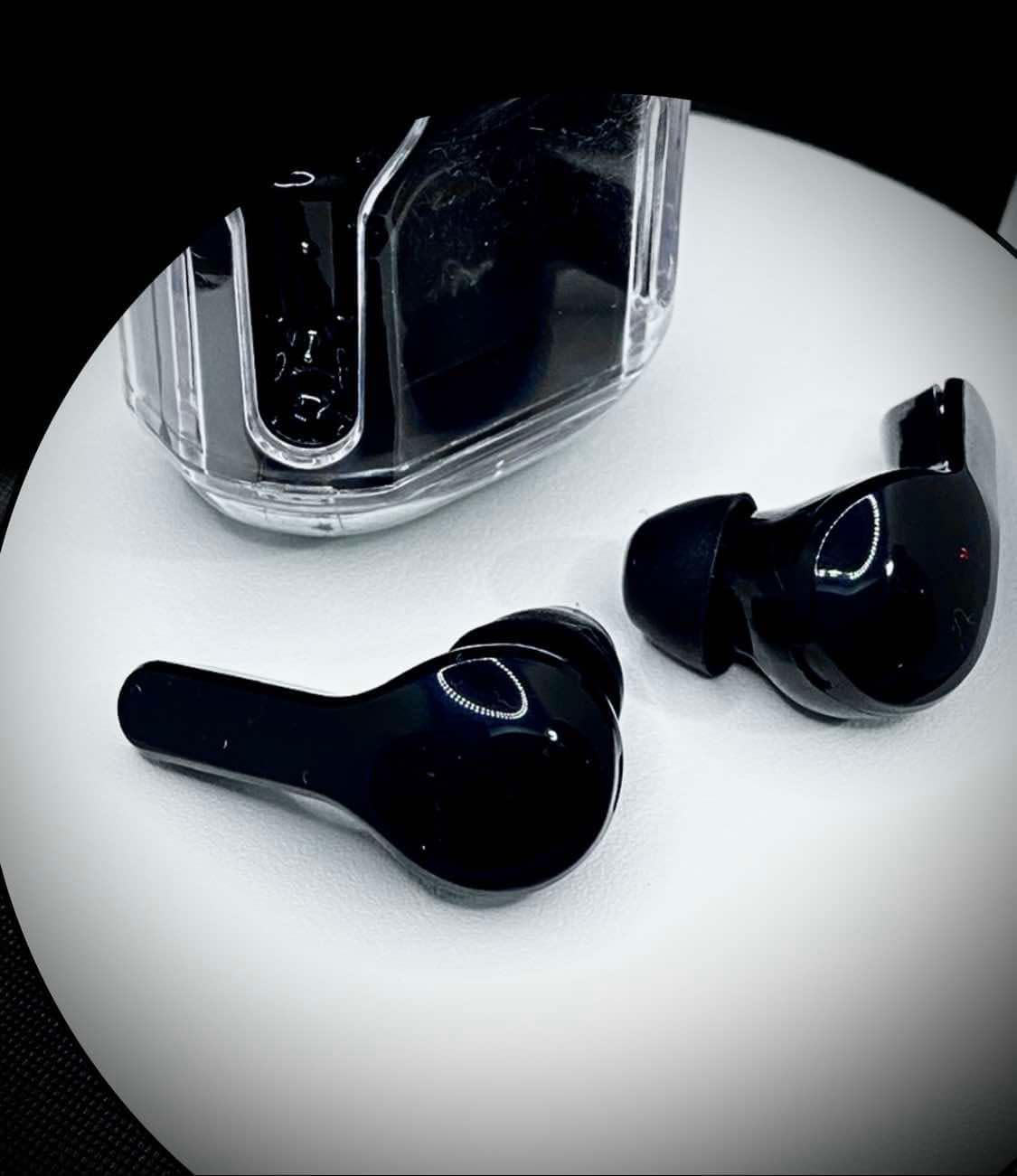
ภาพ: จากบนลงล่าง view of the UltraPods Max earbuds placed next to their charging case, highlighting their sleek design.
การตั้งค่า
1. การชาร์จครั้งแรก
Before first use, fully charge the UltraPods Max and their charging case.
- ใส่หูฟังเอียร์บัดทั้งสองข้างลงในกล่องชาร์จ
- เชื่อมต่อเคสชาร์จเข้ากับแหล่งจ่ายไฟ USB โดยใช้สาย USB ที่ให้มา
- The LED digital display on the charging case will show the charging progress. A full charge is indicated when the display shows 100 or stops blinking.
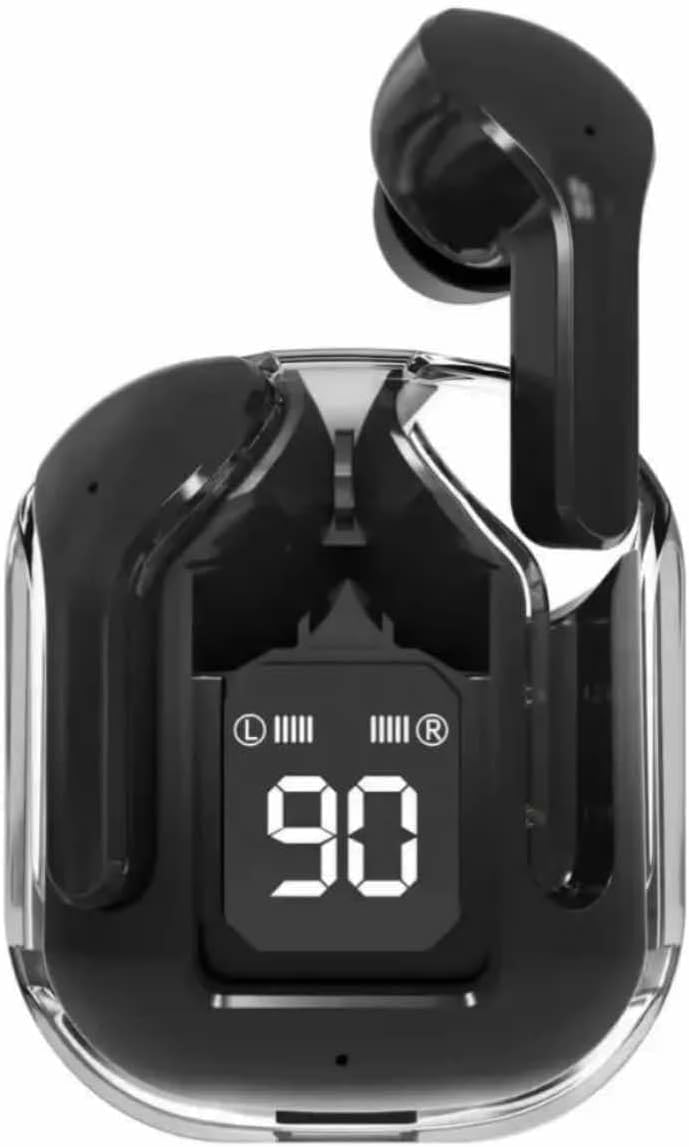
Image: The UltraPods Max charging case with earbuds inside, displaying the battery percentage on its LED screen, indicating charging status.
2. การจับคู่กับอุปกรณ์ของคุณ
The UltraPods Max feature automatic pairing for seamless connection.
- ตรวจสอบให้แน่ใจว่าได้ชาร์จเอียร์บัดแล้ว
- เปิดกล่องชาร์จ หูฟังจะเข้าสู่โหมดจับคู่โดยอัตโนมัติ
- บนอุปกรณ์ของคุณ (สมาร์ทโฟน แท็บเล็ต ฯลฯ) ไปที่การตั้งค่าบลูทูธและเปิดบลูทูธ
- ค้นหา "UltraPods Max" in the list of available devices and select it to connect.
- เมื่อเชื่อมต่อแล้ว คุณจะได้ยินเสียงยืนยัน และหูฟังจะพร้อมใช้งาน
- สำหรับการใช้งานครั้งต่อไป หูฟังจะเชื่อมต่อกับอุปกรณ์จับคู่ล่าสุดโดยอัตโนมัติเมื่อนำออกจากเคส
คำแนะนำการใช้งาน
การควบคุมแบบสัมผัส
The UltraPods Max utilize smart touch controls for various functions. Refer to the diagram below for specific actions.
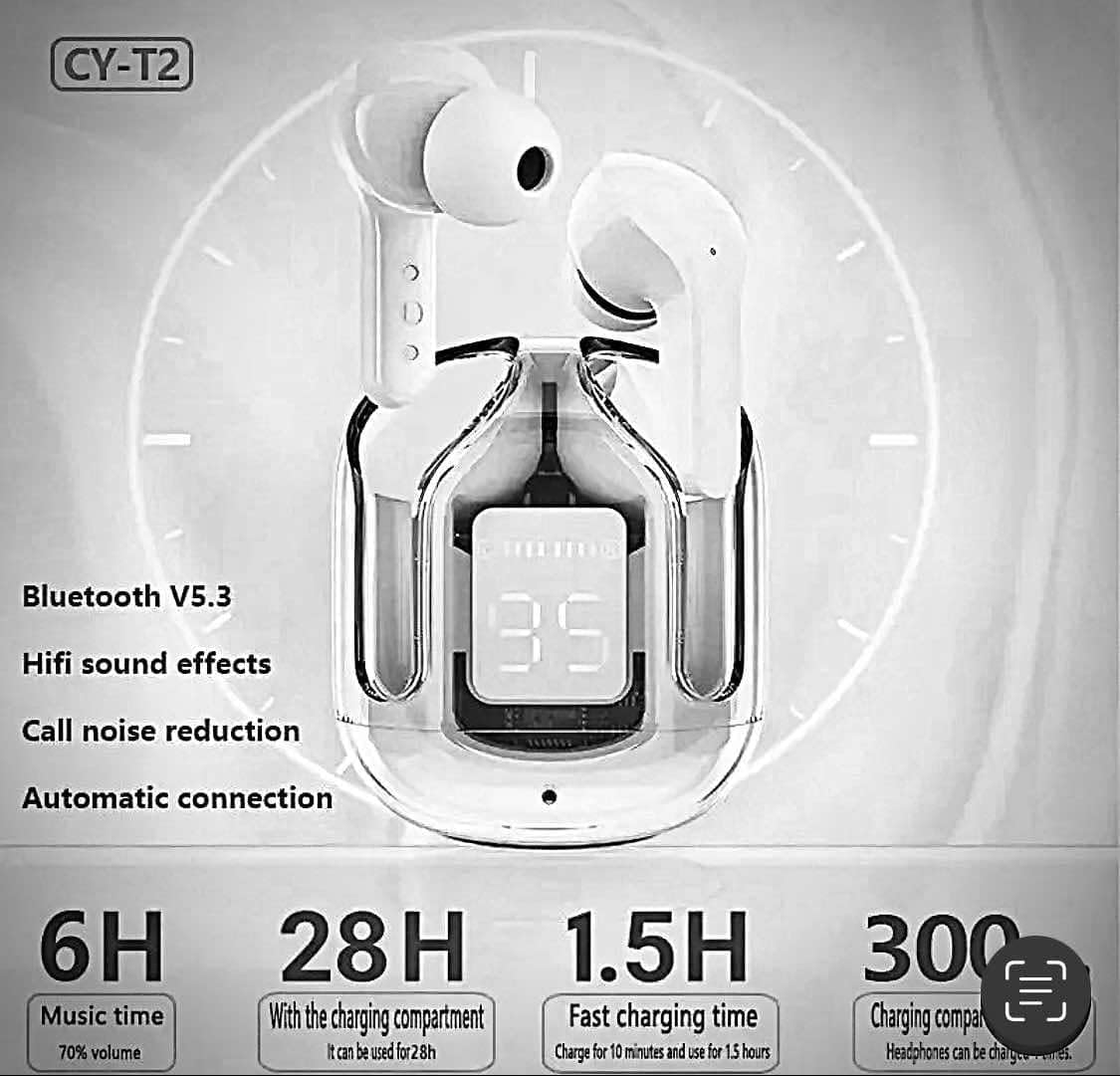
Image: A visual guide illustrating the touch control functions on the UltraPods Max earbuds, including actions for calls, music playback, volume, and voice assistant activation.
- รับสาย/วางสาย: แตะสองครั้งที่หูฟังเอียร์บัดข้างใดข้างหนึ่ง
- ปฏิเสธสาย: กดที่หูฟังข้างใดข้างหนึ่งค้างไว้
- เล่น/หยุดเพลง: แตะสองครั้งที่หูฟังเอียร์บัดข้างใดข้างหนึ่ง
- เพลงถัดไป: แตะหูฟังเอียร์บัดด้านขวาสามครั้ง
- แทร็กก่อนหน้า: แตะหูฟังเอียร์บัดด้านซ้ายสามครั้ง
- ปรับระดับเสียงขึ้น: แตะที่หูฟังข้างขวาหนึ่งครั้ง
- ลดเสียงลง: แตะที่หูฟังข้างซ้ายหนึ่งครั้ง
- เปิดใช้งานผู้ช่วยเสียง (Siri/Google Assistant): กดหูฟังเอียร์บัดข้างใดข้างหนึ่งค้างไว้เป็นเวลา 2 วินาที
การตัดเสียงรบกวนแบบแอคทีฟ (ANC)
The UltraPods Max are equipped with Active Noise Cancellation technology to reduce ambient noise for an immersive listening experience.
ภาพ: ระเบิด view diagram illustrating the internal components responsible for Dual Mic ENC Noise Cancelling, showing how environmental noise is suppressed.
ANC is automatically active when the earbuds are in use. There is no manual toggle for ANC on these specific models based on the provided information. The dual microphone ENC (Environmental Noise Cancellation) system works to effectively suppress 90% of reverse environmental noise during calls and playback.
การซ่อมบำรุง
การทำความสะอาด
- ใช้ผ้าแห้งนุ่มและไม่ขุยในการทำความสะอาดหูฟังและกล่องชาร์จ
- ห้ามใช้สารทำความสะอาดที่มีฤทธิ์กัดกร่อน แอลกอฮอล์ หรือตัวทำละลายเคมี
- ค่อยๆ ทำความสะอาดจุกหูฟังและตะแกรงลำโพงเพื่อกำจัดขี้หูหรือสิ่งสกปรก
พื้นที่จัดเก็บ
- ควรเก็บหูฟังไว้ในกล่องชาร์จเมื่อไม่ใช้งาน เพื่อป้องกันความเสียหายและรักษาระดับประจุไฟ
- หลีกเลี่ยงการเก็บในอุณหภูมิที่สูงหรือต่ำเกินไป (ร้อนหรือเย็นเกินไป) หรือมีความชื้นสูง
ความต้านทานต่อน้ำ
The UltraPods Max have an IPX4 water-resistant rating, meaning they can withstand sweat and light rain. They are not designed for swimming or submersion in water. Ensure the earbuds are dry before placing them back into the charging case to prevent damage.
การแก้ไขปัญหา
| ปัญหา | สาเหตุที่เป็นไปได้ | สารละลาย |
|---|---|---|
| หูฟังไม่จับคู่/เชื่อมต่อ | Low battery; Bluetooth off; Out of range; Pairing issue. | Charge earbuds and case; Ensure Bluetooth is on; Move closer to device; Forget "UltraPods Max" in device's Bluetooth settings and re-pair. |
| ไม่มีเสียงจากเอียร์บัดข้างเดียว | Low battery; Earbud not properly connected; Software glitch. | Ensure both earbuds are charged; Place both earbuds back in the case, close, then reopen; Restart your device. |
| เคสชาร์จไม่ชาร์จ | สายเคเบิล/อะแดปเตอร์ชำรุด; พอร์ตชาร์จสกปรก | Try a different USB cable and power adapter; Clean the charging port gently. |
| คุณภาพเสียงไม่ดี | Earbuds not seated properly; Debris in speaker; Interference. | Adjust earbud position; Clean speaker mesh; Move away from sources of interference (e.g., Wi-Fi routers). |
ข้อมูลจำเพาะ
| ชื่อรุ่น | Ultrapods Max |
| หมายเลขรุ่นสินค้า | STD29-1 |
| เทคโนโลยีการเชื่อมต่อ | บลูทูธ, ไร้สาย |
| เวอร์ชันบลูทูธ | 5.3 |
| การควบคุมเสียงรบกวน | ระบบตัดเสียงรบกวนแบบแอคทีฟ (ENC) |
| ระดับความต้านทานต่อน้ำ | IPX4 (ทนน้ำ) |
| ประเภทการควบคุม | การควบคุมแบบสัมผัส |
| ประเภทไดร์เวอร์เสียง | ไดร์เวอร์แบบไดนามิก |
| ช่วงความถี่ | [20 Hz - 20,000 Hz] |
| อิมพีแดนซ์ | 80 โอห์ม |
| วัสดุ | พลาสติก, ซิลิโคน |
| น้ำหนักสินค้า | 1.76 ออนซ์ |
| อุปกรณ์ที่รองรับ | Cellphones, iPhone, Samsung |
การรับประกันและการสนับสนุน
Specific warranty information for the UltraPods Max True Wireless Headphones is not provided in this manual. For details regarding warranty coverage, technical support, or service inquiries, please refer to the product packaging or contact the retailer where the product was purchased.
You may also visit the manufacturer's or seller's official webเว็บไซต์สำหรับข้อมูลสนับสนุนล่าสุด
เอกสารที่เกี่ยวข้อง - STD29-1
 |
Master & Dynamic MW75 Active Noise-Cancelling Wireless Headphones User Manual Explore the Master & Dynamic MW75 Active Noise-Cancelling Wireless Headphones. This user manual provides detailed information on setup, features, controls, connectivity, maintenance, and troubleshooting for your premium audio experience. |
 |
FOGEEK Apollo 1 Bluetooth Headphones: User Manual & Features User manual for FOGEEK Apollo 1 Bluetooth headphones. Learn about active noise cancellation, pairing, music playback, call management, charging, wired mode, and technical specifications. |
 |
คู่มือผู้ใช้หูฟังไร้สาย Geryst BE1036 คู่มือผู้ใช้สำหรับหูฟังไร้สาย Geryst BE1036 True Wireless ครอบคลุมการตั้งค่า การจับคู่ ฟังก์ชัน การแก้ไขปัญหา และข้อมูลจำเพาะของหูฟัง Bluetooth 5.1 |
 |
คำถามที่พบบ่อยและคู่มือผู้ใช้ชุดหูฟังบลูทูธ Donerton Q20 PRO คำถามที่พบบ่อยและคำแนะนำการใช้งานสำหรับชุดหูฟังบลูทูธ Donerton Q20 PRO ครอบคลุมถึงความเข้ากันได้ การเชื่อมต่อ การชาร์จ คุณสมบัติเสียง และการแก้ไขปัญหา |
 |
หูฟังไร้สาย AIWA AT-X80K - คู่มือการใช้งาน ข้อมูลจำเพาะ และปุ่มควบคุม คู่มือฉบับสมบูรณ์สำหรับหูฟังไร้สาย AIWA AT-X80K ครอบคลุมข้อมูลจำเพาะของผลิตภัณฑ์ วิธีการตั้งค่า การควบคุมเพลงและการโทร การแก้ไขปัญหา และข้อมูลการชาร์จ มีคุณสมบัติ Bluetooth 5.1 และกันน้ำระดับ IPX4 |
 |
Acer OHR305 Wireless ANC Headphones - Quick Start Guide and Specifications Official quick start guide and specifications for the Acer OHR305 wireless active noise cancelling headphones. Learn about features, setup, operation, and troubleshooting. |
Ask a question about this manual
Ask about setup, troubleshooting, compatibility, parts, safety, or missing instructions. Manuals+ will review the question and use this page’s manual context to help answer it.