
1. บทนำ
This manual provides essential information for setting up, operating, maintaining, and troubleshooting your Apple 2024 iMac. The iMac is an all-in-one desktop computer powered by the Apple M4 chip, designed for high performance and efficiency. It features a 60.96 cm (24-inch) 4.5K Retina display and is built to support Apple Intelligence.
Key features of your iMac include:
- M4 Chip: Experience enhanced speed and performance for various tasks, from photo editing to gaming.
- 24-inch 4.5K Retina Display: An immersive display with 500 nits of brightness and support for up to 1 billion colors.
- ข้อมูลจาก Apple Intelligence: A personal intelligence system designed to assist with writing, expression, and productivity, featuring robust privacy protections.
- Thin, All-in-One Design: A strikingly thin form factor available in vibrant colors, suitable for any environment.

Image: Apple iMacs in various colors, highlighting the sleek design.
2. การตั้งค่า
2.1 การแกะกล่องและเนื้อหาภายในบรรจุภัณฑ์
นำส่วนประกอบทั้งหมดออกจากบรรจุภัณฑ์อย่างระมัดระวัง ตรวจสอบให้แน่ใจว่ามีอุปกรณ์ครบทุกชิ้นก่อนดำเนินการติดตั้ง
- ไอแมค (24 นิ้ว, M4, 2024)
- คีย์บอร์ดมหัศจรรย์
- เมจิกเมาส์
- Power lead and power adapter
- สายชาร์จ USB-C
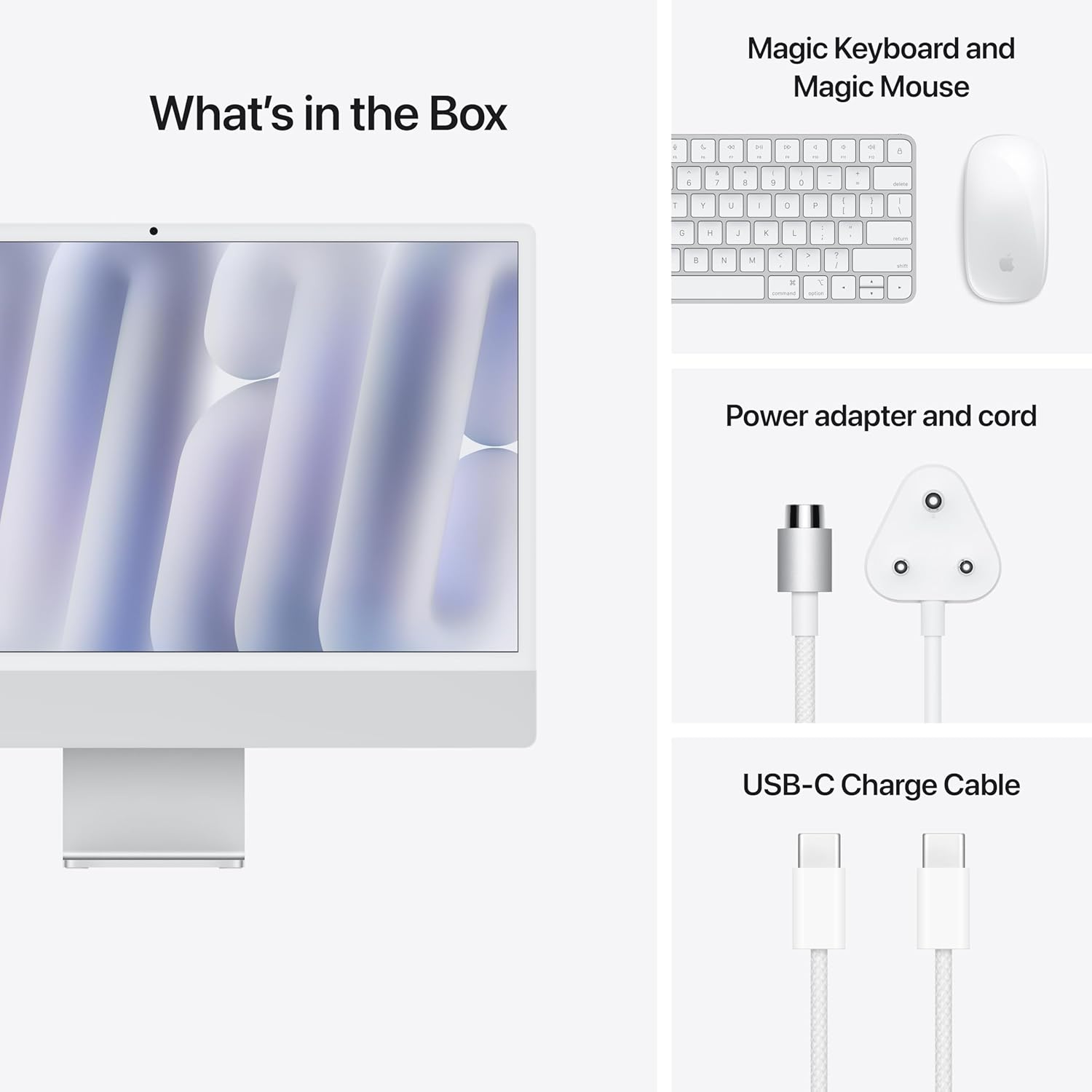
Image: What's in the Box - iMac, Magic Keyboard, Magic Mouse, Power Adapter, and USB-C Charge Cable.
2.2 Connecting Your iMac
- Place the iMac: Position your iMac on a stable, flat surface with adequate ventilation.
- เชื่อมต่อพลังงาน: Plug the power lead into the power adapter, then connect the adapter to the power port on the back of your iMac. Plug the other end of the power lead into a wall outlet.
- เชื่อมต่อคีย์บอร์ดและเมาส์: Your Magic Keyboard and Magic Mouse are typically pre-paired. If not, turn them on and follow the on-screen instructions to pair them via Bluetooth. Use the USB-C Charge Cable to charge them if needed.
- เปิดเครื่อง: Press the power button located on the back of the iMac, usually on the lower right side when viewเอ็ดจากด้านหน้า
2.3 Initial Setup (macOS)
Upon first startup, your iMac will guide you through the macOS setup assistant. This includes:
- Selecting your country or region.
- การเชื่อมต่อกับเครือข่าย Wi-Fi
- Transferring information to this Mac (optional).
- ลงชื่อเข้าใช้ด้วย Apple ID ของคุณ หรือสร้าง Apple ID ใหม่
- Setting up Touch ID (if applicable to your keyboard).
- Creating a computer account.
3. การใช้งาน iMac ของคุณ
3.1 macOS Basics
Your iMac runs on macOS, Apple's powerful and intuitive operating system. Familiarize yourself with the Dock, Finder, and System Settings to navigate and customize your experience.
3.2 ประสิทธิภาพด้วยชิป M4
The M4 chip provides exceptional performance for demanding applications. You will experience fast app launches, smooth multitasking, and efficient handling of graphics-intensive tasks.

ภาพ: จอแสดงผล iMacasing applications running efficiently with the M4 chip.
3.3 Apple Intelligence Features
Leverage Apple Intelligence for enhanced productivity and creativity. This system integrates across macOS to assist with tasks such as:
- เครื่องมือการเขียน: Improve your writing with features that help refine text, summarize content, and generate ideas.
- การสร้างภาพ: Create unique images and illustrations based on your descriptions.
- การรับรู้บริบท: Get relevant suggestions and assistance based on your current activity.

Image: iMac display demonstrating Apple Intelligence features within an email application.
4. การบำรุงรักษา
4.1 การทำความสะอาด iMac ของคุณ
To clean your iMac, first shut it down and disconnect the power cord. Use a soft, lint-free cloth slightly dampened with water to wipe the screen and exterior surfaces. Avoid using aerosol sprays, solvents, or abrasives.
4.2 การอัปเดตซอฟต์แวร์
Regularly check for and install macOS updates to ensure optimal performance, security, and access to the latest features. Go to การตั้งค่าระบบ > ทั่วไป > การอัปเดตซอฟต์แวร์.
4.3 การสำรองข้อมูล
It is recommended to regularly back up your data using Time Machine or another backup solution to prevent data loss.
5 การแก้ไขปัญหา
5.1 ปัญหาพลังงาน
- iMac does not turn on: Ensure the power cord is securely connected to both the iMac and a working power outlet. Try a different outlet if necessary.
- Display remains black: Check that the iMac is powered on. If it is, try adjusting the display brightness using the keyboard controls.
5.2 การเชื่อมต่ออุปกรณ์ต่อพ่วง
- แป้นพิมพ์/เมาส์ไม่ตอบสนอง: Ensure they are charged and turned on. Check Bluetooth settings in macOS to confirm they are paired. Re-pair if necessary.
- USB-C accessories not working: Ensure the accessory is compatible and properly connected to one of the iMac's USB-C ports.
5.3 ปัญหาซอฟต์แวร์
- Application not responding: Force quit the application by pressing Command + Option + Esc, then select the app and click Force Quit.
- iMac is slow or unresponsive: Restart your iMac. Ensure macOS is up to date and check for any background processes consuming excessive resources using Activity Monitor.
6. ข้อมูลจำเพาะ
| คุณสมบัติ | ข้อมูลจำเพาะ |
|---|---|
| ยี่ห้อ | แอปเปิล |
| ชื่อรุ่น | iMac 24-inch (M4, 2024) |
| หมายเลขรุ่น | MWUC3HN/A |
| ระบบปฏิบัติการ | ระบบปฏิบัติการ Mac |
| รุ่นซีพียู | Apple M4 (8-core CPU, 8-core GPU) |
| ขนาดหน้าจอ | 24 นิ้ว (60.96 ซม.) |
| ประเภทจอภาพ | 4.5K Retina Display |
| ขนาดหน่วยความจำ RAM ที่ติดตั้ง | 16GB Unified Memory (Configurable up to 32GB) |
| คำอธิบายฮาร์ดดิสก์ | SSD (256GB Storage) |
| คำอธิบายการ์ดจอ | Integrated (8-core GPU) |
| ขนาดรายการ (LxWxH) | 14.7 x 54.7 x 46.1 เซนติเมตร |
| น้ำหนักสินค้า | 4.42 กิโลกรัม |
| ส่วนประกอบที่รวมอยู่ | iMac, Keyboard, Mouse, Power lead and power adapter, USB-C Charge Cable |
| UPC / GTIN | 195949591488 |
7. การรับประกันและการสนับสนุน
7.1 ข้อมูลการรับประกัน
Your Apple 2024 iMac comes with an การรับประกันแบบ จำกัด เงื่อนไขหนึ่ง (1) ปีของ Apple. This warranty covers manufacturing defects and hardware malfunctions under normal use. For full terms and conditions, please refer to the warranty documentation included with your product or visit the official Apple support webเว็บไซต์.
7.2 การสนับสนุนลูกค้า
For technical assistance, service, or additional information, please contact Apple Support through their official website or authorized service centers. You can find contact details and support resources at support.apple.com.