
คำแนะนำด้านความปลอดภัยที่สำคัญ
Before using this elliptical trainer, please read all instructions carefully. Keep this manual for future reference.
- ปรึกษาแพทย์ก่อนเริ่มโปรแกรมการออกกำลังกาย
- เก็บเด็กและสัตว์เลี้ยงให้ห่างจากอุปกรณ์ระหว่างการใช้งาน
- Place the elliptical on a level surface with adequate clearance around it.
- ควรสวมใส่ชุดออกกำลังกายและรองเท้ากีฬาที่เหมาะสม
- ห้ามใช้งานเกินน้ำหนักผู้ใช้สูงสุด 113 กิโลกรัม (250 ปอนด์)
- ตรวจสอบอุปกรณ์ว่ามีชิ้นส่วนใดสึกหรอหรือหลวมหรือไม่ก่อนใช้งานทุกครั้ง ห้ามใช้หากอุปกรณ์ชำรุดเสียหาย
- ตรวจสอบให้แน่ใจว่าขันสลักเกลียวและน็อตทั้งหมดให้แน่นหนาดี
- หยุดออกกำลังกายทันทีหากคุณรู้สึกจะเป็นลม เวียนศีรษะ หรือมีความเจ็บปวด
- Use the elliptical only for its intended purpose as described in this manual.
เนื้อหาแพ็คเกจ
ตรวจสอบว่าส่วนประกอบทั้งหมดอยู่ครบก่อนเริ่มประกอบ:
- คอนโซล
- คู่มือการใช้งาน (เอกสารนี้)
- ชุดเครื่องมือ
- ประกอบมู่เล่
- ส่วนประกอบเฟรมหลัก
- Pedals and Arms
- ตัวกันโคลง
หากมีชิ้นส่วนใดสูญหายหรือเสียหาย โปรดติดต่อฝ่ายสนับสนุนลูกค้าทันที
การติดตั้งและการประกอบ
Assembly typically requires two people. Follow the detailed instructions provided in the included assembly guide. The tool kit contains necessary wrenches and an Allen key. A Phillips head screwdriver (not included) may also be required.
- การแกะกล่อง: Carefully remove all components from the packaging. Place them on a clear, level surface. Retain packaging materials until assembly is complete.
- ขั้นตอนการติดตั้งตัวกันสั่น: ติดตั้งเหล็กกันโคลงด้านหน้าและด้านหลังเข้ากับโครงหลักโดยใช้สลักเกลียวและแหวนรองที่ให้มา
- การประกอบแบบตั้งตรง: Secure the upright post to the main frame. Ensure all wiring connections are properly routed and connected as per the assembly guide.
- Pedal Arms and Pedals: Attach the pedal arms to the flywheel mechanism and then secure the foot pedals to the pedal arms. Pay attention to left and right markings.
- การเชื่อมต่อคอนโซล: Connect the console wiring to the upright post's wiring. Mount the console securely to the upright post.
- การตรวจสอบขั้นสุดท้าย: Before first use, ensure all bolts, nuts, and connections are tight and secure. Test the movement of the pedals and handlebars for smooth operation.

Image: The ProForm Sport Elliptical fully assembled, illustrating its compact design and key structural components. Dimensions are approximately 150 cm (length) x 65 cm (width) x 156 cm (height).

Image: A user tilting the elliptical to engage the front transport wheels, demonstrating how to easily move the machine for storage or repositioning.
คำแนะนำการใช้งาน
คอนโซลโอเวอร์view
The console features a 5-inch LCD display, resistance control buttons, and a device holder. It provides real-time workout data and allows for iFIT integration.

ภาพ: รายละเอียด view of the console, highlighting the 5-inch (12.7 cm) LCD display, resistance buttons (1-20), tablet holder, and integrated 2-inch (5 cm) Bluetooth enabled speakers.
ปรับความต้านทาน
The ProForm Sport Elliptical features 20 levels of digital magnetic resistance. This Silent Magnetic Resistance (SMR) system provides a smooth and quiet workout.
- การปรับด้วยตนเอง: Use the '+' and '-' buttons on the console to increase or decrease the resistance level during your workout.
- Quick Resistance Buttons: The console also features quick-select buttons (1-20) to jump directly to a desired resistance level.
Using iFIT
The elliptical is designed for seamless integration with the iFIT platform, offering a personalized training experience.
- เชื่อมต่ออุปกรณ์ของคุณ: Place your smartphone or tablet on the integrated device holder. Connect your device to the elliptical via Bluetooth.
- iFIT App: Download and open the iFIT app on your device. An iFIT membership is required to access the full library of workouts.
- การออกกำลังกายส่วนบุคคล: iFIT offers over 10,000 on-demand workouts led by expert trainers. The SmartAdjust™ technology automatically adjusts the elliptical's resistance to match the workout intensity and your fitness level.
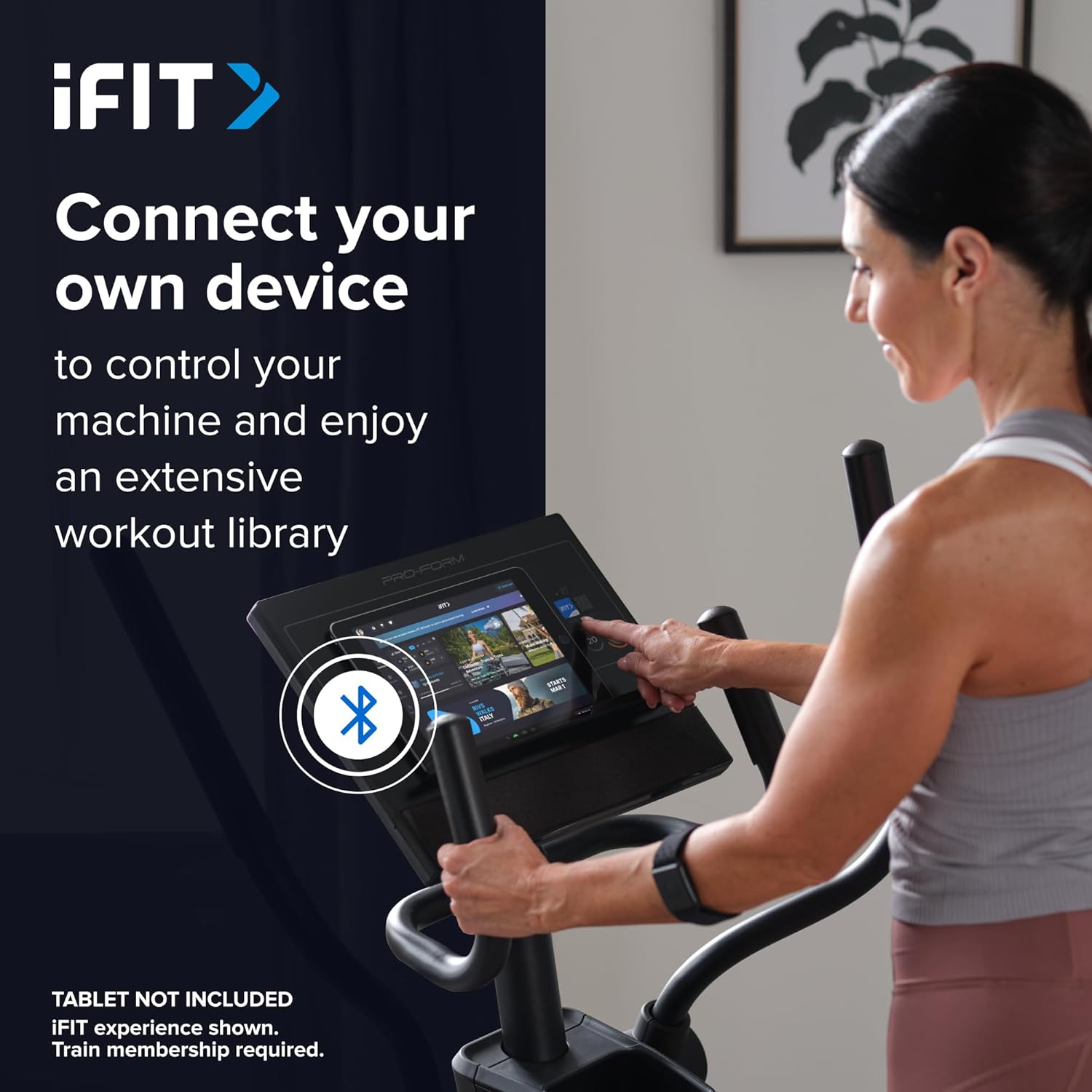
Image: A user connecting a tablet to the elliptical's console, demonstrating how to use a personal device to control the machine and access the iFIT workout library.
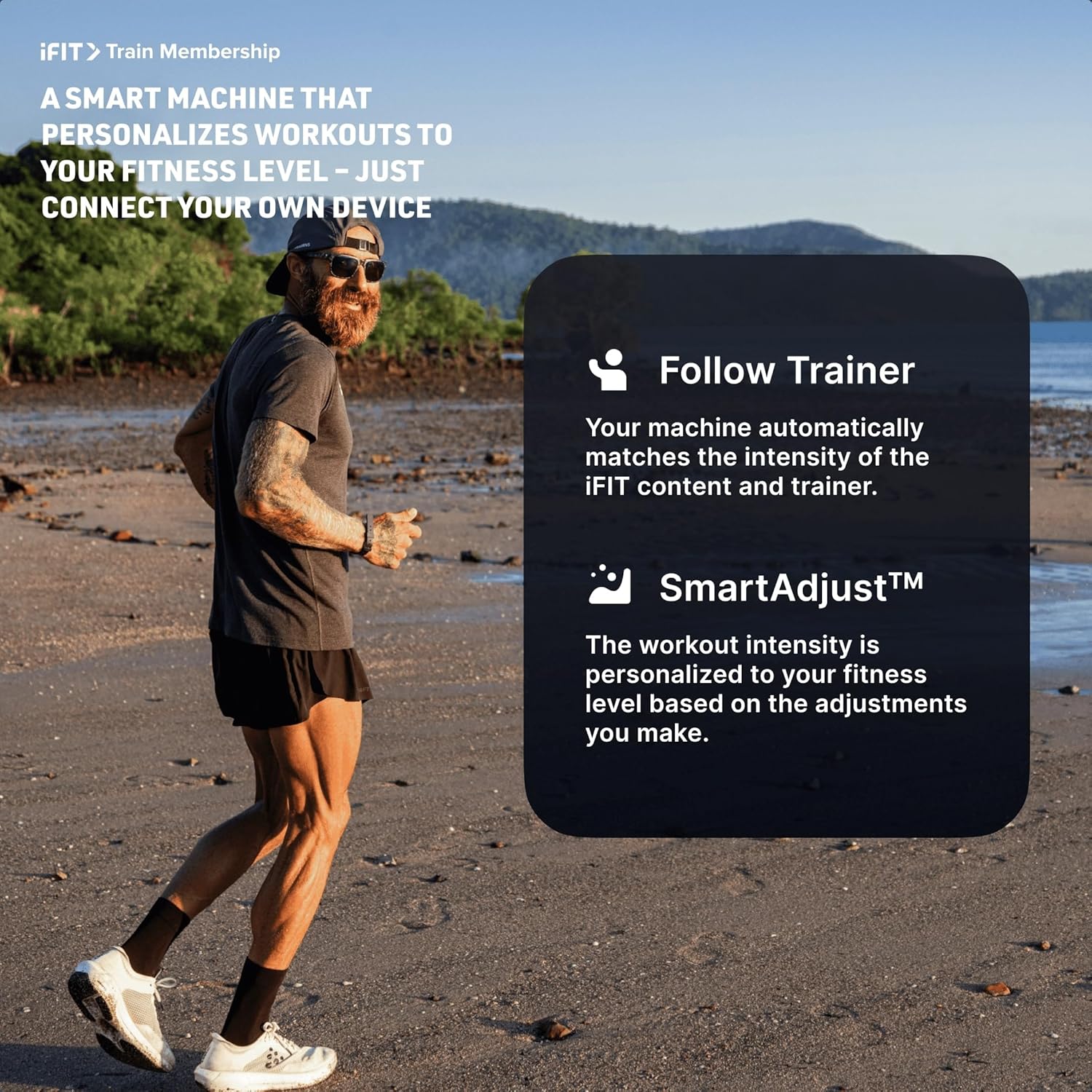
Image: An illustration detailing iFIT Train Membership benefits, including the 'Follow Trainer' feature where the machine adjusts to match trainer intensity, and 'SmartAdjust™' for personalized workout intensity based on fitness level.
การเชื่อมต่อบลูทูธ
The elliptical's console includes Bluetooth-enabled speakers. You can connect your personal device to play audio directly through the elliptical's speakers.
- การจับคู่: เปิดใช้งานบลูทูธบนอุปกรณ์ของคุณ ค้นหา the elliptical's Bluetooth name (usually "ProForm Elliptical" or similar) and pair.
- การเล่นเสียง: Once paired, audio from your device will play through the elliptical's 2-inch (5 cm) speakers.
การซ่อมบำรุง
Regular maintenance ensures the longevity and optimal performance of your ProForm Sport Elliptical.
- การทำความสะอาด: เช็ดทำความสะอาดเครื่องออกกำลังกายแบบวงรีหลังการใช้งานทุกครั้งด้วยผ้าชุบน้ำยาฆ่าเชื้อamp ใช้ผ้าเช็ดทำความสะอาดเพื่อขจัดเหงื่อและฝุ่นละออง หลีกเลี่ยงการใช้สารทำความสะอาดที่มีฤทธิ์กัดกร่อนหรือตัวทำละลาย
- การตรวจสอบ: Periodically check all bolts, nuts, and moving parts for tightness and wear. Tighten any loose fasteners. Replace worn parts immediately.
- การหล่อลื่น: Refer to the detailed assembly guide for specific lubrication points and recommended lubricants, if any.
- พื้นที่จัดเก็บ: เก็บเครื่องออกกำลังกายแบบวงรีไว้ในที่แห้งและสะอาด หลีกเลี่ยงอุณหภูมิที่สูงหรือต่ำเกินไป และแสงแดดโดยตรง
การแก้ไขปัญหา
| ปัญหา | สาเหตุที่เป็นไปได้ | สารละลาย |
|---|---|---|
| เครื่องเล่นเกมเปิดไม่ติด | Power adapter not connected; power outlet issue; console wiring loose. | Ensure power adapter is fully plugged into the elliptical and a working outlet. Check console wiring connections. |
| Elliptical makes noise during use. | Loose bolts or components; parts requiring lubrication; worn bearings. | Inspect and tighten all visible bolts and nuts. Refer to the assembly guide for lubrication points. If noise persists, contact customer support. |
| ค่าความต้านทานไม่เปลี่ยนแปลง | Console malfunction; internal resistance mechanism issue. | Ensure console is properly connected. If using iFIT, check app connection. If problem persists, contact customer support. |
| ไม่สามารถเชื่อมต่อเสียงผ่านบลูทูธได้ | Device Bluetooth off; elliptical not in pairing mode; interference. | Ensure Bluetooth is enabled on your device. Restart both device and elliptical. Try pairing again. Move closer to the elliptical. |
ข้อมูลจำเพาะ
| ชื่อรุ่น : | ProForm Sport Elliptical |
| หมายเลขรุ่น: | PFEL54925-INT |
| ยี่ห้อ: | โปรฟอร์ม |
| ขนาด (ยาว x กว้าง x สูง): | 150 ซม. x 65 ซม. x 156 ซม. (59.1 นิ้ว x 25.6 นิ้ว x 61.4 นิ้ว) |
| น้ำหนักสินค้า: | 52.7 กก. (116.2 ปอนด์) |
| น้ำหนักผู้ใช้สูงสุด: | 113 กก. (250 ปอนด์) |
| กลไกการต้านทาน: | Magnetic (Silent Magnetic Resistance - SMR) |
| ระดับความต้านทาน: | 20 ระดับดิจิทัล |
| ความยาวก้าว: | 40.6 ซม. (16 นิ้ว) |
| แสดง: | จอ LCD ขนาด 5 นิ้ว |
| การเชื่อมต่อ: | Bluetooth (for iFIT and audio) |
| ส่วนประกอบที่รวมอยู่: | Console, User Manual, Tool Kit, Flywheel |
ข้อมูลการรับประกัน
Your ProForm Sport Elliptical is covered by the following warranty:
- กรอบ: 8 years contractual warranty (total 10 years).
- อะไหล่และแรงงาน: 2 years legal warranty.
*The extended frame warranty is valid only if the product registration is completed on https://ifitsupport.eu/it/product-registration ภายใน 28 วันหลังส่งสินค้า
โปรดเก็บหลักฐานการซื้อของคุณไว้เพื่อเรียกร้องการรับประกัน
การสนับสนุนลูกค้า
For technical assistance, warranty claims, or to order replacement parts, please contact ProForm customer support.
Refer to the contact information provided with your purchase or visit the official ProForm webเข้าชมเว็บไซต์เพื่อดูรายละเอียดการสนับสนุนในภูมิภาคของคุณ
When contacting support, please have your model number (PFEL54925-INT) and serial number ready.