
1. บทนำ
This manual provides essential information for the safe and effective use of your Positive Grid Spark 2 Smart Guitar Practice Amplifier. Please read all instructions carefully before operating the device.
2. ข้อมูลด้านความปลอดภัยที่สำคัญ
Always follow basic safety precautions when using electrical products to reduce the risk of fire, electric shock, and injury to persons.
- อย่าให้เครื่องนี้โดนฝนหรือความชื้น
- ห้ามใช้อุปกรณ์นี้ใกล้น้ำ
- ทำความสะอาดด้วยผ้าแห้งเท่านั้น
- อย่าปิดกั้นช่องระบายอากาศใดๆ ติดตั้งตามคำแนะนำของผู้ผลิต
- ห้ามติดตั้งใกล้แหล่งความร้อน เช่น หม้อน้ำ เครื่องทำความร้อน เตา หรืออุปกรณ์อื่น ๆ (รวมถึง ampเครื่องให้ความร้อน) ที่ผลิตความร้อน
- ปกป้องสายไฟไม่ให้ถูกเหยียบหรือถูกหนีบ โดยเฉพาะที่ปลั๊ก เต้ารับไฟฟ้า และจุดที่สายไฟออกจากเครื่อง
- ใช้เฉพาะอุปกรณ์เสริม/สิ่งที่แนบตามที่ผู้ผลิตกำหนดเท่านั้น
- ถอดปลั๊กอุปกรณ์นี้ในระหว่างพายุฝนฟ้าคะนองหรือเมื่อไม่ได้ใช้งานเป็นเวลานาน
- แจ้งบริการทั้งหมดให้ช่างที่ผ่านการรับรองทราบ จำเป็นต้องให้บริการเมื่ออุปกรณ์ได้รับความเสียหายในลักษณะใดก็ตาม เช่น สายไฟหรือปลั๊กชำรุด ของเหลวหกหรือมีวัตถุตกลงไปในอุปกรณ์ อุปกรณ์โดนฝนหรือความชื้น ไม่สามารถทำงานได้ตามปกติ หรือตกหล่น
3. เนื้อหาบรรจุภัณฑ์
ตรวจสอบว่ามีรายการทั้งหมดอยู่ในแพ็คเกจ:
- Positive Grid Spark 2 Ampชีวิต
- Spark 2 Carry Bag
- อะแดปเตอร์แปลงไฟ
- สาย USB-C
- คู่มือเริ่มต้นอย่างรวดเร็ว
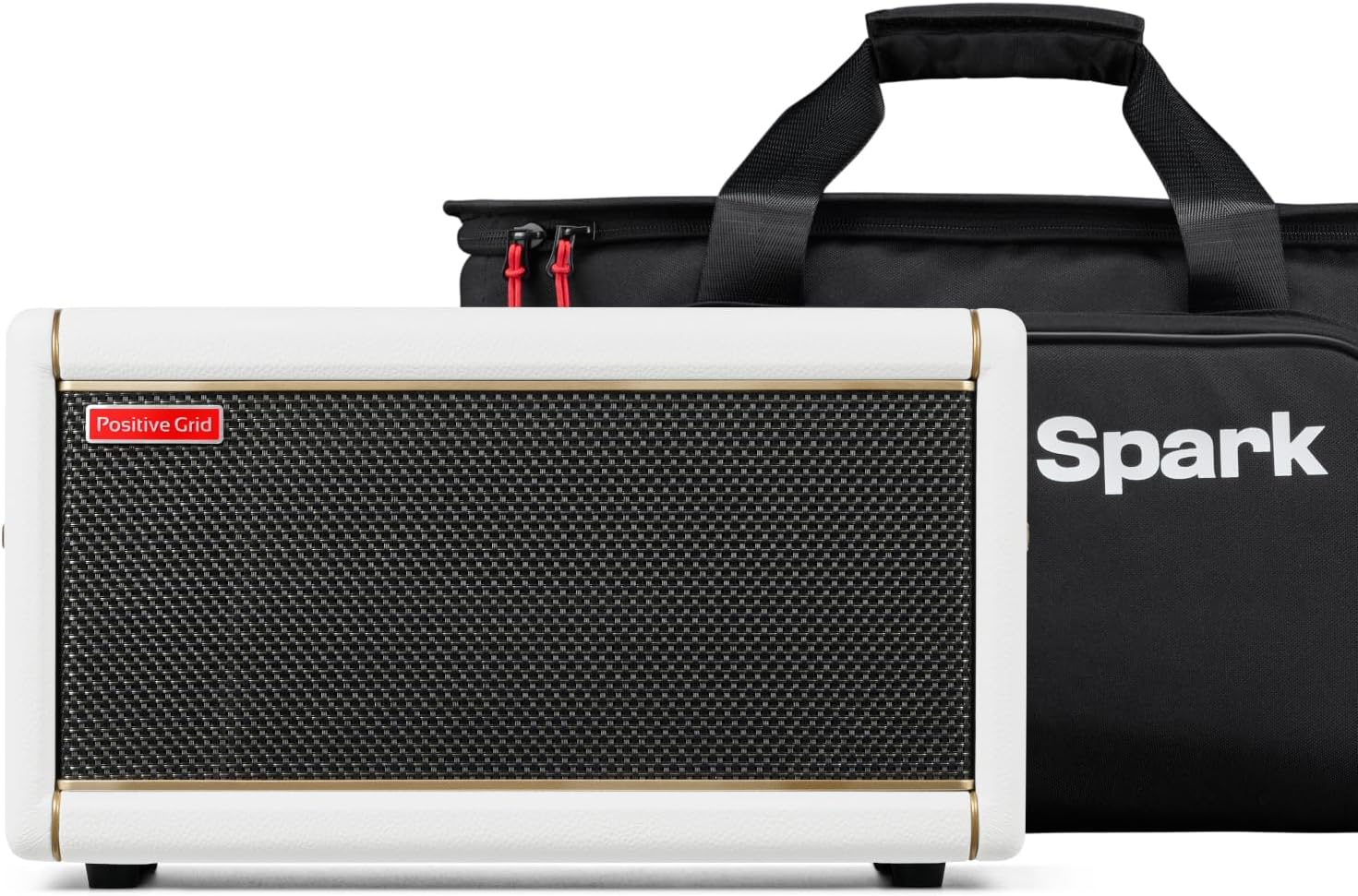
This image displays the Spark 2 amplifier in its Pearl finish, accompanied by the custom-designed black carry bag. The amplifier features a white casing with gold piping and a black speaker grille. The carry bag has the "Spark" logo prominently displayed.
4. การตั้งค่า
4.1 การแกะกล่องและการตรวจสอบเบื้องต้น
Carefully remove all components from the packaging. Inspect the amplifier and accessories for any signs of damage. Retain packaging for future transport or storage.
This video demonstrates the unboxing process of the Spark 2 amplifier. It shows the amplifier being carefully removed from its packaging, highlighting the protective materials and the included accessories such as the power cord and USB cable. The video also provides a first look at the amplifier's design and controls.
4.2 การเชื่อมต่อสายไฟ
Connect the provided power adapter to the DC IN port on the rear of the Spark 2 ampต่อปลายอีกด้านเข้ากับเต้ารับไฟฟ้าที่เหมาะสม

The image details the rear connectivity of the Spark 2, including the DC IN (20V === 3.25A), USB-C, AUX IN, LINE OUT (L/MONO, R), and PAIR buttons. This panel allows for power input, digital audio connection, external audio input, and stereo output to other devices.
4.3 การเชื่อมต่ออุปกรณ์
Plug your electric, acoustic, or bass guitar into the INPUT jack on the top panel of the ampชีวิต.
4.4 การจับคู่บลูทูธ
To connect your mobile device to the Spark 2 via Bluetooth:
- Turn on the Spark 2 amplifier โดยกดปุ่ม POWER
- On your mobile device, enable Bluetooth and search for "Spark 2".
- Select "Spark 2" to pair. A successful connection will be indicated by the Bluetooth LED on the ampชีวิต.
วิดีโอนี้ให้ข้อมูลทั่วไปเกี่ยวกับview of the Spark 2 amplifier, demonstrating its physical controls, input/output options, and how to connect it to a mobile device via Bluetooth. It highlights the ease of use and the integration with the Spark app for tone customization.
5. คู่มือการใช้งาน
5.1 แผงควบคุมด้านหน้า
The top panel of the Spark 2 features various knobs and buttons for direct control over your sound:
- ตั้งค่าล่วงหน้า: Rotate to select one of the four onboard presets. Press and hold to save current settings to the selected preset slot.
- ได้รับ: ปรับระดับเกนของสัญญาณอินพุต ซึ่งส่งผลต่อปริมาณความผิดเพี้ยนของสัญญาณ
- เบส, กลาง, แหลม: วงจรปรับโทนเสียงสำหรับความถี่ต่ำ กลาง และสูง
- MASTER: ควบคุมปริมาณการส่งออกโดยรวมของ ampชีวิต.
- MOD, DELAY, REVERB: Controls for modulation, delay, and reverb effects.
- ระดับเสียงดนตรี: Adjusts the volume of Bluetooth audio playback.
- REC/DUB, PLAY/PAUSE, STOP, TAP: Controls for the built-in looper and tuner functions.

This image provides a close-up of the Spark 2's top panel, showcasing the gold-colored knobs for Preset, Gain, Bass, Mid, Treble, Master, Mod, Delay, Reverb, and Music Volume. It also shows the buttons for Power, Bluetooth status, Looper controls (REC/DUB, Play/Pause, Stop), and Tuner/Tap Tempo.
5.2 Using the Spark App
The Spark app (available for iOS and Android) unlocks the full potential of your Spark 2 amplifier. Connect via Bluetooth to access a vast library of tones, effects, and learning tools.
- Tone Engine: ปรับแต่งของคุณ amp models and effects pedals virtually.
- Spark AI: Describe your desired tone, and the AI will generate matching presets.
- Smart Jam: The app listens to your playing and generates bass and drum tracks to jam along with.
- Auto Chords: Displays chords in real-time for songs streamed from YouTube or other platforms.
- ToneCloud: Access a global community library of user-created tones.
This video, though featuring the Spark MINI, illustrates the core functionalities of the Spark app, which are largely consistent across Spark models. It demonstrates how to browse and select different amp models and effects, adjust parameters, and utilize features like Smart Jam and ToneCloud for an enhanced practice experience.

This image shows the comprehensive virtual pedalboard and amplifier interface within the Spark app. Users can select from numerous amp models and individual effects pedals, each with adjustable parameters, to craft their desired guitar tones. The visual representation mimics physical gear for intuitive control.
6. การบำรุงรักษา
To ensure the longevity and optimal performance of your Spark 2 ampเครื่องฟอก:
- รักษาความสะอาดของเครื่องและกำจัดฝุ่น ใช้ผ้าแห้งนุ่มๆ ในการทำความสะอาด
- หลีกเลี่ยงการเปิดเผย ampไลไฟเออร์ที่อุณหภูมิหรือความชื้นสูงเกินไป
- ห้ามซ่อมแซมเครื่องด้วยตนเอง โปรดส่งต่อเครื่องให้ช่างผู้ชำนาญการเป็นผู้ดำเนินการซ่อมแซม
- When transporting, use the dedicated Spark 2 Carry Bag to protect the amplifier from physical damage.

This image shows the Spark 2 amplifier nestled within its custom carry bag, demonstrating the snug fit and protective design. The bag features internal straps to secure the amp and additional compartments for accessories, ensuring safe transport.
7 การแก้ไขปัญหา
| ปัญหา | สาเหตุที่เป็นไปได้ | สารละลาย |
|---|---|---|
| ไม่มีเสียงจาก ampชีวิต. | Power not connected, amplifier off, volume low, instrument cable faulty, instrument volume low. | Check power connection, turn on amplifier, increase MASTER volume, test instrument cable, increase instrument volume. |
| บลูทูธไม่เชื่อมต่อ | Bluetooth not enabled on device, Spark 2 not in pairing mode, interference. | Ensure Bluetooth is on, press PAIR button on Spark 2, move closer to amplifier, reduce interference. |
| แอปไม่ตอบสนอง | App crash, outdated app version, poor Bluetooth connection. | Restart the app, update to the latest app version, re-establish Bluetooth connection. |
| เสียงรบกวนที่ผิดเพี้ยนหรือไม่พึงประสงค์ | High GAIN setting, faulty cable, ground loop. | Reduce GAIN, test different cables, use a ground loop isolator if necessary. |
8. ข้อมูลจำเพาะ
- เอาท์พุต วัดtage: 50 วัตต์
- อุปกรณ์ที่รองรับ: Guitar, Bass Guitar
- วัสดุ: พลาสติก
- สี: Black (Pearl finish)
- การเชื่อมต่อ: Bluetooth, USB-C, AUX IN, Line Out
- คุณสมบัติ: Sonic IQ Computational Audio, Built-in Creative Groove Looper, HD Amp Models, AI Tone Generation, Smart Jam, Auto Chords, ToneCloud.
9. การรับประกันและการสนับสนุน
Positive Grid products come with a limited warranty. For detailed warranty information, product registration, and technical support, please visit the official Positive Grid webเว็บไซต์หรือติดต่อฝ่ายบริการลูกค้าของพวกเขา
เป็นทางการ Webเว็บไซต์: Positive Grid Store