
1. บทนำ
ขอบคุณสำหรับการซื้อasing the Bemkia H16 4K 48MP Digital Camera. This manual provides essential information for setting up, operating, and maintaining your camera. Please read it thoroughly before use to ensure optimal performance and longevity of your device.

Image: The Bemkia H16 camera, showcasing its compact size (104mm x 66mm) and 2.8-inch IPS screen, alongside a smartphone for scale. This image highlights the camera's portability and ease of carrying.
2. เนื้อหาบรรจุภัณฑ์
กรุณาตรวจสอบแพ็คเกจสำหรับรายการต่อไปนี้:
- Bemkia H16 Digital Camera
- 64GB Memory Card (SD Card)
- เครื่องอ่านการ์ด
- สาย USB-C (สำหรับชาร์จและถ่ายโอนข้อมูล)
- สายคล้องคอ
- คู่มือการใช้งาน (เอกสารนี้)
3. Camera Layout
ทำความคุ้นเคยกับปุ่มและพอร์ตต่างๆ ของกล้อง:
- ปุ่มเปิด/ปิด: เปิด/ปิดกล้อง
- ปุ่มชัตเตอร์: Half-press to focus, full-press to take a photo.
- ปุ่มหมุน/ปุ่มเลือกโหมด: สลับระหว่างโหมดภาพถ่าย วิดีโอ และการเล่น
- คันโยกซูม (W/T): Adjusts digital zoom (Wide/Telephoto).
- ปุ่มเมนู: เข้าถึงการตั้งค่ากล้อง
- แผ่นทิศทาง: นำทางเมนูและเลือกตัวเลือก
- Display (DISP) Button: การเปลี่ยนแปลงข้อมูลที่แสดง
- ไฟเติม LED: ให้แสงสว่างเพิ่มเติมในสภาวะแสงน้อย
- พอร์ต USB-C: สำหรับชาร์จไฟและเชื่อมต่อกับคอมพิวเตอร์
- ช่องเสียบการ์ด SD: Insert the memory card here.
- ช่องใส่แบตเตอรี่: ใส่แบตเตอรี่แบบชาร์จไฟได้
4. การตั้งค่า
4.1. การชาร์จแบตเตอรี่
- เปิดฝาช่องใส่แบตเตอรี่
- ใส่แบตเตอรี่แบบชาร์จไฟได้ โดยตรวจสอบให้แน่ใจว่าใส่ขั้วถูกต้อง
- ปิดฝาช่องใส่แบตเตอรี่
- Connect the camera to a USB power adapter (not included) or a computer using the provided USB-C cable.
- The charging indicator will illuminate. It will turn off or change color once charging is complete.
4.2. การใส่การ์ด SD
- ค้นหาช่องเสียบการ์ด SD บนกล้อง
- เสียบการ์ด SD ขนาด 64GB โดยให้ด้านที่เป็นโลหะหันไปในทิศทางที่ถูกต้อง (โปรดดูแผนภาพที่อยู่ใกล้ช่องเสียบ)
- Push the card gently until it clicks into place. To remove, push it again until it springs out.
5. การใช้งานกล้อง
5.1. เปิด/ปิดเครื่อง
กดปุ่มค้างไว้ ปุ่มเปิดปิด เพื่อเปิดหรือปิดกล้อง
5.2.การถ่ายภาพ
- ตรวจสอบให้แน่ใจว่ากล้องอยู่ในโหมดภาพถ่าย
- จัดกรอบภาพของคุณโดยใช้หน้าจอ IPS ขนาด 2.8 นิ้ว
- กดครึ่งหนึ่ง ปุ่มชัตเตอร์ to activate autofocus. The focus indicator will turn green when focused.
- กดให้สุด ปุ่มชัตเตอร์ to capture the image.

Image: A child holding the Bemkia H16 camera, demonstrating the autofocus feature by half-pressing the shutter button. The image also illustrates the 16X digital zoom capability with examples of 4X, 8X, and 16X zoom levels.
5.3. บันทึกวิดีโอ
- เปลี่ยนกล้องเป็นโหมดวิดีโอ
- กดปุ่ม ปุ่มชัตเตอร์ to start recording. A red recording indicator will appear on the screen.
- กดปุ่ม ปุ่มชัตเตอร์ อีกครั้งเพื่อหยุดการบันทึก

Image: A visual comparison demonstrating the superior clarity of 48MP images over 30MP and 4K video resolution over 2.7K, highlighting the camera's high-quality output for both photos and videos.
5.4. ดิจิตอลซูม
ใช้ Zoom Lever (W/T) to digitally zoom in (T) or out (W) up to 16X.
5.5. ไฟส่องสว่าง LED
In low-light conditions, activate the built-in ไฟ LED เติม via the menu settings to enhance brightness for photos and videos.

Image: Demonstrates the effect of the LED Fill Light in a dark environment, showing a brighter image when 'on' compared to 'off'. Also illustrates the Anti-Shake function, comparing a blurry image (off) with a clear image (on) during movement.
5.6. ฟังก์ชันป้องกันการสั่น
The camera features a digital anti-shake function to reduce blur caused by camera movement. Enable this feature in the camera settings for clearer shots, especially during handheld recording.
5.7. Other Functions (Menu Settings)
กดปุ่ม ปุ่มเมนู to access settings for:
- ตั้งเวลาถ่ายเอง: ตั้งค่าหน่วงเวลาก่อนถ่ายภาพ (เช่น 2 วินาที, 5 วินาที, 10 วินาที)
- การจดจำใบหน้า: Automatically detects and focuses on faces.
- ถ่ายภาพต่อเนื่อง: ถ่ายภาพหลายภาพติดต่อกันอย่างรวดเร็ว
- Image Quality/Resolution: Adjust photo and video resolution.
- การชดเชยแสง: Adjust brightness of images.
- สมดุลแสงขาว: ปรับอุณหภูมิสี
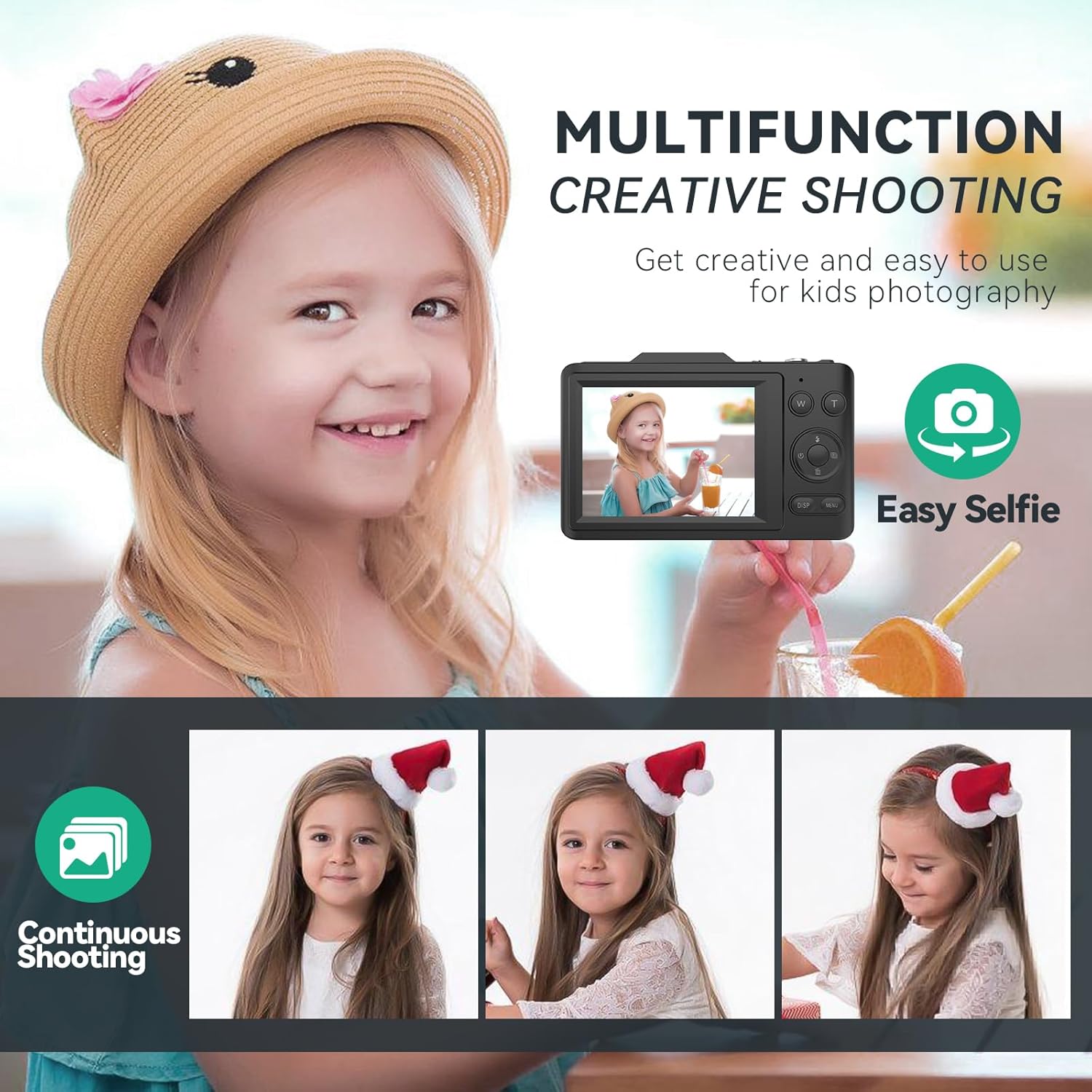
Image: A young girl smiling, illustrating the camera's 'Easy Selfie' function. Below, three sequential photos of a child demonstrate the 'Continuous Shooting' mode, capturing a series of moments.
6. การเชื่อมต่อกับคอมพิวเตอร์
วิธีโอนรูปภาพและวิดีโอไปยังคอมพิวเตอร์ของคุณ:
- ตรวจสอบให้แน่ใจว่ากล้องเปิดอยู่
- เชื่อมต่อกล้องเข้ากับคอมพิวเตอร์โดยใช้สาย USB-C ที่ให้มา
- The camera should appear as a removable disk or device on your computer.
- เปิดโฟลเดอร์ของกล้องเพื่อเข้าถึงและถ่ายโอนข้อมูลของคุณ files.
- Alternatively, you can remove the SD card and use the included card reader to transfer files directly to your computer.
7. การบำรุงรักษา
- ทำความสะอาดเลนส์กล้องโดยใช้ผ้าเนื้อนุ่มที่ไม่เป็นขุย หลีกเลี่ยงวัสดุที่มีฤทธิ์กัดกร่อน
- อย่าตั้งกล้องไว้ในที่ที่มีอุณหภูมิสูง ความชื้นสูง หรือแสงแดดโดยตรงเป็นเวลานาน
- หลีกเลี่ยงการทำกล้องตกหรือได้รับแรงกระแทกรุนแรง
- When not in use, store the camera in a dry, cool place.
- Remove the battery if the camera will not be used for a long time.
8 การแก้ไขปัญหา
| ปัญหา | สาเหตุที่เป็นไปได้ | สารละลาย |
|---|---|---|
| กล้องไม่สามารถเปิดได้ | แบตเตอรี่เหลือน้อยหรือใส่ไม่ถูกต้อง | ชาร์จแบตเตอรี่ให้เต็ม ตรวจสอบให้แน่ใจว่าใส่แบตเตอรี่โดยใส่ขั้วที่ถูกต้อง |
| ไม่สามารถถ่ายภาพ/วิดีโอได้ | SD card is full, locked, or not inserted. | Insert a formatted SD card. Unlock the SD card. Delete unnecessary files. |
| ภาพมีความเบลอ | กล้องสั่น ภาพไม่ชัด หรือเลนส์สกปรก | Hold the camera steady. Half-press shutter to focus. Enable anti-shake. Clean the lens. |
| ไม่สามารถโอนได้ fileไปที่คอมพิวเตอร์ | USB cable issue, camera not recognized. | Ensure USB-C cable is securely connected. Try a different USB port. Restart camera and computer. Use the card reader. |
9. ข้อมูลจำเพาะ
| คุณสมบัติ | ข้อมูลจำเพาะ |
|---|---|
| ยี่ห้อ | เบมเกีย |
| ชื่อรุ่น | H16 |
| ความละเอียดของภาพ | 48 ล้านพิกเซล |
| ความละเอียดวิดีโอ | 4K ยูเอชดี |
| ซูมดิจิตอล | 16X |
| ขนาดหน้าจอ | จอ IPS ขนาด 2.8 นิ้ว |
| เซ็นเซอร์รับภาพ | CMOS, 1/2-inch |
| ระบบป้องกันภาพสั่นไหว | ดิจิตอล |
| File รูปแบบ | JPEG (Images) |
| อัตราส่วนภาพ | 4:3 น. |
| ขนาด (โดยประมาณ) | 2 x 10 x 6 ซม. |
| น้ำหนัก (โดยประมาณ) | 310 กรัม |
10. การรับประกันและการสนับสนุน
For warranty information and technical support, please refer to the contact details provided with your purchase or visit the official Bemkia webไซต์นี้ โปรดเก็บหลักฐานการซื้อไว้เพื่อใช้ยืนยันการรับประกัน