
1. สินค้าหมดview
The XFOX Tuya Zigbee Door and Window Sensor is a compact, wireless contact sensor designed to enhance your home's security and smart automation capabilities. It operates by detecting the opening and closing status of doors and windows, providing real-time alerts and enabling integration with your smart home ecosystem.
This sensor requires a Tuya Zigbee hub for operation and is compatible with popular voice assistants such as Amazon Alexa and Google Assistant, allowing for convenient control and status inquiries.

Figure 1.1: XFOX Tuya Zigbee Door and Window Sensor components.
2. คุณสมบัติหลัก
- Wireless Intelligent Connection: Utilizes Tuya Zigbee 3.0 technology for easy integration with a Tuya smart home system via a compatible Zigbee gateway. No complex wiring is required.
- Real-time Alarm Push: Monitors the opening and closing status of doors and windows, sending instant push notifications to your mobile application upon detecting abnormal movement.
- ความเข้ากันได้ของการควบคุมด้วยเสียง: Supports voice commands through Amazon Alexa and Google Assistant for status inquiries and linking with other smart devices to create automated security scenes.
- การบำรุงรักษาต่ำ: Designed for low power consumption, offering extended battery life with 2x AAA batteries (not included), reducing the frequency of battery replacement.
- Invisible and Slim Design: Features a mini, compact design with dual mounting options (3M adhesive sticker or screws) for discreet installation on doors and windows, preserving home aesthetics.
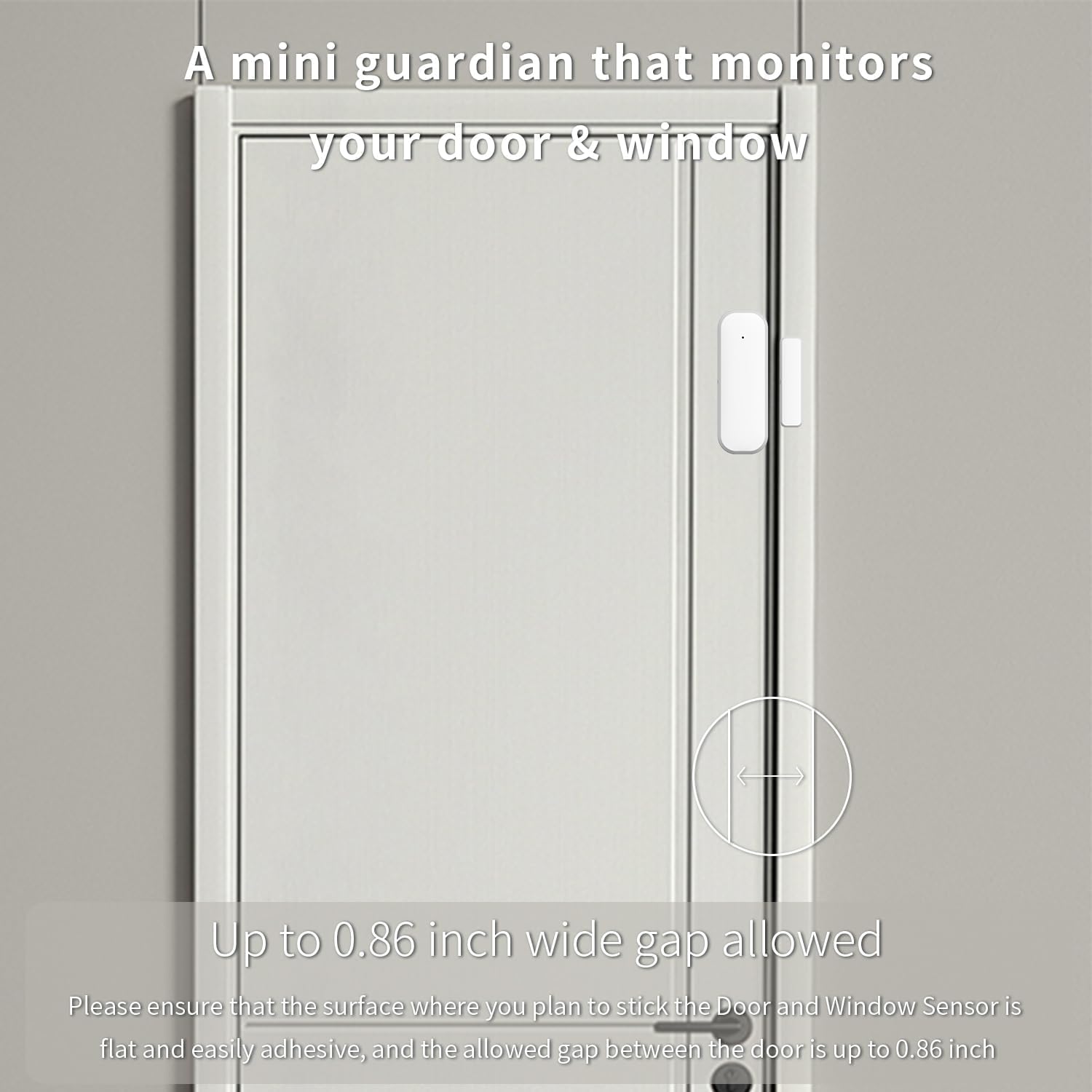
Figure 2.1: The sensor acts as a mini guardian for doors and windows.

รูปที่ 2.2: อดีตamples of sensor placement on drawers, doors, and windows.
3. เนื้อหาบรรจุภัณฑ์
- 1 x XFOX Tuya Zigbee Door/Window Sensor (Main Unit and Magnet)
- 1 x คู่มือผู้ใช้ (เอกสารนี้)
- Mounting Accessories (3M adhesive sticker/screws)
Note: 2x AAA batteries are required for operation and are not included in the package. A Tuya Zigbee Hub is also required and sold separately.
4. การตั้งค่าและการติดตั้ง
4.1. การติดตั้งแบตเตอรี่
- ค่อยๆ เลื่อนฝาหลังของชุดเซ็นเซอร์หลักเปิดออก
- ใส่แบตเตอรี่ AAA สอง (2) ก้อน โดยตรวจสอบให้แน่ใจว่าขั้วถูกต้อง (+/-)
- ปิดฝาด้านหลังอย่างแน่นหนา
4.2. การเชื่อมต่อกับ Tuya Zigbee Hub
Before installation, ensure you have a Tuya Zigbee Hub connected to your network and the Tuya Smart Life application installed on your smartphone.

Figure 4.1: A Tuya Hub is required for sensor operation.
- เปิดแอป Tuya Smart Life บนสมาร์ทโฟนของคุณ
- ไปที่ส่วน "เพิ่มอุปกรณ์"
- Select "Sensor" and then "Contact Sensor" or similar option.
- Follow the on-screen instructions in the app to put the sensor into pairing mode (usually involves pressing a reset button on the sensor for a few seconds).
- เมื่อตรวจพบแล้วให้ยืนยันการเพิ่มอุปกรณ์ในแอป
If pairing fails, ensure the sensor is within range of the Zigbee hub and that the hub is properly configured. Refer to your Tuya Zigbee Hub's manual for specific pairing instructions if needed.
4.3. การติดตั้งทางกายภาพ
The sensor consists of two parts: the main sensor unit and a smaller magnet. These two parts must be installed on the door/window frame and the door/window itself, respectively, with a maximum gap of 0.86 inches (2.2 cm) when closed.
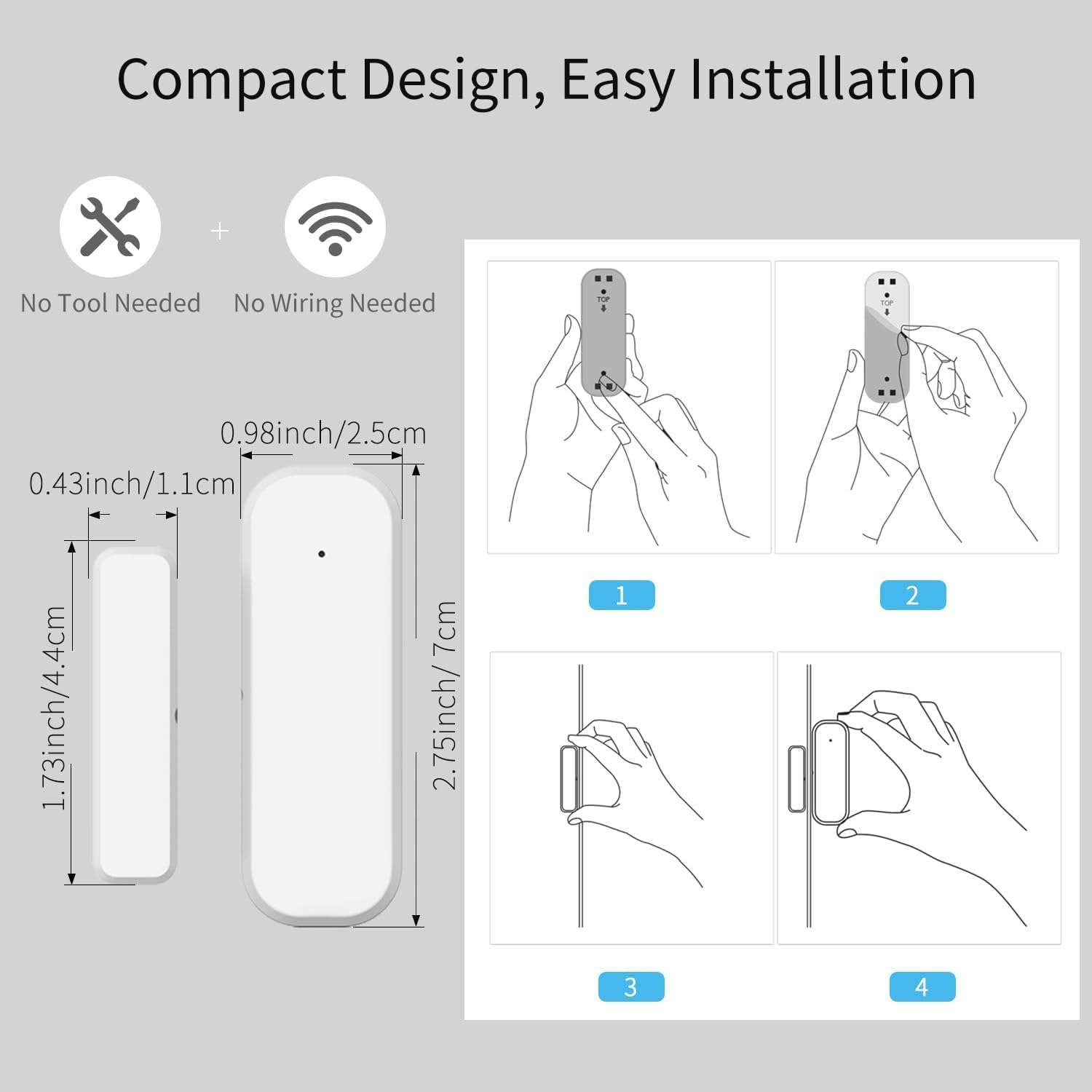
Figure 4.2: Dimensions and installation steps for the sensor.
- เลือกสถานที่: Identify a clean, flat surface on your door/window frame and the corresponding moving part where the sensor and magnet can be aligned.
- พื้นผิวสะอาด: ตรวจสอบให้แน่ใจว่าพื้นผิวที่จะติดตั้งสะอาด แห้ง และปราศจากฝุ่นหรือคราบไขมัน
- ติดตั้งชุดหลัก: Peel the backing from the 3M adhesive sticker on the main sensor unit and firmly press it onto the chosen spot on the door/window frame. Alternatively, use screws for a more permanent installation.
- Attach Magnet: Peel the backing from the 3M adhesive sticker on the smaller magnet and firmly press it onto the door/window itself, aligning it with the main sensor unit. Ensure the alignment marks on both parts face each other and the gap is within 0.86 inches when the door/window is closed.
- ทดสอบ: Open and close the door/window to verify that the sensor registers the change in status in the Tuya Smart Life app.
Figure 4.3: Proper alignment of the sensor and magnet on a door.
5. คู่มือการใช้งาน
5.1. Monitoring Status via App
Once installed and paired, the sensor will continuously monitor the open/closed status of your door or window. You can view the current status and historical records directly within the Tuya Smart Life application.
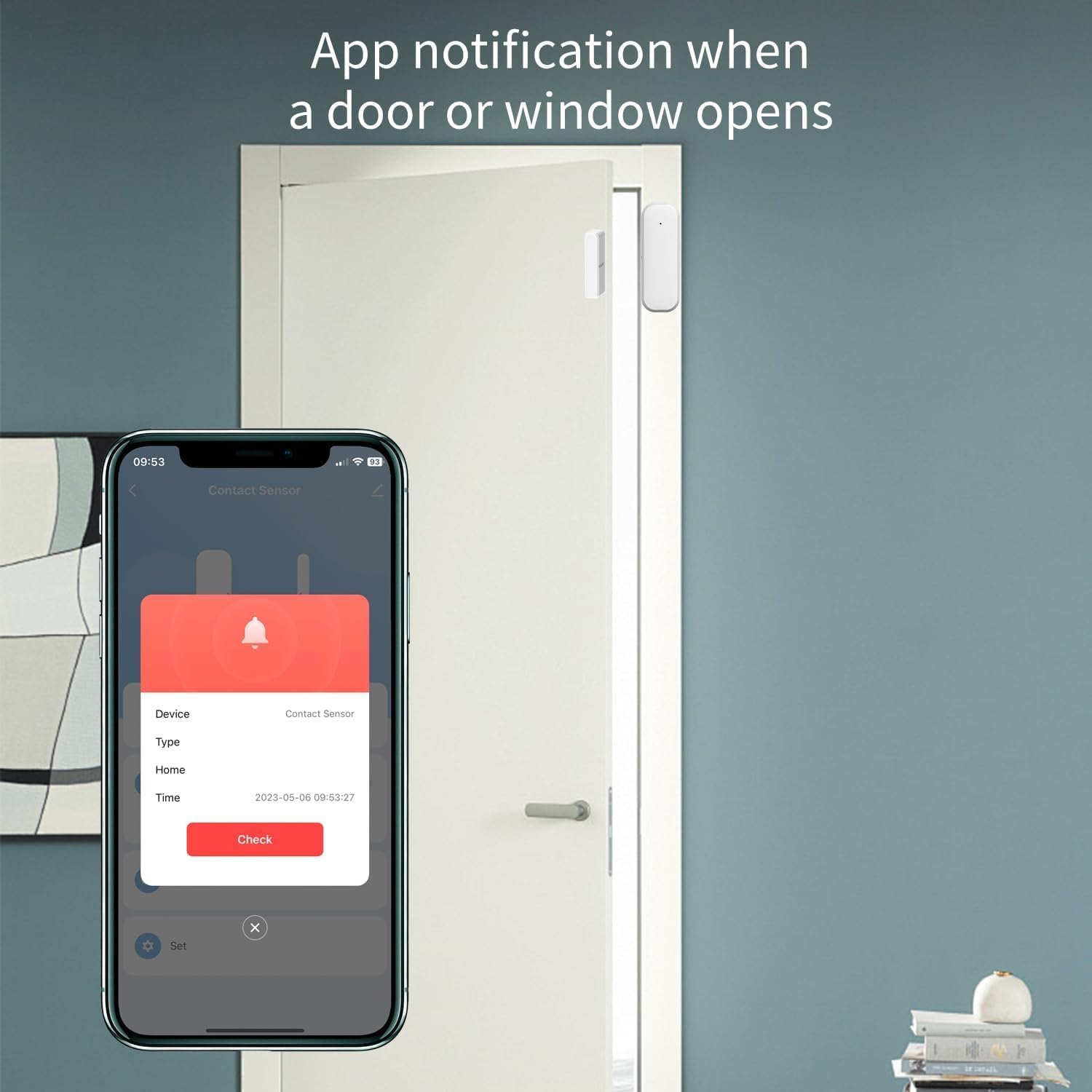
Figure 5.1: App notification when a door or window opens.
- เปิดแอปพลิเคชัน Tuya Smart Life
- Select the specific Door/Window Sensor from your device list.
- The app will display the current status (e.g., "Open" or "Closed") and a log of recent activities.
5.2 การรับการแจ้งเตือน
Configure push notifications in the Tuya Smart Life app to receive instant alerts on your smartphone whenever the door or window opens or closes unexpectedly.
- In the sensor's settings within the app, enable "Alarm Push" or "Notification Settings".
- Customize notification preferences as desired.
5.3. การบูรณาการการควบคุมด้วยเสียง
Integrate the sensor with Amazon Alexa or Google Assistant for hands-free monitoring and automation.
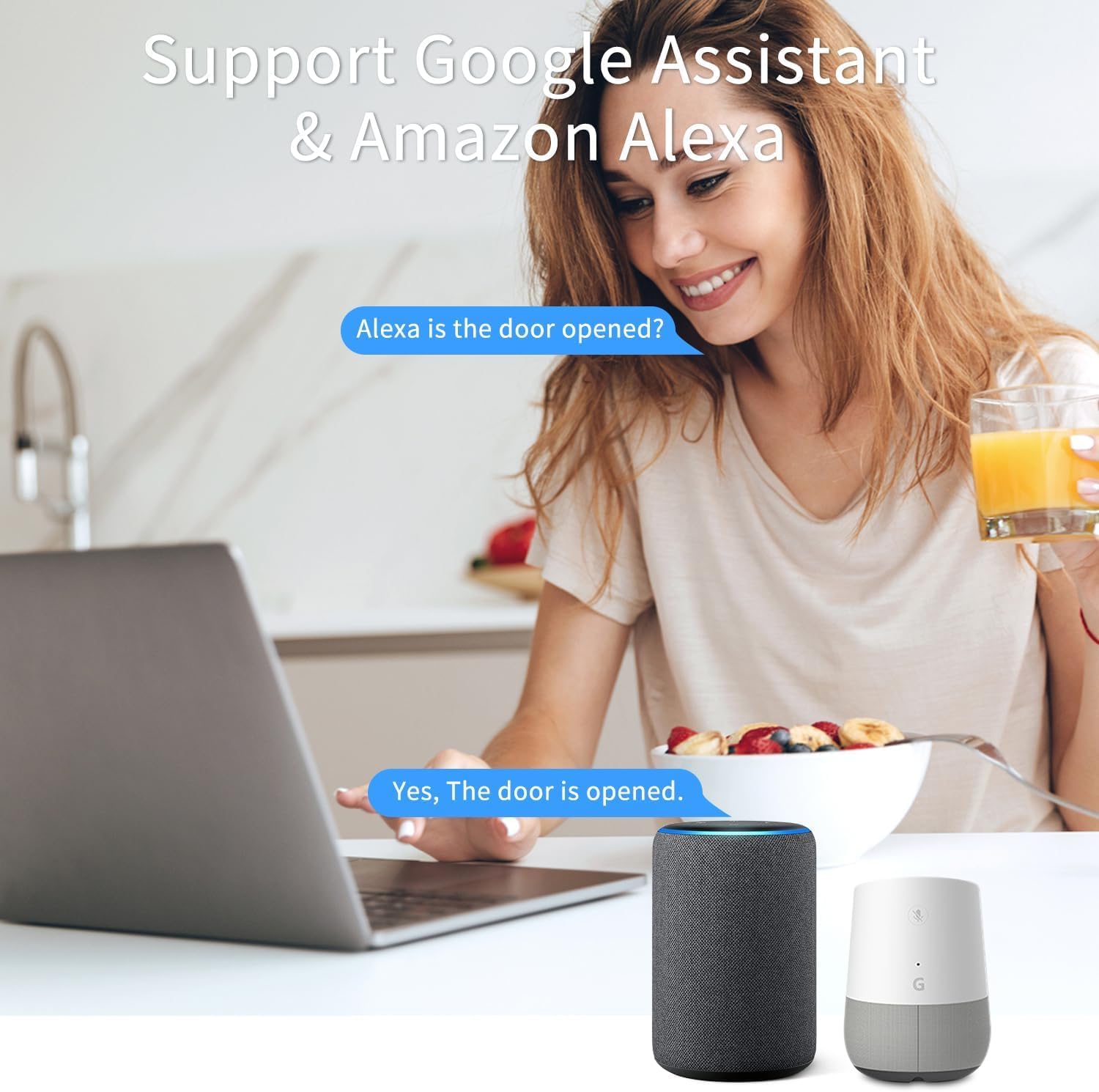
รูปที่ 5.2: การควบคุมด้วยเสียงโดยใช้ Google Assistant และ Amazon Alexa
- Ensure your Tuya Smart Life account is linked to your Alexa or Google Home app.
- ค้นพบอุปกรณ์ใหม่ๆ ในแอปผู้ช่วยเสียงของคุณ
- Once discovered, you can ask questions like:
- "อเล็กซ่า ประตูหน้าเปิดอยู่หรือเปล่า?"
- "เฮ้ Google หน้าต่างห้องนั่งเล่นเป็นอย่างไรบ้าง?"
- You can also set up routines or automations (e.g., turn on a light when the door opens).
6. การบำรุงรักษา
6.1. การเปลี่ยนแบตเตอรี่
The sensor is designed for low power consumption, providing long battery life. When the battery level is low, the Tuya Smart Life app may notify you. Replace the batteries promptly to ensure continuous operation.
- เปิดฝาหลังของชุดเซ็นเซอร์หลัก
- ถอดแบตเตอรี่ AAA เก่าออก
- Insert two new AAA alkaline batteries, observing correct polarity.
- ปิดฝาหลัง
ทิ้งแบตเตอรี่ที่ใช้แล้วตามระเบียบข้อบังคับของท้องถิ่น
6.2. การทำความสะอาด
เช็ดทำความสะอาดภายนอกของเซ็นเซอร์ด้วยผ้าแห้งเนื้อนุ่ม ห้ามใช้สารทำความสะอาดที่มีฤทธิ์กัดกร่อนหรือตัวทำละลาย เพราะอาจทำให้ตัวอุปกรณ์เสียหายได้
7 การแก้ไขปัญหา
| ปัญหา | สาเหตุที่เป็นไปได้ | สารละลาย |
|---|---|---|
| Sensor not pairing with Tuya Zigbee Hub. |
|
|
| Sensor status not updating in app / Unreliable signal. |
|
|
| ไม่ได้รับการแจ้งเตือนใดๆ |
|
|
8. ข้อมูลจำเพาะ
| คุณลักษณะ | ค่า |
|---|---|
| หมายเลขรุ่น | F-SD01Z |
| ยี่ห้อ | XFOX |
| เทคโนโลยีการเชื่อมต่อ | ซิกบี 3.0 |
| แหล่งพลังงาน | ใช้พลังงานจากแบตเตอรี่ (AAA 2 ก้อน ไม่รวมอยู่ในชุด) |
| เล่มที่tage | 2 โวลต์ (กระแสตรง) |
| วิธีการควบคุม | แอป, รีโมท, เสียง |
| ประเภทการติดตั้ง | ประตูติด |
| เทคโนโลยีเซ็นเซอร์ | ติดต่อ |
| ขนาด (ยูนิตหลัก) | 2.76 x 0.98 x 0.73 นิ้ว (7 x 2.5 x 1.85 ซม.) |
| Dimensions (Magnet) | 1.73 x 0.43 x 0.73 นิ้ว (4.4 x 1.1 x 1.85 ซม.) |
| น้ำหนักสินค้า | 1.13 ออนซ์ (ประมาณ 32 กรัม) |
| สี | สีขาว |
| อุปกรณ์ที่รองรับ | Tuya Zigbee Hub, Alexa, Google Assistant, Smartphone |
| Maximum Installation Gap | 0.86 นิ้ว (2.2 ซม.) |
9. ข้อมูลด้านความปลอดภัย
- This device operates on 2 Volts DC. Use only specified battery types.
- อย่าวางอุปกรณ์ไว้ในที่ที่มีอุณหภูมิสูงหรือต่ำเกินไป แสงแดดโดยตรง หรือความชื้น
- อย่าพยายามถอดประกอบหรือซ่อมแซมอุปกรณ์ด้วยตนเอง โปรดติดต่อช่างผู้ชำนาญเพื่อขอรับบริการ
- เก็บให้พ้นจากมือเด็กและสัตว์เลี้ยง
- Ensure proper battery polarity when inserting batteries. Incorrect insertion can cause damage.
10. การรับประกันและการสนับสนุน
สำหรับข้อมูลการรับประกันและการสนับสนุนทางเทคนิค โปรดติดต่อผู้ผลิตหรือสถานที่ที่คุณซื้อสินค้า เก็บใบเสร็จรับเงินไว้เป็นหลักฐานการซื้อ
Manufacturer: FARYLINK
For further assistance, please visit the official XFOX webไซต์หรือติดต่อฝ่ายสนับสนุนลูกค้าของพวกเขา