
ProGrade Digital PG10
คู่มือผู้ใช้ ProGrade Digital PG10 8TB Professional External SSD Drive USB 4.0
Model: PG10 | Capacity: 8TB | Windows Version
การแนะนำ
This manual provides comprehensive instructions for the setup, operation, and maintenance of your ProGrade Digital PG10 8TB Professional External SSD Drive. Please read this manual thoroughly before using the device to ensure optimal performance and data integrity.
The ProGrade Digital PG10 is a high-performance external solid-state drive designed for professionals requiring fast and reliable data transfer. It features a USB 4.0 interface, offering compatibility with Thunderbolt 4, Thunderbolt 3, and other USB Type-C ports. Key features include a power-sensing LED indicator, Refresh Pro readiness for health monitoring and firmware updates, and a patented magnetic base for secure mounting.
เนื้อหาแพ็คเกจ
- ProGrade Digital PG10 8TB External SSD Drive
- USB 4.0 Certified Cable
- กระเป๋าพกพาที่ทนทาน
- Metal Plate (for magnetic mounting)
สินค้าเกินview
The ProGrade Digital PG10 SSD is engineered for demanding professional workflows. Its robust design and advanced features ensure efficient data handling.

Image: ProGrade Digital PG10 External SSD. This image shows the top-down view of the gray rectangular SSD with the ProGrade Digital logo and an arrow design. An orange LED indicator is visible on the front edge.
คุณสมบัติหลัก:
- อินเทอร์เฟซ USB 4.0: Provides high-speed data transfer and broad compatibility with Thunderbolt 4, Thunderbolt 3, and USB Type-C ports.
- Power-Sensing LED Indicator: Informs the user if the host device is supplying the recommended 15W of power for optimal performance.
- Refresh Pro Ready: Enables proactive monitoring of drive health, performance restoration, and firmware updates.
- ฐานแม่เหล็ก: Patented design for secure mounting to workstations using the included metal plate.
- Writable Label Area: Compatible with industry-standard Avery labels for easy content identification.
- Professional Build Quality: Features a dual heat sink internal structure for efficient cooling and prevention of thermal throttling.
การตั้งค่า
1. การเชื่อมต่อ SSD
- Locate the USB 4.0 certified cable included in the package.
- Connect one end of the USB 4.0 cable to the USB-C port on the ProGrade Digital PG10 SSD.
- Connect the other end of the USB 4.0 cable to a compatible USB 4.0, Thunderbolt 4, Thunderbolt 3, or USB Type-C port on your Windows computer.
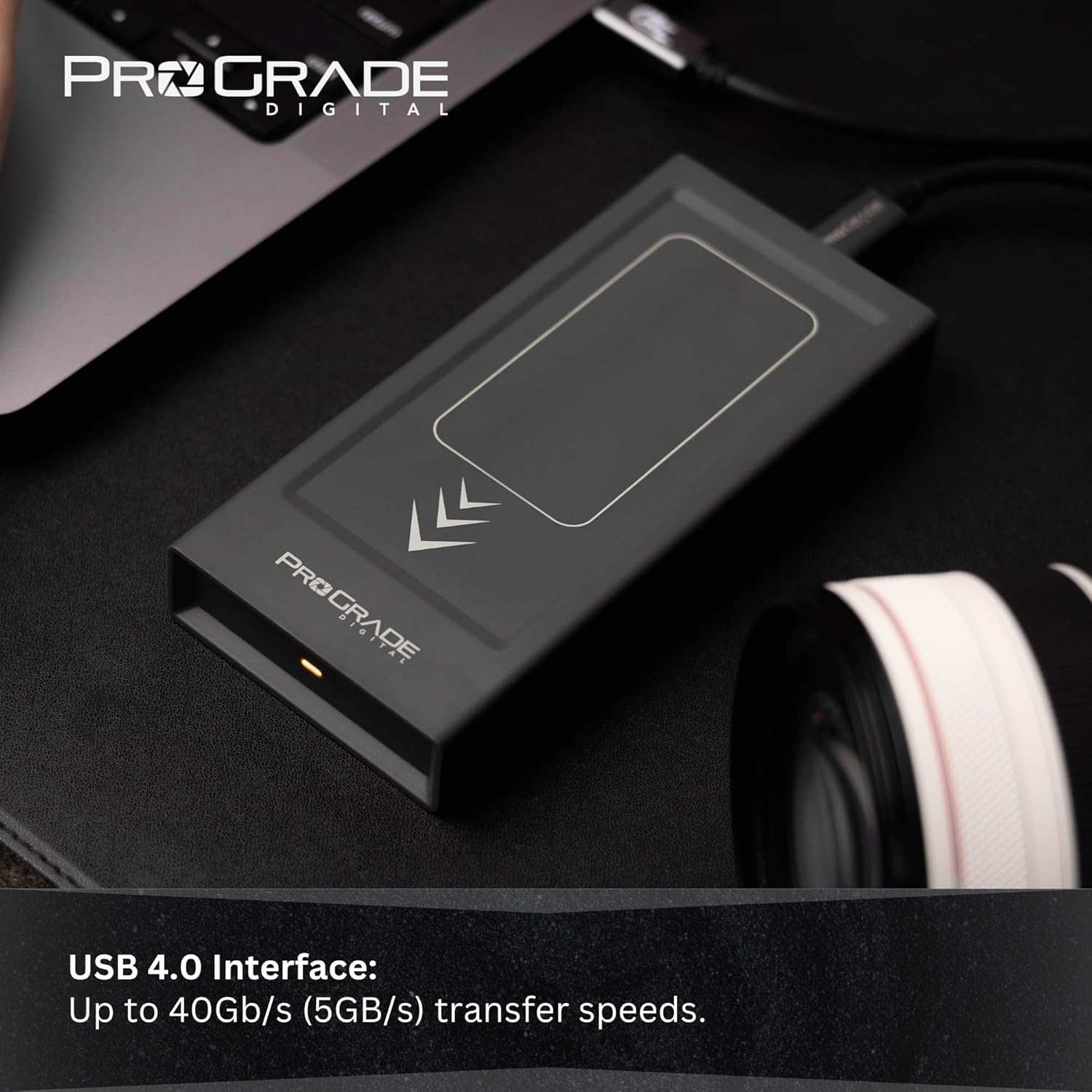
Image: A hand connecting the ProGrade Digital PG10 SSD to a laptop via a USB-C cable. The SSD is shown on a desk next to a camera lens.
2. Power Verification
Once connected, observe the power-sensing LED indicator on the front of the SSD. A steady light indicates that the device is receiving the recommended 15 watts of power, ensuring full performance. If the LED is not lit or is blinking, verify the connection or try a different USB port on your computer that can supply adequate power.
3. Initial Recognition (Windows Only)
For Windows operating systems, the drive should be automatically recognized. You may need to initialize and format the drive if it's not immediately visible in 'This PC' or 'File Explorer'.
- คลิกขวาที่ปุ่ม Start แล้วเลือก 'Disk Management'
- Locate the ProGrade Digital PG10 SSD (it may appear as 'Unallocated Space').
- คลิกขวาบนพื้นที่ที่ยังไม่ได้จัดสรร แล้วเลือก 'สร้างวอลุ่มแบบง่ายใหม่'
- ทำตามตัวช่วยบนหน้าจอเพื่อกำหนดอักษรไดรฟ์และฟอร์แมตไดรฟ์ (แนะนำ NTFS สำหรับ Windows)
การใช้งาน SSD
การโอนข้อมูล
การถ่ายโอน files, simply drag and drop them to and from the PG10 SSD in File Explorer. The USB 4.0 interface supports read and write speeds up to 2500MB/s, with sustained write speeds of 2000MB/s for the 8TB model, enabling rapid transfer of large media files.

Image: The ProGrade Digital PG10 SSD connected to a laptop, demonstrating its readiness for data transfer. The SSD is positioned on a dark desk surface.
การติดตั้งที่ปลอดภัย
The PG10 SSD features a patented magnetic base. For secure attachment to a workstation or other surfaces, use the included metal plate. Adhere the metal plate to your desired surface, and the SSD will magnetically attach, preventing accidental disconnections or movement during use.
Identifying Drive Contents
Utilize the writable label area on the SSD for easy identification of its contents. This area is compatible with industry-standard Avery labels, allowing you to categorize and organize your drives efficiently.

Image: A hand pointing to the writable label area on the ProGrade Digital PG10 SSD, highlighting its utility for organization.
การซ่อมบำรุง
Firmware Updates and Health Monitoring (Refresh Pro)
The ProGrade Digital PG10 SSD is Refresh Pro ready. This feature allows you to:
- Proactively monitor the health and lifespan of your SSD.
- Restore lost performance over time.
- Update the SSD's firmware to ensure optimal compatibility and performance.
Visit the official ProGrade Digital website for information on downloading and using the Refresh Pro software.
การดูแลด้านร่างกาย
- รักษาความสะอาดของ SSD และกำจัดฝุ่น ใช้ผ้าแห้งนุ่มๆ ในการทำความสะอาด
- Store the SSD in its rugged carrying case when not in use to protect it from physical damage and environmental factors.
- ควรหลีกเลี่ยงการวาง SSD ไว้ในที่ที่มีอุณหภูมิสูงหรือต่ำเกินไป หรือโดนแสงแดดโดยตรง

Image: The ProGrade Digital PG10 SSD being placed into its rugged carrying case, emphasizing protection and portability.
การแก้ไขปัญหา
| ปัญหา | สาเหตุที่เป็นไปได้ | สารละลาย |
|---|---|---|
| SSD not recognized by computer |
|
|
| ความเร็วในการถ่ายโอนช้า |
|
|
| Power-sensing LED not lit |
|
|
หากยังคงประสบปัญหาอยู่ โปรดดูที่ส่วนการสนับสนุนเพื่อขอความช่วยเหลือเพิ่มเติม
ข้อมูลจำเพาะ
| คุณสมบัติ | รายละเอียด |
|---|---|
| หมายเลขรุ่น | พีจี10 |
| ความจุในการเก็บข้อมูลแบบดิจิตอล | 8TB |
| อินเทอร์เฟซ | USB 4.0 (compatible with Thunderbolt 4, Thunderbolt 3, USB-C) |
| ความเร็วในการอ่าน | สูงถึง 2500 MB/วินาที |
| ความเร็วในการเขียน | สูงถึง 2500 MB/วินาที |
| Sustained Write Speed (8TB) | 2000 เมกะไบต์/วินาที |
| ความต้องการพลังงาน | 15W (indicated by power-sensing LED) |
| ความเข้ากันได้ของระบบปฏิบัติการ | Windows (This version is Windows Only) |
| ขนาด (กxยxส) | 0.79 x 0.79 x 1.1 นิ้ว |
| น้ำหนักสินค้า | 0.247 ออนซ์ |
| คุณสมบัติพิเศษ | LED Light, Portable, Magnetic Base, Refresh Pro Ready |
ข้อมูลการรับประกัน
ProGrade Digital products are designed and manufactured to the highest quality standards. For detailed warranty information, including terms, conditions, and registration, please visit the official ProGrade Digital webไซต์หรือติดต่อฝ่ายสนับสนุนลูกค้า
บันทึก: The serial number on your device matches the serial number on the carrying case for security and warranty purposes. Please retain your proof of purchase.
สนับสนุน
For technical assistance, product inquiries, or warranty claims, please contact ProGrade Digital customer support:
- Webเว็บไซต์: www.progradedigital.com (Check for support contact information, FAQs, and driver/firmware downloads)
- อีเมล: Refer to the ProGrade Digital webโปรดเยี่ยมชมเว็บไซต์เพื่อดูที่อยู่อีเมลฝ่ายสนับสนุนล่าสุด
- โทรศัพท์: Refer to the ProGrade Digital website for the most current support phone numbers.
When contacting support, please have your product model (PG10) and serial number ready.
Ask a question about this manual
Ask about setup, troubleshooting, compatibility, parts, safety, or missing instructions. Manuals+ will review the question and use this page’s manual context to help answer it.