
การแนะนำ
Thank you for choosing the DAOUTIME White Computer Desk with Drawers. This manual provides essential information for the safe assembly, operation, and maintenance of your new desk. Please read these instructions carefully before beginning assembly and retain them for future reference.
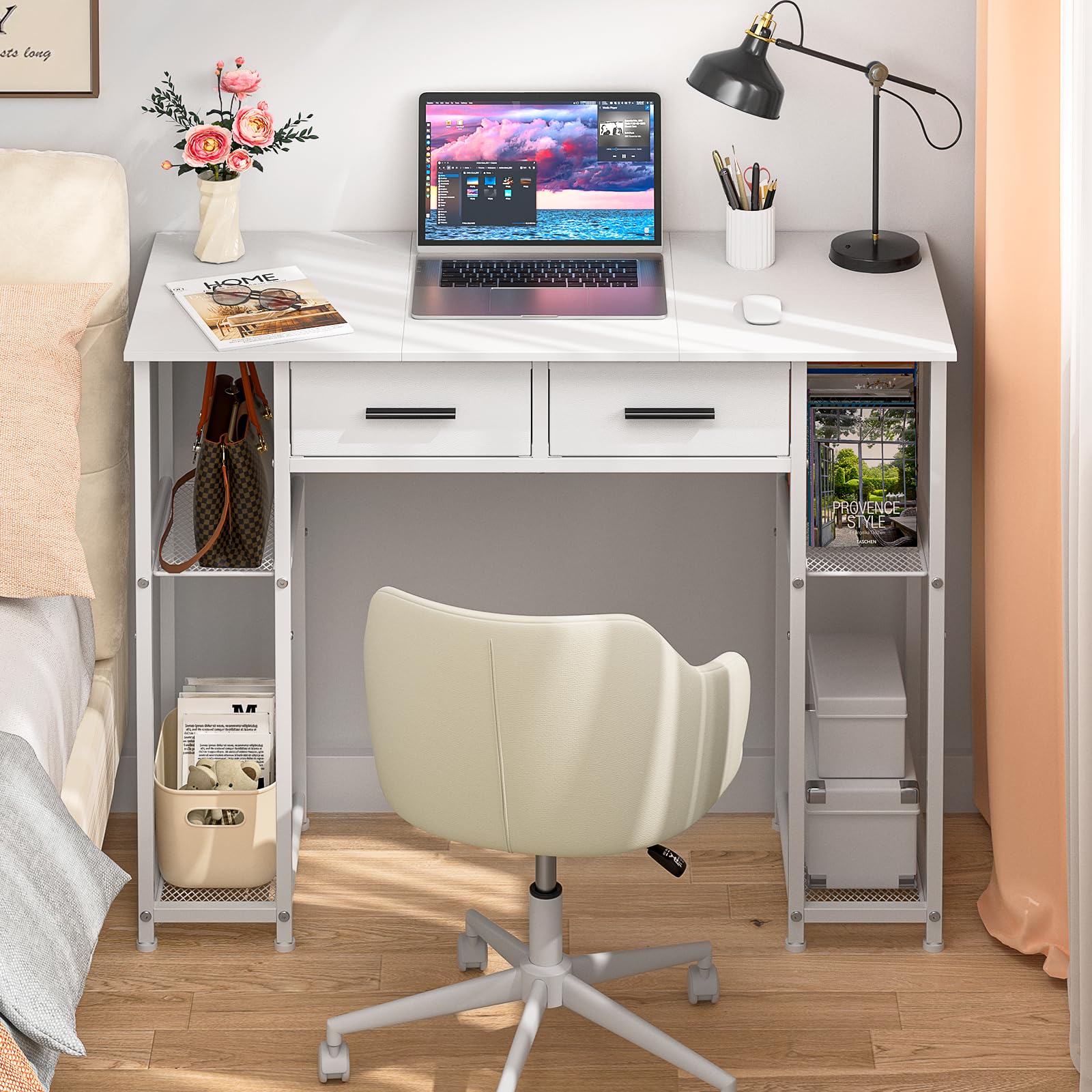
รูปที่ 1: โดยรวม view of the DAOUTIME White Computer Desk with Drawers.
ข้อมูลด้านความปลอดภัย
- เก็บชิ้นส่วนเล็กๆ และบรรจุภัณฑ์ทั้งหมดให้ห่างจากเด็กและสัตว์เลี้ยง เพื่อป้องกันอันตรายจากการสำลัก
- Assemble the desk on a soft, clean surface (e.g., carpet or cardboard) to avoid scratching the product or your floor.
- อย่าขันสกรูแน่นเกินไปในระหว่างการประกอบ เพราะอาจทำให้วัสดุเสียหายได้
- Ensure all connections are secure before using the desk.
- Do not overload the desk or shelves beyond their intended capacity.
- Avoid standing or climbing on the desk.
เนื้อหาแพ็คเกจ
ก่อนการประกอบ โปรดตรวจสอบให้แน่ใจว่าส่วนประกอบทั้งหมดที่ระบุไว้ด้านล่างนี้อยู่ในสภาพสมบูรณ์และไม่มีความเสียหาย หากมีชิ้นส่วนใดสูญหายหรือเสียหาย โปรดติดต่อฝ่ายสนับสนุนลูกค้า
- Desk Top Panels (3 sections)
- ส่วนประกอบโครงโลหะ
- ลิ้นชักผ้า (2 ชิ้น)
- ชั้นวางของโลหะ (4 ชิ้น)
- Assembly Hardware (screws, bolts, adjustable feet)
- คู่มือการใช้งาน
บันทึก: A screwdriver is recommended for assembly but is not included in the package.
คำแนะนำในการติดตั้งและประกอบ
Follow these steps carefully to assemble your DAOUTIME Computer Desk. It is recommended that one person performs the assembly.

Figure 2: Product dimensions and component layout.
- แกะกล่องและระบุ: Carefully unpack all components and lay them out on a soft, clean surface. Refer to the parts list and diagram to identify each piece.
- ประกอบโครง: Attach the metal frame components according to the provided diagrams. Ensure all screws are finger-tightened initially.
- ติดตั้งชั้นวาง: Secure the metal shelves into the designated slots on the side frames.
- Attach Desk Top: Place the three desk top panels onto the frame. Align them carefully to minimize gaps. Once aligned, secure them with the provided hardware.
- ใส่ลิ้นชัก: Fold and insert the two fabric drawers into their respective compartments under the desk top.
- ปรับเท้า: The desk is equipped with adjustable feet to ensure stability on uneven floors. Rotate the feet clockwise or counter-clockwise to level the desk.

Figure 3: Adjustable leveling feet for stability.
- การขันขั้นสุดท้าย: Once all components are in place and aligned, fully tighten all screws and bolts using a screwdriver. Do not overtighten.
คำแนะนำการใช้งาน
This desk is designed for versatile use in various settings, including home offices, study areas, or as a vanity.
- Using the Fabric Drawers: The two fabric drawers provide convenient storage for small items such as stationery, documents, or personal accessories. Simply pull the metal handle to open and push to close.

Figure 4: Detail of a fabric drawer.
- การใช้ประโยชน์จากชั้นวางของ: The two-tier storage shelves on both sides of the desk are suitable for books, small speakers, storage baskets, or other items you wish to keep within reach.

Figure 5: Detail of the mesh storage shelves.
การซ่อมบำรุง
- การทำความสะอาด: เช็ดพื้นผิวโต๊ะด้วยผ้าเนื้อนุ่มและแห้งamp cloth. For stubborn marks, a mild, non-abrasive cleaner can be used. Avoid harsh chemicals that may damage the finish.
- ลิ้นชักผ้า: ลิ้นชักผ้าสามารถทำความสะอาดเฉพาะจุดได้ด้วยน้ำยาทำความสะอาดamp เช็ดด้วยผ้าและสบู่เหลวอ่อนๆ ทิ้งไว้ให้แห้งสนิท
- การตรวจสอบปกติ: ตรวจสอบสกรูและจุดเชื่อมต่อทั้งหมดเป็นระยะ เพื่อให้แน่ใจว่ายังแน่นและปลอดภัยดี ขันให้แน่นอีกครั้งหากจำเป็น
การแก้ไขปัญหา
- โต๊ะไม่มั่นคง/โยกเยก:
- ตรวจสอบให้แน่ใจว่าขันสกรูประกอบทั้งหมดให้แน่นสนิท
- Adjust the leveling feet at the bottom of the desk to compensate for uneven floor surfaces.
- Gaps in Desk Top Panels:
- The desk top consists of multiple panels. During assembly, ensure these panels are pushed together firmly before tightening their fasteners to minimize visible gaps.
- ลิ้นชักเลื่อนไม่ราบรื่น:
- Ensure the fabric drawers are correctly inserted and not overloaded.
- Check for any obstructions in the drawer compartments.
ข้อมูลจำเพาะ
| คุณสมบัติ | รายละเอียด |
|---|---|
| ยี่ห้อ | DAOUTIME |
| หมายเลขรุ่น | DAOU-SCDNZ02-US |
| ขนาดสินค้า (ลึก x กว้าง x สูง) | 15.7" x 37.3" x 30.5" |
| น้ำหนักสินค้า | 17.5 ปอนด์ |
| สี | สีขาว |
| ประเภทวัสดุ | ไม้, โลหะ |
| จำนวนลิ้นชัก | 2 (Fabric Drawers) |
| จำนวนชั้นวาง | 4 (2-tier on each side) |
| การประกอบที่จำเป็น | ใช่ |
| บุคคลที่แนะนำสำหรับการประกอบ | 1 |
| เครื่องมือที่แนะนำสำหรับการประกอบ | ไขควง |
การรับประกันและการสนับสนุน
This DAOUTIME product comes with a limited warranty. For specific details regarding warranty coverage and duration, please refer to the warranty information provided at the time of purchase or contact DAOUTIME customer support.
If you encounter any issues with your desk, require replacement parts, or have questions not addressed in this manual, please contact DAOUTIME customer support for assistance. Please have your model number (DAOU-SCDNZ02-US) and purchase information ready when contacting support.