สินค้าเกินview
The Generic White FM Radio Alarm Clock is a versatile device designed for convenience and portability. It combines a digital alarm clock with an FM radio, a Bluetooth speaker, and a memory card player. Its compact design and mirror display make it suitable for various uses, from a bedside alarm to a portable music player for travel.

ภาพ: จากบนลงล่าง view of the White FM Radio Alarm Clock, showing the digital display, speaker grille, and control buttons.
การตั้งค่า
1. การชาร์จอุปกรณ์
Before first use, fully charge the alarm clock. Connect the provided Micro USB charging cable to the charging port on the device and the other end to a standard USB power adapter (not included) or a computer USB port. The charging indicator will show the charging status.
2. เปิดเครื่องครั้งแรก
Press and hold the power button (usually marked with a power icon) to turn on the device. The LED digital display will illuminate.
3. การตั้งเวลา
- Press the "SET" button once to enter time setting mode. The hour digits will flash.
- Use the "Previous" (⏮) and "Next" (⏭) ปุ่มสำหรับปรับเวลา
- Press "SET" again to confirm the hour and move to minute setting. The minute digits will flash.
- Use the "Previous" (⏮) and "Next" (⏭) buttons to adjust the minutes.
- Press "SET" a third time to confirm the minutes and exit time setting mode.

ภาพ: ด้านหลัง view of the alarm clock, highlighting the Micro USB charging port and the TF (Memory Card) slot.
คำแนะนำการใช้งาน
1. Dual Alarm Clock Function
The device supports setting two independent alarms.
- Press the "M" (Mode) button repeatedly until the alarm icon (bell symbol) appears on the display, indicating alarm setting mode.
- Press "SET" to select Alarm 1 or Alarm 2. The corresponding alarm time will flash.
- Use the "Previous" (⏮) and "Next" (⏭) buttons to adjust the alarm hour.
- Press "SET" to confirm the hour and adjust the minutes.
- Press "SET" again to confirm the minutes.
- To enable or disable an alarm, press the "SET" button when the alarm time is displayed. An indicator will show if the alarm is active.
2. โหมดวิทยุ FM
เพลิดเพลินไปกับสถานีวิทยุที่คุณชื่นชอบด้วยวิทยุ FM ในตัว
- Press the "M" (Mode) button repeatedly until "FM" appears on the display.
- Press and hold the "Play/Pause" (⏸) button to automatically scan and save available FM stations.
- Use the "Previous" (⏮) and "Next" (⏭ปุ่ม (สำหรับเลื่อนดูสถานีที่บันทึกไว้)
3. โหมดลำโพงบลูทูธ
Connect your smartphone or other Bluetooth-enabled devices to play audio wirelessly.
- Press the "M" (Mode) button repeatedly until "BT" appears on the display, indicating Bluetooth pairing mode.
- บนอุปกรณ์ของคุณ (เช่น สมาร์ทโฟน) เปิดใช้งานบลูทูธและค้นหาอุปกรณ์ที่มีอยู่
- Select "Genericgfcybhmqrv" (or similar name) from the list of found devices to pair.
- Once paired, you can play audio from your device through the alarm clock speaker.

Image: The alarm clock positioned on a desk, demonstrating its reflective mirror display and integrated speaker, with books in the background.
4. Memory Card Playback
เล่นเสียง files directly from a Micro SD (TF) card.
- Insert a Micro SD (TF) card (up to 32GB, not included) into the TF card slot on the side of the device. Ensure the card is inserted correctly until it clicks into place.
- The device will automatically switch to Memory Card playback mode. If not, press the "M" (Mode) button until the display indicates TF card mode.
- Use the "Previous" (⏮) and "Next" (⏭) buttons to navigate between audio tracks.
- Press the "Play/Pause" (⏸) button to pause or resume playback.
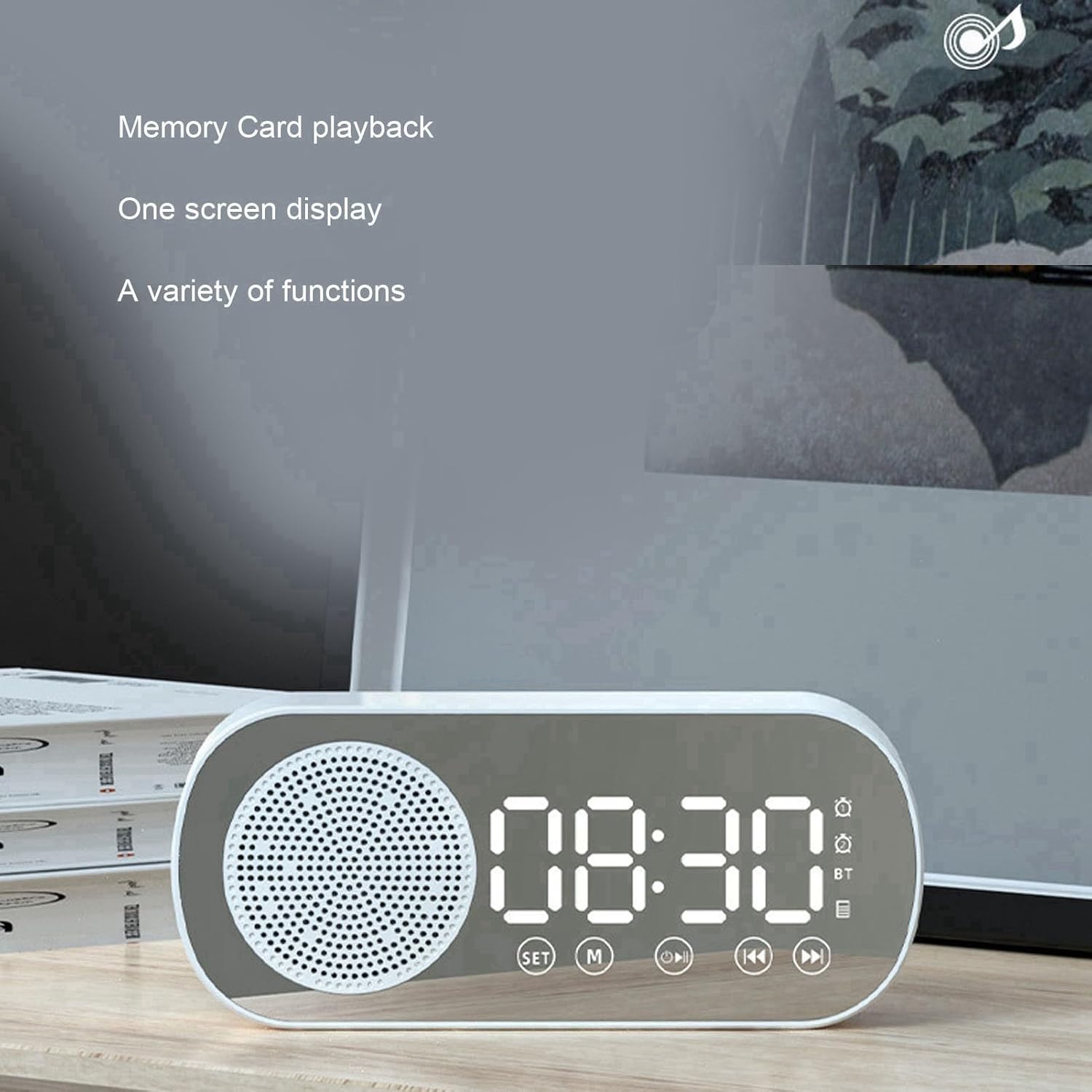
Image: The alarm clock showing the digital time display, with text indicating "Memory Card playback" and "One screen display," highlighting its versatile functions.
5. Mirror Function
The LED display surface also functions as a mirror, useful for quick checks or touch-ups.

Image: A hand holding the compact alarm clock, demonstrating its use as a portable mirror, with the digital display visible.

Image: A visual representation of the alarm clock's key features, including dual alarm, HiFi sound quality, FM radio, TF card playback, and HD mirror functionality.
การซ่อมบำรุง
- การทำความสะอาด: Use a soft, dry cloth to wipe the surface of the alarm clock. Do not use abrasive cleaners or solvents, as they may damage the finish or display.
- การดูแลแบตเตอรี่ To prolong battery life, avoid fully discharging the battery frequently. Recharge the device when the battery low indicator appears. If storing for a long period, charge the battery every 3-6 months.
- พื้นที่จัดเก็บ: เก็บอุปกรณ์ไว้ในที่แห้งและเย็น หลีกเลี่ยงแสงแดดโดยตรงและอุณหภูมิที่สูงหรือต่ำเกินไป
การแก้ไขปัญหา
| ปัญหา | สาเหตุที่เป็นไปได้ | สารละลาย |
|---|---|---|
| อุปกรณ์ไม่เปิดเครื่อง | แบตเตอรี่เหลือน้อย อุปกรณ์ไม่ได้ชาร์จ | Connect the charging cable and charge the device for at least 2 hours. |
| การจับคู่บลูทูธล้มเหลว | Device not in pairing mode; Bluetooth disabled on source device; too far from source device. | Ensure the alarm clock is in Bluetooth mode ("BT" displayed). Enable Bluetooth on your source device. Move devices closer (within 10 meters). |
| FM radio has poor reception or static. | สัญญาณอ่อน; มีสัญญาณรบกวน | Reposition the device to improve signal reception. Avoid placing near other electronic devices that may cause interference. |
| การ์ดหน่วยความจำไม่ได้รับการรู้จัก | Card inserted incorrectly; unsupported format; damaged card. | เสียบการ์ด TF กลับเข้าไปให้ถูกต้อง ตรวจสอบให้แน่ใจว่าการ์ดได้รับการฟอร์แมตเป็น FAT32 แล้ว ลองใช้การ์ด TF ใบอื่นดู |
| สัญญาณเตือนภัยไม่ดัง | Alarm not enabled; volume too low. | Verify that the alarm is set and enabled (alarm icon visible). Increase the volume. |
ข้อมูลจำเพาะ
| คุณสมบัติ | รายละเอียด |
|---|---|
| ขนาดสินค้า | ขนาดโดยประมาณ 116 x 51 x 33 มม. / 4.6 x 2 x 1.3 นิ้ว |
| สี | สีขาว |
| ประเภทแบตเตอรี่ | แบตเตอรี่ลิเธียมในตัว |
| ความจุของแบตเตอรี่ | 1600mAh |
| เวอร์ชันบลูทูธ | 5.0 |
| Supported Play Modes | Bluetooth, Memory Card (TF Card) |
| การรองรับการ์ดหน่วยความจำ | Maximum 32GB (TF Card, not included) |
| ความถี่วิทยุ FM | 87.5MHz - 108MHz |
| กำลังไฟเข้า | 5V=1A |
| ลำโพง | 4Ω 3W |
| ความบิดเบือน | <10% |
| กำลังขับ | 3WTHD+10% |
| อัตราส่วนสัญญาณเสียงต่อเสียงรบกวน | ≥70เดซิเบล |
| น้ำหนักสินค้า | 5.8 ออนซ์ |
| วัสดุกรอบ | พลาสติก |
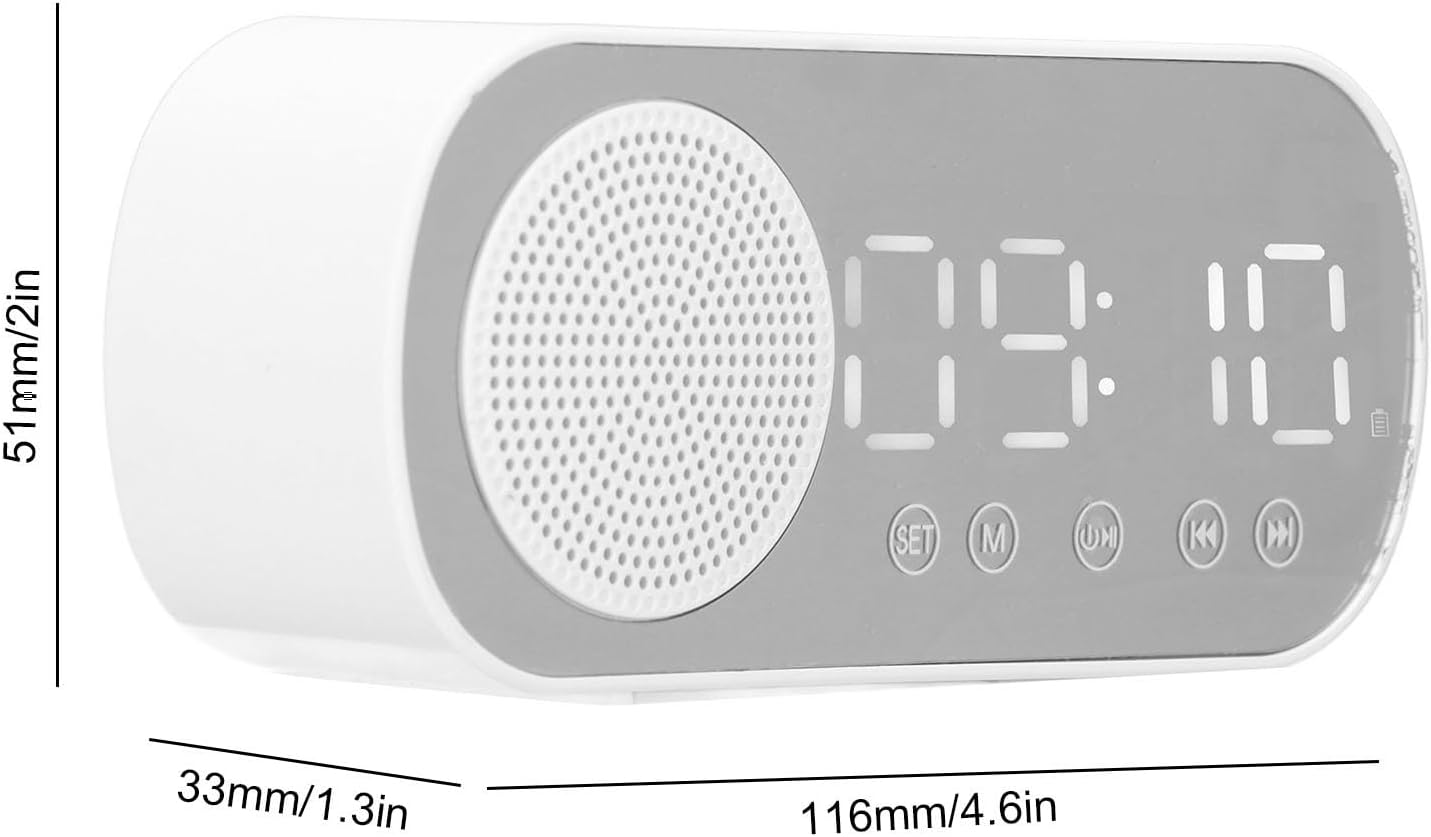
Image: Technical diagram illustrating the dimensions of the alarm clock: 116mm (4.6in) length, 51mm (2in) height, and 33mm (1.3in) depth.
การรับประกันและการสนับสนุน
For warranty information and technical support, please refer to the documentation included with your purchase or contact the manufacturer directly. Keep your proof of purchase for warranty claims.
ผู้ผลิต: ทั่วไป
Model Number: Genericgfcybhmqrv