
DOOGEE T35
คู่มือการใช้งานแท็บเล็ต DOOGEE T35
Model: T35 | Brand: DOOGEE
1. บทนำ
This manual provides essential information for the operation and maintenance of your DOOGEE T35 tablet. Please read it thoroughly before using the device to ensure proper functionality and longevity.
The DOOGEE T35 is an 11-inch tablet featuring a Helio G99 Octa-core processor, Android 14 operating system, and a 2.5K FHD+ display. It comes equipped with 20GB RAM and 256GB internal storage, expandable up to 2TB. Key features include 4G LTE calling, 5G Wi-Fi, an 8580mAh battery with 33W fast charging, and a 20MP camera. Accessories such as a keyboard, stylus, and protective case are included to enhance productivity and user experience.
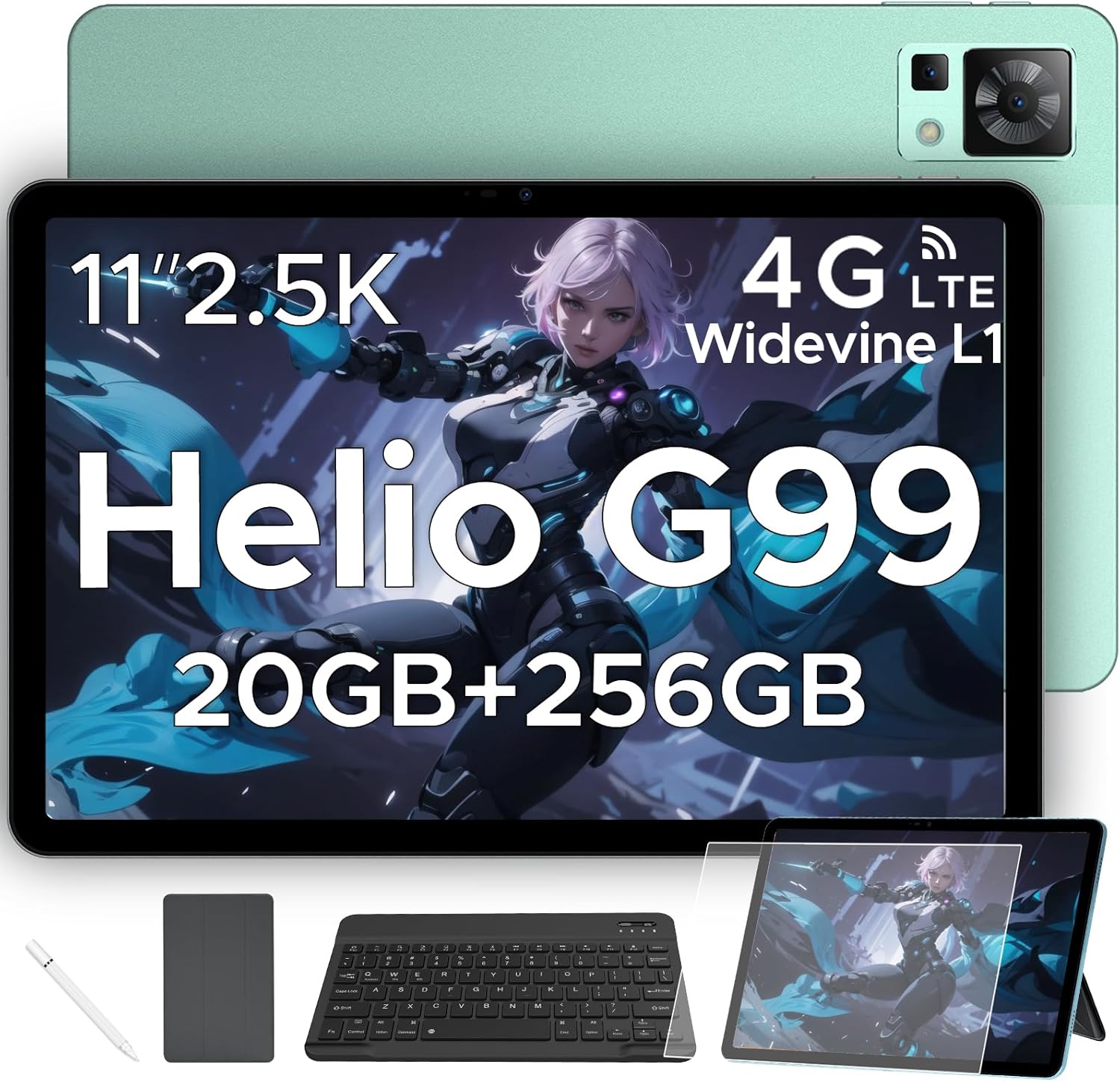
Figure 1.1: DOOGEE T35 Tablet and its accompanying accessories.
2. อะไรอยู่ในกล่อง
เมื่อเปิดบรรจุภัณฑ์ โปรดตรวจสอบว่ามีสิ่งของครบถ้วนตามรายการด้านล่างและอยู่ในสภาพดี:
- แท็บเล็ต DOOGEE T35
- เครื่องชาร์จ
- สาย USB Type-C
- SIM Card Tray Ejector Tool
- คู่มือการใช้งาน
- แป้นพิมพ์บลูทูธ
- ฟิล์มกันรอย
- Touching Pen (Stylus)
- Business Leather Case
Video 2.1: An unboxing video demonstrating the contents of the DOOGEE T35 package, including the tablet and all listed accessories.
3. การตั้งค่า
3.1 การเปิดเครื่องครั้งแรก
- กดปุ่มเปิด/ปิดที่อยู่ด้านข้างของแท็บเล็ตค้างไว้จนกว่าโลโก้ DOOGEE จะปรากฏขึ้น
- ทำตามคำแนะนำบนหน้าจอเพื่อเลือกภาษา ภูมิภาค และเชื่อมต่อกับเครือข่าย Wi-Fi
- ลงชื่อเข้าใช้ด้วยบัญชี Google ของคุณหรือสร้างบัญชีใหม่เพื่อเข้าถึง Google Play Store และบริการอื่นๆ
3.2 การใส่ซิมการ์ดและการ์ด MicroSD
The DOOGEE T35 supports 4G LTE connectivity and expandable storage via a MicroSD card (up to 2TB).
- หาช่องใส่ซิมการ์ดที่ด้านข้างของแท็บเล็ต
- Insert the provided SIM card tray ejector tool into the small hole next to the tray and gently push until the tray pops out.
- วางการ์ด Nano-SIM และ/หรือการ์ด MicroSD ของคุณลงในช่องที่กำหนดบนถาด โดยตรวจสอบให้แน่ใจว่าวางแนวอย่างถูกต้อง
- ค่อยๆ ใส่ถาดกลับเข้าไปในแท็บเล็ตจนกระทั่งได้ยินเสียงคลิกเข้าที่
3.3 การเชื่อมต่ออุปกรณ์เสริม
The tablet comes with a Bluetooth keyboard, stylus, and a business leather case.
- คีย์บอร์ดบลูทูธ: เปิดใช้งานแป้นพิมพ์และบลูทูธบนแท็บเล็ตของคุณ ค้นหา the keyboard in the Bluetooth settings and pair it.
- สไตลัส: The stylus is ready for use directly on the screen for drawing or navigation.
- Business Leather Case: Insert the tablet into the protective case for enhanced protection and convenience.
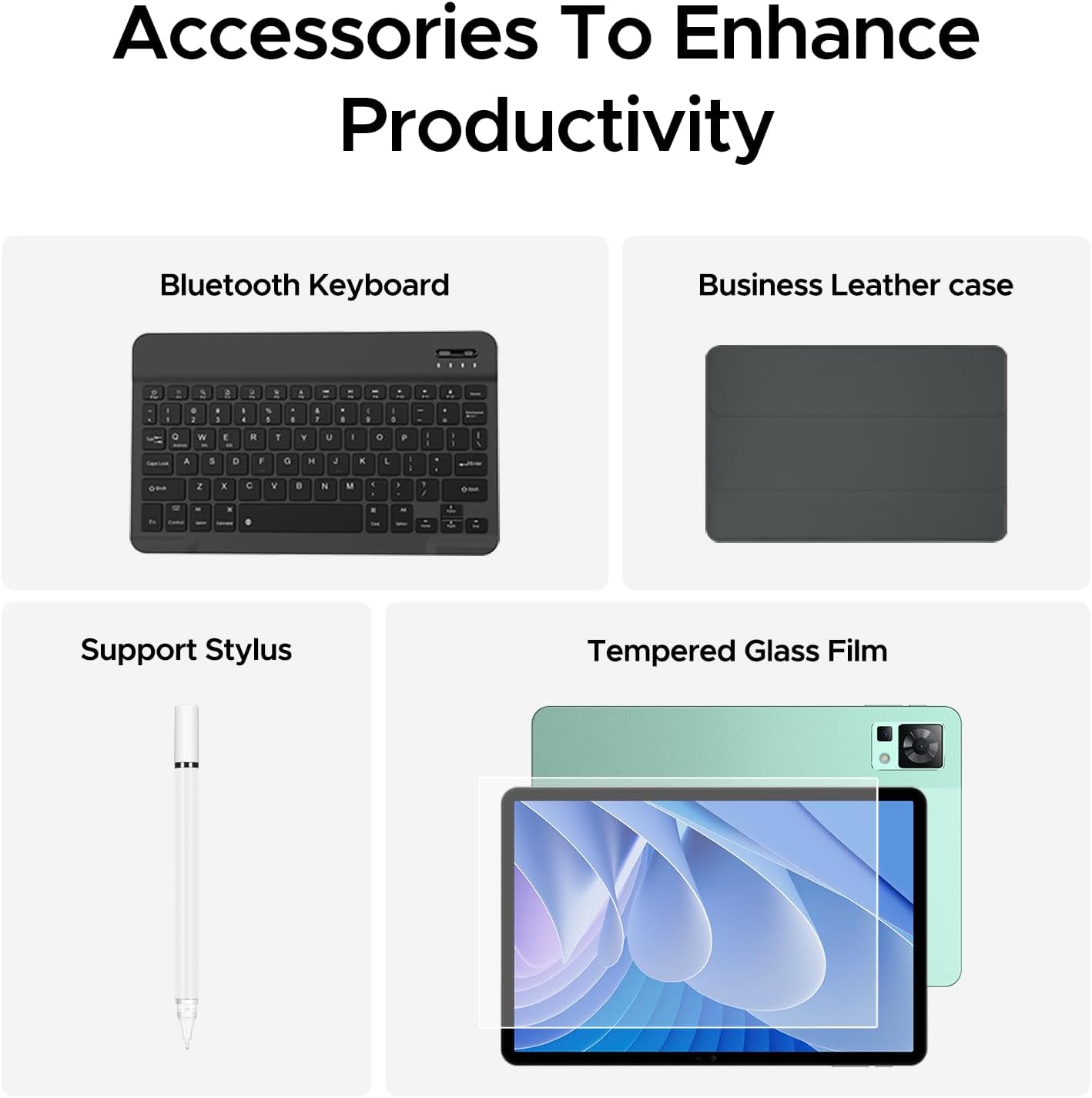
Figure 3.1: The DOOGEE T35 tablet with its included accessories, ready for use.
4. คู่มือการใช้งาน
4.1 การแสดงผลและการนำทาง
The DOOGEE T35 features an 11-inch 2.5K ultra-clear display (2560 x 1600 pixels) for a high-quality visual experience.
- ท่าทางสัมผัส: Navigate the Android 14 interface using standard touch gestures like tap, swipe, pinch-to-zoom.
- หน้าจอแยก: Utilize the split-screen feature to run two applications simultaneously for enhanced multitasking.
- โหมดการอ่าน: Adjust the display settings to Warm, Standard, or Cool mode for comfortable reading in various lighting conditions.

Figure 4.1: The 11-inch 2.5K ultra-clear display provides excellent visuals for all content.
4.2 ประสิทธิภาพและการจัดเก็บ
Powered by the Helio G99 Octa-core processor, the T35 offers robust performance for gaming, streaming, and productivity. It offers 20GB RAM (8GB base + 12GB extended) and 256GB ROM, expandable up to 2TB with a MicroSD card.
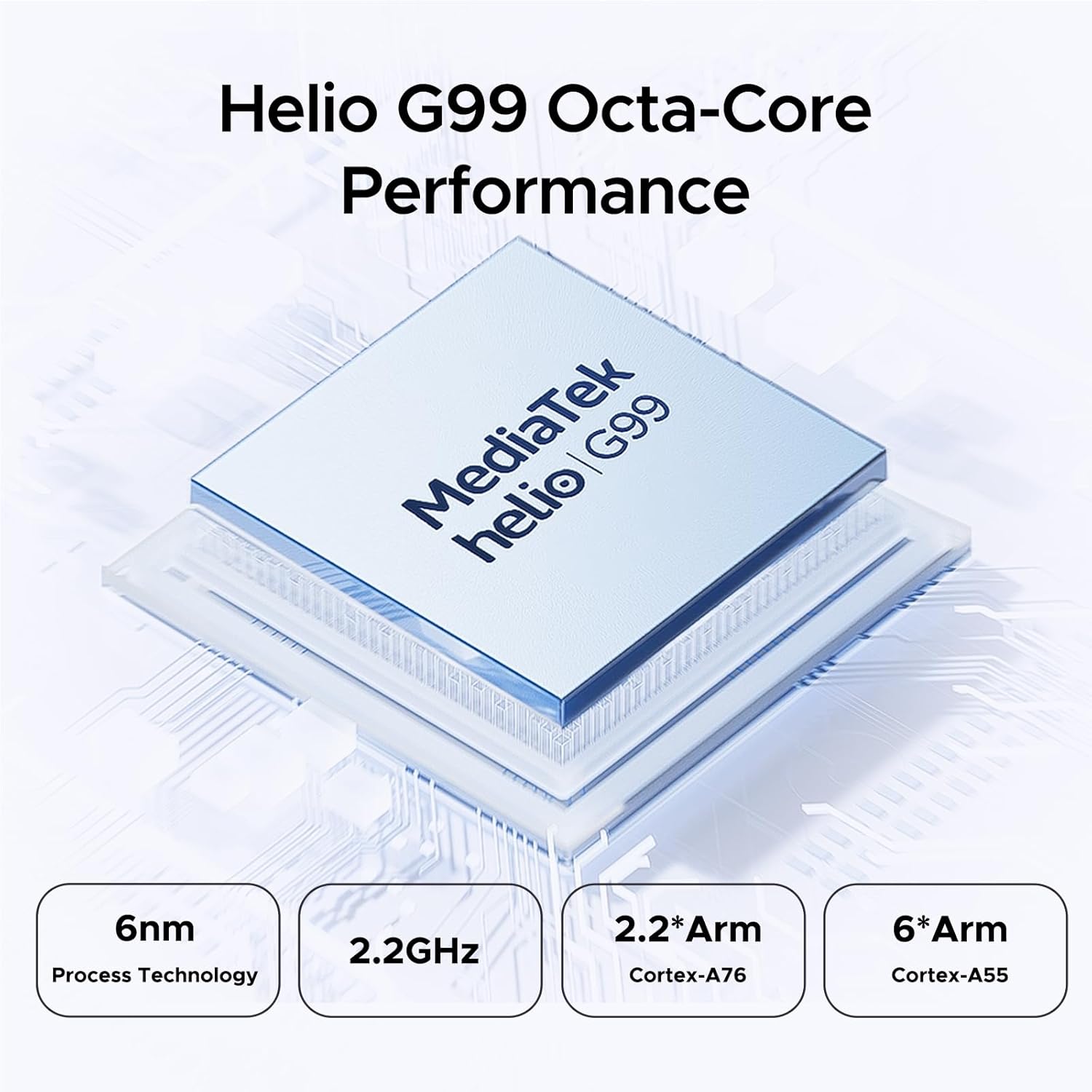
Figure 4.2: Helio G99 Octa-Core Processor for robust performance.

Figure 4.3: Memory and storage capabilities of the DOOGEE T35.
4.3 การจัดการแบตเตอรี่
The 8580mAh large capacity battery provides extended usage. It supports 33W fast charging and reverse charging, allowing the tablet to act as a power bank for other devices.

Figure 4.4: 8580mAh Battery with 33W Fast Charging.
4.4 การเชื่อมต่อ
The tablet supports 4G LTE for cellular calls and data, and 5G Wi-Fi for high-speed internet. It also includes GPS, Glonass, Galileo, Beidou, and AGPS for accurate navigation.
4.5 มัลติมีเดีย
Enjoy immersive audio with quad speakers and Smart PA. Widevine L1 support ensures high-quality streaming from platforms like Netflix and Amazon Prime Video.
วิดีโอ 4.1: วิดีโอประชาสัมพันธ์ที่แสดง...asing the DOOGEE T35 Android Tablet and its accessories, highlighting its features and design.
5. การบำรุงรักษา
5.1 การทำความสะอาดแท็บเล็ต
- ใช้ผ้านุ่มที่ไม่เป็นขุยในการทำความสะอาดหน้าจอและตัวเครื่องแท็บเล็ต
- สำหรับรอยเปื้อนฝังแน่น ให้เช็ดออกเล็กน้อยampชุบผ้าด้วยน้ำหรือน้ำยาทำความสะอาดหน้าจอ หลีกเลี่ยงสารเคมีรุนแรง
- ตรวจสอบให้แน่ใจว่าพอร์ตทั้งหมดไม่มีฝุ่นและเศษขยะ
5.2 การดูแลแบตเตอรี่
- หลีกเลี่ยงการให้แท็บเล็ตสัมผัสกับอุณหภูมิที่สูงหรือต่ำเกินไป
- อย่าปล่อยให้แบตเตอรี่หมดจนเกลี้ยงเป็นประจำ ควรชาร์จเมื่อระดับแบตเตอรี่ลดลงต่ำกว่า 20%
- เพื่อประสิทธิภาพการชาร์จและความปลอดภัยสูงสุด โปรดใช้เฉพาะที่ชาร์จและสายเคเบิลที่ให้มาเท่านั้น
5.3 การอัปเดตซอฟต์แวร์
ตรวจสอบและติดตั้งการอัปเดตระบบเป็นประจำเพื่อให้แน่ใจว่าแท็บเล็ตของคุณมีคุณสมบัติล่าสุด การแก้ไขช่องโหว่ด้านความปลอดภัย และการปรับปรุงประสิทธิภาพ ไปที่ การตั้งค่า > ระบบ > อัปเดตระบบ เพื่อตรวจสอบการอัปเดต
6 การแก้ไขปัญหา
| ปัญหา | สาเหตุที่เป็นไปได้ | สารละลาย |
|---|---|---|
| แท็บเล็ตไม่สามารถเปิดเครื่องได้ | แบตเตอรี่อ่อน ซอฟต์แวร์ขัดข้อง | ชาร์จแท็บเล็ตอย่างน้อย 30 นาที กดปุ่มเปิด/ปิดค้างไว้ 10-15 วินาทีเพื่อรีสตาร์ทเครื่อง |
| ปัญหาการเชื่อมต่อ Wi-Fi | Incorrect password; router issues; tablet Wi-Fi disabled. | Verify Wi-Fi password. Restart router. Toggle Wi-Fi off/on on tablet. |
| แอพพลิเคชั่นขัดข้องหรือค้าง | แรมไม่เพียงพอ แอปมีข้อผิดพลาด ซอฟต์แวร์ล้าสมัย | ปิดแอปที่ทำงานอยู่เบื้องหลัง ล้างแคช/ข้อมูลของแอป อัปเดตแอปหรือซอฟต์แวร์ระบบ |
| ประสิทธิภาพการทำงานช้า | มีแอปพลิเคชันเปิดใช้งานมากเกินไป พื้นที่เก็บข้อมูลเหลือน้อย ซอฟต์แวร์ล้าสมัย | Close unused apps. Free up storage space. Perform a system update. |
| Cannot connect to Google server/account. | Network issues; incorrect account details; software glitch. | Ensure stable internet connection. Verify Google account credentials. Restart tablet. If persistent, consider a factory reset (backup data first). |
7. ข้อมูลจำเพาะ
| คุณสมบัติ | ข้อมูลจำเพาะ |
|---|---|
| แบบอย่าง | DOOGEE T35 |
| ระบบปฏิบัติการ | แอนดรอยด์ 14 |
| โปรเซสเซอร์ | MediaTek Helio G99 Octa-core (6nm, 2.2GHz) |
| แสดง | 11-inch 2.5K (2560 x 1600 pixels) |
| แรม | หน่วยความจำ 8GB (สามารถเพิ่มได้ถึง 20GB) |
| หน่วยความจำภายใน (ROM) | 256GB |
| พื้นที่เก็บข้อมูลแบบขยายได้ | สูงสุด 2TB ผ่านการ์ด MicroSD |
| ความจุของแบตเตอรี่ | 8580mAh |
| การชาร์จไฟ | ชาร์จเร็ว 33 วัตต์, ชาร์จย้อนกลับ |
| การเชื่อมต่อ | 4G LTE, 5G Wi-Fi (802.11ax), Bluetooth |
| การนำทาง | GPS, Glonass, Galileo, Beidou, AGPS |
| เสียง | Quad Speakers with Smart PA, Hi-Res Audio, 3.5mm Headphone Jack |
| ความปลอดภัย | การระบุใบหน้า |
| ขนาด (กxยxส) | 10.12 x 6.64 x 0.3 นิ้ว |
| น้ำหนัก | 3 ปอนด์ |
8. การรับประกันและการสนับสนุน
DOOGEE provides comprehensive support for your T35 tablet:
- การรับประกันคืนเงิน: Enjoy a 30-day money-back guarantee and free returns.
- การรับประกันแบบจำกัด: The tablet comes with a 2-year limited warranty.
- การสนับสนุนลูกค้า: For any inquiries or assistance, please contact DOOGEE customer service.
For further assistance, please refer to the official DOOGEE webเว็บไซต์หรือติดต่อช่องทางการสนับสนุนของพวกเขา
Ask a question about this manual
Ask about setup, troubleshooting, compatibility, parts, safety, or missing instructions. Manuals+ will review the question and use this page’s manual context to help answer it.