
1. บทนำ
The Losfom WD10 2K Body Worn Camera is a versatile recording device designed for various applications, including law enforcement, personal security, and outdoor activities. It captures crystal-clear 2K footage, features a dual-screen display, built-in GPS for route tracking, and advanced night vision capabilities. This manual provides detailed instructions for setting up, operating, and maintaining your WD10 camera.
2. อะไรอยู่ในกล่อง
- WD10 Body Camera
- ที่ชาร์จในรถยนต์
- ที่ยึดรถยนต์
- คู่มือการใช้งาน
- Long Clip for Body Mounting
- Short Clip for Body Mounting

Image: The Losfom WD10 Body Camera shown alongside its included accessories, such as the car mount, car charger, and different clips for versatile attachment.
3. สินค้าหมดview
3.1 คุณสมบัติหลัก
- 2K Crystal-Clear Footage: Captures high-resolution video for detailed recordings day and night.
- จอแสดงผลสองหน้าจอ: Features a top display for monitoring recording status and a rear screen for direct video playback.
- GPS ในตัว: Tracks your journey and allows route review on the camera or a computer.
- การมองเห็นตอนกลางคืน: Records clear video in low-light conditions for 24/7 protection.
- แบตเตอรี่ 3000mAh: Provides 8-10 hours of recording at 1080P with IR and screen off.
- Intuitive Large Button: Enables instant recording for emergencies.
- ฟังก์ชันการทำงานของกล้องติดรถยนต์: Supports power-on recording, even when the vehicle is off.
3.2 การระบุส่วนประกอบ
The WD10 camera features a robust design with accessible controls. The main lens is located on the front, surrounded by LED lights for night vision. A top display shows recording status, while a larger rear screen allows for playback and menu navigation. Control buttons are strategically placed for ease of use.

ภาพ: ด้านหน้าและด้านหลัง views of the Losfom WD10 Body Camera, illustrating the main lens, LED lights, top status display, and rear playback screen.
4. การตั้งค่า
4.1 การชาร์จแบตเตอรี่
Before first use, fully charge the camera's built-in 3000mAh Lithium Polymer battery. Connect the camera to a power source using the provided USB cable. Charging typically takes 3-4 hours. A full charge provides approximately 8-10 hours of recording at 1080P resolution with infrared and screen off.

Image: The Losfom WD10 Body Camera being charged via a USB cable, with text indicating charging and recording times.
4.2 การเปิด/ปิดเครื่อง
ในการเปิดกล้อง ให้กดปุ่มเปิด/ปิดค้างไว้จนกว่าหน้าจอจะสว่างขึ้น ในการปิดกล้อง ให้กดปุ่มเปิด/ปิดค้างไว้อีกครั้งจนกว่าอุปกรณ์จะปิดลง
5. คู่มือการใช้งาน
5.1 การบันทึกวิดีโอ
Press the dedicated large record button to start video recording instantly. Press it again to stop. The dual-screen display allows you to monitor the recording status on the top screen and review ฟูtage on the rear screen.
5.2 การถ่ายภาพ
While in standby mode, press the Photo button to capture still images.
5.3 การมองเห็นตอนกลางคืน
The WD10 camera is equipped with automatic night vision, ensuring clear recordings even in low-light or dark conditions. This feature activates automatically to provide 24/7 surveillance.

Image: A demonstration of the camera's night vision capability, capturing a clear view of a street at night.
5.4 การติดตามด้วย GPS
The built-in GPS module tracks your route. Recorded footage สามารถ reviewed on the camera or a computer, providing accurate location data and route playback. Compatible with Windows and Mac operating systems.
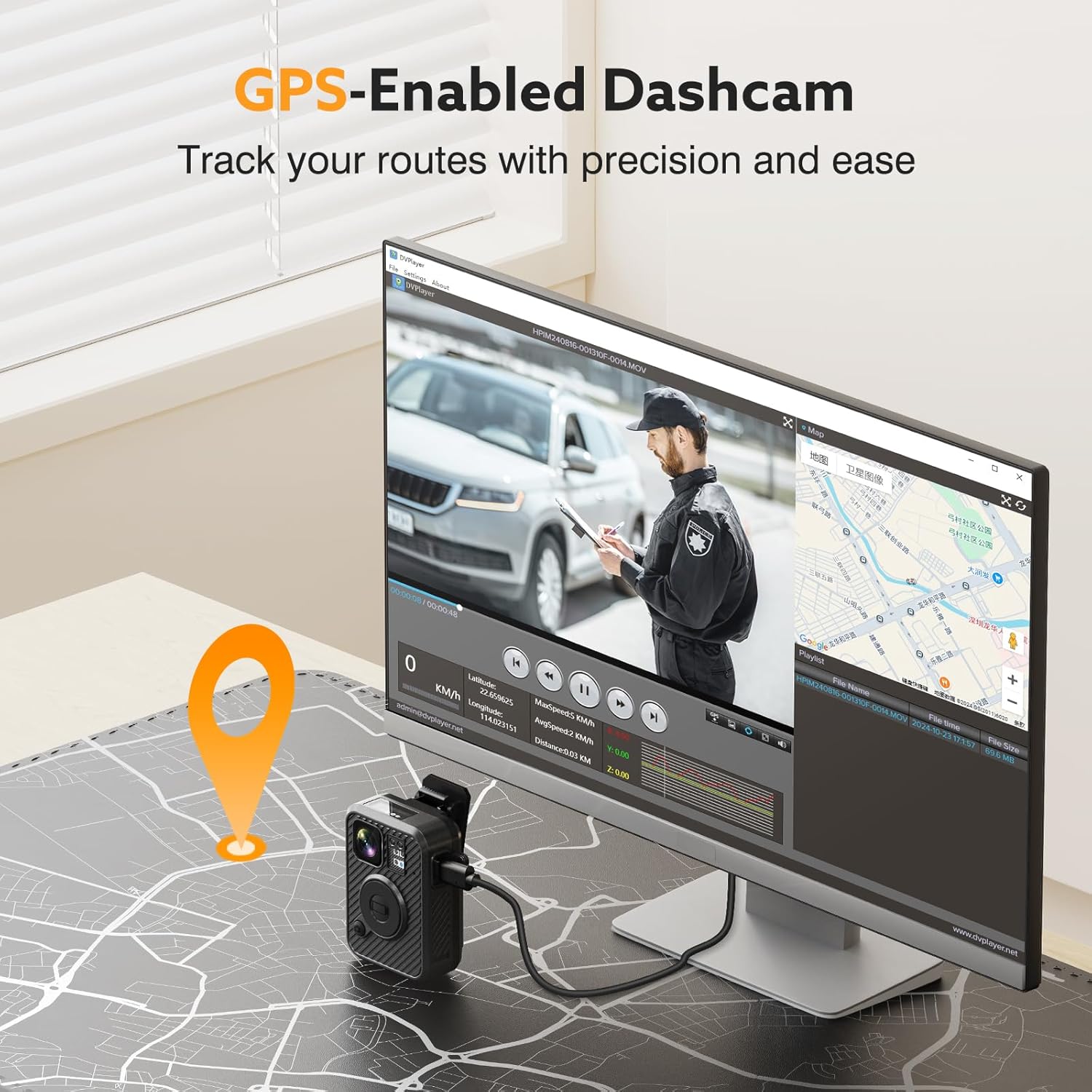
Image: A visual representation of the GPS tracking feature, showing a map and video playback on a computer screen.
5.5 โหมดกล้องติดรถยนต์
The WD10 can function as a dash cam with a power-on recording feature. When connected to your vehicle's power, it can automatically start recording when the car is on, providing continuous surveillance for your vehicle.

Image: The Losfom WD10 camera installed on a car's windshield, demonstrating its use as a dashcam.
5.6 การใช้งานอเนกประสงค์
The camera's design and included accessories make it suitable for various scenarios:
- การบังคับใช้กฎหมาย: Securely attach to uniforms for reliable evidence collection.
- Delivery Monitoring: Document deliveries and interactions.
- ระบบเฝ้าระวังที่จอดรถ: Utilize dash cam mode for vehicle protection.
- กิจกรรมกลางแจ้ง: Capture adventures with hands-free recording.

Image: A collage showing the WD10 camera being used in different contexts: as a dashcam, by a law enforcement officer, and by a person walking outdoors.
6. ตัวเลือกการติดตั้ง
The WD10 camera comes with multiple mounting accessories to suit your needs:
- Long and Short Clips: For flexible body mounting on clothing or gear.
- Car Mount: Securely attaches the camera to your vehicle's windshield for dash cam use.

Image: A visual comparison of the WD10 setup for dash camera use with a car mount versus law enforcement use with body clips.
7. การจัดการข้อมูล
7.1 การโอนย้าย Files
Connect the camera to your computer using the provided USB cable to access and transfer recorded video and photo files. The camera is compatible with Windows and Mac for easy data management.
7.2 พื้นที่จัดเก็บ
The WD10 model comes with 128GB of internal storage. Ensure regular backup of important fileเพื่อป้องกันข้อมูลสูญหาย
8. ข้อมูลจำเพาะ
| คุณสมบัติ | รายละเอียด |
|---|---|
| ขนาดสินค้า | 5 x 4 x 5 นิ้ว |
| น้ำหนักสินค้า | 1.37 ปอนด์ |
| หมายเลขรุ่นสินค้า | WD10 |
| แบตเตอรี่ | ต้องใช้แบตเตอรี่ลิเธียมโพลิเมอร์ 1 ก้อน (รวมอยู่ด้วย) |
| ยี่ห้อ | ลอฟฟอม |
| ชื่อรุ่น | WD10 |
| เทคโนโลยีการเชื่อมต่อ | ยูเอสบี |
| คุณสมบัติพิเศษ | Built-In GPS, Night Vision |
| ความละเอียดในการจับภาพวิดีโอ | 1440p (2K) |
| สี | สีดำ |
9 การแก้ไขปัญหา
9.1 กล้องไม่เปิด
- Ensure the battery is fully charged. Connect to a power source and allow sufficient charging time.
- Press and hold the Power button for several seconds.
9.2 คุณภาพวิดีโอไม่ดี
- ตรวจสอบให้แน่ใจว่าเลนส์สะอาด ปราศจากรอยเปื้อนหรือเศษฝุ่น
- Check lighting conditions. Night vision should activate automatically in low light.
9.3 GPS ไม่สามารถติดตามได้
- ตรวจสอบให้แน่ใจว่ากล้องมีความชัดเจน view ของท้องฟ้าเพื่อการรับสัญญาณ GPS ที่ดีที่สุด
- Verify GPS settings in the camera menu.
9.4 Files Not Transferring to Computer
- ตรวจสอบให้แน่ใจว่าได้เสียบสาย USB เข้ากับกล้องและคอมพิวเตอร์อย่างแน่นหนาแล้ว
- ลองใช้พอร์ต USB หรือสายเคเบิลอื่น
- Restart both the camera and the computer.
10. การรับประกันและการสนับสนุน
For warranty information, technical support, or service inquiries, please refer to the contact details provided in the packaging or visit the official Losfom webไซต์ โปรดเก็บใบเสร็จรับเงินไว้เป็นหลักฐานการซื้อ
11. วิดีโอผลิตภัณฑ์อย่างเป็นทางการ
Losfom WD1 Law Enforcement Camera Overview
วิดีโอ: จบแล้วview of the Losfom WD1 Law Enforcement Camera, showcasing its features and what comes in the box. Note: This video features a similar model (WD1) from the same brand.
1080P FHD Body Worn Camera Features
Video: A demonstration of a 1080P FHD Body Worn Camera, highlighting its built-in battery, night vision, and durable materials. Note: This video features a similar model from the same brand.
Losfom WD1 Body Camera Battery Life
วิดีโอ: คลิปสั้น ๆ ที่แสดงให้เห็นasing the 2100mAh battery and 10 hours of recording time for the Losfom WD1 Body Camera. Note: This video features a similar model (WD1) from the same brand.