
การแนะนำ
Thank you for choosing the ANDELI MONER LED PRO Welding Helmet. This manual provides essential information for the safe and effective operation, maintenance, and troubleshooting of your welding helmet. Please read this manual thoroughly before use and retain it for future reference.
ข้อมูลด้านความปลอดภัย
Always prioritize safety when welding. This helmet is designed to protect your eyes and face from sparks, spatter, and harmful radiation under normal welding conditions. However, it is not a substitute for other personal protective equipment (PPE).
- การปกป้องดวงตา: Always wear appropriate primary eye protection (safety glasses) under the welding helmet.
- การระบายอากาศ : Ensure adequate ventilation in your work area to avoid inhaling hazardous fumes.
- การตรวจสอบ: Before each use, inspect the helmet for any damage, cracks, or loose parts. Do not use a damaged helmet.
- อุณหภูมิ: Do not expose the helmet to extreme temperatures or direct sunlight for prolonged periods.
- การทำความสะอาด: Clean the helmet and lens according to the maintenance instructions to ensure optimal performance and visibility.
- การปรับเปลี่ยน: Do not modify the helmet or its components. Unauthorized modifications can compromise safety and void the warranty.
- เซ็นเซอร์อาร์ค: Ensure the arc sensors are clean and unobstructed for proper auto-darkening function.
คุณสมบัติผลิตภัณฑ์
- Panoramic Large Viewing Screen: Features a 3.94" x 3.74" main viewing area with an additional 3.72" x 1.76" side view (DIN4, non-auto-darkening) for an expanded field of vision.
- ไฟ LED แบบบูรณาการ: Equipped with 4 LED lights providing up to 400 lumens for enhanced visibility in low-light conditions.
- สีที่แท้จริง View: Offers 1/1/1/2 optical clarity for a natural and clear view of the weld puddle and surrounding area.
- ป้องกันรังสียูวี/IR: Provides constant UV/IR protection up to Shade DIN16, safeguarding eyes from harmful radiation.
- Advanced Auto-Darkening: Utilizes 4 premium arc sensors for rapid switching from light to dark in 1/25000 seconds, protecting eyes instantly upon arc strike.
- การปราบปรามการรบกวน: Designed to minimize false triggers from sunlight or workshop lighting, ensuring consistent auto-darkening performance.
- การชาร์จ Type-C: Features a Type-C charging port for convenient and fast recharging of the internal battery, offering 3 to 6 hours of continuous LED operation.
- ระบบควบคุมแบบดิจิตอล: Microprocessor-controlled settings for precise adjustment of delay, shade, and sensitivity.
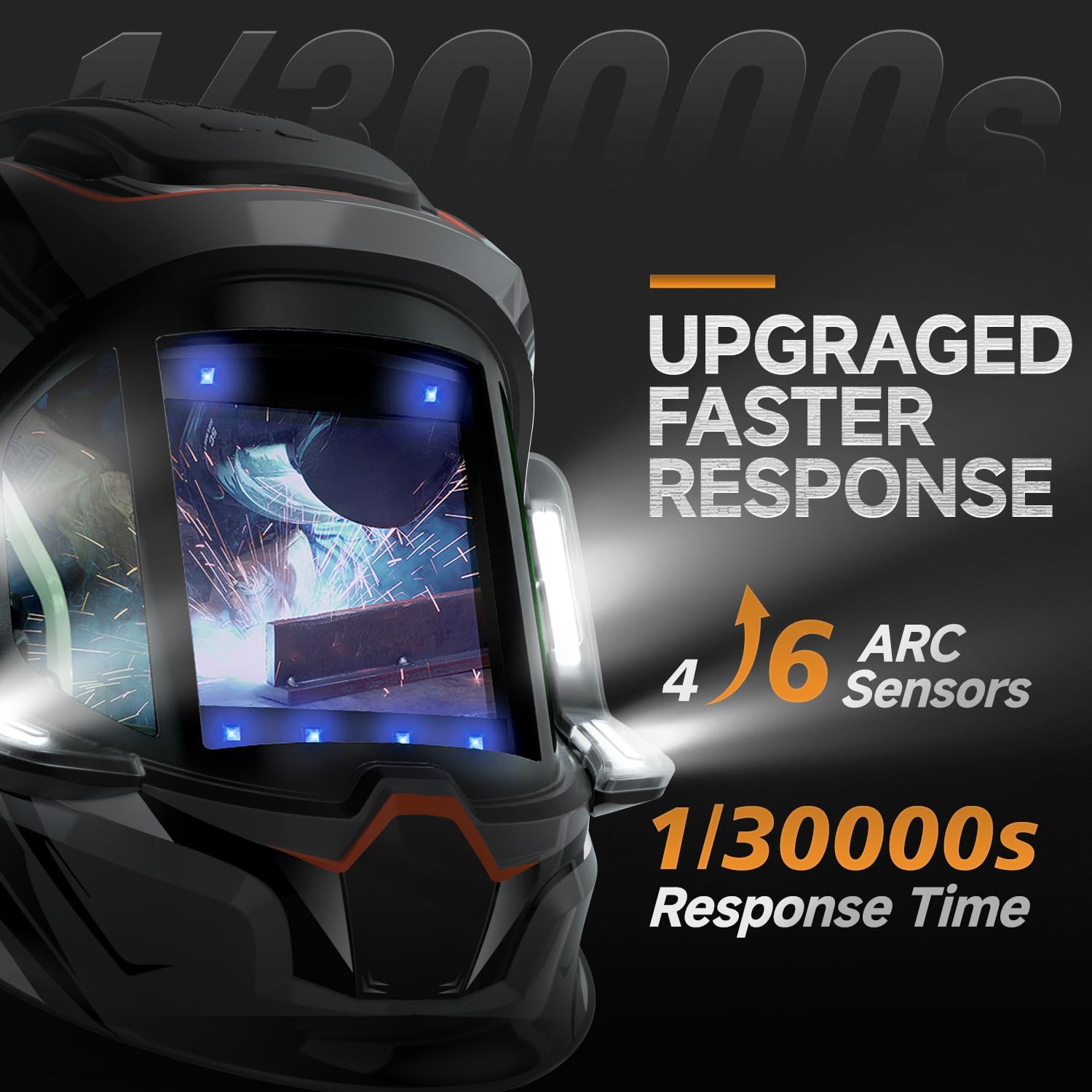
ภาพ: Illustration of the helmet's 4 arc sensors and fast response time of 1/30000 seconds for quick auto-darkening.
การตั้งค่า
- การแกะกล่อง: Carefully remove the welding helmet and all accessories from the packaging. Inspect for any shipping damage.
- Headgear Assembly and Adjustment: Attach the headgear to the helmet shell if not already assembled. Adjust the headgear for a comfortable and secure fit on your head. This includes adjusting the angle, tightness, and distance from your face.

ภาพ: Headgear adjustment points including angle, tightness, distance, and comfort cushion for optimal fit and stability.
- การชาร์จแบตเตอรี่: Before first use, fully charge the helmet's internal battery using the provided Type-C charging cable. The charging port is typically located on the side or bottom of the helmet. A full charge provides 3 to 6 hours of continuous LED operation.

ภาพ: เกินview of the welding helmet, highlighting the Type-C rechargeable battery and digital lens assembly.
- Protective Films: Remove any protective films from the inner and outer lenses before use.
- Initial Function Test: Perform a function test as described in the "Operating Instructions" section to ensure the auto-darkening feature is working correctly.
คำแนะนำการใช้งาน
The ANDELI MONER LED PRO welding helmet features digital controls for precise adjustment of welding parameters.
- เปิด/ปิดเครื่อง: The helmet typically powers on automatically when exposed to light or an arc. Some models may have a manual power button.
- การปรับเฉดสี: Select the appropriate shade level (DIN) for your welding process and amperage. Refer to welding safety standards for recommended shade levels. The helmet supports shades 4/5-9/9-13.
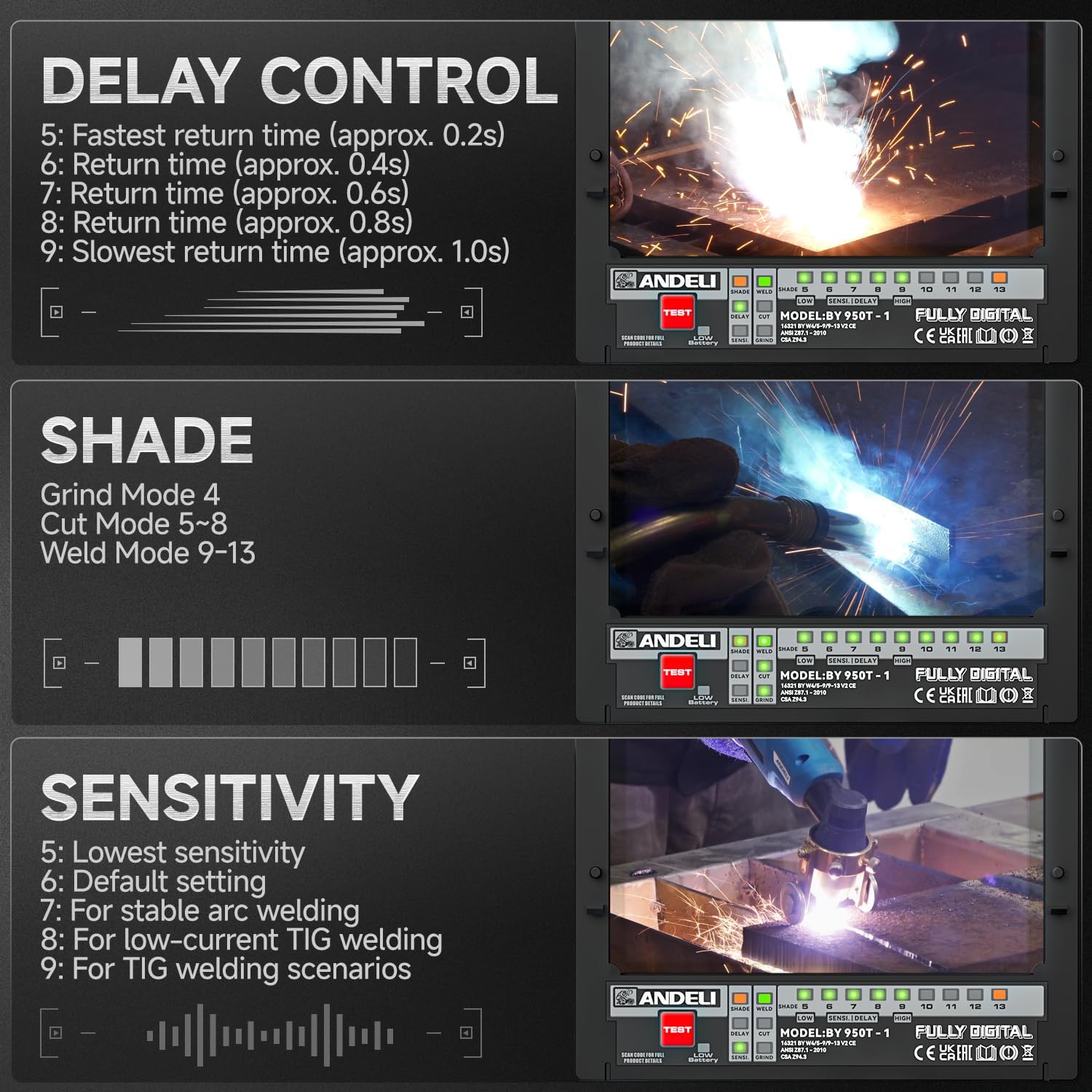
ภาพ: Digital controls for adjusting shade, delay, and sensitivity settings on the welding helmet.
- การปรับความไว: Adjust the sensitivity to detect the welding arc. Higher sensitivity is suitable for low amperage TIG welding, while lower sensitivity helps prevent false darkening from ambient light.
- ตั้งค่า 5: ความไวต่ำสุด
- ตั้งค่า 6: การตั้งค่าเริ่มต้น
- ตั้งค่า 7: For stable arc welding
- ตั้งค่า 8: For low-current TIG welding
- ตั้งค่า 9: For TIG welding scenarios
- การควบคุมความล่าช้า: Set the delay time for the lens to return from dark to light after the arc stops. A longer delay is useful for high amperage welding to prevent eye fatigue from afterglow.
- ตั้งค่า 5: Fastest return time (approx. 0.2s)
- ตั้งค่า 6: Return time (approx. 0.4s)
- ตั้งค่า 7: Return time (approx. 0.6s)
- ตั้งค่า 8: Return time (approx. 0.8s)
- ตั้งค่า 9: Slowest return time (approx. 1.0s)
- โหมดบด: Activate grind mode (typically Shade 4) when grinding to prevent the lens from darkening. Ensure you switch back to weld mode before striking an arc.
- ไฟ LED: Activate the integrated LED lights for improved visibility in dark work environments. The lights provide up to 400 lumens.
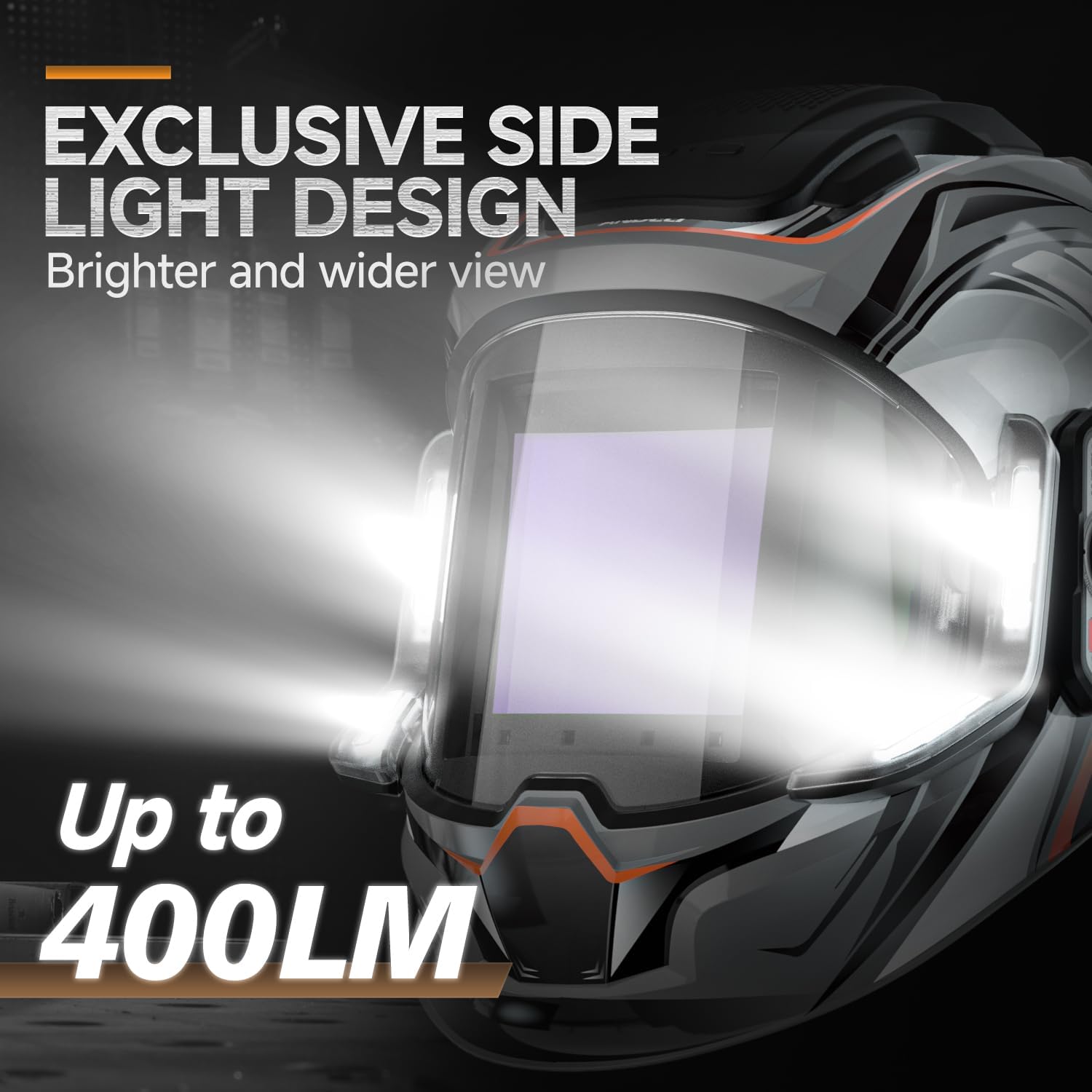
ภาพ: ภาพระยะใกล้ view of the helmet's side light design, illustrating the 400 lumen output for enhanced visibility.
- สีที่แท้จริง View: The helmet's true color technology provides a clearer and more natural view of the weld puddle.

ภาพ: Examples of the true color enhancement feature, showing improved clarity and natural color perception during welding.
การซ่อมบำรุง
Regular maintenance ensures the longevity and optimal performance of your welding helmet.
- การทำความสะอาดเลนส์: Clean the outer and inner protective lenses regularly with a soft, clean cloth and a mild cleaning solution. Do not use abrasive cleaners or solvents.
- Cleaning the Helmet Shell: Wipe the helmet shell with a damp ผ้า. หลีกเลี่ยงสารเคมีที่รุนแรง
- เซ็นเซอร์อาร์ค: Keep the arc sensors clean and free from dust, dirt, and spatter to ensure proper auto-darkening function.
- การชาร์จแบตเตอรี่: Recharge the internal battery as needed. Avoid fully discharging the battery frequently to prolong its lifespan.
- พื้นที่จัดเก็บ: Store the helmet in a dry, clean place away from direct sunlight and extreme temperatures.
- การตรวจสอบ: Periodically inspect the headgear, lenses, and helmet shell for any signs of wear, damage, or cracks. Replace damaged parts immediately.
การแก้ไขปัญหา
| ปัญหา | สาเหตุที่เป็นไปได้ | สารละลาย |
|---|---|---|
| Lens does not darken when arc is struck. |
|
|
| Lens darkens intermittently or falsely. |
|
|
| Poor visibility through the lens. |
|
|
| ไฟ LED ไม่ทำงาน |
|
|
ข้อมูลจำเพาะ
| คุณสมบัติ | รายละเอียด |
|---|---|
| แบบอย่าง | MONER LED PRO |
| ยี่ห้อ | แอนเดลี |
| หลัก Viewing Screen Size | 3.94" x 3.74" (100 มม. x 95 มม.) |
| ด้านข้าง View ขนาดหน้าจอ | 3.72" x 1.76" (DIN4, non-auto-darkening) |
| ความคมชัดของแสง | 1/1/1/2 |
| การป้องกันรังสี UV/IR | มากถึงเงาDIN16 |
| อาร์คเซนเซอร์ | 4 |
| สถานะแสง | ดิน 4 |
| สถานะมืด | Variable Shade 5-9 / 9-13 |
| เวลาการสลับ | 1/25000 seconds (Light to Dark) |
| เวลาหน่วง | Adjustable (0.2s - 1.0s) |
| แหล่งจ่ายไฟ | Rechargeable Lithium Battery (Type-C Charging) |
| เอาต์พุตไฟ LED | ถึง 400 ลูเมนส์ |
| LED Light Operating Time | 3 to 6 hours (continuous) |
| วัสดุ | PP |
| น้ำหนักสินค้า | 771 กรัม |
การรับประกันและการสนับสนุน
For warranty information and technical support, please refer to the documentation provided with your purchase or contact ANDELI customer service. Keep your purchase receipt as proof of purchase.