
1. บทนำ
This manual provides comprehensive instructions for the safe and effective operation, maintenance, and troubleshooting of your Uharbour Digital Torque Wrench, Model UHXM011. Please read this manual thoroughly before using the tool to ensure proper function and to prevent damage or injury. Keep this manual for future reference.
2. ข้อมูลด้านความปลอดภัย
Always observe basic safety precautions when using power tools to reduce the risk of personal injury. Failure to follow these instructions may result in electric shock, fire, and/or serious injury.
- อ่านคำแนะนำทั้งหมด: ศึกษาทำความเข้าใจฟังก์ชันและขั้นตอนการใช้งานของเครื่องมือให้ดี
- สวมใส่อุปกรณ์ป้องกันความปลอดภัยที่เหมาะสม: Always wear eye protection. Gloves are recommended.
- รักษาพื้นที่ทำงานให้สะอาดและมีแสงสว่างเพียงพอ: บริเวณที่รกหรือมืดอาจทำให้เกิดอุบัติเหตุได้
- ไม่เกิน: รักษาการทรงตัวและทรงตัวให้เหมาะสมตลอดเวลา
- การยึดชิ้นงานให้แน่น: Always secure the item you are working on to prevent movement.
- อย่าบังคับเครื่องมือ: Use the correct tool for the application.
- เก็บเครื่องมือที่ไม่ได้ใช้งาน: เมื่อไม่ใช้งาน ควรเก็บเครื่องมือไว้ในที่แห้ง สูง หรือที่ล็อกกุญแจ ให้พ้นมือเด็ก
- ดูแลรักษาเครื่องมือด้วยความระมัดระวัง: รักษาเครื่องมือให้สะอาดเพื่อประสิทธิภาพที่ดีขึ้นและปลอดภัยยิ่งขึ้น ปฏิบัติตามคำแนะนำในการหล่อลื่นและเปลี่ยนอุปกรณ์เสริม
- ตรวจสอบชิ้นส่วนที่เสียหาย: ก่อนใช้เครื่องมือต่อไป ควรตรวจสอบการ์ดป้องกันหรือส่วนอื่นๆ ที่เสียหายอย่างรอบคอบเพื่อพิจารณาว่าเครื่องมือจะทำงานอย่างถูกต้องและทำงานได้ตามที่ตั้งใจไว้
3. เนื้อหาบรรจุภัณฑ์
ตรวจสอบว่ารายการทั้งหมดที่ระบุไว้ด้านล่างนี้รวมอยู่ในแพ็คเกจของคุณ:
- 1 x Uharbour Digital Torque Wrench (Model UHXM011)
- 1 x กล่องเก็บของป้องกัน
- 1 x ใบรับรองการสอบเทียบ
- 1 x คู่มือการใช้งาน
- แบตเตอรี่ AAA 3 ก้อน
4. สินค้าหมดview
The Uharbour Digital Torque Wrench is designed for precise torque measurement and application. It features a clear digital display, multiple measurement units, and various operational modes.
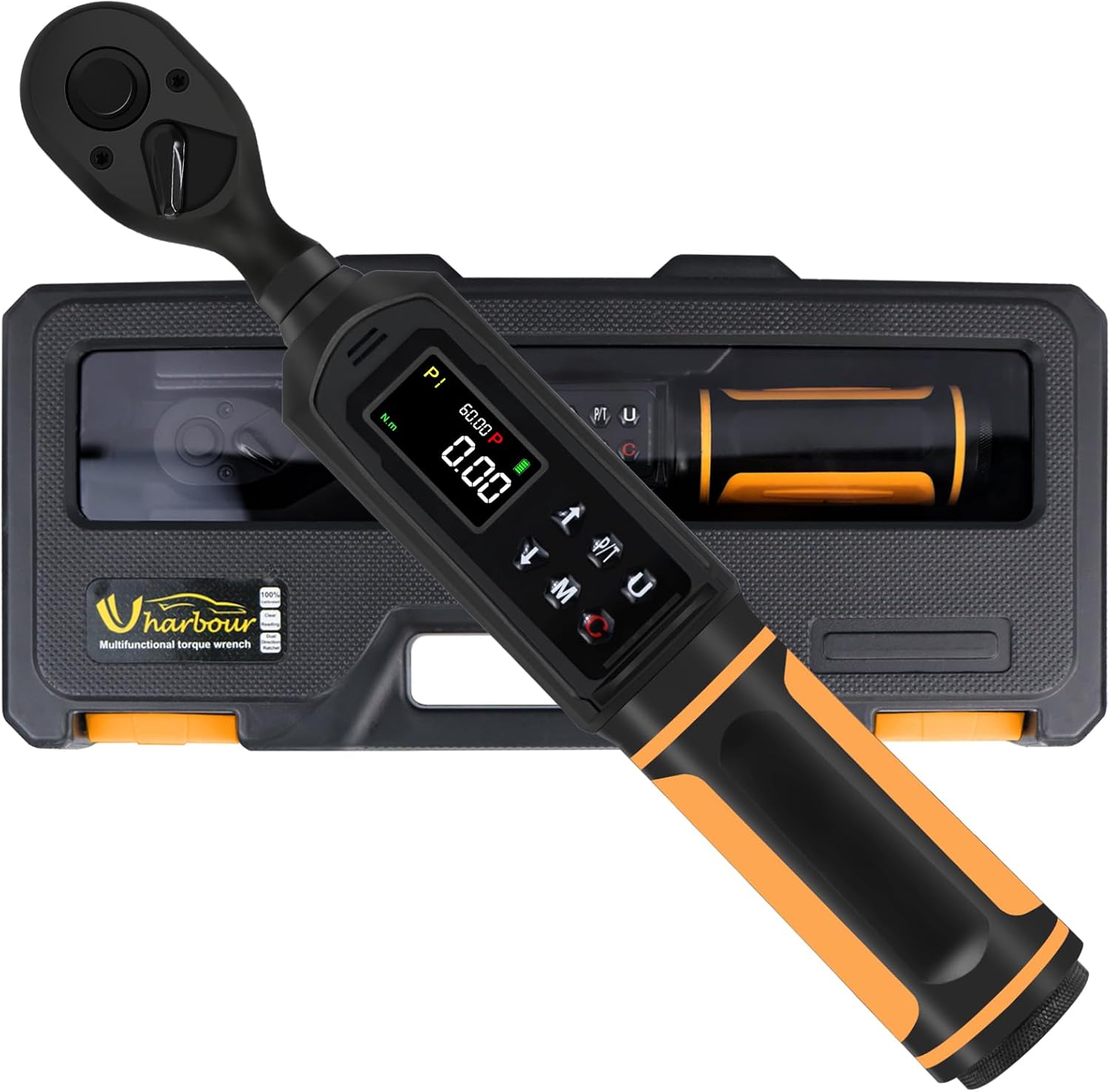
The Uharbour Digital Torque Wrench, model UHXM011, is presented in its durable protective case, ready for storage or transport.

รายละเอียด view of the wrench's display panel, pointing out the clear LCD screen, the audible buzzer, the sequential LED indicators for approaching target torque, and the four selectable measurement units (in.lb, ft.lb, N.m, kg.cm).
ส่วนประกอบหลัก:
- หัวขันเฟือง: Dual-direction for clockwise and counter-clockwise operation.
- หน้าจอ LCD: High-definition display with backlight for clear readings.
- ปุ่มควบคุม: For power, mode selection, unit selection, and value adjustment.
- ไฟ LED แสดงสถานะ: Visual alerts that light up as target torque is approached and reached.
- ออด: Audible alert that sounds with increasing frequency as target torque is approached and becomes constant when reached.
- ช่องใส่แบตเตอรี่: Located at the base of the handle.
5. การตั้งค่า
5.1 การติดตั้งแบตเตอรี่
- Unscrew the battery cap at the bottom of the wrench handle.
- ใส่แบตเตอรี่ AAA จำนวนสาม (3) ก้อน โดยตรวจสอบให้แน่ใจว่าขั้วถูกต้อง (+/-)
- Replace the battery cap and tighten securely.
5.2 การเปิดเครื่องครั้งแรก
Press and hold the Power button (usually marked with Ⓘ) for a few seconds until the LCD screen illuminates. The wrench will perform a self-test and display the current settings.
6. คู่มือการใช้งาน

This image illustrates the three operational modes of the digital torque wrench: Track mode for real-time torque display, Peak mode for setting a target torque with alerts, and Torque Memory for reviewing past measurements.
6.1 เปิด/ปิดเครื่อง
- การเปิดเครื่อง: Press and hold the Power button (Ⓘ) until the display lights up.
- วิธีปิดเครื่อง: Press and hold the Power button (Ⓘ) until the display turns off. The wrench will automatically power off after a period of inactivity to conserve battery life.
6.2 การเลือกหน่วย
Press the 'U' button to cycle through the available measurement units: N-m (Newton-meters), kgf-cm (kilogram-force centimeters), lb-ft (pound-feet), and lb-in (pound-inches). Select the desired unit for your application.
การเลือกโหมด 6.3
Press the 'M' button to switch between the two primary operating modes:
- Track Mode (T): Displays the real-time torque value as it is being applied. This mode is suitable for continuous monitoring of torque.
- โหมดพีค (P): Allows you to set a target torque value. When this value is reached, the wrench will provide visual, audible, and vibratory alerts. The display will hold the peak torque value achieved.
6.4 Setting Target Torque (Peak Mode)
In Peak Mode:
- Ensure the wrench is in Peak Mode (P).
- Use the Up (▲) and Down (▼) arrow buttons to adjust the target torque value. Press and hold for faster adjustment.
- The display will show the set target value.
6.5 การใช้แรงบิด
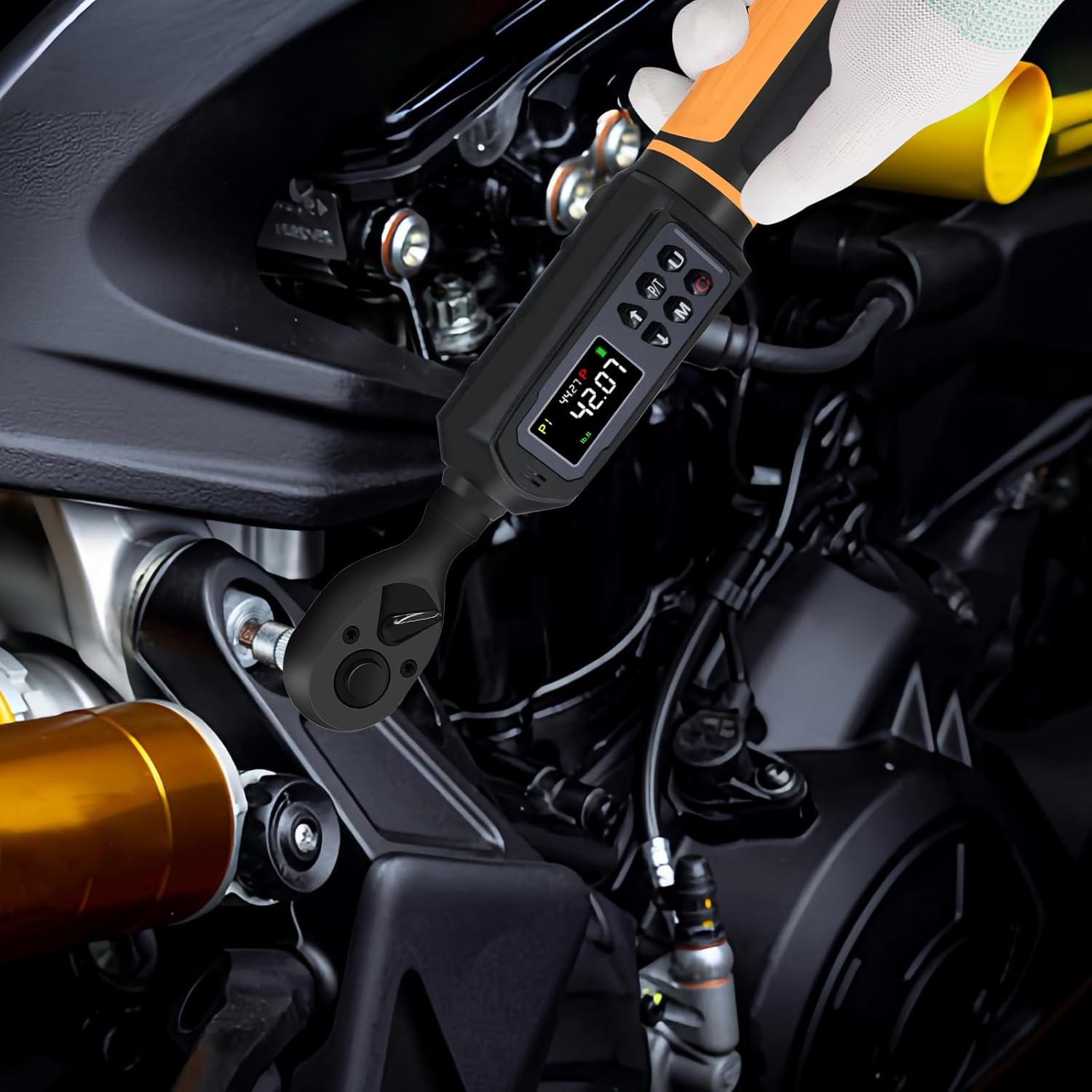
The digital torque wrench in active use, demonstrating its application for precise tightening of fasteners on mechanical components.
- Attach the appropriate socket or bit to the 3/8" drive ratchet head.
- วางซ็อกเก็ตลงบนตัวยึด
- Apply steady, smooth force to the wrench handle.
- Observe the LCD display and LED indicators. In Peak Mode, stop applying force when the target torque is reached and the alerts activate.
- The dual-direction ratchet allows for both tightening (clockwise) and loosening (counter-clockwise) operations.
6.6 Alerts (Vibration, Buzzer, LED)
When operating in Peak Mode, the wrench provides multi-sensory feedback:
- ไฟ LED แสดงสถานะ: Lights will illuminate sequentially as you approach the target torque. All LEDs will light up when the target is reached.
- ออด: An audible beep will increase in frequency as you get closer to the target torque. It will become a continuous tone when the target is achieved.
- การสั่นสะเทือน: The handle will vibrate when the target torque is reached, providing tactile feedback.
6.7 Torque Memory
The wrench can store multiple torque values (P1-P9) for quick recall. Refer to the on-screen prompts or the full instruction manual for detailed steps on how to save and recall these presets.
7. การบำรุงรักษา
7.1 การทำความสะอาด
- Wipe the wrench clean with a soft, dry cloth after each use.
- ห้ามใช้น้ำยาทำความสะอาดที่มีฤทธิ์กัดกร่อนหรือตัวทำละลาย เนื่องจากอาจทำให้พื้นผิวและชิ้นส่วนอิเล็กทรอนิกส์เสียหายได้
- Ensure no liquids enter the display or button areas.
7.2 พื้นที่จัดเก็บ
- Store the torque wrench in its protective case when not in use.
- ถอดแบตเตอรี่ออกหากจะไม่ใช้ประแจเป็นเวลานานเพื่อป้องกันการรั่วไหล
- Store in a dry environment, away from direct sunlight and extreme temperatures.
7.3 การสอบเทียบ

The Uharbour Digital Torque Wrench is shown alongside its calibration certificate, confirming its accuracy and providing details for verification.
Your Uharbour Digital Torque Wrench comes with a calibration certificate, confirming its accuracy at the time of manufacture. For continued precision, it is recommended to verify the torque wrench after working for 12 months or after 5000 cycles, whichever comes first. Contact Uharbour customer service for calibration services.
8 การแก้ไขปัญหา
If you encounter issues with your digital torque wrench, refer to the following common problems and solutions:
| ปัญหา | สาเหตุที่เป็นไปได้ | สารละลาย |
|---|---|---|
| Wrench does not power on | แบตเตอรี่หมดหรือติดตั้งไม่ถูกต้อง | ตรวจสอบขั้วแบตเตอรี่ หากพบปัญหา ให้เปลี่ยนเป็นแบตเตอรี่ AAA ใหม่ |
| การอ่านที่ไม่ถูกต้อง | Wrench needs recalibration; improper usage | Refer to Section 7.3 for calibration. Ensure steady, smooth force is applied. |
| Alerts (buzzer/LED/vibration) not working | Not in Peak Mode; low battery | Ensure wrench is in Peak Mode. Replace batteries. |
| หน้าจอแสดงผลมืดหรือกระพริบ | พลังงานแบตเตอรี่ต่ำ | เปลี่ยนแบตเตอรี่ |
9. ข้อมูลจำเพาะ
| คุณสมบัติ | รายละเอียด |
|---|---|
| ยี่ห้อ | ยูฮาร์เบอร์ |
| หมายเลขรุ่น | ยูเอชเอ็กซ์เอ็ม011 |
| ขนาดไดรฟ์ | 3/8 นิ้ว |
| ช่วงแรงบิด | 0.66-44.29 ฟุต-ปอนด์ (0.9-60 นิวตันเมตร) |
| ความแม่นยำ | ±1% |
| หน่วยการวัด | นิวตันเมตร, กก.-ซม., ปอนด์-ฟุต, ปอนด์-นิ้ว |
| สไตล์หัว | สแควร์ไดรฟ์ |
| วัสดุ | Alloy Aluminum, Chrome Vanadium Steel, Plastic, Rubber |
| น้ำหนักสินค้า | 2.2 ปอนด์ (1 กิโลกรัม) |
| แหล่งพลังงาน | 3 x AAA Alkaline Batteries (Included) |
| ประเภทการเสร็จสิ้น | ทาสี |
| ขนาดแพ็คเกจ | 12.95 x 5.63 x 2.24 นิ้ว |
| ยูพีซี | 721545190833 |
10. การรับประกันและการสนับสนุน
Your Uharbour Digital Torque Wrench comes with a warranty. The calibration certificate included with your product may specify a warranty extension of up to two years. For detailed warranty terms, calibration services, or technical support, please contact Uharbour directly.
- เป็นทางการ Webเว็บไซต์: www.uharbour.net
- อีเมลฝ่ายบริการลูกค้า: support@uharbour.net