
1. บทนำ
This manual provides essential instructions for the installation, operation, and maintenance of your APPECK Permanent Outdoor Lights (Model C5109-C). These smart RGBW lights are designed for outdoor use, offering a variety of scene modes and control options via app, remote, and voice assistants. Please read this manual thoroughly before use to ensure proper functionality and safety.
2. เนื้อหาบรรจุภัณฑ์
ตรวจสอบว่ารายการทั้งหมดที่ระบุไว้ด้านล่างนี้รวมอยู่ในแพ็คเกจของคุณ:
- 16.4ft String Light x 6
- อะแดปเตอร์แปลงไฟ x 1
- กล่องควบคุม x 1
- Remote Controller x 1 (AAA batteries not included)
- Screw Clips Pack x 1
- จุกปิดท้าย x 1
- คู่มือการใช้งาน x 1

Image: Illustration of all components included in the APPECK Permanent Outdoor Lights package.
3. ข้อมูลด้านความปลอดภัย
- ความปลอดภัยทางไฟฟ้า: Ensure the power adapter is connected to a suitable outdoor-rated power outlet. The power plug is not waterproof; use an outlet cover for outdoor installations.
- การติดตั้ง: Do not cut the string lights. The total length of the string lights should not exceed 100ft.
- ช่วงอุณหภูมิ: The lights are designed for outdoor use within a temperature range of -20℃ to 60℃ (-4℉ to 140℉).
- ความต้านทานน้ำ: The string lights and control box are IP65 waterproof.
- เด็กและสัตว์เลี้ยง: เก็บวัสดุบรรจุภัณฑ์และชิ้นส่วนขนาดเล็กให้ห่างจากเด็กและสัตว์เลี้ยง
4. การตั้งค่าและการติดตั้ง
4.1 การติดตั้งทางกายภาพ
- ทดสอบก่อนการติดตั้ง: Before mounting, connect all light segments and the power adapter. Power on the lights to ensure they function correctly.
- การเตรียมพื้นผิว: Clean the installation surface with a cloth to ensure proper adhesion.
- การวางตำแหน่ง: It is recommended to install the lights 2-4 inches away from the wall surface to achieve optimal wall washing effects.
- เทปกาว: For temporary or initial placement, peel off the backing film from the adhesive tape on the back of each light. Firmly press each light against the surface for more than 8 seconds.
- ยึดด้วยสกรู: For long-term and stable installation, use the provided screws and clips to secure each light. This is especially recommended for wooden surfaces.
- Connecting Segments: Connect the 16.4ft string light segments using the waterproof connectors. Firmly screw on the waterproof cap of the last light string section.
Image: Step-by-step guide for physically installing the lights, including surface preparation and securing methods.
ภาพ: อดีตamples of compatible installation surfaces such as fiber cement, wood, vinyl, and metal, with a note to use screws for wood.
4.2 การเชื่อมต่อแอพ
The APPECK Permanent Outdoor Lights utilize the Smart Life App for advanced control. Ensure your Wi-Fi network is 2.4GHz, as 5GHz Wi-Fi is not supported.
- ดาวน์โหลดแอพ: ดาวน์โหลดแอป "Smart Life" จาก Google Play Store หรือ Apple App Store
- ลงทะเบียน/เข้าสู่ระบบ: เข้าสู่ระบบด้วยบัญชีที่มีอยู่หรือสร้างใหม่
- เปิดใช้งานไร้สาย: Turn on Wi-Fi and Bluetooth on your mobile device.
- โหมดจับคู่: Ensure the lights are powered on. Press and hold the on/off button on the control box for 3-5 seconds until the lights blink red, indicating pairing mode.
- เพิ่มอุปกรณ์: In the Smart Life App, tap the "+" icon in the top right corner and search for "C5109".
- Wi-Fi Selection: เลือกเครือข่าย Wi-Fi 2.4GHz ของคุณและป้อนรหัสผ่าน
- เสร็จสิ้น: Follow the on-screen prompts to complete the pairing process. The device will be added successfully.

Image: Visual guide for connecting the lights to the Smart Life App, detailing steps from app download to device pairing.
5. คู่มือการใช้งาน
การควบคุมแอพ 5.1 ตัว
The Smart Life App provides comprehensive control over your APPECK lights:
- การควบคุมแสงไฟแต่ละดวง: Adjust the color of each light bead individually from 16 million available colors.
- การปรับแต่งฉาก: Access 111 built-in scene modes. Program, save, collect, and loop custom scenes.
- Timing & Length Setting: Set schedules for lights to turn on/off and adjust the duration of specific effects.
- การควบคุมกลุ่ม: Control multiple sets of lights simultaneously by creating groups within the app.
- การปรับความสว่าง: Dim or brighten the lights. Warm white light brightness up to 40lm each, RGB brightness up to 25lm each.
- การซิงค์เพลง: Synchronize light effects with music for dynamic displays.

Image: The Smart Life App displaying options for individual light color control.

Image: The Smart Life App interface demonstrating scene customization, collection, looping, and timing features.
5.2 การควบคุมระยะไกล
Use the included remote controller for convenient operation. (Requires 2 AAA batteries, not included).
- เปิด/ปิดเครื่อง: เปิดหรือปิดไฟ
- การเลือกโหมด: Cycle through various preset scene modes.
- การปรับความสว่าง: เพิ่มหรือลดความเข้มของแสง
5.3 การควบคุมด้วยเสียง
The lights are compatible with Amazon Alexa and Google Assistant for hands-free control.
- การบูรณาการ: Link your Smart Life account with Amazon Alexa or Google Assistant through their respective apps.
- คำสั่ง: Use voice commands such as "Alexa, turn on the outdoor lights" or "Hey Google, set outdoor lights to red."
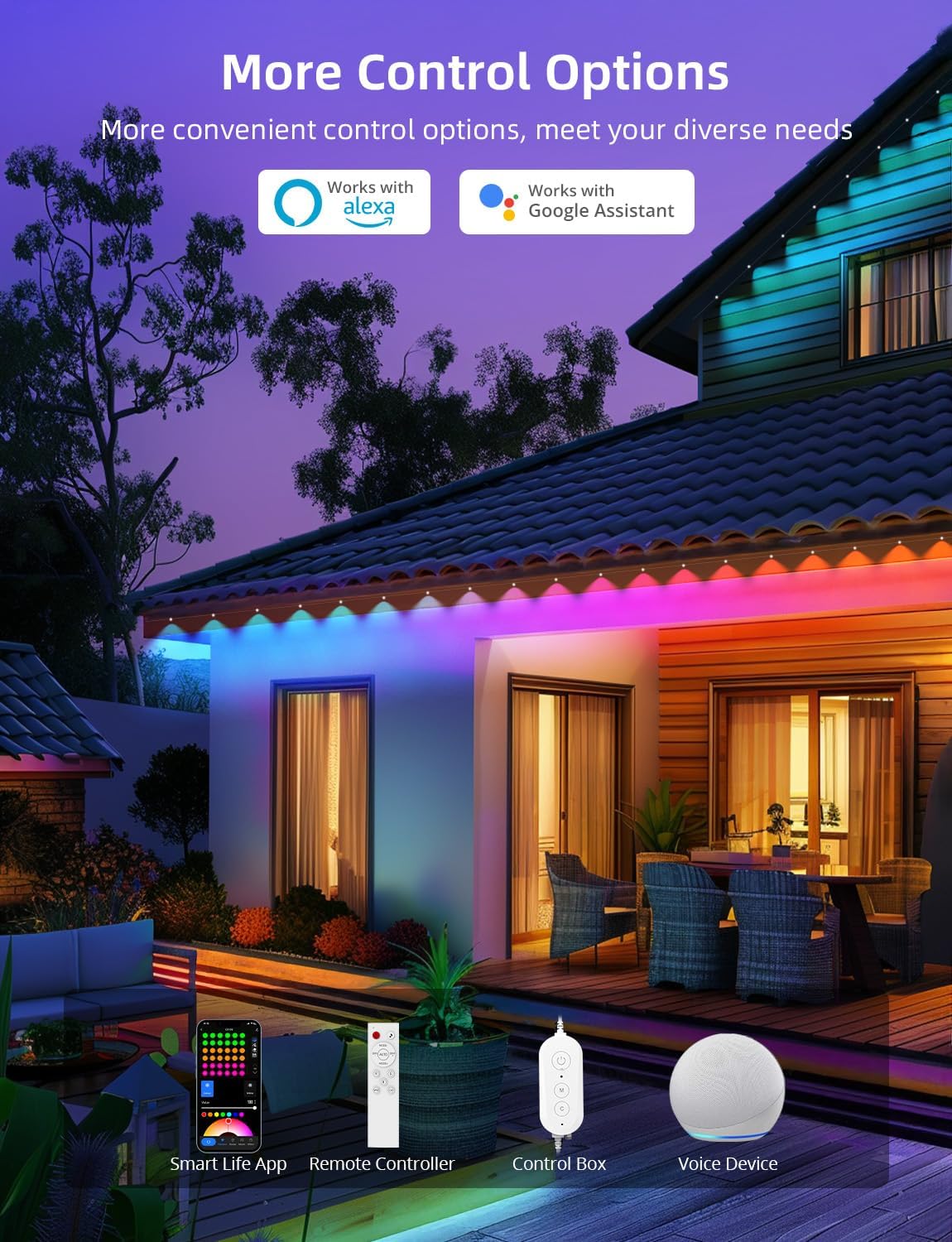
ภาพ: เหนือview of the multiple control methods available for the lights, including app, remote, control box, and voice assistants.
6. การบำรุงรักษา
To ensure the longevity and optimal performance of your APPECK Permanent Outdoor Lights, follow these maintenance guidelines:
- การทำความสะอาด: Periodically clean the light beads and housing with a soft, damp ผ้าสำหรับเช็ดสิ่งสกปรกและเศษขยะ ห้ามใช้สารเคมีรุนแรงหรือน้ำยาทำความสะอาดที่มีฤทธิ์กัดกร่อน
- การตรวจสอบ: Regularly inspect the wiring, connectors, and mounting points for any signs of wear, damage, or loose connections.
- การป้องกันสภาพอากาศ: While the lights are IP65 waterproof and UV resistant, ensure the power plug is protected from direct exposure to water. An outdoor outlet cover is recommended.
- พื้นที่จัดเก็บ: If storing the lights for an extended period, disconnect them from power, clean them, and store them in a cool, dry place.
Image: Visual representation of the lights' durability and reliability in different outdoor conditions.
7 การแก้ไขปัญหา
หากคุณพบปัญหาเกี่ยวกับไฟส่องสว่างภายนอกอาคารแบบถาวร APPECK โปรดดูวิธีแก้ไขปัญหาทั่วไปต่อไปนี้:
| ปัญหา | สาเหตุที่เป็นไปได้ | สารละลาย |
|---|---|---|
| ไฟไม่เปิด | ไม่มีไฟเข้า, การเชื่อมต่อหลวม, อะแดปเตอร์เสีย. | Check power outlet, ensure all connections are secure, test with another power source if possible. |
| Cannot connect to Smart Life App. | Incorrect Wi-Fi frequency, incorrect password, lights not in pairing mode. | Ensure your Wi-Fi is 2.4GHz. Re-enter Wi-Fi password. Put lights into pairing mode (hold control box button for 3-5 seconds). |
| รีโมทคอนโทรลไม่ทำงาน | แบตเตอรี่หมด, รีโมทอยู่นอกระยะ, มีสิ่งกีดขวาง | Replace AAA batteries. Ensure remote is pointed at the control box and within range. Remove any obstructions. |
| Lights are not displaying correct colors/modes. | App settings incorrect, interference. | Check settings in the Smart Life App. Restart the app and lights. |
8. ข้อมูลจำเพาะ
| คุณสมบัติ | รายละเอียด |
|---|---|
| หมายเลขรุ่น | ซี5109-ซี |
| ประเภทแหล่งกำเนิดแสง | ไดโอดเปล่งแสง (RGBW) |
| จำนวนแหล่งกำเนิดแสง | LED 72 ดวง |
| ความยาวรวม | 100ft (6 x 16.4ft string light segments) |
| Wire Length (Adapter to 1st Light) | 9.19ft / 2.8m |
| Wire Length (Between 2 Lights) | 1.31ft / 0.4m (1.97ft / 0.6m with connector) |
| Warm White Brightness | 40lm per light |
| ความสว่าง RGB | 25lm per light |
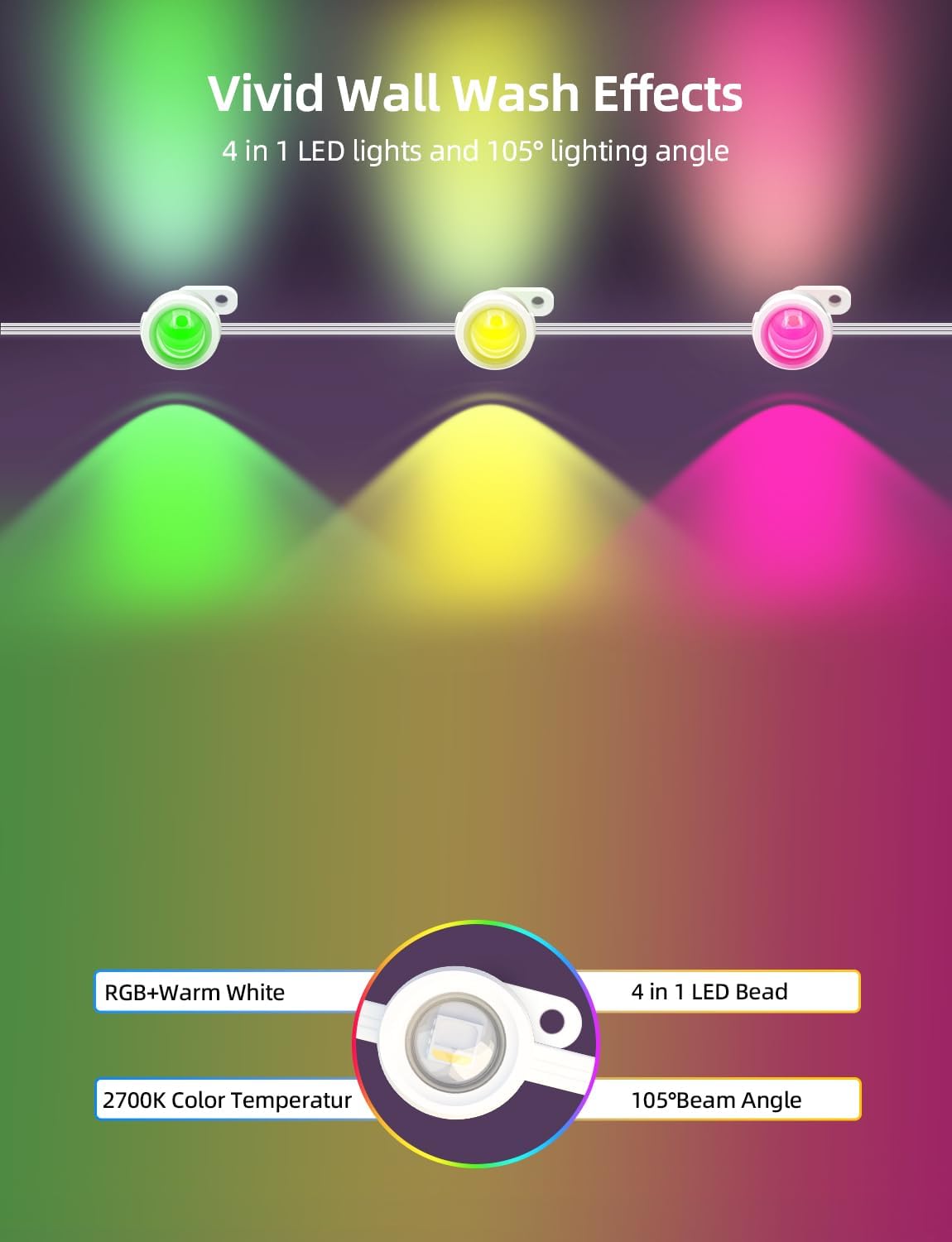
| อุณหภูมิสี (สีขาวอุ่น) | 2700 เคลวิน |
| มุมลำแสง | สูงถึง 105° |
| ความลึกของการล้างผนัง | สูงถึง 16 นิ้ว |
| ระดับความต้านทานต่อน้ำ | IP65 (lights and control box) |
| อุณหภูมิในการทำงาน | -20 ℃ถึง 60 ℃ (-4 ℉ถึง 140 ℉) |
| อายุการใช้งาน | นานถึง 50,000 ชั่วโมง |
| วิธีการควบคุม | Smart Life App, Remote Control, Control Box, Amazon Alexa, Google Assistant |
| ความเข้ากันได้กับ Wi-Fi | 2.4GHz เท่านั้น |
| เล่มที่tage | 24 โวลต์ |
| วัดtage | 54 วัตต์ |
| วัสดุ | พลาสติก |
9. การรับประกันและการสนับสนุน
APPECK products are designed for durability and performance. For warranty information, technical support, or any questions regarding your product, please contact APPECK customer service through the retailer's platform or the official APPECK webเว็บไซต์.
โปรดเก็บใบเสร็จรับเงินของคุณไว้สำหรับการเรียกร้องการรับประกัน