
1. บทนำ
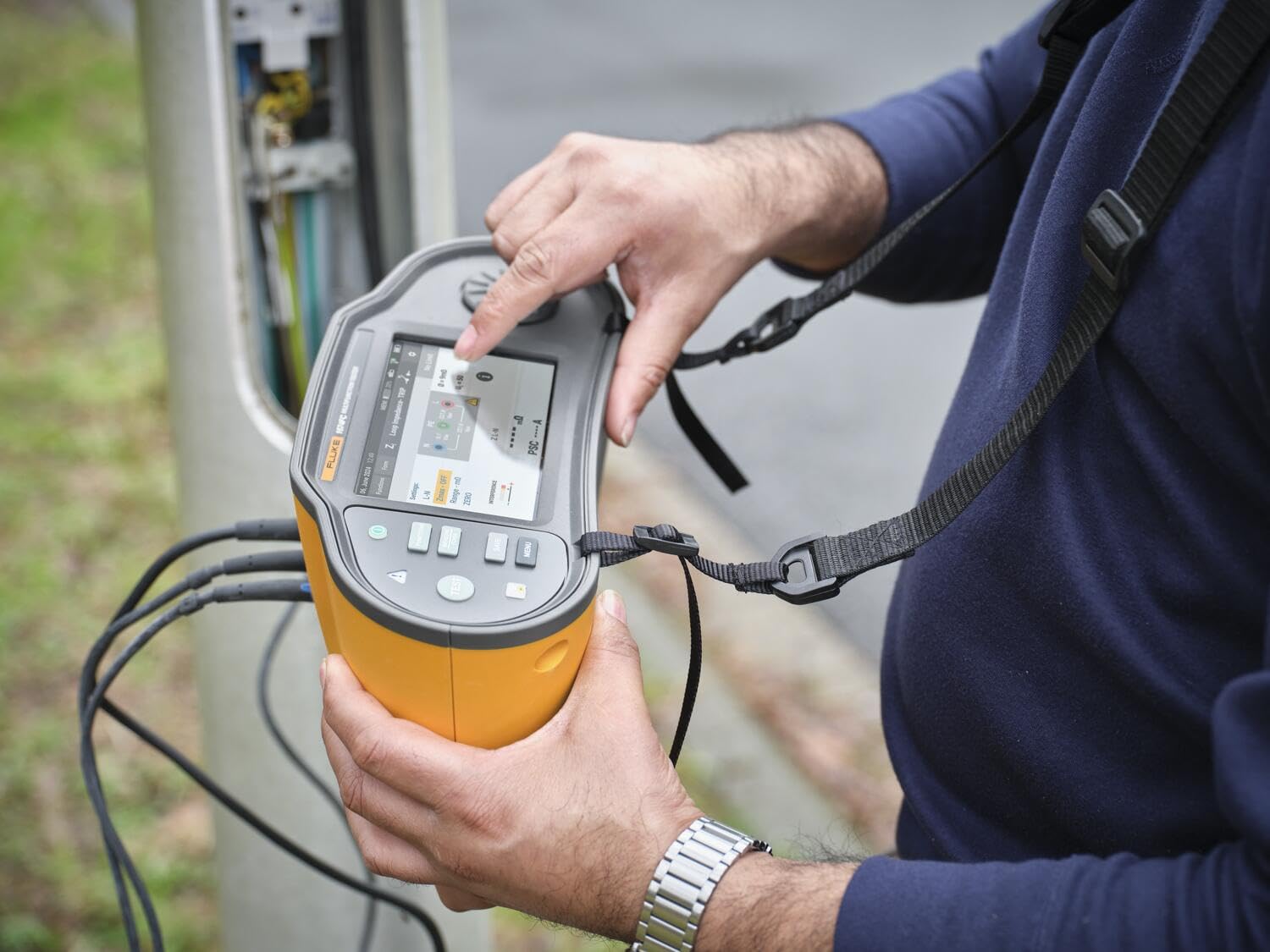
The Fluke 1674FC US Multifunction Installation Tester is designed for comprehensive electrical installation testing. This device offers an ergonomic design, a user-friendly interface, integrated data management, and wireless connectivity for efficient and accurate testing.
คุณสมบัติที่สำคัญ ได้แก่:
- Integrated color touch screen for quick setup.
- Programmable Auto Tests for automated test sequences.
- Advanced Surge Protection Device (SPD) and Insulation Monitoring Device (IMD) testing capabilities.
- Ability to generate inspection certificates on-site.
- Wireless connectivity for data transfer and reporting.

2. การตั้งค่า
2.1 การแกะกล่องและการตรวจสอบเบื้องต้น
Carefully unpack the Fluke 1674FC US and all accessories. Inspect the device and components for any signs of damage. If any damage is found, contact your supplier immediately.
2.2 การติดตั้งแบตเตอรี่
The Fluke 1674FC US is powered by batteries. Refer to the battery compartment cover for instructions on proper battery orientation. Ensure batteries are correctly inserted before first use.
2.3 การเชื่อมต่อสายทดสอบและอุปกรณ์เสริม
Connect the appropriate test leads and probes to the input terminals of the tester. Ensure all connections are secure to prevent inaccurate readings or potential hazards.
2.4 การเปิดเครื่องครั้งแรก
Press the power button to turn on the device. The integrated color touch screen will display the startup sequence. Follow any on-screen prompts for initial setup, such as language selection or date/time settings.
3. คู่มือการใช้งาน
3.1 การนำทางในส่วนติดต่อผู้ใช้
The 1674FC US features an intuitive color touch screen. Use your finger to tap on menu options, input data, and navigate through test functions. Physical buttons are also available for common operations and navigation.
3.2 การทำการทดสอบ
Select the desired test function from the main menu. The tester supports various electrical measurements, including:
- ความต้านทานฉนวน
- ความต้านทานของลูป
- RCD/FI Testing
- ความต้านทานดิน
- ลำดับเฟส
- เล่มที่tagอีและความถี่
Follow the on-screen instructions for connecting the test leads to the circuit under test. The device will guide you through the measurement process.


3.3 Programmable Auto Tests
The 1674FC US allows for programmable auto tests. This feature enables you to define and execute a sequence of tests with a single button press, streamlining routine inspections. Consult the on-screen menu for setting up and running auto tests.
3.4 Wireless Connectivity (Fluke Connect)
The device supports wireless connectivity, allowing it to interface with compatible mobile applications (e.g., Fluke Connect). This enables remote viewing of measurements, data logging, and simplified reporting. Refer to the Fluke Connect application documentation for pairing and usage instructions.


3.5 Generating Inspection Certificates
The 1674FC US facilitates the generation of inspection certificates directly from the device or through connected software. This feature allows for immediate documentation of test results, aiding in efficient workflow and invoicing.
4. การบำรุงรักษา
4.1 การทำความสะอาด
To clean the exterior of the tester, use a soft, damp cloth with a mild detergent. Do not use abrasive cleaners or solvents. Ensure the device is powered off and disconnected from any electrical circuits before cleaning.
4.2 การดูแลรักษาและการเปลี่ยนแบตเตอรี่
Replace batteries when the low battery indicator appears on the screen. Use only specified battery types. Remove batteries if the device will not be used for an extended period to prevent leakage.
4.3 พื้นที่จัดเก็บ
Store the Fluke 1674FC US in a dry, cool environment, away from direct sunlight and extreme temperatures. Use the provided carrying case for protection during transport and storage.
5 การแก้ไขปัญหา
This section addresses common issues you might encounter with your Fluke 1674FC US.
| ปัญหา | สาเหตุที่เป็นไปได้ | สารละลาย |
|---|---|---|
| อุปกรณ์ไม่เปิดเครื่อง | แบตเตอรี่หมดหรือติดตั้งไม่ถูกต้อง | ตรวจสอบทิศทางการใส่แบตเตอรี่ หากพบปัญหา ให้เปลี่ยนแบตเตอรี่ใหม่ |
| การอ่านที่ไม่ถูกต้อง | Loose test lead connections; damaged leads; incorrect test setup | Ensure all connections are secure; inspect leads for damage; verify test parameters. |
| ปัญหาการเชื่อมต่อไร้สาย | Bluetooth disabled; device out of range; app issues | Ensure Bluetooth is active on both devices; move closer to the connected device; restart the Fluke Connect app. |
If you encounter issues not listed here or if solutions do not resolve the problem, please contact Fluke customer support.
6. ข้อมูลจำเพาะ
Below are the technical specifications for the Fluke 1674FC US Multifunction Installation Tester:
- ยี่ห้อ: ฟลุ๊ค
- แบบอย่าง: Fluke 1674FC US
- แหล่งพลังงาน: ใช้พลังงานจากแบตเตอรี่
- น้ำหนักสินค้า: 11.4 ปอนด์
- ประเภทการวัด: การวัดทางไฟฟ้า
- ขนาดรายการ (ยาว x กว้าง x สูง): 4.72 x 10.35 x 5.67 นิ้ว
- ส่วนประกอบที่รวมอยู่: Fluke 1674FC US, INSTALLATION TESTER W/FC TOOL & RMT TESTS
- ใบรับรอง: CE, CSA, EMC, EN 61010-1, ETL, FCC, IEC 1010, IEC 61010-1:2000-1, IEC 61326, IP 40, IP 67, ISO 9001, NIST, REACH, RoHS, TIA, UKCA, UL
- ยูพีซี: 195112119532
7. ข้อมูลการรับประกัน
The Fluke 1674FC US Multifunction Installation Tester comes with a การรับประกันจากผู้ผลิต 3 ปี. This warranty covers defects in materials and workmanship under normal use. For full details regarding warranty terms, conditions, and claim procedures, please refer to the official Fluke website or contact Fluke customer support.
8. การสนับสนุน
For technical assistance, product information, or service, please visit the official Fluke website or contact their customer support department. Ensure you have your product model number (1674FC US) and serial number ready when seeking support.
Fluke Official Webเว็บไซต์: www.ฟลุค.คอม


