
การแนะนำ
This manual provides detailed instructions for the setup, operation, and maintenance of your Phomemo PM-246S-BT Bluetooth 4x6 Shipping Label Printer. Please read this manual thoroughly before using the device to ensure proper functionality and to prevent damage.
เนื้อหาแพ็คเกจ

Image: Contents of the Phomemo PM-246S-BT package, including the printer, cables, and quick start guide.
ก่อนเริ่ม โปรดตรวจสอบให้แน่ใจว่ามีสิ่งของครบถ้วนในบรรจุภัณฑ์:
- Phomemo PM-246S-BT Label Printer
- สาย USB
- Power Cable + Adapter
- คู่มือเริ่มต้นอย่างรวดเร็ว
- 4x6 inch Label Roll (sampเลอ)
การตั้งค่า
1. การตั้งค่าฮาร์ดแวร์
เชื่อมต่อพลังงาน: Plug the power adapter into the printer and then into a power outlet.
โหลดฉลาก: Open the printer cover. Insert the label roll with the labels facing up. Adjust the label guides to fit the width of your labels. Close the cover.
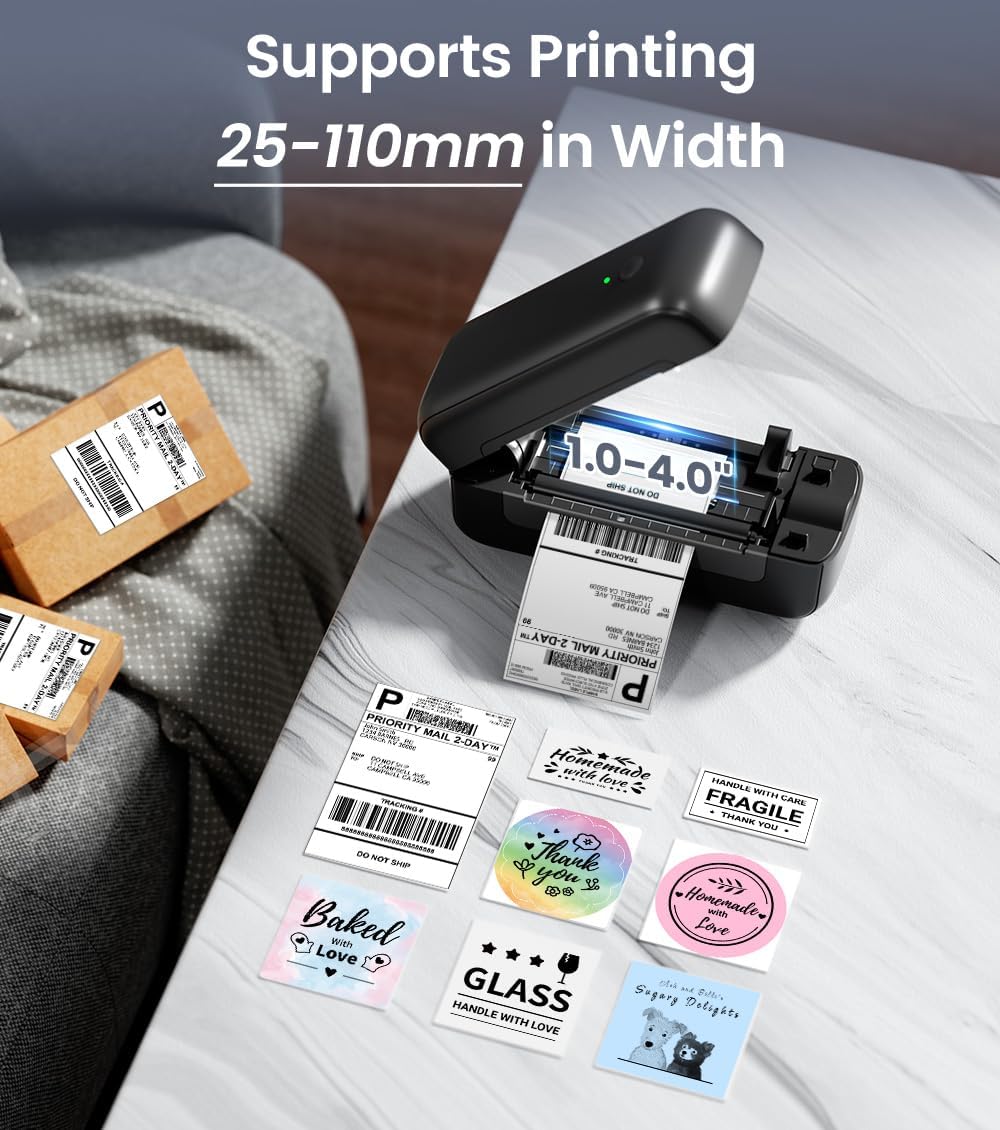
Image: The Phomemo PM-246S-BT printer demonstrating support for various label widths, from 1 to 4 inches (25-110mm).
เปิดเครื่อง: Press the power button. The indicator light will turn on.
2. Software Installation & Connectivity
The PM-246S-BT supports both Bluetooth and USB connectivity for various operating systems.
Bluetooth Connection (iOS/Android/Mac OS/Windows/Chrome OS)

Image: The printer's wireless printing capabilities, showing Bluetooth connection to mobile devices and USB connection to computers.
Download Labelife App: For mobile devices (iOS/Android), download the "Labelife" app from the App Store or Google Play Store. For desktop (Mac OS/Windows/Chrome OS), download the Labelife software from the official Phomemo webเว็บไซต์.

Image: Instructions for connecting the printer via Bluetooth using the Labelife mobile application.
เปิดใช้งานบลูทูธ: Ensure Bluetooth is enabled on your mobile device or computer.
จับคู่อุปกรณ์: Open the Labelife app/software, search for the PM-246S-BT printer, and pair with it. The printer's indicator light may change to confirm connection.
USB Connection (Mac OS/Windows/Linux/Chrome OS)
เชื่อมต่อ USB: เชื่อมต่อเครื่องพิมพ์เข้ากับคอมพิวเตอร์ของคุณโดยใช้สาย USB ที่ให้มา
ติดตั้งไดรเวอร์: For Windows, Mac OS, and Linux, download and install the appropriate printer drivers from the official Phomemo website. Chrome OS typically does not require separate driver installation.
ตรวจสอบการเชื่อมต่อ: After driver installation, the printer should be recognized by your computer's operating system.
คำแนะนำการใช้งาน
1. การพิมพ์ฉลาก
The PM-246S-BT is designed for high-speed, high-quality thermal printing.

Image: The Phomemo PM-246S-BT printer in action, demonstrating fast and clear label printing at 72 labels/min and 203 DPI.
เตรียมเอกสารของคุณ: Create or open the label you wish to print using your preferred software (e.g., Labelife app, shipping platform interface, PDF viewเอ่อ).
เลือกเครื่องพิมพ์: In your software's print dialog, select "Phomemo PM-246S-BT" as the printer.
ปรับการตั้งค่า: Ensure the label size and orientation settings match your physical labels. The printer supports labels from 1 to 4 inches (25-116 mm) in width.
พิมพ์: Initiate the print command. The printer will automatically feed and print the labels.
2. Supported Applications and Platforms
The PM-246S-BT is compatible with a wide range of e-commerce and shipping platforms, making it versatile for various labeling needs.

Image: The Phomemo PM-246S-BT printer is compatible with major platforms like Amazon, Etsy, eBay, Shopify, DHL, FedEx, UPS, and more.
การใช้งานทั่วไป ได้แก่:
- 4x6 inch Shipping Labels (e.g., for Amazon FBA, Etsy, Shopify, Royal Mail, DHL, FedEx, UPS)
- ป้ายที่อยู่
- Barcode Labels
- Circular Logo Labels
- Price Labels
- Storage Labels

ภาพ: อดีตamples of labels that can be printed, such as shipping labels, address labels, circular labels, and barcode labels.
3. Using the Labelife App
The Labelife app provides tools for creating and customizing labels, including pre-defined templates for retail and craft businesses.
คลังเทมเพลต: Access a variety of pre-designed label templates.
การปรับแต่ง: Edit text, add images, QR codes, barcodes, and borders to create unique labels.
การพิมพ์โดยตรง: Print directly from the app after designing your labels.
การซ่อมบำรุง
การบำรุงรักษาตามปกติจะช่วยให้เครื่องพิมพ์มีประสิทธิภาพสูงสุดและยืดอายุการใช้งานของเครื่องพิมพ์ของคุณ
การทำความสะอาดหัวพิมพ์: Use an alcohol wipe or a specialized print head cleaning pen to gently clean the thermal print head. Ensure the printer is off and cooled down before cleaning.
การทำความสะอาดลูกกลิ้ง: ใช้แบบนุ่มๆamp cloth to wipe the rubber roller to remove any dust or label residue.
การกำจัดฝุ่น: Keep the printer free from dust and debris. Use a soft brush or compressed air to clean the exterior and interior (when powered off).
คุณภาพฉลาก: Use high-quality thermal labels to prevent paper jams and ensure clear prints.
การแก้ไขปัญหา
| ปัญหา | สาเหตุที่เป็นไปได้ | สารละลาย |
|---|---|---|
| เครื่องพิมพ์ไม่เปิดเครื่อง | ไม่ได้เสียบสายไฟ; มีปัญหาที่ปลั๊กไฟ | ตรวจสอบการเชื่อมต่อไฟฟ้า ลองใช้เต้ารับอื่น |
| ไม่มีผลลัพธ์การพิมพ์ | Labels loaded incorrectly; printer not connected; driver issue | Ensure labels are loaded correctly (facing up); verify Bluetooth/USB connection; reinstall printer drivers. |
| Faint or unclear prints | Print head dirty; low-quality labels; print density settings | Clean the print head; use recommended thermal labels; adjust print density in software settings. |
| กระดาษติด | Labels loaded incorrectly; label residue | Open cover, remove jammed labels carefully; clean roller and label path. |
| ปัญหาการเชื่อมต่อบลูทูธ | Bluetooth not enabled; device not paired; interference | Ensure Bluetooth is on; re-pair device in Labelife app; move closer to printer; restart devices. |
ข้อมูลจำเพาะ
| คุณสมบัติ | รายละเอียด |
|---|---|
| ชื่อรุ่น | PM-246S-BT |
| เทคโนโลยีการพิมพ์ | เทอร์มอล |
| การเชื่อมต่อ | บลูทูธ, ยูเอสบี |
| ความละเอียดในการพิมพ์ | 203 จุดต่อนิ้ว |
| ความเร็วการพิมพ์สูงสุด | 150 mm/s (72 labels/minute) |
| การรองรับความกว้างของฉลาก | 25 - 116 มม. (1 - 4 นิ้ว) |
| ระบบปฏิบัติการที่รองรับ | iOS, Android, Windows, Mac OS, Linux, Chrome OS |
| น้ำหนักสินค้า | 1.36 กิโลกรัม |
| ขนาดสินค้า | 22P x 8.8l x 8.8H เซนติเมตร |
| Max Paper Capacity (Input) | 20 sheets (or equivalent roll length) |
การรับประกันและการสนับสนุน
The Phomemo PM-246S-BT printer comes with a รับประกันจำกัด 30 วัน. For technical support, warranty claims, or any questions regarding your product, please contact Phomemo customer service through their official webไซต์หรือข้อมูลการติดต่อที่ระบุไว้ในคู่มือเริ่มต้นใช้งานฉบับย่อของคุณ
For additional resources and software downloads, visit the official Phomemo webเว็บไซต์: www.phoemo.com