
1. บทนำ
This manual provides essential information for the installation, operation, and maintenance of your ANTEC GSK750 ATX3.1 80PLUS GOLD Power Supply Unit (PSU). Please read this manual thoroughly before installing and using the product to ensure proper function and safety. The ANTEC GSK750 is a high-efficiency, durable power supply designed for modern PC systems.
2. คุณสมบัติ
- 80PLUS GOLD certification for high efficiency.
- Full modular design for improved cable management.
- Compact design with a depth of 140 mm.
- Active PFC and universal AC input support.
3. การตั้งค่าและการติดตั้ง
3.1. เนื้อหาบรรจุภัณฑ์
ตรวจสอบว่ามีส่วนประกอบทั้งหมดอยู่ในแพ็คเกจ:
- ANTEC GSK750 ATX3.1 80PLUS GOLD PSU
- ชุดสายเคเบิลโมดูลาร์
- สายไฟ AC
- สกรูยึด
- คู่มือการใช้งาน (เอกสารนี้)
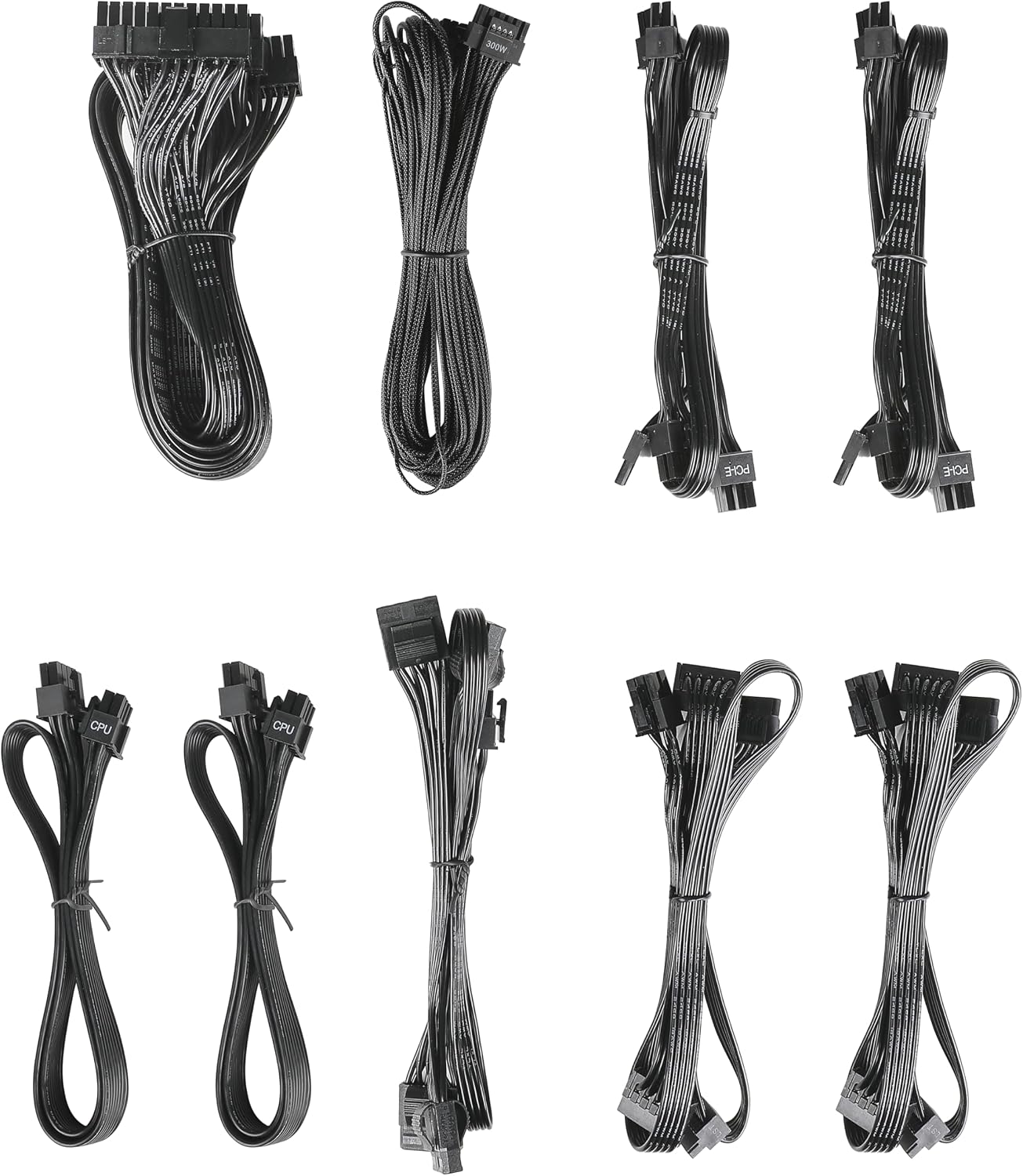
Image: The modular cable set included with the ANTEC GSK750 power supply unit. This includes various cables for motherboard, CPU, PCIe, SATA, and Molex connections.
3.2. การติดตั้งทางกายภาพ
- ตรวจสอบให้แน่ใจว่าคอมพิวเตอร์ของคุณปิดอยู่และถอดปลั๊กออกจากเต้าเสียบที่ผนัง
- Mount the PSU into the designated PSU bay in your computer case using the provided screws. Ensure the fan is oriented correctly for optimal airflow (typically facing downwards if there's a bottom vent, or upwards if not).

ภาพ: จากบนลงล่าง view of the ANTEC GSK750 power supply unit, showing the fan grille and overall compact form factor.
3.3. การเชื่อมต่อสายเคเบิล
Connect the necessary modular cables to the PSU and your system components. The full modular design allows you to connect only the cables you need, reducing clutter.
- 24-Pin Main Power: เชื่อมต่อกับเมนบอร์ดของคุณ
- 8-Pin (4+4) CPU Power: Connect to your motherboard's CPU power connector.
- PCI-E (6+2 Pin): เชื่อมต่อกับการ์ดกราฟิกของคุณ
- กำลังไฟ SATA: เชื่อมต่อกับ SSD, HDD และไดรฟ์ออปติคัล
- Molex Power: เชื่อมต่อกับอุปกรณ์ต่อพ่วงหรือพัดลมเคสรุ่นเก่า

Image: The modular connector panel on the side of the ANTEC GSK750 power supply, clearly labeled for PCI-E, CPU, SATA/Molex, and M/B (motherboard) connections.
3.4. การเปิดเครื่องครั้งแรก
After all connections are secure, plug the AC power cord into the PSU and then into a wall outlet. Flip the main power switch on the back of the PSU to the 'ON' position. You can then power on your computer.
4. คู่มือการใช้งาน
4.1. Hybrid Mode
The ANTEC GSK750 features a Hybrid Mode switch located on the rear of the unit. When Hybrid Mode is enabled, the PSU fan will remain off under low load conditions, providing silent operation. The fan will automatically activate when the load increases to maintain optimal temperatures. When Hybrid Mode is disabled, the fan will operate continuously.

Image: The rear panel of the ANTEC GSK750 power supply, featuring the main power switch, AC input, and the 'Hybrid Mode' toggle switch.
5. การบำรุงรักษา
To ensure the longevity and optimal performance of your PSU, follow these maintenance guidelines:
- การทำความสะอาด: Periodically clean the exterior of the PSU and the fan grille to prevent dust buildup. Use compressed air to gently clear dust from the fan and internal components. Ensure the PSU is unplugged before cleaning.
- การไหลเวียนของอากาศ: Ensure that the PSU has adequate airflow within your computer case. Avoid blocking the intake or exhaust vents.
6 การแก้ไขปัญหา
If you encounter issues with your ANTEC GSK750 PSU, consider the following:
- ไม่มีไฟฟ้า: Check all cable connections, especially the 24-pin motherboard connector and the CPU power connector. Ensure the AC power cord is securely plugged into both the PSU and the wall outlet. Verify the main power switch on the PSU is in the 'ON' position.
- ความไม่เสถียรของระบบ/การขัดข้อง: ตรวจสอบให้แน่ใจว่า PSU ของคุณมีน้ำtage is sufficient for all your components. Overloading the PSU can lead to instability. Check for loose connections.
- เสียงพัดลม: If the fan is excessively noisy and Hybrid Mode is off, ensure there is no obstruction. If Hybrid Mode is on, the fan will spin up under load, which is normal.
If problems persist, consult the ANTEC support webเว็บไซต์หรือติดต่อฝ่ายบริการลูกค้า
7. ข้อมูลจำเพาะ
Detailed specifications for the ANTEC GSK750 ATX3.1 80PLUS GOLD PSU:

Image: The specification label of the ANTEC GSK750 power supply, detailing output voltages, currents, and total wattage.
| ข้อมูลจำเพาะ | ค่า |
|---|---|
| ยี่ห้อ | ANTEC |
| หมายเลขรุ่น | GSK750 ATX3.1 |
| เอาท์พุต วัดtage | 750 วัตต์ |
| ฟอร์มแฟกเตอร์ | เอทีเอ็กซ์ |
| การรับรองประสิทธิภาพ | 80พลัสโกลด์ |
| ขนาดสินค้า (กxยxส) | 14 x 15 x 8.6 ซม. |
| น้ำหนักผลิตภัณฑ์ | 2.5 กก. |
| ปริมาณอินพุตขั้นต่ำtage | 100 โวลต์ (AC) |
| System Bus Connector Type | 24 พิน |
| จำนวนแฟนคลับ | 2 |
| ยูพีซี | 761345200547 |
| ประเทศต้นกำเนิด | จีน |
8. การรับประกันและการสนับสนุน
8.1. ข้อมูลการรับประกัน
The ANTEC GSK750 ATX3.1 80PLUS GOLD Power Supply Unit comes with a รับประกัน 7 ปี นับจากวันที่ซื้อ การรับประกันนี้ครอบคลุมถึงความบกพร่องของวัสดุและฝีมือการผลิตภายใต้การใช้งานปกติ โปรดเก็บหลักฐานการซื้อไว้เพื่อขอรับสิทธิ์การรับประกัน
8.2. การสนับสนุนลูกค้า
For technical assistance, troubleshooting, or warranty inquiries, please visit the official ANTEC website or contact their customer support department. Contact information can typically be found on the ANTEC webบรรจุภัณฑ์ไซต์หรือผลิตภัณฑ์