The Walfront WSB7020R is an integrated Human Machine Interface (HMI) and Programmable Logic Controller (PLC) system designed for industrial control applications. It features a 7-inch TFT LCD display, a powerful 32-bit ARM9 processor, and is compatible with FX3U series PLCs. This all-in-one unit offers efficient control, monitoring, and programming capabilities for various automation scenarios.
Figure 1: Walfront HMI PLC All-in-One unit. This image highlights key features such as space-saving design, simplified wiring, timing lock, floating point support, sensitive touch, and accuracy.
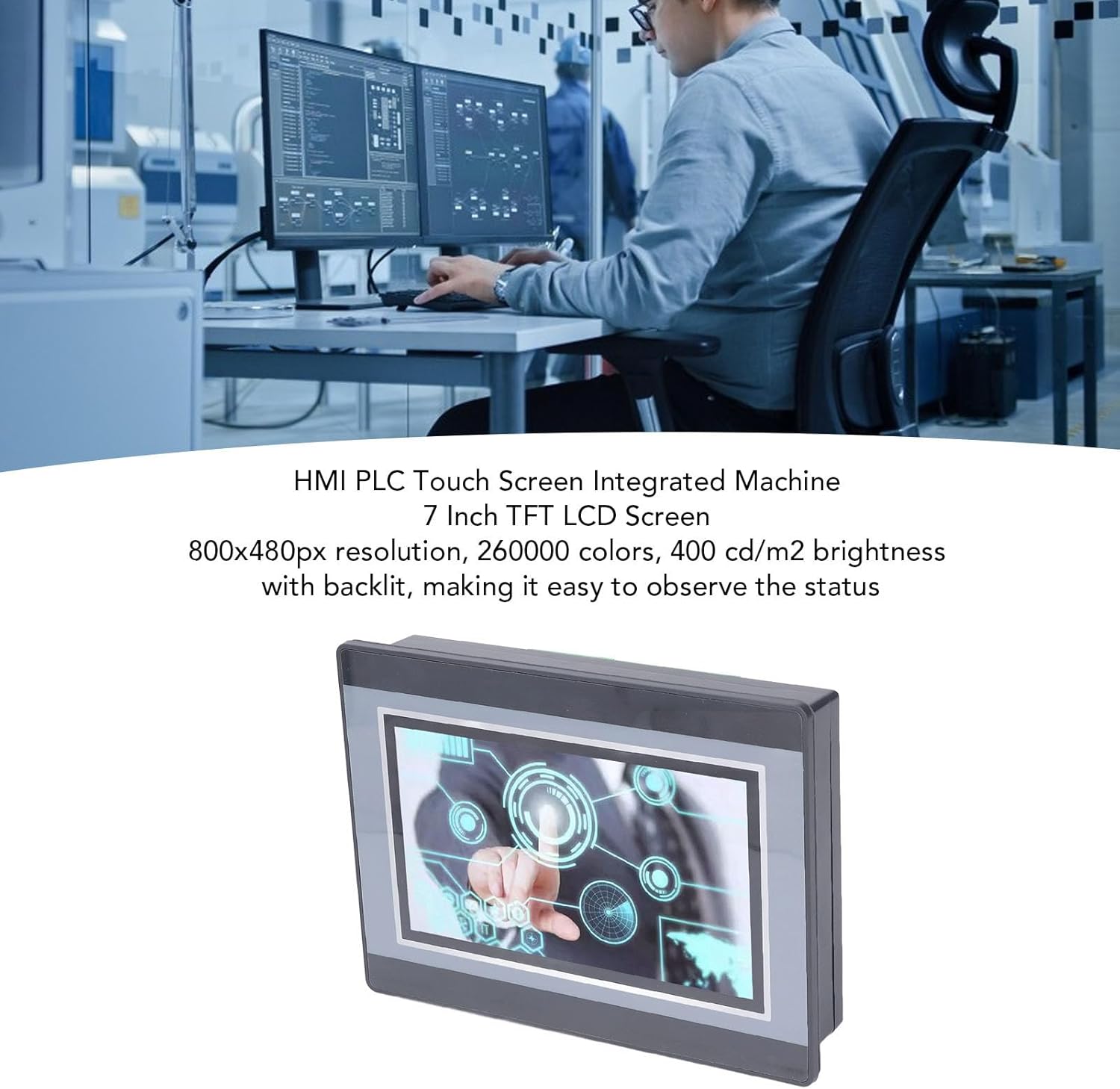
Figure 2: An engineer utilizing the HMI PLC Touch Screen Integrated Machine in a workspace. The display features an 800x480px resolution, 260,000 colors, and 400 cd/m2 brightness with backlighting for clear status observation.
2. ข้อมูลจำเพาะทางเทคนิค
คุณสมบัติ
ข้อมูลจำเพาะ
แบบอย่าง
WSB7020R
วัสดุ
เอบีเอส
ขนาด (กว้าง x ยาว x สูง)
ประมาณ 202 x 148 x 51 มม. (7.95 x 5.83 x 2.01 นิ้ว)
Opening Size for Installation
ขนาดประมาณ 190 x 135 มม. (7.48 x 5.31 นิ้ว)
หน้าจอแสดงผล
จอ TFT ขนาด 7 นิ้ว
ปณิธาน
800x480 พิกเซล
ความลึกของสี
260,000 สี
ความสว่าง
400 cd/m2 (with backlit display)
ประเภทหน้าจอสัมผัส
หน้าจอสัมผัสแบบต้านทานอุตสาหกรรม 4 สาย
Touch Screen Hardness
4H
โปรเซสเซอร์
32-bit 240MHz ARM9
หน่วยความจำ
128M NAND FLASH
PLC Compatibility
For FX3U 20, 40, 48MRT
จุดป้อนข้อมูล
12
จุดส่งออก
8
ประเภทเอาท์พุต
รีเลย์
กระแสไฟขาออก
5A
โหลด
24โวลต์
High Speed Count
6 / 3K
เอาต์พุตพัลส์
ไม่มี
อนาล็อก
Default 3AD 0-10V, 3AD 0-20MA (AD0, AD1)
เอาท์พุตแบบอะนาล็อก
20A 0-10V
นาฬิกา
รองรับ
HMI Programming Software
HMI Studio 5.1
PLC Programming Software
GX Developer or GX Works2
PLC Download Speed
38.4Kbps
Figure 3: Detailed dimensions of the Walfront HMI PLC unit, showing length, width, and height measurements in both millimeters and inches.
3. การติดตั้งและการตั้งค่า
The Walfront WSB7020R HMI PLC is designed for straightforward installation into industrial control panels.
Prepare an opening in your control panel with dimensions of approximately 190 x 135 mm (7.48 x 5.31 in).
Insert the HMI PLC unit into the prepared opening from the front of the panel.
From the rear of the panel, attach the four fixing brackets to the sides of the HMI PLC unit.
Secure the unit by tightening the four installation screws through the brackets. Ensure the unit is firmly seated and stable.
3.3. การเดินสาย
Connect power and I/O wiring according to your system's requirements. Refer to the detailed wiring diagrams in the comprehensive electronic manual for specific connections. Ensure all connections are secure and comply with local electrical codes.
4. การดำเนินการและการเขียนโปรแกรม
This section outlines the basic steps for operating and programming your Walfront HMI PLC unit.
4.1. เปิดเครื่อง
Once installed and wired, apply power to the unit. The 7-inch TFT LCD display will illuminate, and the system will boot up.
4.2. HMI Programming
To develop or modify the Human Machine Interface (HMI) program:
ติดตั้ง HMI Studio 5.1 ซอฟต์แวร์บนคอมพิวเตอร์ของคุณ
Connect your computer to the HMI PLC unit using a USB male-to-male cable.
ใช้ HMI Studio 5.1 to create or edit your HMI project.
Download the HMI program to the unit via the USB connection.
4.3 การตั้งโปรแกรม PLC
For programming the Programmable Logic Controller (PLC) functionality:
Install either GX Developer or GX เวิร์ค2 ซอฟต์แวร์บนคอมพิวเตอร์ของคุณ
Connect your computer to the HMI PLC unit.
Use the chosen software to develop, download, and debug your PLC program.
The download speed for PLC programs is 38.4Kbps.
บันทึก: Monitoring writing is not supported by the PLC programming software for this unit.
Figure 4: The HMI PLC unit's display, emphasizing its 4-wire industrial resistive touch screen with 4H hardness. The text also highlights its low power consumption, fast running speed, stable performance, and direct programmability, downloadability, debuggability, and monitorability using software (monitoring writing not supported).
Figure 5: Wide application range of the HMI PLC unit, including Printing, Chemical Industry, Plastic, Building Materials, Home Furnishings, Packing, Textile, Food, and Metallurgy, demonstrating its flexibility in industrial automation control scenarios.
การทำความสะอาด: Use a soft, dry cloth to clean the display and exterior. Avoid abrasive cleaners or solvents that could damage the screen or casing.
สภาพแวดล้อม : Ensure the unit operates within its specified temperature and humidity ranges to prevent damage.
อัพเดตเฟิร์มแวร์: Periodically check the Walfront official webเข้าชมเว็บไซต์เพื่อตรวจสอบการอัปเดตเฟิร์มแวร์ที่มีให้ใช้งาน เพื่อปรับปรุงประสิทธิภาพหรือเพิ่มคุณสมบัติใหม่ๆ
If the backlight is on but no image, try restarting the unit.
หน้าจอสัมผัสไม่ตอบสนอง:
Calibrate the touch screen if available in the system settings.
ตรวจสอบให้แน่ใจว่าหน้าจอสะอาดและไม่มีสิ่งกีดขวาง
Cannot Download HMI/PLC Program:
Verify the USB cable connection is secure and functional.
Ensure the correct programming software (HMI Studio 5.1 for HMI, GX Developer/GX Works2 for PLC) is installed and configured properly.
Check for driver issues on your computer.
PLC Program Not Executing Correctly:
Review your PLC program logic for errors.
Ensure the program has been successfully downloaded to the unit.
Check I/O connections for proper wiring.
For further assistance, please refer to the detailed electronic manual or contact Walfront customer support.
7. การรับประกันและการสนับสนุน
7.1. ข้อมูลการรับประกัน
This Walfront HMI PLC unit comes with a manufacturer's warranty for 90 วัน นับจากวันที่ซื้อสินค้า การรับประกันนี้ครอบคลุมถึงข้อบกพร่องในวัสดุและฝีมือการผลิตภายใต้การใช้งานปกติ ไม่ครอบคลุมถึงความเสียหายที่เกิดจากการใช้งานผิดวิธี อุบัติเหตุ การดัดแปลงโดยไม่ได้รับอนุญาต หรือการติดตั้งที่ไม่ถูกต้อง
7.2. การสนับสนุนลูกค้า
If you encounter any issues not covered in this manual or require further technical assistance, please contact Walfront customer support. Refer to the product packaging or the official Walfront webเว็บไซต์สำหรับข้อมูลการติดต่อล่าสุด
Please have your product model (WSB7020R) and purchase details ready when contacting support.
Ask a question about this manual
Ask about setup, troubleshooting, compatibility, parts, safety, or missing instructions. Manuals+ will review the question and use this page’s manual context to help answer it.