
1. บทนำ
Thank you for choosing the Cuifati Wearable Headlamp Camera. This device combines a high-definition 1080P video recorder with a powerful LED headlamp, designed for various outdoor activities such as cycling, running, hiking, and travel. It features a wave sensing function for the light and supports video recording with a 2.0M CMOS sensor. Please read this manual thoroughly before using the product to ensure proper operation and to maximize its lifespan.
2. ข้อมูลด้านความปลอดภัย
- Do not expose the device to extreme temperatures, direct sunlight, or corrosive liquids.
- Keep the device away from water and moisture unless specifically designed for waterproof use (this model is not specified as waterproof).
- ห้ามพยายามถอดประกอบหรือดัดแปลงอุปกรณ์ เพราะอาจทำให้การรับประกันเป็นโมฆะและเกิดความเสียหาย
- Use only the provided charging cable or a certified Type-C cable for charging to prevent damage to the battery and device.
- ตรวจสอบให้แน่ใจว่าอุปกรณ์ชาร์จเต็มแล้วก่อนใช้งานครั้งแรก
- Avoid pointing the LED light directly into eyes, as it can cause temporary vision impairment.
3. เนื้อหาบรรจุภัณฑ์
กรุณาตรวจสอบแพ็คเกจสำหรับรายการต่อไปนี้:
- Cuifati Wearable Headlamp กล้อง
- สายรัดศีรษะปรับได้
- สายชาร์จแบบ USB Type-C
- คู่มือการใช้งาน (เอกสารนี้)
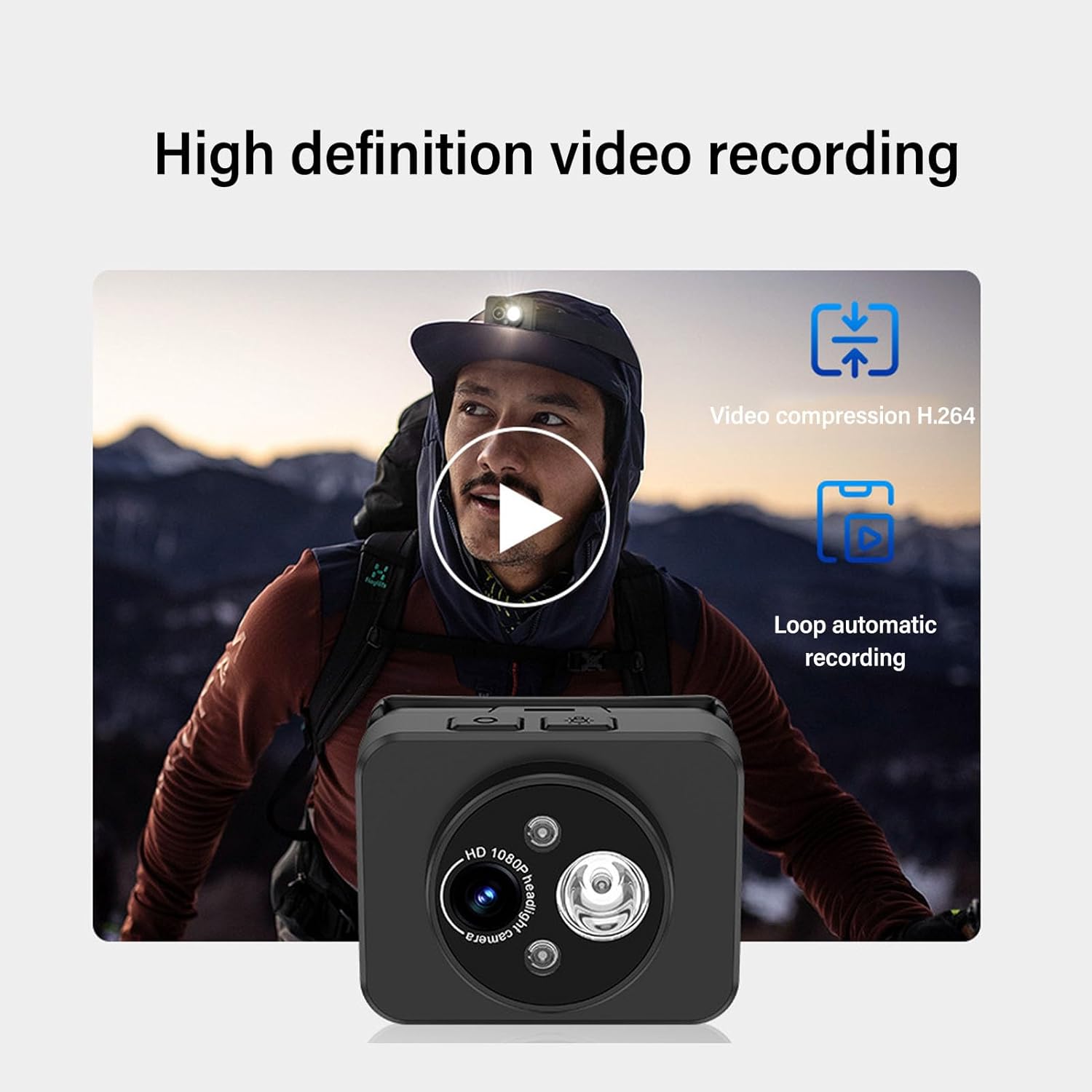
Image: Contents of the product package, including the headlamp camera unit, an adjustable head strap, and a USB Type-C charging cable.
4. สินค้าหมดview
Familiarize yourself with the components of your Cuifati Wearable Headlamp กล้อง:

ภาพ: ด้านหน้า view ของหัวamp camera, highlighting the HD 1080P camera lens and the integrated LED flashlight.
- เลนส์กล้อง: บันทึกวิดีโอความละเอียด 1080P
- ไฟฉาย LED: Provides illumination, adjustable up to 45 degrees.
- ปุ่มเปิด/ปิด: Used for turning the device on/off and taking photos.
- Wave Sensor: Detects hand gestures for controlling the LED light.
- พอร์ตชาร์จ Type-C: สำหรับเชื่อมต่อสายชาร์จ
- ช่องเสียบการ์ดหน่วยความจำ: Supports up to 128GB memory expansion (memory card not included).

Image: A composite image illustrating key features: 45-degree vertical adjustment of the camera/light unit, the first-person perspective recording capability, a battery charge indicator, and the memory card expansion slot.
5. การตั้งค่า
5.1 การชาร์จแบตเตอรี่
- เสียบสายชาร์จ USB Type-C ที่ให้มาเข้ากับพอร์ตชาร์จของอุปกรณ์
- เสียบปลายอีกด้านของสายเคเบิลเข้ากับอะแดปเตอร์แปลงไฟ USB มาตรฐาน (ไม่ได้รวมอยู่ในชุด) หรือพอร์ต USB ของคอมพิวเตอร์
- The device features a guard function to prevent overcharging, over-discharging, and short circuits.
- Allow the device to charge fully before its first use.
5.2 การใส่การ์ดหน่วยความจำ
The device supports memory expansion up to 128GB (memory card not included).
- Locate the memory card slot on the device.
- Carefully insert a compatible memory card into the slot until it clicks into place. Ensure the card is inserted in the correct orientation.
- ในการถอดออก ให้กดการ์ดเบาๆ เข้าไปด้านในจนกระทั่งการ์ดเด้งออกมา
5.3 การติดสายรัดศีรษะ
- Thread the adjustable head strap through the designated loops on the camera unit.
- Adjust the strap to fit comfortably and securely around your head.
6. คู่มือการใช้งาน
6.1 เปิด/ปิดเครื่อง
- การเปิดเครื่อง: กดปุ่มเปิด/ปิดค้างไว้สองสามวินาทีจนกว่าไฟแสดงสถานะจะสว่างขึ้น
- วิธีปิดเครื่อง: กดปุ่มเปิด/ปิดค้างไว้สักสองสามวินาทีจนกว่าไฟแสดงสถานะจะดับลง
6.2 การบันทึกวิดีโอ
The device is designed to automatically enter recording mode upon startup, generating a new video file. It supports video compression and 5-minute segmented storage for convenient playback and viewการไอเอ็นจี

Image: Visual representation of the high-definition video recording capabilities, including H.264 video compression and automatic loop recording functionality.
6.3 การถ่ายภาพ
ขณะอยู่ในโหมดบันทึก:
- Short press the Power button once to capture a photo.
- After the photo is captured, video recording will automatically resume, and a new video file จะถูกสร้างขึ้นมา
6.4 Adjusting Headlight Angle
The headlight can be manually adjusted up to 45 degrees to suit various close-range lighting needs.

Image: A man wearing the headlamp camera, demonstrating the 45-degree upward and downward rotation capability of the camera and light unit.
6.5 Wave Sensing Function for LED Light
This feature allows you to control the LED light with a simple hand gesture.
- To Activate/Deactivate: Refer to the device's specific button combination or setting for turning the wave sensor function on or off.
- วิธีใช้: Once activated, wave your hand approximately 5-10 cm (2-4 inches) away from the headlamp lens to turn the LED light on or off.

Image: A man hiking outdoors, wearing the headlamp camera, demonstrating the wave sensing feature for controlling the super bright, energy-saving headlight.
7. การบำรุงรักษา
- การทำความสะอาด: Use a soft, dry cloth to clean the device. For the lens, use a specialized lens cleaning cloth. Do not use harsh chemicals or abrasive materials.
- พื้นที่จัดเก็บ: เก็บอุปกรณ์ไว้ในที่แห้งและเย็น หลีกเลี่ยงแสงแดดโดยตรงและอุณหภูมิที่สูงหรือต่ำเกินไปเมื่อไม่ได้ใช้งาน
- การดูแลแบตเตอรี่ เพื่ออายุการใช้งานแบตเตอรี่ที่ดีที่สุด ควรชาร์จอุปกรณ์เป็นประจำ แม้จะไม่ได้ใช้งานบ่อยก็ตาม หลีกเลี่ยงการใช้แบตเตอรี่จนหมดเป็นเวลานาน
8 การแก้ไขปัญหา
- อุปกรณ์ไม่เปิด: ตรวจสอบให้แน่ใจว่าแบตเตอรี่ชาร์จเต็มแล้ว เสียบปลั๊กเข้ากับแหล่งจ่ายไฟแล้วลองอีกครั้ง
- Video not recording: Check if a memory card is inserted correctly and has sufficient free space. The card may need to be formatted (refer to device settings if available).
- ไฟ LED ไม่ทำงาน: Check if the wave sensing function is enabled or if the light was manually turned off. Ensure the battery is charged.
- ปัญหาการชาร์จ: Verify the Type-C cable is securely connected to both the device and the power source. Try a different cable or power adapter.
9. ข้อมูลจำเพาะ
| คุณสมบัติ | ข้อมูลจำเพาะ |
|---|---|
| ความละเอียดวิดีโอ | 1080พ |
| เซ็นเซอร์ | 2.0M CMOS |
| การถอดรหัสวิดีโอ | เอช.264 |
| รูปแบบการจัดเก็บวิดีโอ | เอ็มพี 4 |
| การปรับไฟหน้า | สูงถึง 45° |
| พอร์ตชาร์จ | ประเภทซี |
| การขยายหน่วยความจำ | Supports up to 128GB (Memory Stick PRO) |
| แหล่งพลังงาน | ใช้พลังงานจากแบตเตอรี่ |
| น้ำหนักสินค้า | 4.2 ออนซ์ |
| หมายเลขรุ่นสินค้า | CUIFATIepznkoc5td |
| ยี่ห้อ | กุยฟาติ |
10. การรับประกันและการสนับสนุน
This product comes with a standard manufacturer's warranty. For detailed warranty information, please refer to the warranty card included in your package or contact Cuifati customer support.
If you encounter any issues or have questions not covered in this manual, please contact Cuifati customer support through the retailer's platform or the official Cuifati webเว็บไซต์เพื่อขอความช่วยเหลือ