
eppfun Cutemeet 818 (LS003)
eppfun Cutemeet 818 Wireless Headphones User Manual
รุ่น : LS003
แบรนด์: eppfun
การแนะนำ
ขอบคุณสำหรับการซื้อasing the eppfun Cutemeet 818 Wireless Headphones. These headphones are designed to provide a superior audio experience with advanced features such as Bluetooth 5.4, LE Audio, and aptX Lossless support. They offer both wireless and wired connectivity, ensuring versatility for various listening scenarios. With a lightweight and comfortable design, the Cutemeet 818 is perfect for extended use.
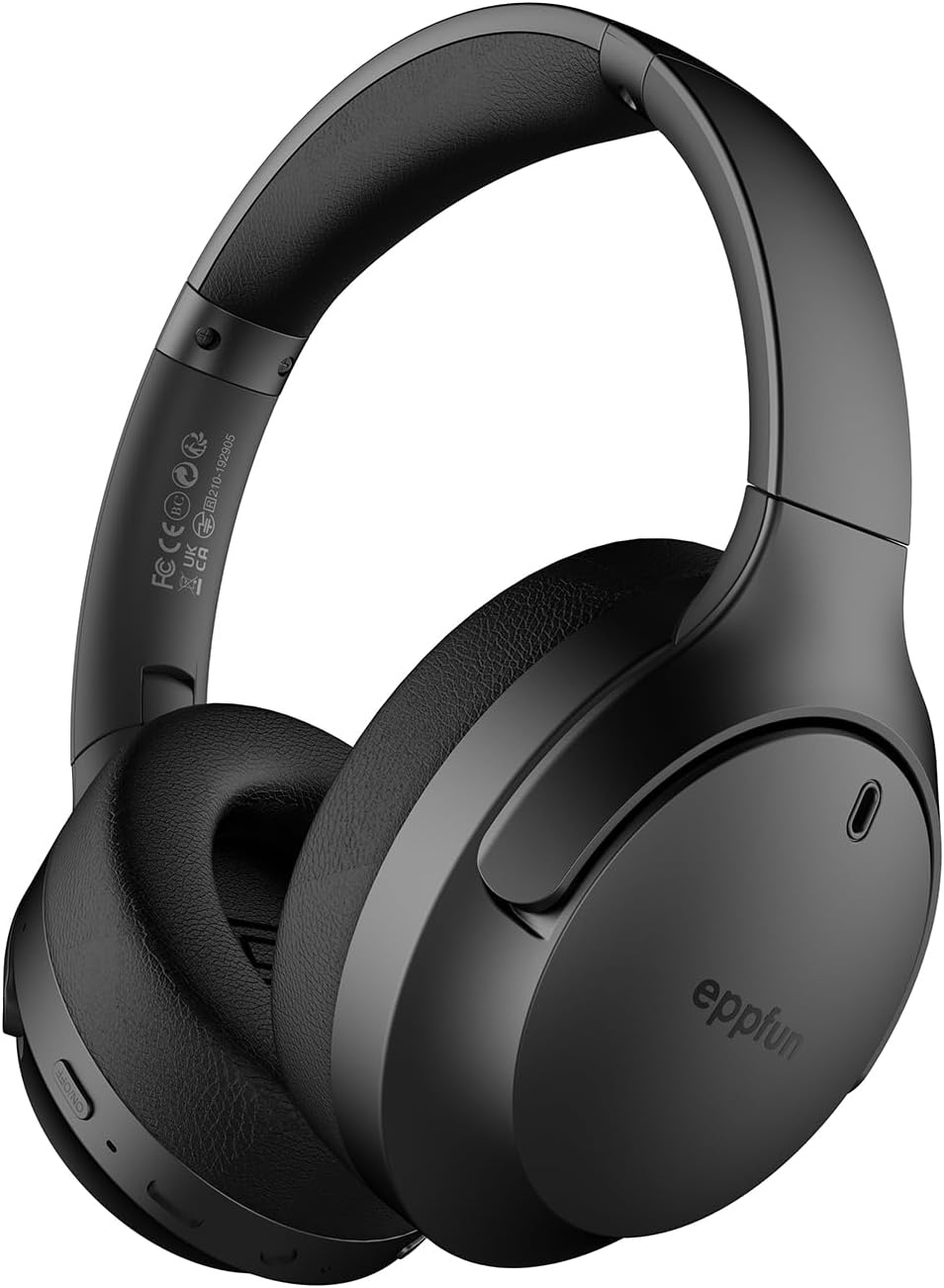
Figure 1: eppfun Cutemeet 818 Wireless Headphones
The image displays the eppfun Cutemeet 818 wireless headphones in black, showcasing their sleek design and over-ear form factor. The eppfun logo is visible on the earcups.
ข้อมูลด้านความปลอดภัย
Please read this safety information carefully before using the headphones to ensure proper operation and prevent damage or injury.
- อย่าให้หูฟังสัมผัสกับอุณหภูมิที่สูงหรือต่ำเกินไป ความชื้นสูง หรือสารกัดกร่อน
- หลีกเลี่ยงการทำหูฟังตกหรือได้รับแรงกระแทกรุนแรง
- ห้ามถอดประกอบหรือพยายามซ่อมแซมหูฟังด้วยตนเอง การกระทำดังกล่าวจะทำให้การรับประกันเป็นโมฆะ
- ทำความสะอาดหูฟังด้วยผ้าแห้งนุ่มๆ ห้ามใช้สารเคมีรุนแรงหรือวัสดุที่มีฤทธิ์กัดกร่อน
- ควรฟังในระดับเสียงที่พอเหมาะเพื่อป้องกันความเสียหายต่อการได้ยิน การสัมผัสกับเสียงดังเป็นเวลานานอาจทำให้สูญเสียการได้ยินอย่างถาวร
- เก็บให้พ้นจากมือเด็กและสัตว์เลี้ยง
เนื้อหาแพ็คเกจ
ตรวจสอบว่ามีรายการทั้งหมดอยู่ในแพ็คเกจของคุณ:
- eppfun Cutemeet 818 Wireless Headphones
- สายชาร์จ USB-C
- สายสัญญาณเสียง AUX 3.5 มม.
- คู่มือการใช้งาน (เอกสารนี้)
สินค้าเกินview
ทำความคุ้นเคยกับส่วนต่างๆ และปุ่มควบคุมของหูฟังของคุณ
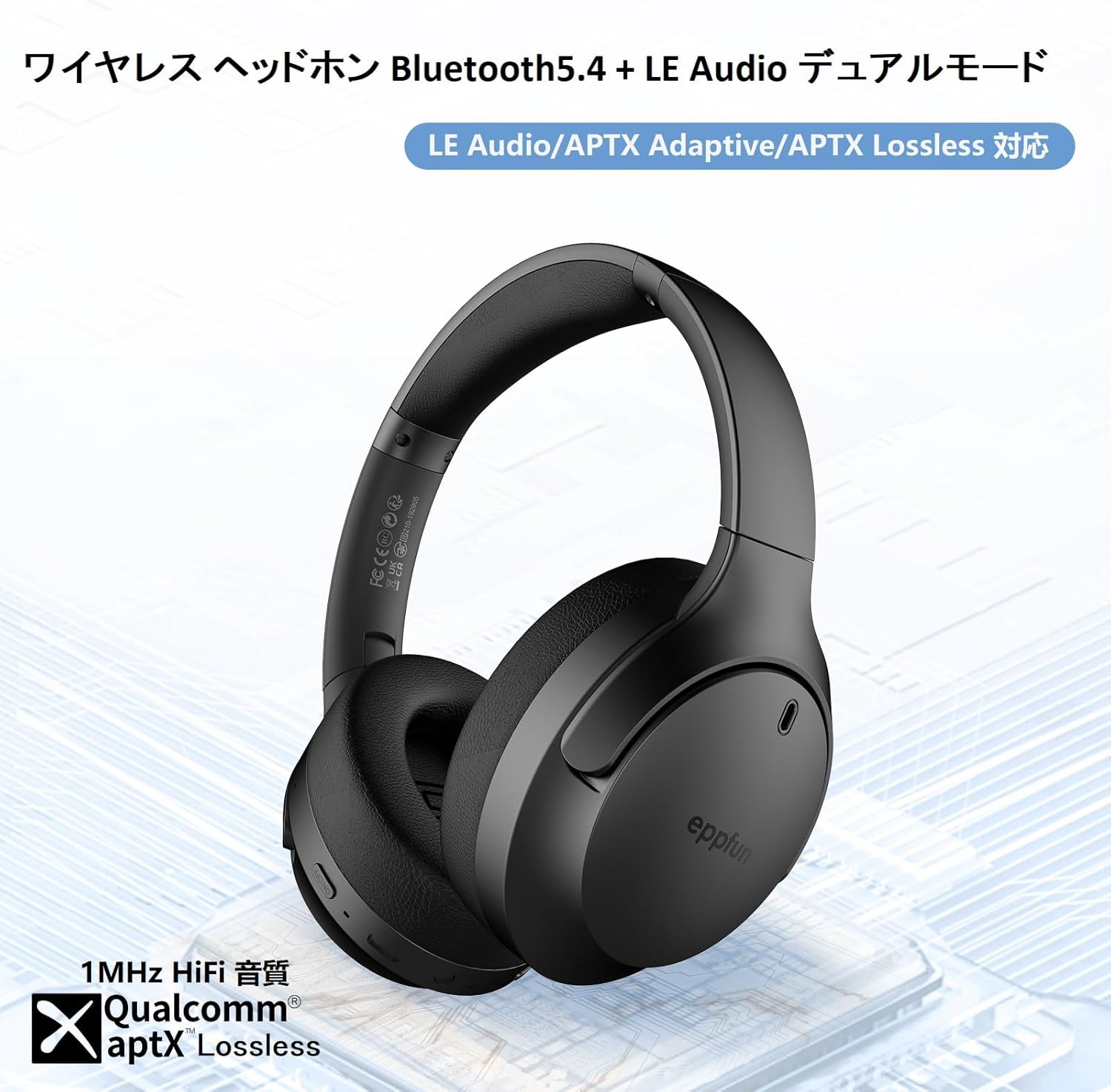
Figure 2: Headphone Features and Controls
This image highlights the eppfun Cutemeet 818 headphones, emphasizing their support for Bluetooth 5.4, LE Audio, APTX Adaptive, and APTX Lossless technologies, indicating high-fidelity audio capabilities.
การควบคุมและพอร์ต:
- ปุ่มเปิด/ปิด: กดค้างเพื่อเปิด/ปิดเครื่อง กดสั้นๆ เพื่อเล่น/หยุดชั่วคราว
- ปุ่มเพิ่มเสียง/ปุ่มเปลี่ยนเพลงถัดไป: กดสั้นๆ เพื่อเพิ่มระดับเสียง กดยาวเพื่อเล่นเพลงถัดไป
- ปุ่มลดเสียง/ปุ่มเล่นเพลงก่อนหน้า: กดสั้นเพื่อลดระดับเสียง กดยาวเพื่อเล่นเพลงก่อนหน้า
- ปุ่มมัลติฟังก์ชัน (MFB): Used for answering/ending calls, activating voice assistant.
- พอร์ตชาร์จ USB-C: สำหรับการชาร์จหูฟัง
- แจ็คเสียงขนาด 3.5 มม.: For wired connection using the AUX cable.
- ไฟแสดงสถานะ LED: แสดงสถานะพลังงาน สถานะการจับคู่ และสถานะการชาร์จ
- ไมโครโฟน: Built-in CVC 8.0 noise-cancelling microphone for clear calls.
การตั้งค่า
1. การชาร์จหูฟัง
Before first use, fully charge the headphones. Connect the USB-C charging cable to the headphone's USB-C port and the other end to a USB power adapter (not included) or a computer's USB port. The LED indicator will show charging status and turn off or change color when fully charged.
2. การจับคู่บลูทู ธ
- ตรวจสอบให้แน่ใจว่าหูฟังปิดอยู่
- กดปุ่มเปิด/ปิดค้างไว้ประมาณ 5 วินาทีจนกระทั่งไฟ LED แสดงสถานะกะพริบเป็นสีน้ำเงินและสีแดงสลับกัน แสดงโหมดจับคู่
- บนอุปกรณ์ของคุณ (สมาร์ทโฟน แท็บเล็ต คอมพิวเตอร์) เปิดใช้งานบลูทูธและค้นหาอุปกรณ์ใหม่
- Select "eppfun Cutemeet 818" from the list of available devices.
- เมื่อเชื่อมต่อแล้ว ไฟ LED จะเปลี่ยนเป็นสีน้ำเงินทึบหรือกะพริบสีน้ำเงินช้าๆ

Figure 3: Bluetooth Connectivity Example
This image illustrates the eppfun Cutemeet 818 headphones wirelessly connected to both a smartphone and a tablet, demonstrating their versatile Bluetooth 5.4 capabilities for seamless audio and communication.
3. การเชื่อมต่อแบบมีสาย (โหมด AUX)
To use the headphones in wired mode, connect one end of the included 3.5mm AUX audio cable to the headphone's 3.5mm audio jack and the other end to your audio source's 3.5mm output. The headphones will automatically switch to wired mode, and the Bluetooth function will be disabled.
คำแนะนำการใช้งาน
เปิด/ปิดเครื่อง
- เปิดเครื่อง: Press and hold the Power button for 2-3 seconds until the LED indicator flashes blue.
- หมดแรง: Press and hold the Power button for 3-4 seconds until the LED indicator flashes red and then turns off.
การเล่นเพลง
- เล่น/หยุดชั่วคราว: กดปุ่มเปิดปิดสั้น ๆ
- ปรับระดับเสียงขึ้น: กดปุ่มเพิ่มระดับเสียงสั้นๆ
- ลดเสียงลง: กดปุ่มลดระดับเสียงสั้นๆ
- เพลงถัดไป: กดปุ่มเพิ่มระดับเสียงค้างไว้
- แทร็กก่อนหน้า: กดปุ่มลดระดับเสียงค้างไว้
การจัดการการโทร
- รับ/วางสาย: กด MFB สั้น ๆ
- ปฏิเสธสาย: กดปุ่ม MFB ค้างไว้
- เปิดใช้งาน Voice Assistant: กด MFB สองครั้ง
LE Audio and Auracast Functionality
The eppfun Cutemeet 818 headphones support LE Audio for superior sound quality with low power consumption and Auracast for ultra-low latency audio transmission. To utilize the Auracast feature for ultra-low latency, an eppfun LE Audio transmitter (sold separately, e.g., ASIN B0CCRTMQ3W) is required. Connect the headphones to the transmitter for an optimized gaming or video experience.

Figure 4: LE Audio and Auracast Support
This image displays a comparison chart of Bluetooth codecs, highlighting the advantages of LC3 (LE Audio) over SBC in terms of audio quality at various bitrates. It also features the Auracast logo, indicating support for this advanced audio sharing technology.
การซ่อมบำรุง
- การทำความสะอาด: ใช้ผ้าเนื้อนุ่มที่ไม่เป็นขุยเช็ดทำความสะอาดหูฟัง สำหรับส่วนที่ครอบหู ให้เช็ดเบาๆ ด้วยผ้าที่เปียกหมาดๆamp cloth and then dry thoroughly. Do not use alcohol, solvents, or abrasive cleaners.
- พื้นที่จัดเก็บ: When not in use, store the headphones in a cool, dry place, away from direct sunlight and extreme temperatures. The foldable design (Figure 5) allows for compact storage and easy portability.
- การดูแลแบตเตอรี่ To prolong battery life, avoid fully discharging the headphones frequently. Charge them regularly, especially if not used for extended periods.

รูปที่ 5: ดีไซน์แบบพับได้เพื่อความสะดวกในการพกพา
This image demonstrates the foldable design of the eppfun Cutemeet 818 headphones, highlighting their compact nature for convenient storage and travel.
การแก้ไขปัญหา
| ปัญหา | สาเหตุที่เป็นไปได้ | สารละลาย |
|---|---|---|
| หูฟังไม่สามารถเปิดได้ | แบตเตอรี่อ่อน | ชาร์จหูฟังให้เต็ม |
| ไม่สามารถจับคู่กับอุปกรณ์ได้ | หูฟังไม่ได้อยู่ในโหมดจับคู่ อุปกรณ์ Bluetooth ปิดอยู่ ห่างจากอุปกรณ์มากเกินไป | Ensure headphones are in pairing mode (flashing blue/red). Turn on device Bluetooth. Move headphones closer to device (within 10m). |
| ไม่มีเสียงหรือคุณภาพเสียงไม่ดี | Volume too low; incorrect audio source; interference; low battery. | Increase volume on headphones and device. Check if AUX cable is properly connected. Move away from sources of interference. Charge headphones. |
| คุณภาพการโทรไม่ดี | เสียงรบกวนจากสิ่งแวดล้อม ไมโครโฟนถูกกีดขวาง | ย้ายไปอยู่ในที่เงียบกว่า ตรวจสอบให้แน่ใจว่าไมโครโฟนไม่ได้ถูกปิดบัง |
| Intermittent connection/audio drops. | อยู่ห่างจากอุปกรณ์มากเกินไป; มีสัญญาณรบกวน; แบตเตอรี่เหลือน้อย | Move closer to the device. Avoid obstacles between headphones and device. Charge headphones. |
ข้อมูลจำเพาะ
| คุณสมบัติ | รายละเอียด |
|---|---|
| ชื่อรุ่น | LS003 (Cutemeet 818) |
| เทคโนโลยีการเชื่อมต่อ | บลูทูธ 5.4, ต่อสาย (AUX 3.5 มม.) |
| เทคโนโลยีการสื่อสารไร้สาย | บลูทูธ |
| การควบคุมเสียงรบกวน | ระบบตัดเสียงรบกวน (CVC 8.0 สำหรับการโทร) |
| แจ็คหูฟัง | แจ็คขนาด 3.5 มม. |
| ส่วนประกอบที่รวมอยู่ | Cable, Headphones |
| อายุเป้าหมาย | ผู้ใหญ่ |
| วัสดุ | Acrylonitrile Butadiene Styrene (ABS), Leather, Metal |
| อุปกรณ์ที่รองรับ | iPhone & Android Smartphones, Gaming Consoles, TVs, Laptops, Mobile Phones |
| ระดับความต้านทานต่อน้ำ | ทนน้ำ |
| ต้องใช้แบตเตอรี่ | ใช่ |
| ผู้ผลิต | เอ็ปฟัน |
| น้ำหนักสินค้า | 430 กรัม |
| อิมพีแดนซ์ | 32 โอห์ม |
| สไตล์หูฟัง | ครอบหู |
| รองรับตัวแปลงสัญญาณเสียง | LE Audio (LC3), aptX Lossless, aptX Adaptive |
การรับประกันและการสนับสนุน
eppfun products come with a standard warranty. For detailed warranty information, product support, or technical assistance, please refer to the warranty card included in your package or visit the official eppfun website. You can also contact eppfun customer service through the retailer where you purchased the product.
หมายเหตุสำคัญ: The maximum communication distance for Bluetooth is 10 meters. This distance may vary depending on the usage environment and interference from other electronic devices. If the battery level is too low, latency may occur. Please charge the headphones regularly.
Ask a question about this manual
Ask about setup, troubleshooting, compatibility, parts, safety, or missing instructions. Manuals+ will review the question and use this page’s manual context to help answer it.