
1. ข้อมูลด้านความปลอดภัย
Please read all safety instructions carefully before using the TOMLOV TriL110 Digital Microscope. Retain this manual for future reference.
- แหล่งจ่ายไฟ: ใช้เฉพาะอะแดปเตอร์ไฟฟ้าที่ระบุเท่านั้น ตรวจสอบให้แน่ใจว่าระดับเสียงtage ตรงกับความต้องการของผลิตภัณฑ์
- สิ่งแวดล้อม: Operate the microscope in a dry, clean environment. Avoid exposure to extreme temperatures, humidity, dust, or corrosive substances.
- การจัดการ: ใช้งานอุปกรณ์ด้วยความระมัดระวัง หลีกเลี่ยงการทำตกหรือกระแทกแรงๆ
- การทำความสะอาด: ถอดปลั๊กไฟก่อนทำความสะอาด ใช้ผ้าแห้งนุ่มๆ เช็ดทำความสะอาด ห้ามใช้น้ำยาทำความสะอาดหรือตัวทำละลาย
- ถอดชิ้นส่วน: Do not attempt to disassemble or repair the microscope yourself. Unauthorized repairs will void the warranty and may cause damage or injury.
- เด็ก: This device is not a toy. Adult supervision is recommended when children are using the microscope.
2. สินค้าหมดview
The TOMLOV TriL110 is a versatile digital microscope featuring a 10.1-inch IPS display, 2K video recording, and 24MP photo capture. It comes equipped with three interchangeable lenses offering magnifications up to 2500x, making it suitable for various applications including coin inspection, circuit board soldering, and biological slide observation. The device supports HDMI and USB output for real-time viewing on larger screens and includes a comprehensive lighting system for optimal illumination.
2.1 เนื้อหาบรรจุภัณฑ์
- TOMLOV TriL110 Digital Microscope Unit
- 1000X Lens (Pre-installed)
- 1500X Soldering Lens
- 2500X Biological Lens
- Adjustable Stand with Base
- Gooseneck Side Lights (2)
- Slide Glass Bottom Transmitted Light
- อะแดปเตอร์แปลงไฟ
- สาย HDMI
- สาย USB
- รีโมทคอนโทรลไร้สาย
- การ์ด SD 64GB
- คู่มือการใช้งาน
2.2 คุณสมบัติผลิตภัณฑ์
- 3-Lens System: Easily switch between 1000X (coin/stamp), 1500X (soldering/watch repair), and 2500X (biological slides) lenses by rotating the lens barrel.
- จอแสดงผลความละเอียดสูง: 10.1-inch IPS screen with 178° viewing angle, 24MP photo resolution, and 2K video resolution for clear, vibrant images.
- ไฟส่องสว่างอเนกประสงค์: Features 12 main LED lights, 2 gooseneck side lights, and 1 slide glass bottom transmitted light, all with independent brightness adjustment.
- เอาต์พุตภายนอก: Real-time HDMI and USB output for connecting to larger monitors or computers.
- พื้นที่จัดเก็บ: Includes a 64GB SD card for storing photos and videos.
- รีโมทคอนโทรลไร้สาย: Conveniently capture images, record videos, and adjust zoom without touching the microscope.
- ขาตั้งปรับได้: Provides a stable and spacious working area, with adjustable height for different observation needs.

ภาพ: เหนือview of the TOMLOV TriL110 Digital Microscope highlighting its 3-lens system and 10.1-inch display.
Video: A demonstration of the TOMLOV TriL110 Digital Microscope's features, including lens switching, focusing, and various applications.
3. การตั้งค่า
3.1 การประกอบ
- Attach the Display Unit: Securely mount the display unit onto the adjustable stand.
- Install Lenses: The 1000X lens is typically pre-installed. To switch lenses, gently rotate the lens barrel to detach the current lens and attach the desired lens (1500X or 2500X).
- เชื่อมต่อไฟ: Plug the gooseneck side lights into their designated ports on the base.
- ใส่การ์ด SD: Insert the provided 64GB SD card into the SD card slot on the side of the display unit.
- เชื่อมต่อพลังงาน: Connect the power adapter to the microscope and then to a power outlet.

Image: Visual guide showing the simple steps for setting up and using the microscope, including powering on, lens selection, height adjustment, and focusing.
3.2 การเปิด/ปิดเครื่อง
กดปุ่มเปิด/ปิดบนหน้าจอแสดงผลค้างไว้เพื่อเปิดหรือปิดกล้องจุลทรรศน์
3.3 การตั้งค่าเริ่มต้น
Upon first use, you may need to adjust language, date, and time settings through the on-screen menu. Refer to the 'Operation' section for menu navigation.
4. การดำเนินการ
4.1 Lens Switching and Magnification
The TriL110 features three specialized lenses. To switch between them, gently rotate the lens barrel to detach the current lens and attach the desired one. Each lens is designed for specific magnification ranges and applications:
- 1000X Lens: Magnification 2X-1000X. Object distance 8mm-500mm. Ideal for observing coins, stamps, and other larger objects.
- 1500X Soldering Lens: Magnification 10X-1500X. Object distance 38mm-180mm. Optimized for detailed work like PCB soldering and watch repair.
- 2500X Biological Lens: Magnification 2000X-2500X. Object distance 3mm-4mm. Best suited for observing biological slides and microscopic mites.

Image: Illustrates the process of rotating the lens barrel to easily switch between the three available lenses.
4.2 การโฟกัส
To achieve a clear image, rotate the focus wheel on the microscope body until the object appears sharp on the display. Adjust the height of the microscope stand as needed for different lenses and object distances.

Image: A user observing a coin using the 1000X lens, demonstrating its suitability for coin and stamp การสังเกต

Image: The microscope in use for soldering a circuit board, showcasing the 1500X lens for precision tasks.

Image: A user observing a biological slide, demonstrating the high magnification capabilities of the 2500X lens.
4.3 การควบคุมแสงสว่าง
The microscope is equipped with multiple light sources for optimal illumination. The 12 main LED lights, 2 gooseneck side lights, and 1 slide glass bottom transmitted light can be adjusted independently using the controls on the device or the remote control. Adjust the brightness to eliminate shadows and achieve clear visibility of your specimen.

Image: Details of the microscope's lighting system, including the 12 main LEDs, two adjustable side lights, and the transmitted light for transparent specimens.
4.4 การจับภาพและวิดีโอ
To capture images or record videos, use the dedicated buttons on the display unit or the wireless remote control. The captured media will be saved to the inserted SD card.
- โหมดภาพถ่าย: Press the 'Photo' button to take a still image.
- โหมดวิดีโอ: Press the 'Video' button to start/stop video recording.
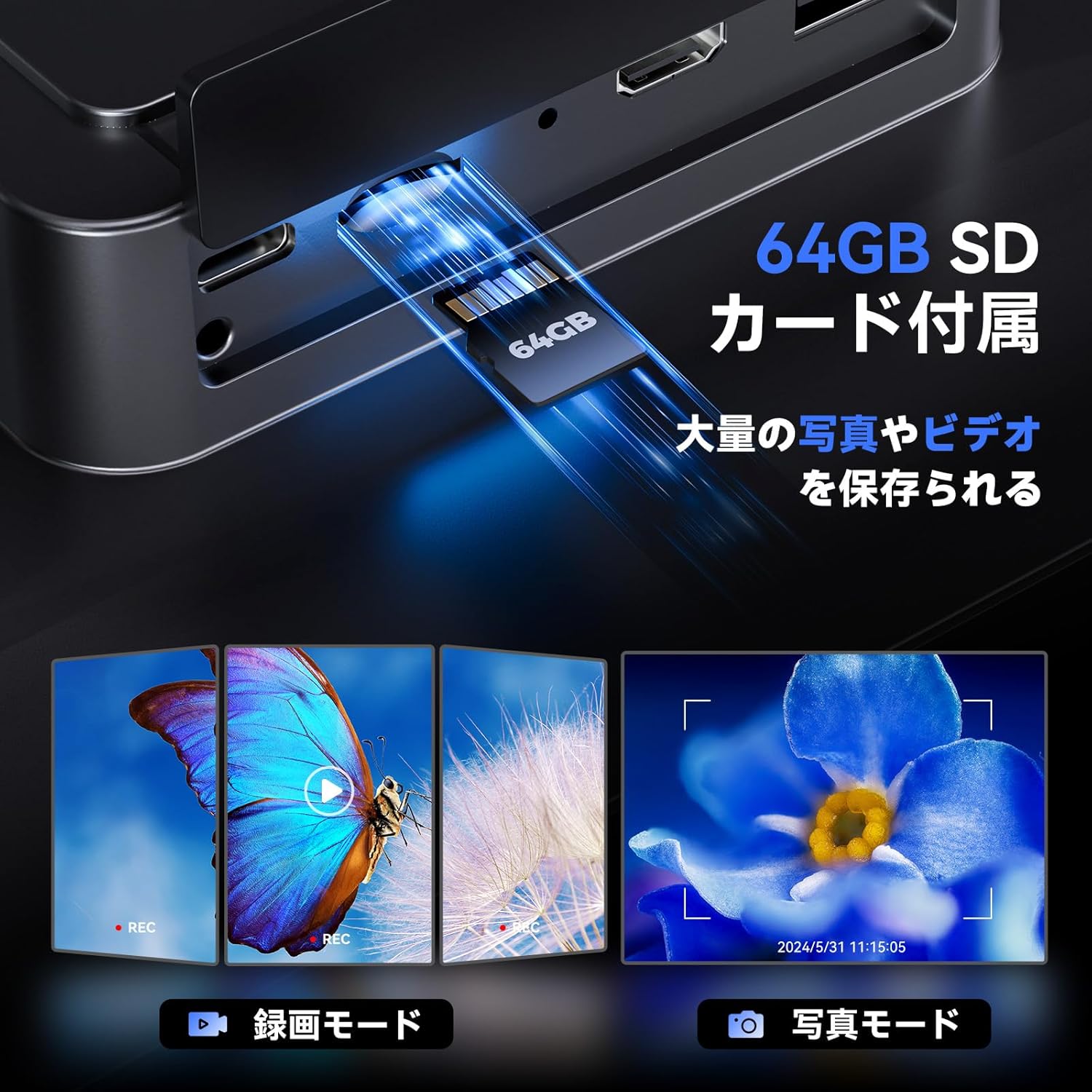
Image: Illustrates the inclusion of a 64GB SD card for extensive photo and video storage.
4.5 Connecting to External Displays (HDMI & USB)
The microscope can output its display to a larger screen for collaborative viewing or detailed analysis:
- เอาท์พุต HDMI: Connect an HDMI cable from the microscope to an HDMI-enabled monitor or TV. The microscope display will automatically switch to output mode.
- เอาท์พุต USB: Connect a USB cable from the microscope to a computer. You may need to install specific software (not included, usually available from manufacturer's webไซต์) ถึง view the live feed on your computer.

Image: Shows the microscope connected to a larger TV and a laptop, demonstrating its HDMI and USB output capabilities for real-time viewการไอเอ็นจี
4.6 รีโมทคอนโทรลไร้สาย
The included wireless remote control allows for convenient operation without disturbing the microscope. Functions include:
- ซูมเข้า/ออก
- ถ่ายภาพ
- การบันทึกวิดีโอ
- Menu Navigation (depending on model features)
Image: Depicts the wireless remote control and its functions for convenient operation of the microscope.
5. การบำรุงรักษา
5.1 การทำความสะอาด
- เลนส์: ใช้ผ้านุ่มไม่เป็นขุยที่ออกแบบมาสำหรับเลนส์สายตาโดยเฉพาะ สำหรับคราบฝังแน่น ให้เทน้ำยาทำความสะอาดเลนส์ปริมาณเล็กน้อยลงบนผ้า (อย่าเทลงบนเลนส์โดยตรง)
- หน้าจอแสดงผล: Wipe the screen gently with a microfiber cloth. Avoid harsh chemicals.
- ร่างกาย: Use a soft, dry cloth to wipe the microscope body.
5.2 พื้นที่จัดเก็บ
When not in use, store the microscope in a clean, dry place away from direct sunlight and extreme temperatures. It is recommended to cover the lenses to prevent dust accumulation.
6 การแก้ไขปัญหา
| ปัญหา | สาเหตุที่เป็นไปได้ | สารละลาย |
|---|---|---|
| ไม่มีไฟฟ้า | Power adapter not connected; Power outlet faulty; Battery drained | Ensure power adapter is securely connected; Try a different outlet; Charge the battery. |
| ภาพเบลอ | Not in focus; Incorrect lens for object distance; Lens dirty | Rotate the focus wheel; Adjust microscope height; Clean the lens. |
| No image on external display | Cable not connected properly; Incorrect input selected on TV/monitor; Missing USB driver | Check HDMI/USB cable connections; Select correct input source on TV/monitor; Install necessary USB drivers for PC connection. |
| ข้อผิดพลาดการ์ด SD | SD card not inserted correctly; SD card full or corrupted | Reinsert SD card; Format SD card (this will erase all data); Try a different SD card. |
| รีโมตคอนโทรลไม่ทำงาน | Battery drained; Obstruction between remote and microscope | Replace remote control battery; Ensure clear line of sight to the microscope's IR receiver. |
7. ข้อมูลจำเพาะ
| คุณสมบัติ | รายละเอียด |
|---|---|
| ยี่ห้อ | ทอมลอฟ |
| แบบอย่าง | TriL110 |
| แสดง | 10.1-inch IPS Screen, 178° Viewอิงแองเกิล |
| ความละเอียดของภาพ | 24 ล้านพิกเซล |
| ความละเอียดวิดีโอ | 2K |
| Magnification (1000X Lens) | 2X-1000X |
| Magnification (1500X Lens) | 10X-1500X |
| Magnification (2500X Lens) | 2000X-2500X |
| แหล่งกำเนิดแสง | 12 Main LEDs, 2 Gooseneck Side Lights, 1 Slide Glass Bottom Transmitted Light |
| พอร์ตเอาท์พุต | HDMI, ยูเอสบี |
| พื้นที่จัดเก็บ | การ์ด SD 64GB (รวมอยู่ด้วย) |
| อายุการใช้งานแบตเตอรี่ | Approx. 3 hours continuous operation (3000mAh microscope, 1800mAh base light) |
| สี | สีดำ |
8. การรับประกันและการสนับสนุน
The TOMLOV TriL110 Digital Microscope comes with a การรับประกันจากผู้ผลิต 1 ปี ตั้งแต่วันที่ซื้อ การรับประกันนี้ครอบคลุมถึงข้อบกพร่องในวัสดุและฝีมือการผลิตภายใต้การใช้งานปกติ
การรับประกันไม่ครอบคลุมถึง:
- ความเสียหายที่เกิดจากการใช้งานผิดวิธี การใช้งานที่ผิดวิธี อุบัติเหตุ หรือการละเลย
- ความเสียหายที่เกิดจากการดัดแปลงหรือซ่อมแซมโดยไม่ได้รับอนุญาต
- การสึกหรอตามปกติ
For technical support, warranty claims, or any questions regarding your TOMLOV TriL110 Digital Microscope, please contact our customer service team through the retailer where you purchased the product or visit the official TOMLOV webเว็บไซต์สำหรับข้อมูลการติดต่อ