
1. บทนำ
Thank you for choosing the GGSTOPWATER JM13 Open Ear Headphones. These innovative earbuds are designed for comfort and safety, allowing you to enjoy high-quality audio while remaining aware of your surroundings. Their non-intrusive design reduces ear fatigue, making them ideal for extended wear during various activities.
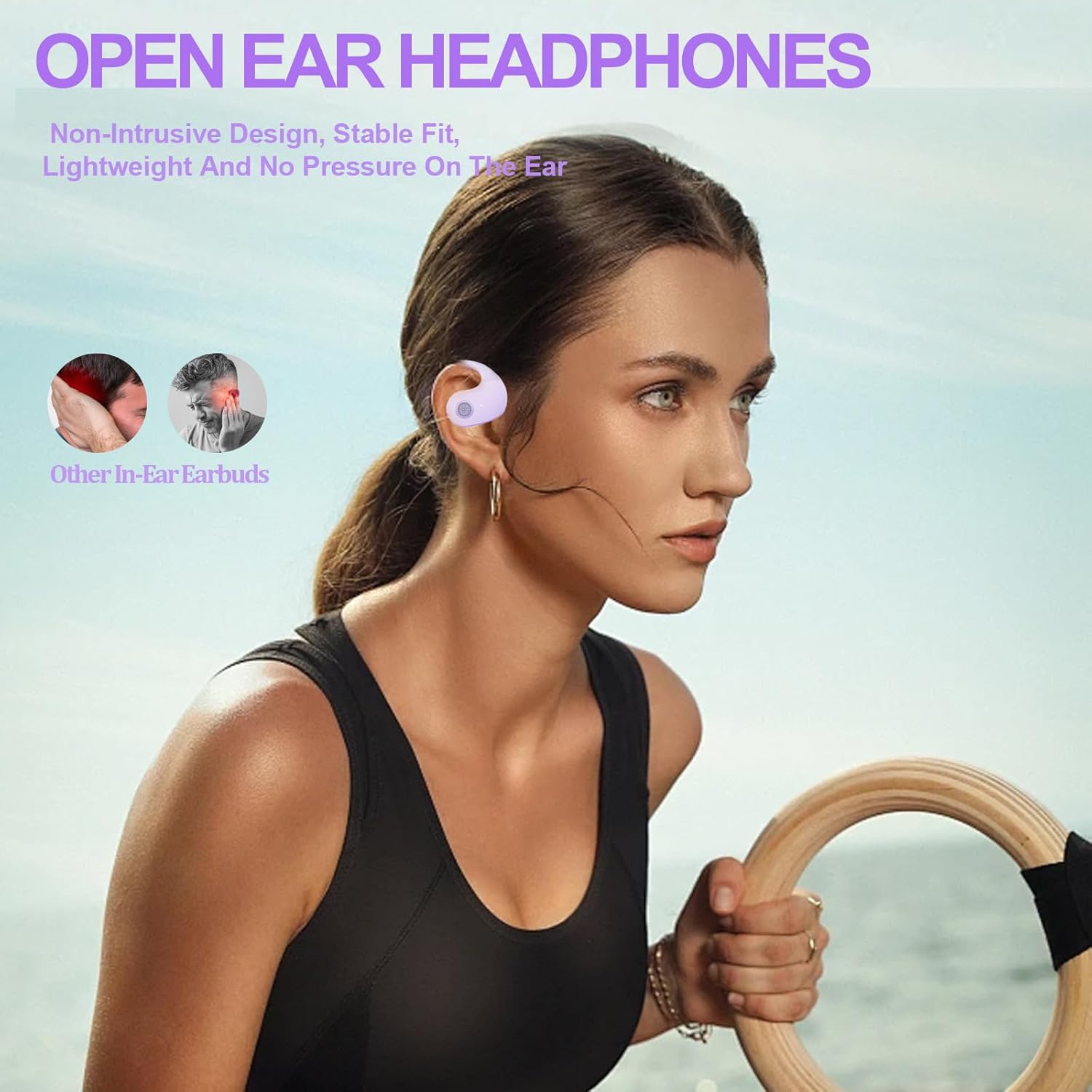
Figure 1: Open-ear design for comfort and awareness.
2. อะไรอยู่ในกล่อง
Your GGSTOPWATER JM13 package includes the following items:
- True Wireless Bluetooth Headphones (2 units)
- Headset Charging Compartment (1 unit)
- สายชาร์จ Type-C (1 เส้น)
- คู่มือผู้ใช้ (1 หน่วย)
- Silicone Lanyard (1 unit)

รูปที่ 2: ส่วนประกอบทั้งหมดที่รวมอยู่ในแพ็คเกจ
3. คู่มือการติดตั้ง
3.1 การชาร์จหูฟังและเคส
Before first use, fully charge the earbuds and the charging case. The case features a Type-C charging port for convenient power input.
- Place the earbuds into their respective slots in the charging case. They are magnetized to ensure proper placement.
- เชื่อมต่อสายชาร์จ Type-C ที่ให้มากับเคสชาร์จและแหล่งจ่ายไฟ
- ไฟแสดงสถานะบนตัวเครื่องจะแสดงสถานะการชาร์จ เมื่อชาร์จเต็มแล้ว ไฟแสดงสถานะจะแสดงว่าชาร์จเสร็จสมบูรณ์

Figure 3: Charging the earbuds and case.
3.2 การจับคู่บลูทูธ
The JM13 headphones utilize advanced Bluetooth 5.4 technology for a fast and stable connection.
- ตรวจสอบให้แน่ใจว่าหูฟังชาร์จไฟเต็มแล้วและนำออกจากกล่องชาร์จแล้ว หูฟังจะเข้าสู่โหมดจับคู่โดยอัตโนมัติ
- บนอุปกรณ์ของคุณ (สมาร์ทโฟน แท็บเล็ต แล็ปท็อป) ไปที่การตั้งค่าบลูทูธ และเปิดบลูทูธ
- ค้นหา อุปกรณ์ที่มีอยู่และเลือก "JM13" จากรายการ
- เมื่อเชื่อมต่อแล้ว จะมีเสียงแจ้งเตือนยืนยันการจับคู่สำเร็จ

รูปที่ 4: ขั้นตอนการเชื่อมต่อบลูทูธ
The headphones support multi-device linking, compatible with iOS, Android, and Windows systems, allowing seamless switching between devices.
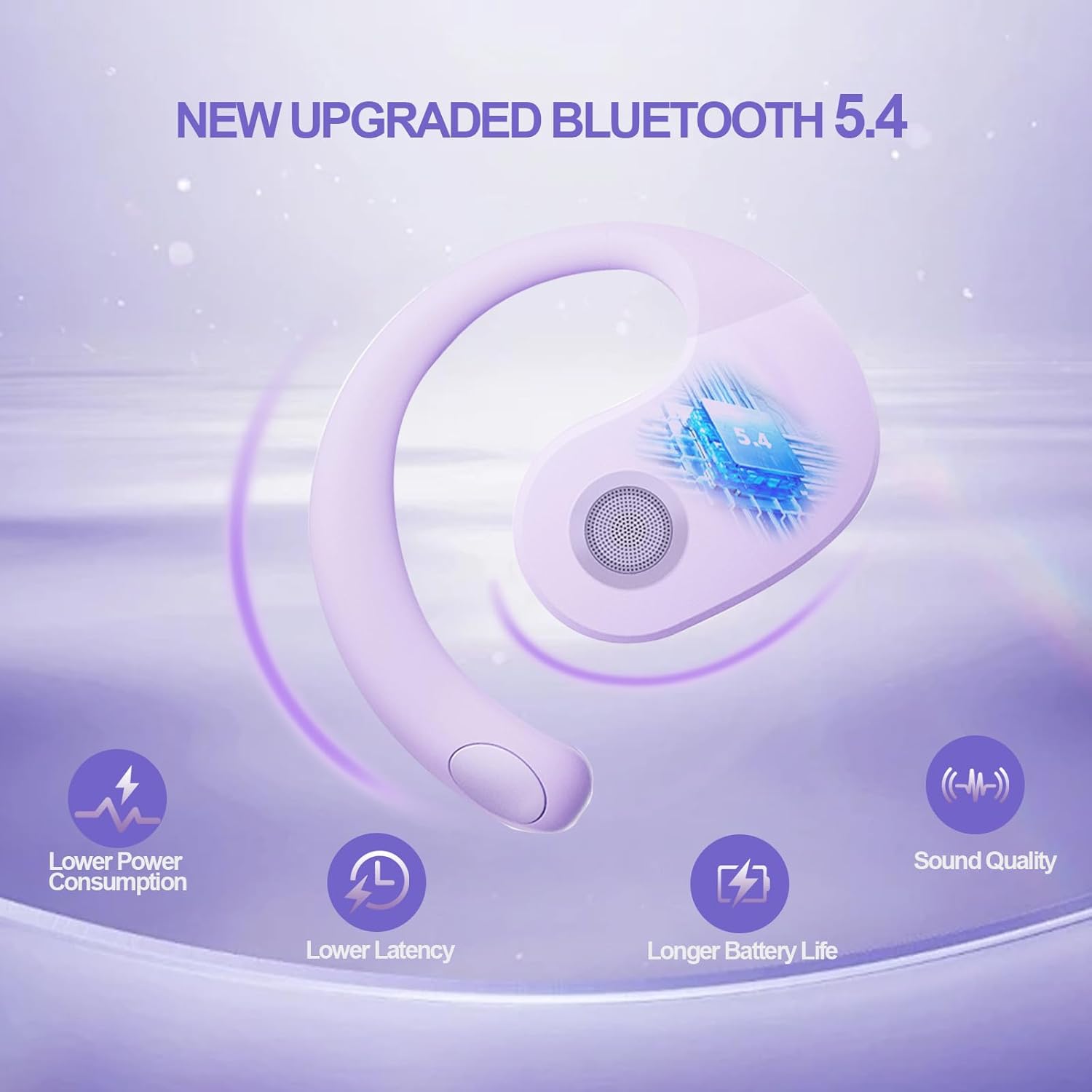
Figure 5: Benefits of Bluetooth 5.4 connectivity.
4. คู่มือการใช้งาน
4.1 ระบบควบคุมแบบสัมผัส
The JM13 earbuds feature intuitive touch controls for managing calls and music:
| การกระทำ | สั่งการ |
|---|---|
| เล่น/หยุดเพลง | Single touch (either earbud) |
| เพลงก่อนหน้า | Double touch (Left earbud) |
| เพลงต่อไป | Double touch (Right earbud) |
| ลดระดับเสียง | Triple touch (Left earbud) |
| เพิ่มระดับเสียง | Triple touch (Right earbud) |
| รับสาย/วางสาย | Click to answer, then click to hang up |
| ปฏิเสธการรับสาย | กดค้าง 2 วินาที |
| เปิดเครื่อง | กดค้าง 3 วินาที |
| ปิดเครื่อง | กดค้าง 5 วินาที |
4.2 สถานการณ์การใช้งาน
The open-ear design and secure fit make these earbuds suitable for a variety of activities:
- Sports & Fitness: The flexible ear hooks and IPX5 waterproof rating ensure they stay secure and protected during workouts, running, and other physical activities.
- กิจกรรมกลางแจ้ง: Maintain spatial awareness to hear approaching vehicles or people, enhancing safety during outdoor sports or walks.
- Office & Daily Use: Enjoy audio content or take calls comfortably without blocking out important ambient sounds.

Figure 6: Versatile use for various scenarios.
4.3 Official Product Video: Touch Controls & Features
Video Description: This video demonstrates the physical product, its open-ear design, and how to use the touch controls for music playback and call management. It also highlights the secure fit and portability of the earbuds.
5. การบำรุงรักษาและการดูแล
5.1 กันน้ำและกันฝุ่น
The JM13 earbuds are rated IPX5 waterproof, meaning they are protected against low-pressure water jets from any direction. They are also dustproof.
- Wipe the earbuds clean with a soft, dry cloth after each use, especially after workouts or exposure to moisture.
- ห้ามจุ่มหูฟังลงในน้ำหรือโดนเครื่องฉีดน้ำแรงดันสูง
- Avoid exposing the charging case to water or excessive dust, as it is not waterproof.

Figure 7: IPX5 waterproof and dustproof protection.
5.2 พื้นที่จัดเก็บ
Store the earbuds in their charging case when not in use to protect them from dust, damage, and to keep them charged.
6 การแก้ไขปัญหา
If you encounter issues with your GGSTOPWATER JM13 headphones, please refer to the following common solutions:
- ไม่มีเสียง/ระดับเสียงต่ำ: Ensure the earbuds are properly connected to your device. Check the volume levels on both the earbuds (via touch controls) and your connected device.
- ไม่สามารถจับคู่ได้: Make sure the earbuds are in pairing mode (alternating flashing white and green lights). Turn off and on your device's Bluetooth, then try searching again. Ensure no other devices are currently connected to the earbuds.
- ปัญหาการชาร์จ: Verify that the Type-C cable and power source are working correctly. Ensure the earbuds are correctly seated in the charging case and that the case itself has power. Clean the charging contacts on both the earbuds and the case if necessary.
- Voice Prompts Not in English: If voice prompts are in an unexpected language, refer to the full instruction manual (included in the box) for language setting adjustments, or perform a factory reset if available.
- การเชื่อมต่อไม่ต่อเนื่อง: Move closer to your connected device to reduce signal interference. Ensure there are no major obstructions between the earbuds and your device.
หากปัญหายังคงมีอยู่ โปรดติดต่อฝ่ายสนับสนุนลูกค้า
7. ข้อมูลจำเพาะ
| คุณสมบัติ | รายละเอียด |
|---|---|
| ชื่อรุ่น | เจเอ็ม13 |
| ยี่ห้อ | จีจีเอสท็อปวอเตอร์ |
| เทคโนโลยีการเชื่อมต่อ | ไร้สาย (บลูทูธ 5.4) |
| การวางตำแหน่งหู | หูเปิด |
| ฟอร์มแฟกเตอร์ | On Ear (with ear hooks) |
| การควบคุมเสียงรบกวน | ระบบตัดเสียงรบกวนแบบแอคทีฟ |
| ประเภทไดร์เวอร์เสียง | ไดรเวอร์ไดนามิก (16 มม.) |
| ช่วงความถี่ | 20 เฮิรตซ์ - 20,000 เฮิรตซ์ |
| อิมพีแดนซ์ | 32 โอห์ม |
| อายุการใช้งานแบตเตอรี่ (รวมเคส) | นานถึง 48 ชั่วโมง |
| ระดับการกันน้ำ | IPX5 |
| วัสดุ | ซิลิโคน, พลาสติก |
| น้ำหนักสินค้า | 3.52 ออนซ์ |
| สี | สีม่วง |
8. การรับประกันและการสนับสนุน
GGSTOPWATER products come with a standard manufacturer's warranty. For detailed warranty information, product support, or service inquiries, please refer to the warranty card included in your package or visit the official GGSTOPWATER webเว็บไซต์.
For direct assistance, you may contact our customer support team via the contact information provided in your product documentation.