
1. สินค้าหมดview
The Eden FIN 25 is a compact and quiet internal micro-filter designed for freshwater and saltwater aquariums up to 25 liters. It provides efficient filtration and water circulation, ensuring clear and healthy aquarium water.
คุณสมบัติที่สำคัญ ได้แก่:
- Compact design with a filtration chamber.
- Suitable for small freshwater and saltwater aquariums.
- Flexible installation: can be mounted horizontally or vertically.
- Ideal for low water levels, paludariums, or turtle tanks.
- Includes an activated carbon filter sponge for enhanced water purification.
- Adjustable flow regulator for customized water circulation.
- Equipped with secure suction cups for stable attachment.
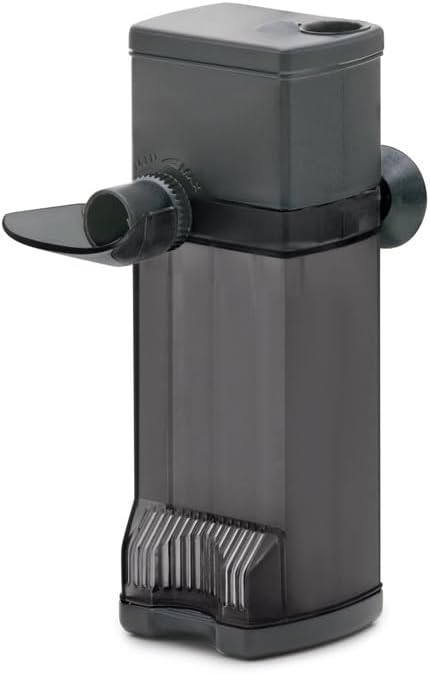
Figure 1: Eden FIN 25 Internal Aquarium Filter.
2. คำแนะนำด้านความปลอดภัย
- อ่านคำแนะนำทั้งหมดอย่างละเอียดก่อนใช้งาน
- ตรวจสอบแหล่งจ่ายไฟ voltage matches the filter's requirements.
- Always unplug the filter from the power outlet before performing any maintenance, installation, or when placing hands in the aquarium water.
- ห้ามใช้งานตัวกรองหากสายไฟหรือปลั๊กชำรุดเสียหาย
- This appliance is for indoor use only and must not be used in wet conditions outside of the aquarium.
- เก็บให้พ้นจากมือเด็ก
- Ensure a drip loop is formed with the power cord to prevent water from traveling along the cord and reaching the electrical outlet.
3. เนื้อหาบรรจุภัณฑ์
ตรวจสอบว่ามีส่วนประกอบทั้งหมดอยู่ในแพ็คเกจ:
- Eden FIN 25 Internal Filter unit
- Filter sponge (with activated carbon)
- ตัวดูดสำหรับติดตั้ง
- Adjustable water diffuser
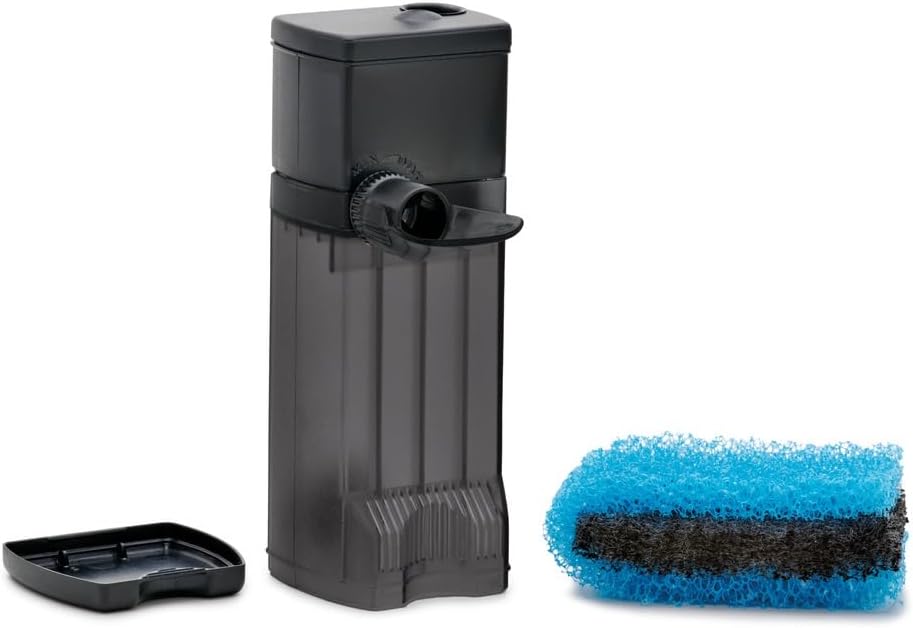
Figure 2: Filter unit with included filter sponge.
4. การตั้งค่าและการติดตั้ง
Follow these steps to install your Eden FIN 25 filter:
- ติดถ้วยดูด: Securely attach the provided suction cups to the designated points on the filter body.
- Prepare Aquarium Surface: Clean the inner surface of your aquarium glass where you intend to place the filter. Ensure it is free of algae or debris for optimal suction.
- ตำแหน่งตัวกรอง:
- The filter can be installed ในแนวตั้ง, ensuring the water outlet is above the water surface for maximum oxygenation, or submerged for quieter operation.
- It can also be installed แนวนอน, which is particularly useful for low water levels in paludariums or turtle tanks.
- Adjust Water Diffuser: Position the adjustable water diffuser to direct the water flow as desired. This helps with water circulation and oxygenation.
- เชื่อมต่อกับพลังงาน: Once the filter is securely in place and submerged (if applicable), plug the power cord into a suitable electrical outlet. Ensure a drip loop is in place.
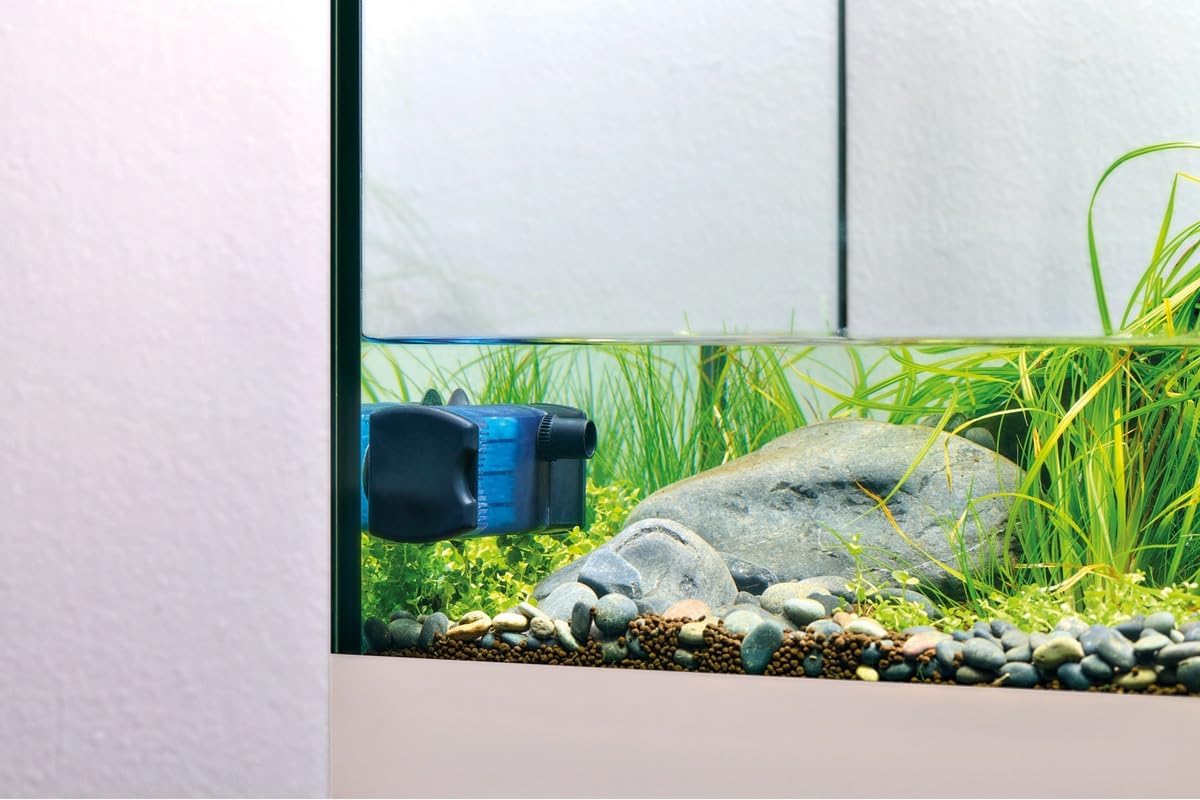
Figure 3: Horizontal installation for low water levels.

Figure 4: Vertical installation in an aquarium.
5. การดำเนินการ
The Eden FIN 25 filter is designed for continuous operation. Once plugged in, it will begin filtering your aquarium water.
- Flow Regulation: Use the flow regulator on the filter to adjust the water output rate. This allows you to customize the water circulation to suit your aquarium's inhabitants and plant life.
- การเพิ่มออกซิเจน: If the water outlet is positioned above the water surface, it will create surface agitation, promoting effective oxygen exchange.
- การทำงานที่เงียบ: The filter is engineered for extremely quiet operation, minimizing disturbance to your aquatic environment.
6. การบำรุงรักษา
การบำรุงรักษาอย่างสม่ำเสมอเป็นสิ่งสำคัญอย่างยิ่งต่อประสิทธิภาพสูงสุดและอายุการใช้งานที่ยาวนานของตัวกรองของคุณ ควรถอดปลั๊กตัวกรองออกทุกครั้งก่อนทำการบำรุงรักษา
- Filter Sponge Cleaning: The included filter sponge is washable and reusable multiple times.
- Carefully remove the filter unit from the aquarium.
- Disassemble the filter housing to access the filter sponge.
- Rinse the sponge thoroughly under running aquarium water (or dechlorinated tap water) to remove accumulated debris. Avoid using untreated tap water as it can kill beneficial bacteria.
- Reassemble the filter and reinstall it in the aquarium.
- Activated Carbon Sponge: The activated carbon in the sponge helps remove odors, discoloration, and certain chemical impurities. Activated carbon has a limited lifespan and should be replaced periodically (e.g., every 2-4 weeks) or as needed, as its absorption capacity diminishes over time.
- การทำความสะอาดใบพัด: Periodically check and clean the impeller and its housing to ensure smooth operation and prevent blockages.
7 การแก้ไขปัญหา
- Filter Not Running:
- ตรวจสอบว่าสายไฟเสียบเข้ากับเต้ารับที่ใช้งานได้แน่นหนาหรือไม่
- ตรวจสอบให้แน่ใจว่ามีไฟฟ้าจ่ายไปยังเต้าเสียบ
- Inspect the impeller for any blockages or damage. Clean if necessary.
- อัตราการไหลลดลง:
- The filter sponge may be clogged. Clean or replace the filter sponge.
- Check the impeller and its housing for debris.
- Ensure the flow regulator is set to the desired output.
- เสียงดังเกินไป:
- ตรวจสอบดูว่ามีอากาศติดอยู่ภายในตัวกรองหรือไม่ ค่อยๆ เอียงตัวกรองเพื่อไล่ฟองอากาศออก
- Inspect the impeller for damage or foreign objects.
- Ensure the filter is securely mounted and not vibrating against the aquarium glass.
8. ข้อมูลจำเพาะ
| คุณสมบัติ | ข้อมูลจำเพาะ |
|---|---|
| หมายเลขรุ่น | 94141 |
| ขนาดสินค้า (กว้าง x ยาว x สูง) | 4.3 x 4.7 x 12 ซม. |
| น้ำหนัก | 220 กรัม |
| สี | สีดำ |
| Max Aquarium Volume | มากถึง 25 ลิตร |
| อัตราการไหล | 240 ลิตร/ชม. |
| การใช้งานเฉพาะ | Indoor, Freshwater & Saltwater Aquariums, Paludariums, Turtle Tanks |
| ผู้ผลิต | พีเอฟจี จีเอ็มบีเอช |
| ประเทศต้นกำเนิด | อิตาลี |
9. การรับประกันและการสนับสนุน
For warranty information and technical support, please refer to the documentation included with your purchase or contact Eden customer service directly. Keep your proof of purchase for warranty claims.


