
มูเออร์ GE150
MOOER GE150 Multi Effects Pedal and AIR P05 Wireless System User Manual
Model: GE150 | Brand: MOOER
การแนะนำ
The MOOER GE150 is a portable multi-effects pedal designed for electric, acoustic, and bass guitars, offering a wide range of tones and features. It integrates 151 effects, 55 amplifier models, a looper, drum machine, and an expression pedal. This manual also covers the included AIR P05 2.4 GHz wireless system, providing high-quality, low-latency audio transmission for enhanced performance flexibility.
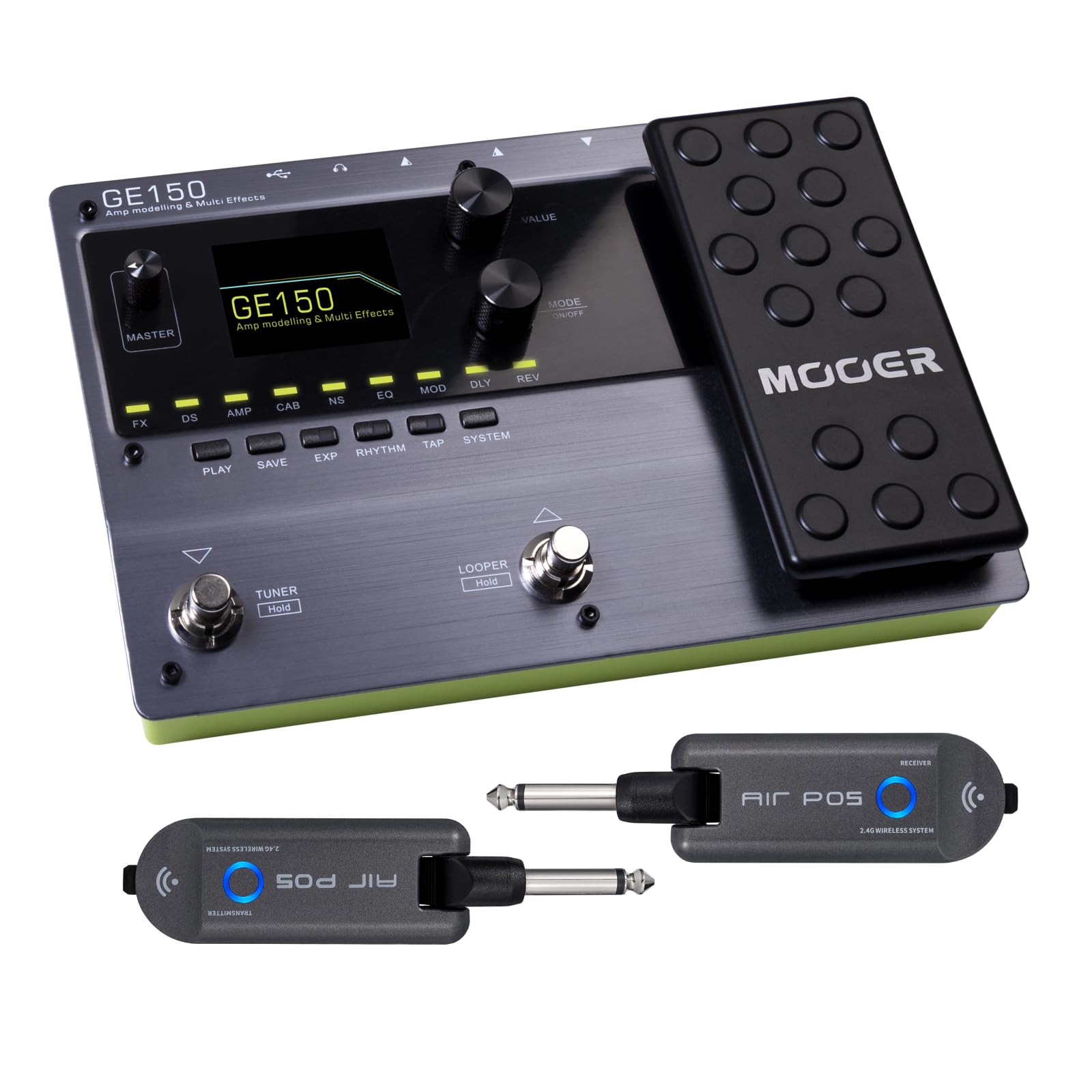
ด้านหน้า view of the MOOER GE150 Multi Effects Pedal, showing the display, control knobs, footswitches, and expression pedal.
การตั้งค่า
GE150 Pedal Connection
- การเชื่อมต่อไฟฟ้า: Connect the included DC 9V 300mA power adapter to the GE150's power input.
- อินพุตเครื่องมือ: Connect your guitar to the GE150's 1/4" mono input jack.
- เอาต์พุตเสียง: Connect the GE150's 1/4" mono output jacks (L/R) to your ampเครื่องขยายเสียง มิกเซอร์ หรืออินเทอร์เฟซเสียง
- หูฟัง: สำหรับการฝึกซ้อมแบบเงียบๆ ให้เชื่อมต่อหูฟังเข้ากับแจ็คหูฟังแบบสเตอริโอขนาด 1/8 นิ้ว
- อินพุต AUX: Use the 1/8" stereo AUX IN to connect external audio sources like an MP3 player for jamming.
- การเชื่อมต่อ USB: Connect the GE150 to a computer via the USB port for firmware updates, software editing, or USB audio recording.

The GE150 connected in a home studio setup, demonstrating connections to a laptop and headphones.

ด้านข้าง view of the GE150 showing input, output, and power connections.
AIR P05 Wireless System Setup
- ค่าใช้จ่าย: Ensure both the transmitter and receiver units are fully charged using the included USB cable. The built-in 400mAh rechargeable battery provides up to 8 hours of operation.
- เชื่อมต่อตัวส่งสัญญาณ: Plug the AIR P05 transmitter into your guitar's output jack.
- เชื่อมต่อเครื่องรับ: Plug the AIR P05 receiver into the GE150's input jack or directly into your ampชีวิต.
- การจับคู่: The units should automatically pair. If not, press the pairing button on both units to establish a connection.
- เลือกช่อง: The AIR P05 offers 4 selectable channels. Press the channel button to cycle through available channels and find the optimal one for interference-free performance.
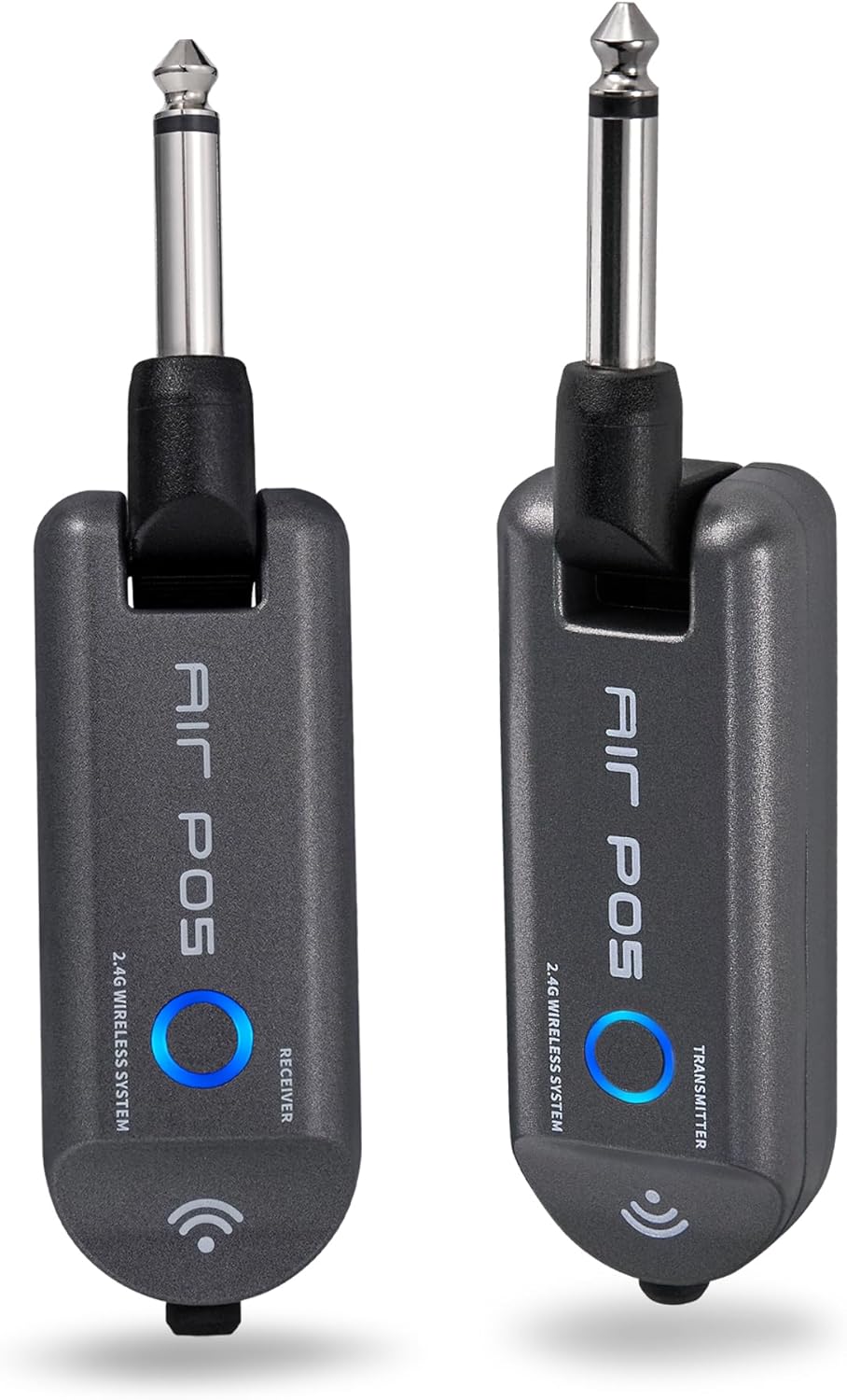
The MOOER AIR P05 wireless system, showing the transmitter and receiver units.

The AIR P05 wireless system highlighting its 4 selectable channels for optimal signal.

Diagram illustrating the wireless connection from guitar to pedal and amplifier using the AIR P05 system.
คำแนะนำการใช้งาน
GE150 Multi-Effects Pedal
- เปิด/ปิดเครื่อง: กดปุ่มเปิดปิดค้างไว้เพื่อเปิดหรือปิดเครื่อง
- การนำทาง: Use the main display and control knobs to navigate through menus and adjust parameters.
- ผลกระทบ: The GE150 features 151 different effects. Use the dedicated FX, DS, AMP, CAB, NS, EQ, MOD, DLY, REV buttons to access and edit effect blocks.
- AMP รุ่น: Access 55 high-quality AMP models utilizing MNRS technology. These models simulate the dynamics and feel of real tube ampลิตเตอร์
- IR Files: The pedal supports 26 user slots for loading third-party Impulse Response (IR) files, allowing for custom cabinet simulations.
- คันเหยียบนิพจน์: Utilize the built-in expression pedal to control various effects parameters or volume levels in real-time.
- ลูป: The 80-second looper allows for recording and overdubbing phrases. Activate it using the dedicated footswitch.
- Drum Rhythms & Metronome: Access 40 types of drum rhythms and 10 metronome settings for practice or songwriting.
- จูนเนอร์: Engage the built-in tuner by holding the designated footswitch.
- การบันทึกค่าที่ตั้งล่วงหน้า: After adjusting effects and settings, save your custom tones to user presets for quick recall.

The GE150 display showing a selected preset and the active effect modules.
AIR P05 Wireless System
- โหมดสลีปอัตโนมัติ: The AIR P05 features an automatic sleep mode to conserve battery life when not in use. It will reactivate upon detecting signal.
- 2.4GHz ISM Technology: The system uses 2.4GHz ISM worldwide technology for low-distortion and low-signal-loss audio transmission.
- ความเข้ากันได้: The wireless system is suitable for electric guitar, bass guitar, acoustic guitar, and other instruments with a 1/4" output.

The AIR P05 wireless system demonstrating its plug-and-play functionality with various instruments and a multi-effects pedal.
การซ่อมบำรุง
- การทำความสะอาด: Use a soft, dry cloth to clean the pedal and wireless units. Avoid abrasive cleaners or solvents.
- พื้นที่จัดเก็บ: เก็บอุปกรณ์ไว้ในที่แห้งและเย็น หลีกเลี่ยงแสงแดดโดยตรงและอุณหภูมิที่สูงหรือต่ำเกินไป
- Battery Care (AIR P05): For optimal battery life, avoid fully discharging the AIR P05 units frequently. Recharge regularly.
- อัพเดตเฟิร์มแวร์: Periodically check the MOOER official website for firmware updates to ensure optimal performance and access new features.
การแก้ไขปัญหา
- ไม่มีเสียงออก:
-
- ตรวจสอบการเชื่อมต่อสายเคเบิลทั้งหมด (เครื่องมือ, เอาต์พุต, กำลังไฟ)
- Ensure the GE150 is powered on and not in bypass mode.
- Verify volume levels on the GE150, your amplifier, and instrument.
- For the AIR P05, ensure both transmitter and receiver are charged, paired, and on the same channel.
- Wireless Signal Interference:
-
- Change the channel on the AIR P05 wireless system to avoid interference from other 2.4GHz devices.
- Ensure there are no large metal objects or other wireless transmitters directly between the AIR P05 units.
- แป้นเหยียบไม่ตอบสนอง:
-
- ถอดและเชื่อมต่อแหล่งจ่ายไฟอีกครั้ง
- Perform a factory reset if necessary (refer to the full manual for specific instructions).
ข้อมูลจำเพาะ
| ยี่ห้อ | เม้าส์ |
| ชื่อรุ่น | GE150 |
| เอฟเฟกต์เอาต์พุตเสียง | Distortion, Delay, Chorus, Reverb, Modulation, Preamp, Pitch-Shifting, Overdrive, Flanger, Multi-Effect |
| ประเภทการควบคุม | Footswitch, Expression Pedal |
| แหล่งพลังงาน | Battery Powered (AIR P05), DC 9V 300mA (GE150) |
| ฮาร์ดแวร์อินเตอร์เฟซ | HP-HSC, USB |
| รูปแบบสัญญาณ | อนาล็อก |
| ประเภทขั้วต่อ | USB, 1/4" Mono Jack, 1/8" Stereo Jack |
| ส่วนประกอบที่รวมอยู่ | AIR P05 Wireless System |
| Sampลิงอัตรา | ความถี่ 44.1 กิโลเฮิรตซ์ |
| Sampความแม่นยำหลิง | 24 บิต |
| ช่วงไดนามิค | 98เดซิเบล |
| IR Format | วาฟ |
| ไออาร์ เอสampลิงอัตรา | 44.1K |
| ไออาร์ เอสampความแม่นยำหลิง | 24 บิต |
| ไออาร์ เอสampจุดหลิง | 512 |
| ขนาด | 230 X 155.99 X 32.8 มม. |
| น้ำหนัก | 1กก. |

Detailed specifications for the MOOER GE150 and AIR P05 wireless system.
ข้อมูลการรับประกัน
MOOER products typically come with a manufacturer's warranty. Please refer to the warranty card included with your product or visit the official MOOER webเข้าชมเว็บไซต์เพื่อดูรายละเอียดข้อกำหนดและเงื่อนไขการรับประกันที่เฉพาะเจาะจงสำหรับภูมิภาคและวันที่ซื้อของคุณ เก็บหลักฐานการซื้อไว้เพื่อใช้ในการเรียกร้องการรับประกัน
สนับสนุน
For further assistance, technical support, or to download the latest firmware and software, please visit the official MOOER webเว็บไซต์:
You may also contact MOOER customer service through the contact information provided on their webเว็บไซต์.
Ask a question about this manual
Ask about setup, troubleshooting, compatibility, parts, safety, or missing instructions. Manuals+ will review the question and use this page’s manual context to help answer it.