
การแนะนำ
Thank you for choosing the Raddy RF320 Shortwave Radio. This manual provides essential information for the safe and efficient operation of your device. Please read it thoroughly before use and retain it for future reference. The RF320 is a versatile portable radio offering comprehensive reception across AIR, FM, VHF, MW, SW, and WB bands, along with Bluetooth 5.0 connectivity, TF card playback, and emergency features like a flashlight and SOS function.
ข้อมูลด้านความปลอดภัย
- อย่าวางวิทยุไว้ในที่ที่มีอุณหภูมิสูงหรือต่ำเกินไป แสงแดดโดยตรง หรือความชื้นสูง
- หลีกเลี่ยงการทำอุปกรณ์หล่นหรือกระแทกอย่างรุนแรง
- Keep the radio away from water and other liquids. It is not waterproof.
- Use only the specified charging cable and power adapter to prevent damage.
- Do not attempt to disassemble or modify the radio. This will void the warranty and may cause harm.
- ทิ้งแบตเตอรี่ตามระเบียบข้อบังคับในท้องถิ่น
เนื้อหาแพ็คเกจ
ตรวจสอบว่ามีรายการทั้งหมดอยู่ในแพ็คเกจ:
- วิทยุคลื่นสั้น Raddy RF320
- สายชาร์จ USB
- 3m Cable Antenna
- หูฟัง
- คู่มือของเจ้าของ
สินค้าเกินview
ทำความคุ้นเคยกับส่วนประกอบและปุ่มควบคุมของวิทยุให้ดี
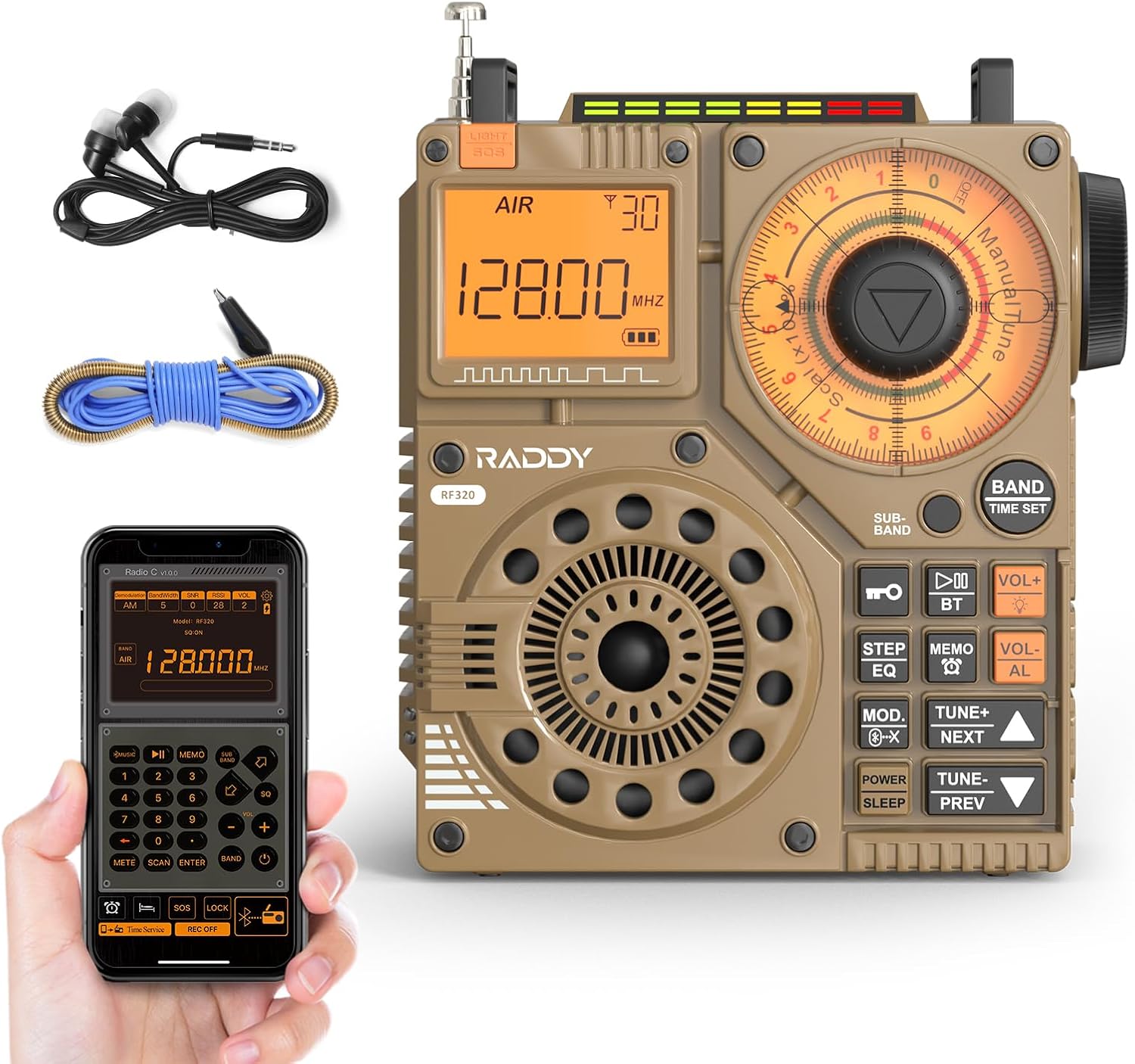
รูปที่ 1 : ด้านหน้า view of the Raddy RF320 Shortwave Radio, showing the display, speaker, and control buttons.

รูปที่ 2: ด้านข้าง view of the Raddy RF320, illustrating the fine-tuning knobs and their function for precise frequency adjustment.
คุณสมบัติหลัก:
- จอแสดงผลดิจิตอล: Shows frequency, band, and other operational information.
- ปุ่มปรับจูน: For manual and fine-tuning adjustments.
- Band Selection Buttons: To switch between AIR, FM, VHF, MW, SW bands.
- การควบคุมระดับเสียง: ปรับระดับเอาท์พุตเสียง
- ไฟฉายแบบบูรณาการ: เพื่อการส่องสว่างในสภาวะแสงน้อย
- ฟังก์ชั่น SOS: Activates an emergency signal.
- Bluetooth 5.0: สำหรับการสตรีมเสียงแบบไร้สาย
- ช่องเสียบการ์ด TF: For direct playback of stored audio files.
- แจ็คเสียงขนาด 3.5 มม.: For earphone connection.
การตั้งค่า
1. การชาร์จแบตเตอรี่
The RF320 is powered by a built-in Lithium-ion battery. Before first use, fully charge the radio.
- เสียบสายชาร์จ USB เข้ากับพอร์ตชาร์จของวิทยุ
- เชื่อมต่อปลายอีกด้านหนึ่งของสาย USB เข้ากับอะแดปเตอร์ไฟ USB ที่ใช้งานร่วมกันได้ (ไม่รวมอยู่ด้วย) หรือพอร์ต USB ของคอมพิวเตอร์
- The charging indicator on the display will show the charging status. It will typically turn off or change color when fully charged.
2. การติดตั้งเสาอากาศ
For optimal reception, especially on SW and AIR bands, extend the telescopic antenna or connect the included 3m cable antenna.
- เสาอากาศยืดไสลด์: Extend it fully and adjust its direction for best signal.
- Cable Antenna: Plug the cable antenna into the designated antenna jack on the radio. Extend the cable antenna as much as possible, ideally outdoors or near a window, for improved shortwave reception.
คำแนะนำการใช้งาน
1. เปิด/ปิดเครื่อง
กดปุ่มค้างไว้ พลัง ปุ่มสำหรับเปิดหรือปิดวิทยุ
2. การเลือกวงดนตรี
กดปุ่ม วงดนตรี button repeatedly to cycle through the available frequency bands: FM, AM (MW), SW, VHF, AIR, WB.
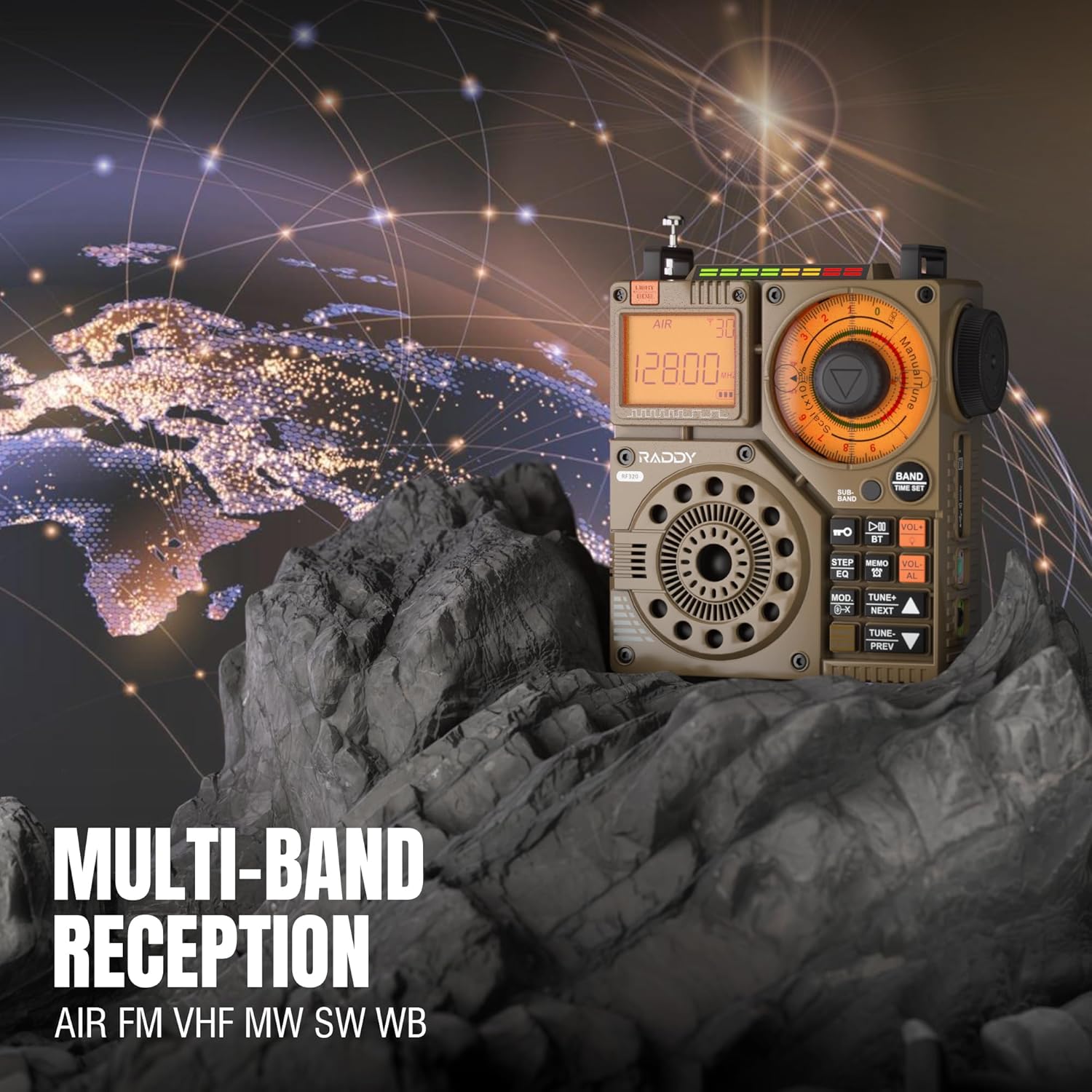
Figure 3: The Raddy RF320 radio on a rocky surface, symbolizing its multi-band reception capabilities across AIR, FM, VHF, MW, SW, and WB bands.
3. วิธีการปรับแต่ง
The RF320 offers multiple tuning options:
- การปรับด้วยตนเอง: Use the main tuning knob to adjust the frequency incrementally. The precise tuning knobs offer a minimum step value of 0.005 MHz for accurate frequency selection.
- การปรับแต่งแบบดิจิตอล: Use the numeric keypad (if available on the device or via app) to directly enter a frequency.
- ค้นหาอัตโนมัติ: กดปุ่ม สแกนอัตโนมัติ ปุ่มสำหรับสแกนและบันทึกสถานีที่ว่างอยู่โดยอัตโนมัติ
- การค้นหาแบบกึ่งอัตโนมัติ: This function allows for scanning within a specific range or with user intervention. Refer to the on-screen prompts or app interface for details.
4. Station Storage
The radio can store up to 955 stations (199 for each of AIR, FM, VHF, MW, and SW bands).
- ปรับไปยังสถานีที่ต้องการ
- กดปุ่มค้างไว้ MEMO button (or equivalent) to save the station.
- ใช้ ถัดไป / ก่อนหน้านี้ ปุ่มสำหรับนำทางไปยังสถานีที่บันทึกไว้
5. โหมดบลูทูธ (BT)
เชื่อมต่อสมาร์ทโฟนหรืออุปกรณ์ที่รองรับบลูทูธเพื่อสตรีมเสียงแบบไร้สาย
- กดปุ่ม โหมด button until 'BT' or 'Bluetooth' is displayed.
- On your device, search for Bluetooth devices and select 'Raddy RF320'.
- เมื่อจับคู่เสร็จแล้ว คุณสามารถเล่นเสียงจากอุปกรณ์ของคุณผ่านลำโพงของวิทยุได้
6. การเล่นการ์ด TF
เล่นเสียง files directly from a TF (MicroSD) card.
- Insert a TF card (up to 32GB, FAT32 format) with audio fileเข้าไปในช่องเสียบการ์ด TF
- กดปุ่ม โหมด button until 'TF' or 'Card' is displayed.
- ใช้ ถัดไป / ก่อนหน้านี้ ปุ่มสำหรับการนำทางเพลง

Figure 4: The Raddy RF320 radio next to a smartphone displaying music, highlighting its three operational modes: Bluetooth, TF Card, and Radio Receiver.
7. Flashlight and SOS Function
The RF320 includes an integrated flashlight and an SOS emergency signal.
- ไฟฉาย: กดปุ่ม แสงสว่าง button to turn the flashlight on/off.
- SOS: กดปุ่มค้างไว้ สัญญาณขอความช่วยเหลือ button to activate the emergency alarm and flashing light. Press again to deactivate.

Figure 5: Close-up of the Raddy RF320 radio with its integrated flashlight active, demonstrating its outdoor lighting capability.
8. การควบคุมแอป
The Raddy RF320 can be controlled via a dedicated application on iOS, Android, and HarmonyOS systems.
- Download the 'Radio C' application from your device's app store.
- Ensure Bluetooth is enabled on your smartphone and the RF320 radio.
- Open the app and follow the on-screen instructions to connect to your RF320.
- The app allows for digital tuning, channel naming, recording broadcasts, and other advanced controls.

Figure 6: The Raddy RF320 radio displayed alongside a smartphone running its control application, illustrating the ease of use with app integration.
การซ่อมบำรุง
- ทำความสะอาดวิทยุด้วยผ้านุ่มและแห้ง ห้ามใช้น้ำยาทำความสะอาดที่มีฤทธิ์กัดกร่อนหรือตัวทำละลาย
- เมื่อไม่ได้ใช้งานเป็นเวลานาน ควรเก็บวิทยุไว้ในที่แห้งและเย็น
- Periodically charge the battery to maintain its lifespan, even if the radio is not being used.
- Ensure the telescopic antenna is retracted when not in use to prevent damage.
การแก้ไขปัญหา
| ปัญหา | สาเหตุที่เป็นไปได้ | สารละลาย |
|---|---|---|
| วิทยุไม่สามารถเปิดได้ | แบตเตอรี่หมด | Charge the radio fully. |
| การรับสัญญาณวิทยุไม่ดี | สัญญาณอ่อน เสาอากาศไม่ได้ยืดออก | Extend the telescopic antenna or connect the 3m cable antenna. Adjust antenna position. Move to an area with better signal. |
| การเชื่อมต่อบลูทูธล้มเหลว | Radio not in BT mode; device too far; pairing issue. | Ensure radio is in BT mode. Bring devices closer. Delete 'Raddy RF320' from your device's BT list and re-pair. |
| การ์ด TF เล่นไม่ได้ | Card not inserted correctly; unsupported format; corrupted files. | Reinsert TF card. Ensure card is FAT32 format. Check if audio fileได้รับการสนับสนุนแล้ว |
| การควบคุมแอปไม่ทำงาน | Bluetooth not connected; app not updated. | Ensure radio is paired via Bluetooth. Update the 'Radio C' app to the latest version. |
ข้อมูลจำเพาะ
| คุณสมบัติ | ข้อมูลจำเพาะ |
|---|---|
| ยี่ห้อ | แรดดี้ |
| หมายเลขรุ่น | RF320 |
| แถบความถี่วิทยุที่รองรับ | AIR, FM, VHF, MW (AM), SW |
| เทคโนโลยีการปรับแต่ง | FM, AM, VHF, SW, AIR |
| เทคโนโลยีการเชื่อมต่อ | บลูทูธ 5.0 |
| คุณสมบัติพิเศษ | Digital Display, Integrated Flashlight, Rechargeable, Automatic Squelch, Keypad Lock, TF Card Playback, App Control, SOS Function |
| ขนาดสินค้า (กว้าง x ยาว x สูง) | กว้าง 15 ยาว 9 สูง 15 เซนติเมตร |
| แหล่งพลังงาน | ใช้แบตเตอรี่ (รวมแบตเตอรี่ลิเธียมไอออน 1 ก้อน) |
| ประเภทจอภาพ | Digital Display (LCD/LED) |
| ฮาร์ดแวร์อินเตอร์เฟซ | แจ็ค Audio 3.5mm |
| ระดับความต้านทานต่อน้ำ | ไม่กันน้ำ |
| วัสดุภายใน | โลหะ |
| ประเทศต้นกำเนิด | จีน |
การรับประกันและการสนับสนุน
ข้อมูลการรับประกัน
Raddy products typically come with a standard manufacturer's warranty. Please refer to the warranty card included in your package or visit the official Raddy website for detailed warranty terms and conditions specific to the RF320 model. Keep your purchase receipt as proof of purchase for warranty claims.
การสนับสนุนลูกค้า
For technical assistance, troubleshooting beyond this manual, or warranty inquiries, please contact Raddy customer support through their official website or the contact information provided with your product packaging. When contacting support, please have your product model (RF320) and purchase details ready.


